Toggl Track Review 2026: Is It Worth It?
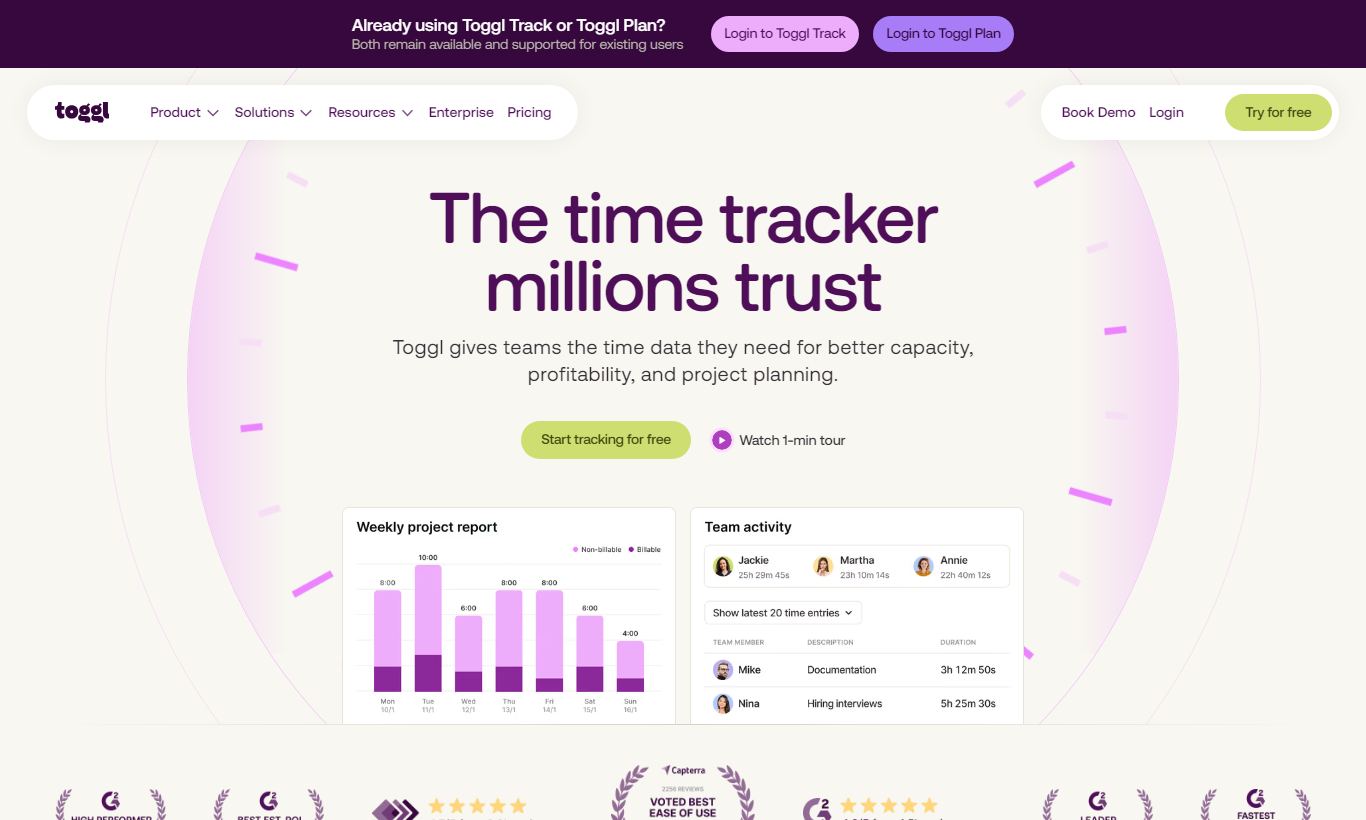
Toggl Track is a time-tracking platform built for freelancers, agencies, and distributed teams who need accurate billable-hour records without the overhead of a full project-management suite. Its one-click timer, intuitive browser extension, and offline mobile apps make it the lowest-friction time tracker on the market. The free plan supports up to 5 users with unlimited time tracking. Paid plans (from $9/user/month) unlock billable rates, project profitability reports, and time rounding. Toggl Track excels at recording time, but it deliberately stops short of task management, invoicing, and resource scheduling. Teams that need those features alongside time tracking will need a secondary tool, or should consider a bundled alternative. For pure time intelligence, it's still one of the strongest options available in 2026.
What we love
Watch out for
Toggl Track at a glance
What to test in your Toggl Track trial
30-day free trial
- Start a timer from inside Asana or Jira using the browser extension without switching tabs
- Test idle detection by leaving your computer inactive during a meeting and verify it catches unmanned time
- Set a project budget in dollars and confirm you receive an email alert before approaching the limit
- Run an Insights report to see project profitability by comparing billable rates against your tracked hours
- Export a week of billable time entries to CSV and verify the data imports cleanly into QuickBooks or FreshBooks
Quick Verdict
Toggl Track earns its place as the go-to time tracker for consultants, agencies, and remote-first teams who treat billable time as a financial asset. Its timer is genuinely frictionless. One click in the browser extension, a tap on the mobile app, or a keyboard shortcut on the desktop client starts recording. The idle detection feature quietly prompts you to discard time when you forget to stop the clock. The reporting suite is thoughtful without being overwhelming. It surfaces project profitability and team utilization at a glance, instead of burying insights behind six menu layers.
Toggl Track is a specialist, not a generalist, though. It won't replace your project-management tool, doesn't generate invoices natively, and lacks resource planning. If your team already lives in Asana or Linear, Toggl Track layers in beautifully alongside them. If you're hunting for a single all-in-one platform, you may end up paying for two tools. For the right buyer, and there are millions of them, Toggl Track is a near-perfect fit.
Start Your Free Trial →What is Toggl Track?
Toggl Track launched in 2006 out of the Estonian startup Toggl OÜ, which makes it one of the longest-standing dedicated time trackers on the market. The company later split its product line into separate apps: Toggl Track for time tracking, Toggl Plan for visual project planning, and Toggl Hire for skills-based recruiting. Each tool stays narrowly focused instead of getting crammed into one bloated platform. Today, Toggl Track claims over 5 million users across 120+ countries, with heavy use among software agencies, design studios, legal firms, and solo consultants who bill by the hour.
The platform is web-first but has native apps for macOS, Windows, iOS, and Android, plus browser extensions for Chrome and Firefox. It connects with 100+ third-party tools through its own integrations and through Zapier, so it slots into most existing workflows without forcing a full migration. Its market position is simple: best-in-class time tracking at a price that scales from solo freelancer to mid-market agency.
Key Features
Feature Checklist
One-Click Time Tracking Across Every Platform
The core of Toggl Track is its timer, and it's executed better here than almost anywhere else. You hit the large play button, type a description, optionally tag a project and client, and you're recording. That's it. The browser extension sits unobtrusively in your toolbar and adds a start-timer button directly inside tools like Jira, Asana, Trello, GitHub, and Basecamp, so you don't have to switch tabs just to log time. The macOS menu bar app and Windows system tray app mean you can start or stop a timer without even opening a browser window. For teams where time-logging compliance is low because the friction is too high, this setup genuinely changes behavior.
Idle Detection and Pomodoro Timer
Idle detection is one of those features that sounds minor until you've lost two hours of billable time because you forgot to stop your timer during a long meeting. When Toggl Track detects your computer has been idle for a configurable period (you set the threshold), it prompts you on return. Discard the idle time, keep it, or add it to a different project. The built-in Pomodoro timer, 25-minute focus blocks followed by a short break, fully customizable, is a genuinely useful addition for solo workers who struggle with deep-focus sessions. Neither feature needs any setup out of the box. They just work.
Project and Client Management with Billable Rates
Toggl Track lets you build a structured hierarchy. Workspaces contain Clients, which contain Projects, which contain Tasks. Each level can carry its own billable rate, project-level, team-member-level, or a single workspace-wide rate, giving agencies the flexibility to charge differently for a junior developer versus a senior consultant on the same project. Color-coded projects make the timeline view easy to scan at a glance. You can set project budgets (in hours or money) and Toggl will alert you when you're approaching the limit, which matters a great deal for fixed-fee engagements where scope creep is a real risk.
Reporting and Project Profitability
The reporting suite is where Toggl Track pulls ahead of cheaper alternatives. The Summary, Detailed, and Weekly reports cover most day-to-day needs: filtering by client, project, tag, team member, or date range and exporting to PDF or CSV. The Insights report (available on Starter plan and above) is the standout. It shows project profitability by comparing tracked hours against billable rates, reveals which team members are most and least utilized, and flags projects running over budget. For an agency billing 10+ clients simultaneously, this report can pay for the software cost in the first week of use. Scheduled email reports mean the data can land in a client's inbox automatically each Monday without anyone lifting a finger.
Team Management and Approval Workflows
On the Premium and Enterprise tiers, Toggl Track introduces time-entry approval workflows. Team members submit their hours for a manager to review and approve before they're locked. This matters for agencies that use Toggl data to generate payroll or client invoices, since it creates an audit trail and prevents retroactive edits. Managers can also set required fields, forcing team members to always attach a project or tag before an entry can be saved, which dramatically improves data quality in larger teams. Scheduled reminders nudge team members who haven't logged time in a configurable window.
Integrations and API
Toggl Track's native integration list covers the most common agency and development tools: Asana, Trello, Jira, Linear, Notion, Salesforce, QuickBooks, and Xero. The REST API is well-documented and actively maintained, making custom integrations genuinely doable for teams with a developer on staff. Webhooks are available for real-time data syncing. For teams without developer resources, the Zapier and Make (formerly Integromat) connections open up hundreds of automation recipes, such as automatically starting a Toggl timer when a Jira issue moves to "In Progress."
Pricing
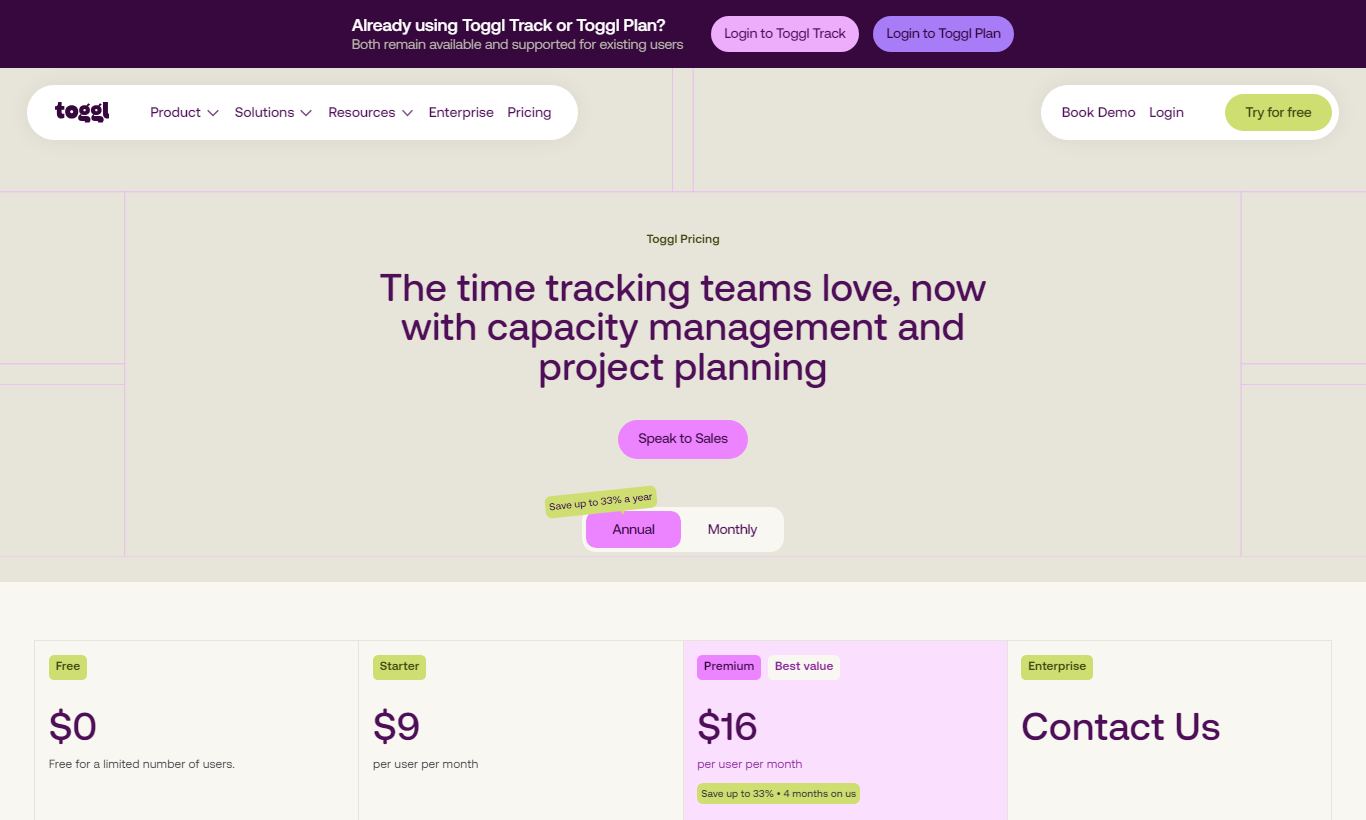
Toggl Track charges per user, per month, across four tiers. All paid plans are billed annually (month-to-month costs roughly 20% more).
- Free - $0/month: Up to 5 users. Unlimited time tracking, projects, clients, and tags. Basic reporting (Summary, Detailed, Weekly). No billable rates, no project budgets, no Insights report. It's the most generous free tier in the category, by a wide margin.
- Starter - $9/user/month (billed annually, ~$10.80/month billed monthly): Everything in Free plus billable rates, project budgets and alerts, project time estimates, recurring tasks, and access to Insights reports. This is the sweet spot for freelancers and small agencies.
- Premium - $18/user/month (billed annually, ~$21.60/month billed monthly): Everything in Starter plus time-entry approval workflows, required fields, scheduled email reports, Salesforce integration, priority support, and saved reports. Built for teams of 10 to 50 who need data governance.
- Enterprise - Custom pricing: Everything in Premium plus a dedicated account manager, SSO (SAML), custom invoicing terms, and SLA-backed support. Aimed at organizations with 50+ users or compliance requirements.
You can trial the Starter or Premium plan free for 30 days, no credit card needed. That's a real commitment for a company confident in its product. No plan carries setup fees or minimum seat requirements.
What We Love
- Zero-friction timer across every surface: The browser extension injects a start button into 100+ tools, including Jira, GitHub, and Asana. That removes the single biggest reason people don't track time consistently.
- Idle detection that actually saves billable hours: Configurable idle prompts prevent both over-billing and under-billing. The discard or keep decision takes under two seconds to make.
- Project budget alerts before you blow past them: Hour-based and monetary budget thresholds with email alerts make fixed-fee project management a lot less stressful for account managers.
- Insights report quantifies project profitability in real time: It compares billable value earned against hours spent at a glance, with no spreadsheet work required. That's genuinely rare at this price point.
- Genuinely useful free plan for teams up to 5: Unlimited projects, clients, and tags with no time-bombed expiry. That's rare among SaaS tools, and it's a real option for micro-agencies and solopreneurs.
Watch Out For
- No native invoicing: Toggl Track will calculate billable amounts but cannot generate or send invoices. You'll need a separate tool like QuickBooks, FreshBooks, or HoneyBook. That adds cost and a manual export step for solo operators.
- Approval workflows locked behind the Premium tier: At $18/user/month, time-entry approvals are expensive for small teams where data governance still matters. This feature belongs in the Starter plan.
- No task or project management: Toggl Track tracks time against projects and tasks, but it doesn't create or assign tasks itself. Teams expecting Harvest-style project management alongside time tracking will be disappointed.
- Mobile app reporting is limited: The iOS and Android apps are great for starting and stopping timers, but the full Insights and Detailed reports are only accessible via the web app. That frustrates managers who review numbers on the go.
Who Is It Best For?
The solo consultant or freelancer billing 3 - 10 clients: A graphic designer, copywriter, or independent developer needs accurate hourly billing records. They want to know which clients are actually profitable, and they don't want to pay for project-management features they'll never touch. The Starter plan at $9/month covers everything they need, and the free plan is a solid way to start with zero risk.
The creative or digital agency with 5 - 30 people: Plenty of agencies already run Asana, Trello, or Monday.com for project delivery, but they still need a dedicated layer of time intelligence on top of it. That means tracking utilization, flagging over-budget projects, and producing time reports clients can actually read. Toggl Track's browser extension integrations let team members log time inside the tools they already use. That alone improves logging compliance without forcing any change in culture.
The software development team that bills by the sprint: A development shop running Jira or Linear for issue tracking needs accurate time data to validate estimates, sharpen future scoping, and back up invoices to clients. The Jira and Linear integrations, paired with the API, make Toggl Track a natural companion tool rather than a competing platform.
How Does It Compare?
Harvest: Harvest is Toggl Track's closest direct rival, and the comparison comes down to invoicing versus simplicity. Harvest includes native invoice generation and payment collection, so freelancers don't need a separate billing tool. That's a real advantage. But Harvest's free plan is limited to 1 user and 2 active projects, which makes Toggl Track's 5-user free tier look a lot more generous. Toggl's UI is also faster and less cluttered. See our full Toggl Track vs Harvest breakdown for a side-by-side feature analysis.
Clockify: Clockify is Toggl Track's most direct pricing competitor. It offers a generous free tier and a very similar feature set. Clockify edges ahead on its free plan, with unlimited users against Toggl's 5-user cap, and it includes a scheduling and shift-planning module that Toggl Track lacks. Toggl Track's UI polish, idle detection, and Insights reporting quality are still noticeably better in day-to-day use, though. Teams prioritizing cost above all else should go with Clockify. Teams that care more about data quality and UX will find Toggl Track worth the extra money. Read our Toggl Track vs Clockify comparison for the full picture.
Final Verdict
Toggl Track does one thing, time tracking, and does it better than almost any competitor at its price point. The combination of frictionless timer inputs, multi-platform native apps, intelligent idle detection, and genuinely useful profitability reporting makes it a powerful financial tool disguised as a simple tracker. For freelancers and agencies where billable hours are the core revenue mechanism, the return on investment is clear and it shows up fast.
Its limitations are just as clear. There's no invoicing, no task management, and the approval workflows sit at a price point that will feel steep for lean teams. If you need a single tool that does everything, look at Harvest (for invoicing-inclusive time tracking) or a full suite like ClickUp. But if you already have a project-management stack and need a best-in-class time layer on top of it, Toggl Track is the most logical, lowest-friction choice available in 2026.
Try Toggl Track Free →FAQ
Is Toggl Track free?
Yes. Toggl Track has a permanently free plan for up to 5 users that includes unlimited time tracking, unlimited projects and clients, and basic reporting. No credit card required. Paid plans start at $9/user/month (billed annually) for features like billable rates and the Insights profitability report.
How much does Toggl Track cost?
Toggl Track's paid plans are: Starter at $9/user/month, Premium at $18/user/month (both billed annually), and Enterprise at custom pricing. Month-to-month billing is available at roughly 20% above the annual rate. A 30-day free trial of Starter or Premium is available without a credit card.
Is Toggl Track worth it for freelancers?
Yes, especially if you bill multiple clients by the hour. The free plan handles basic tracking for up to 5 clients. The Starter plan at $9/month adds billable rates, project budget alerts, and the Insights report, which shows which clients are actually profitable. These features often pay for themselves in recovered billable hours within the first month.
Does Toggl Track generate invoices?
No. Toggl Track calculates billable amounts from tracked hours and rates, but it doesn't generate or send invoices natively. You'll need to export data to an accounting or invoicing tool like QuickBooks, Xero, FreshBooks, or Wave. Native integrations with QuickBooks and Xero are available on the Premium plan.
How does Toggl Track compare to Harvest?
Harvest includes native invoicing and client payment collection, which Toggl Track lacks. Toggl Track has a more generous free plan (5 users vs. Harvest's 1 user and 2 projects), a cleaner UI, and more granular profitability reporting. Pick Harvest if you want billing and invoicing in one tool. Pick Toggl Track if you already have a billing tool and want a best-in-class standalone time tracker.
Does Toggl Track work offline?
Yes. The desktop apps (macOS and Windows) and mobile apps (iOS and Android) all support offline time tracking. Entries sync automatically once your connection is restored. The browser extension and web app need an internet connection.
Can managers approve timesheets in Toggl Track?
Yes, but only on the Premium plan ($18/user/month) and above. The approval workflow lets team members submit time entries for manager review before they're locked. Required fields can also be enforced so entries always include a project and tag, which improves data quality before approval.
What integrations does Toggl Track support?
Toggl Track natively integrates with Asana, Trello, Jira, Linear, Notion, GitHub, GitLab, Salesforce, QuickBooks, and Xero, among others. Its browser extension adds a start-timer button inside 100+ web apps. Additional automations are available via Zapier and Make (formerly Integromat). A REST API with webhooks is available for custom integrations.
We may earn a commission when you click affiliate links. This never affects our editorial scores.
| Best for | — |
| Category | Project Management |
Answer a few quick questions and we'll match you to the best tool for your needs.
→ Suggest a Tool