
Teamwork Review 2026: Is It Worth It?
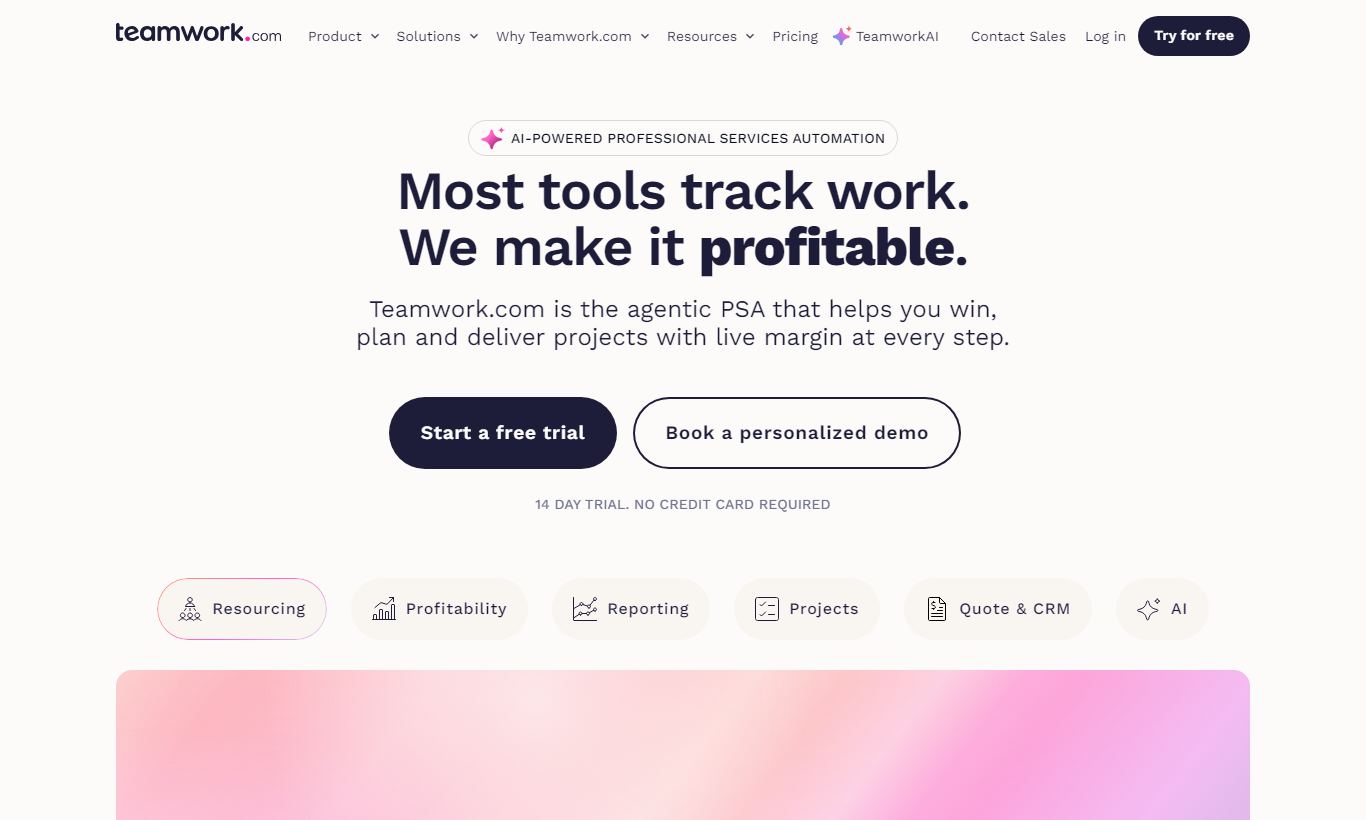
Teamwork is a project management and client work platform built for agencies, consultancies, and service businesses that bill by the hour. It combines task management, time tracking, invoicing, and resource planning in one workspace, a combination few rivals match at its price point. The Free Forever plan supports up to 5 users, and paid plans start at $10.99 per user/month. Standout features include built-in time tracking with budget alerts, client-facing portals, and workload management that flags over-allocation in real time. It's not the prettiest tool on the market, and its depth can overwhelm new users. But for teams that need to track billable hours, manage client deliverables, and keep projects profitable, Teamwork delivers real value. Our overall rating: 4.4 out of 5.
What we love
Watch out for
Teamwork at a glance
What to test in your Teamwork trial
30-day free trial
- Log billable hours against real client tasks and test budget alerts at 50%, 80%, and 100% thresholds
- Invite 2-3 real clients into a shared project portal and verify they see only their work, not cost data
- Set up a Gantt chart with task dependencies for one active project and check if the view updates smoothly
- Navigate the settings and permission controls for 30 minutes and note which parts feel confusing or slow
- Create a workload grid with your team capacity if you upgrade to Deliver plan, or test task reassignment features
Quick Verdict
Teamwork earns its place as one of the most capable project management platforms for client-service businesses. Tools like Asana and Monday.com are built around internal team workflows. Teamwork is built around the reality of agency life: clients, retainers, budgets, billable hours, and the constant pressure to prove ROI to stakeholders. If your business sells time, whether you're a digital agency, a marketing consultancy, or a professional services firm, Teamwork gives you a single source of truth that spans project delivery, resource planning, and financial tracking.
The trade-off is complexity. You won't spin up Teamwork in an afternoon. New users face a learning curve, and the interface, while functional, lacks the polished minimalism of newer competitors. For teams willing to invest in the setup, though, the payoff is a platform that can run your entire client operation without stitching together four different subscriptions.
Start Your Free Trial →What is Teamwork?
Teamwork was founded in 2007 in Cork, Ireland, by Peter Coppinger and Daniel Mackey. What started as an internal tool for their own web agency grew into a commercial platform that now serves over 20,000 businesses worldwide. The company has stayed focused on one thing. Unlike horizontal platforms that try to serve every industry, Teamwork has doubled down on client-work management: the workflows, billing structures, and accountability demands unique to agencies and consultancies.
The platform sits in a distinct market position between lightweight task tools (Trello, Asana Free) and full enterprise project management suites (Planview, Smartsheet Enterprise). It's substantial enough to handle complex multi-project portfolios with 50+ team members, yet simple enough for a boutique agency of 8 people tracking their first retainer clients. Teamwork also offers companion products, including Teamwork Desk (help desk), Teamwork CRM, and Teamwork Spaces (docs), though this review focuses on the core project management platform.
Key Features
Feature Checklist
Task Management and Project Structure
Teamwork organises work into Projects, which contain Task Lists, Tasks, and Subtasks (a four-level hierarchy that maps naturally to how agencies scope client work). A project might represent a website redesign, with task lists for Discovery, Design, Development, and QA, each containing granular tasks assigned to specific team members with due dates, priorities, and dependencies. Task dependencies are available on all paid plans and support finish-to-start logic, so your developer won't be notified to start build work until the design task is marked complete. You can view work in List, Board (Kanban), Gantt (Timeline), Table, and Calendar views. All of these are available without upgrading to a premium tier, which is more generous than most competitors offer.
Time Tracking and Budget Management
This is where Teamwork genuinely pulls ahead of the competition. Built-in time tracking lets team members log hours directly against individual tasks, either via a running timer or manual entry. You can set estimated hours at the task level, and that feeds upward into project-level budget tracking. Project managers can configure budget alerts that fire at 50%, 80%, and 100% of the allocated budget, giving early warning before a project goes over. Time logs can be marked billable or non-billable, filtered by team member or date range, and exported directly to invoices. Any agency that has reconciled time-tracking data from a separate app at month-end knows the pain. Having this native integration is a real operational improvement.
Resource Management and Workload Planning
The Workload view, available on the Deliver plan and above, shows capacity versus allocation across your entire team on a colour-coded grid. Over-allocated team members appear in red. Under-utilised capacity is immediately visible too. Managers can drag and reassign tasks directly from this view without leaving the screen. For growing agencies juggling 10 or more concurrent projects, this feature alone can justify the plan upgrade. Teamwork also supports custom capacity settings per person, so part-time contractors or shared resources get accounted for accurately.
Client Portals and Collaboration
Teamwork lets you invite clients directly into the platform as collaborators, for free, no matter how many client users you add. Client users see only the projects and tasks you explicitly share with them. Internal notes, cost data, and profit margins stay hidden. This is a genuine differentiator. Clients can leave comments, approve deliverables, and track progress without needing a paid seat. Agencies that used to manage client feedback via email threads and shared Google Docs will find that moving that communication into Teamwork cuts down on version-control headaches and "I never saw that attachment" conversations.
Reporting and Project Health
Teamwork's reporting suite covers the metrics that matter to service businesses: time logged vs. estimated, budget consumption, project profitability, and team utilisation. The Everything plan adds advanced reporting with custom report building, so you can filter by client, project tag, team member, date range, or billing status. The Planned vs. Actual report earns its keep during project retrospectives, showing exactly where scope creep or under-estimation occurred. Portfolio-level dashboards let senior leaders see health status across all active projects at once, using RAG (Red/Amber/Green) status indicators that project managers update manually or that get calculated automatically from overdue tasks.
Pricing
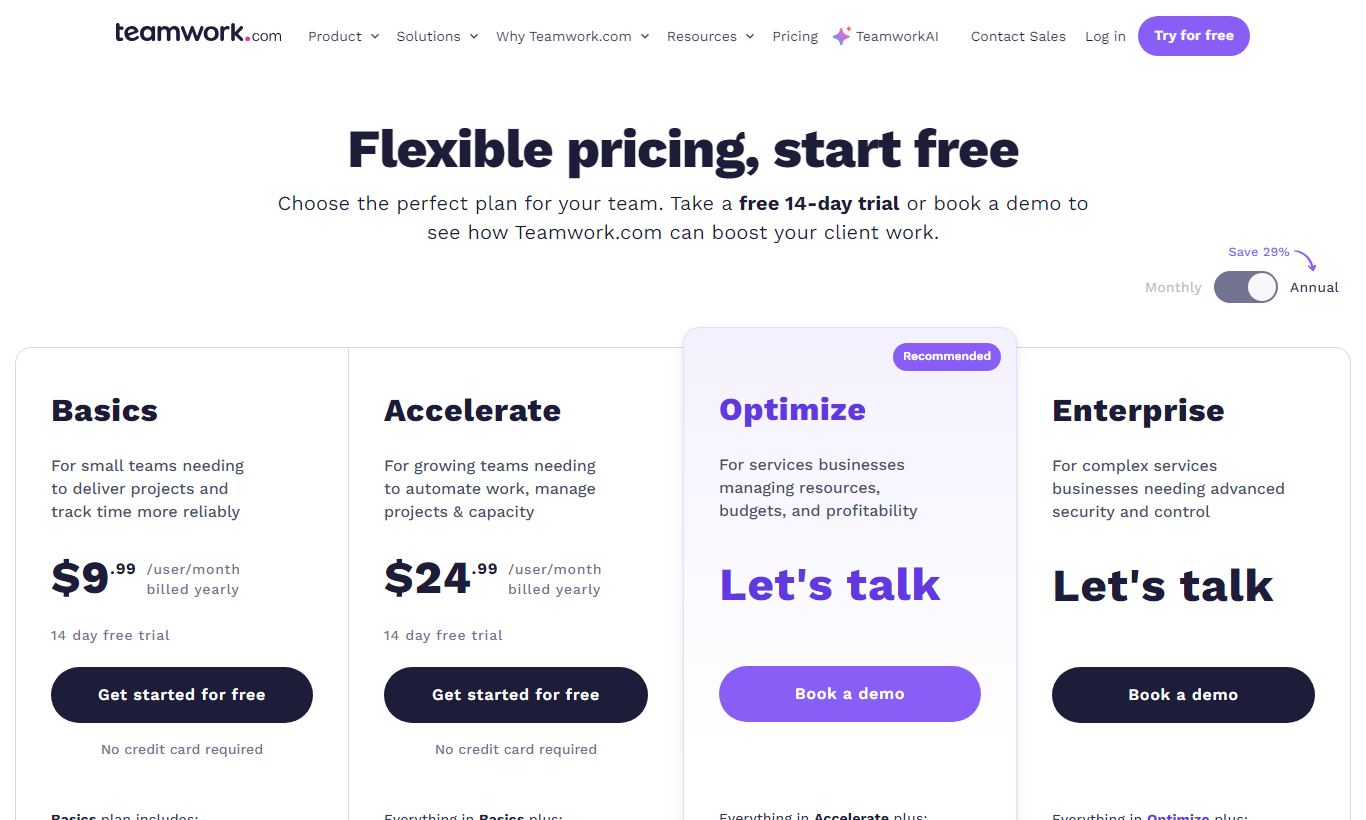
Teamwork offers four main pricing tiers, billed per user per month. Annual billing saves about 29% compared to paying monthly.
- Free Forever: $0/month for up to 5 users. Includes unlimited client users, 2 projects, basic task management, and 100MB storage. Fine for very small teams that just want to try the platform.
- Starter: $10.99/user/month billed annually, or $13.99/month billed monthly. Minimum 3 users. Unlimited projects, time tracking, invoicing, budgets, and 50GB storage. This is the sweet spot for small agencies.
- Deliver: $19.99/user/month billed annually, or $25.99/month billed monthly. Minimum 3 users. Adds workload management, project status reports, portfolio dashboards, Gantt chart dependencies, and 100GB storage. It's the tier we'd recommend for most growing agencies.
- Grow: $54.99/user/month billed annually. Minimum 5 users. Adds resource scheduling, advanced budget management, custom fields, and profitability reporting. Built for larger agencies with complex resourcing needs.
- Scale (Enterprise): Custom pricing. Adds SSO, advanced security, dedicated customer success, and unlimited storage. You'll need to contact Teamwork's sales team for a quote.
A 30-day free trial is available on all paid plans, and no credit card is required. Free client users come with every plan, including Free Forever, which cuts the effective cost for client-service teams quite a bit.
What We Love
- Free, unlimited client user seats: Every plan, including the free tier, lets you invite unlimited external client collaborators at no additional cost. That cuts per-project overhead for agencies right away.
- Native time tracking with task-level budget alerts: You can log billable hours against tasks and get automatic budget warnings at thresholds you set. That removes the need for a separate tool like Harvest or Toggl.
- All major views included on paid plans: List, Board, Gantt, Table, and Calendar views are all available from the Starter plan. Asana, by comparison, locks its Timeline view behind the highest tier.
- Workload management with drag-and-drop rebalancing: The colour-coded capacity grid makes over-allocation obvious at a glance, and managers can reassign tasks without leaving the resource view.
- Solid intake and profitability reporting: The Planned vs. Actual and Profitability reports give agency operations managers the data to improve scoping accuracy over time, not just a snapshot of current project health.
Watch Out For
- Steep learning curve for new teams: The depth that makes Teamwork powerful also makes setup a slog. New users often say the sheer number of settings, permissions, and configuration options overwhelms them, especially in the first two weeks.
- UI feels dated next to newer competitors: The interface works fine, but it doesn't have the visual polish or interaction design you'll find in tools like Monday.com or Notion. Some team members, especially creatives, push back on adoption for exactly this reason.
- Workload and resource features need the Deliver plan or above: The features that actually set Teamwork apart, workload management and portfolio dashboards, sit behind the $19.99/user/month tier. That leaves the Starter plan feeling thin for agencies trying to scale.
- Mobile app trails the desktop experience: Real users keep flagging the same issue: the iOS and Android apps don't show all the features desktop has, and things can get sluggish when you switch between projects on mobile networks.
Who Is It Best For?
Digital or creative agencies with 10 - 100 staff: A 25-person agency managing 30 concurrent client projects across design, development, and strategy is exactly who Teamwork was built for. The combination of task management, billable time tracking, client portals, and profitability reporting replaces a stack of disconnected tools. Account managers get a single place to see project health and financial status at the same time.
Freelancers and consultants scaling to their first hires: A solo consultant who's just brought on two contractors will find the Starter plan ($10.99/user/month) an affordable way to add structure before things get complicated. The free client user policy means clients can be looped in right away without the consultant paying for extra seats, which saves real money in the early growth stage.
In-house project management offices (PMOs) at professional services firms: Law firms, accounting practices, and engineering consultancies that bill by the hour but lack a dedicated client-work platform will find Teamwork's budget management and time-to-invoice workflow a big step up from Excel timesheets and manual invoicing. The SSO and advanced permissions on the Scale plan meet the security demands typical of regulated industries.
How Does It Compare?
Teamwork vs. Asana: Asana has a more polished UI and better automation capabilities, but it lacks native time tracking and invoicing. You'll need third-party integrations via Harvest or Toggl to replicate what Teamwork does out of the box. For internal product or marketing teams, Asana may win on ease of use. For client-service firms, Teamwork's built-in billing features are a decisive advantage. See our full Teamwork vs Asana breakdown.
Teamwork vs. Monday.com: Monday.com excels at visual, flexible workflows and has a stronger suite of no-code automations. Its time tracking requires an add-on, though, client portals aren't a native feature, and costs escalate quickly at the team sizes where Teamwork's Deliver plan is competitive. Monday.com suits ops-heavy internal teams. Teamwork suits externally facing service delivery teams. Read our Teamwork vs Monday.com comparison for a full feature-by-feature analysis.
Final Verdict
Teamwork is one of the most purpose-built platforms available for agencies and client-service businesses. It earns that reputation by making hard things (budget tracking, billable time management, client visibility, resource allocation) genuinely manageable in a single tool. If you're running a team that delivers work for paying clients, and you've been duct-taping together Trello, Harvest, and a spreadsheet to track project profitability, Teamwork will feel like a real upgrade.
It isn't for everyone. Internal teams without billing requirements, solo founders, or businesses that care more about a minimal, beautiful UI than feature depth should look at Asana or ClickUp first. Teams that need enterprise automation workflows will also find Monday.com more configurable. But for the audience Teamwork is built for, agencies, consultancies, and professional services firms that live and die by project margins, the platform delivers real value and a clear return on the subscription cost.
Try Teamwork Free →FAQ
How much does Teamwork cost in 2026?
Teamwork's paid plans start at $10.99 per user/month (Starter, billed annually). The Deliver plan, which most growing agencies need, runs $19.99/user/month annually. A Free Forever plan supports up to 5 users at no cost, and every paid plan comes with a 30-day free trial that doesn't require a credit card.
Does Teamwork have a free plan?
Yes. Teamwork's Free Forever plan supports up to 5 internal users and includes unlimited client users, 2 active projects, basic task management, and 100MB of storage. It's genuinely useful for very small teams testing the platform. That said, most agencies will need a paid plan for unlimited projects and time tracking.
Is Teamwork better than Asana for agencies?
For client-service agencies, Teamwork is generally the stronger choice. It includes native time tracking, billable hours, invoicing, budget alerts, and free client user seats. Asana offers none of these natively. Asana does have a cleaner UI and better automation, which makes it a better fit for internal product or marketing teams that don't need to bill clients.
How many users does Teamwork support?
Teamwork scales from 3 users (the minimum on Starter and Deliver) to hundreds of users on the Grow and Scale (Enterprise) plans. Client collaborators are always free and unlimited. They don't count against your paid seat count on any plan.
Is Teamwork worth it for small agencies?
Yes. For agencies that bill clients and need to track time against budgets, even the $10.99/user/month Starter plan delivers strong ROI. The free client user policy alone saves the cost of a separate client portal tool. The Deliver plan at $19.99/user/month is worth the upgrade once the team has more than 5 to 6 people to manage across concurrent projects.
What integrations does Teamwork support?
Teamwork integrates natively with Slack, HubSpot, Salesforce, Google Drive, Dropbox, OneDrive, Microsoft Teams, QuickBooks, Xero, and Zapier, which opens up 1,000+ additional app connections. A public API is available on Deliver and above for custom integrations.
Does Teamwork have time tracking built in?
Yes. Time tracking is built into every paid Teamwork plan, including Starter. Team members can log time via a running timer or manual entry directly against individual tasks. Time can be marked as billable or non-billable and fed directly into invoices. This is one of Teamwork's strongest advantages over competitors like Asana and Trello.
We may earn a commission when you click affiliate links. This never affects our editorial scores.
| Best for | — |
| Category | — |
Answer a few quick questions and we'll match you to the best tool for your needs.
→ Suggest a Tool