
Smartsheet Review 2026: Is It Worth It?
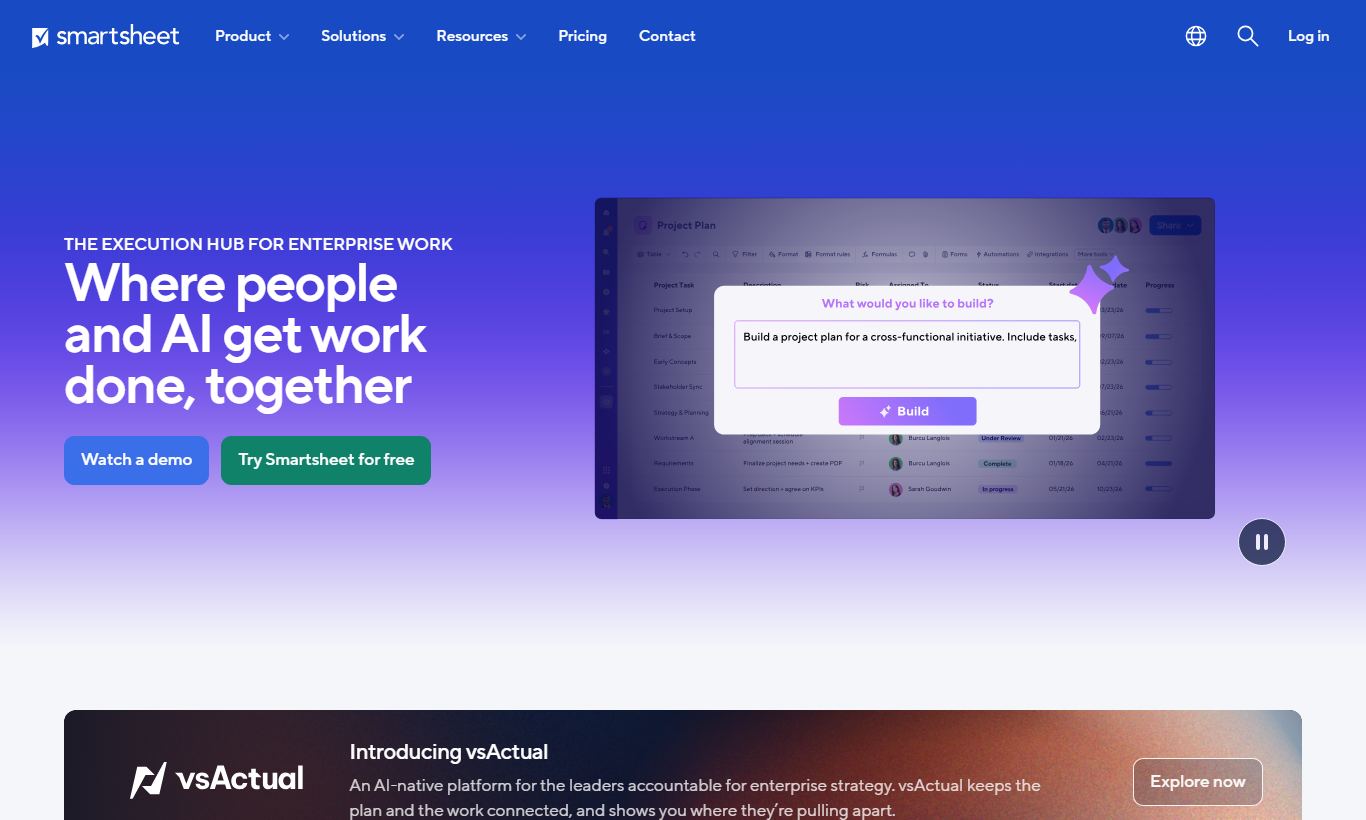
Smartsheet is a cloud-based work management platform that pairs a familiar spreadsheet layout with real project management tools: Gantt charts, automations, dashboards, and resource management. It works best for mid-size and enterprise teams, especially in operations, IT, and construction, who need structured, data-heavy project tracking but don't want to give up the grid interface their teams already know. The Free plan covers up to 2 editors, and paid plans start at $9/user/month, billed annually. Smartsheet's reputation rests on its flexibility and deep automation, though the learning curve and thin native time-tracking give some buyers pause. For teams that have outgrown basic tools like Trello but don't need the full weight of Microsoft Project, Smartsheet lands in a practical middle ground at a competitive price.
What we love
Watch out for
Smartsheet at a glance
What to test in your Smartsheet trial
Free plan
- Build a multi-step approval workflow using the automation builder for a real procurement or intake process
- Create a sheet with Grid, Gantt, and Card views, then switch between them to confirm all views update the same live data
- Set up an intake form with conditional logic and test it feeding rows directly into automated actions
- Write cross-sheet formulas (VLOOKUP or COUNTIF) to build a simple portfolio-level rollup from multiple sheets
- Test the permission model by creating viewer-only access to one sheet and editor access to another for a team member
Quick Verdict
Smartsheet occupies a genuinely useful middle ground in the project management landscape. It gives structured, process-driven teams the power of a relational database and Gantt-style scheduling engine, wrapped in an interface that looks (and partly behaves) like a spreadsheet. That familiarity lowers the adoption barrier for teams already comfortable in Excel or Google Sheets. The automation engine, cross-sheet formulas, and enterprise-grade permissions also give IT and operations managers the control they actually need at scale.
Is it worth it? For teams of 10 or more managing multi-phase projects, tracking deliverables across departments, or running intake workflows, yes, Smartsheet earns its monthly fee. Smaller teams doing light task management may find it over-engineered and overpriced compared to simpler alternatives. If your work involves structured data, dependencies, and stakeholder reporting, Smartsheet should be near the top of your shortlist.
Start Your Free Trial →What is Smartsheet?
Founded in 2005 and headquartered in Bellevue, Washington, Smartsheet went public in 2018 and has grown into one of the most widely deployed work management platforms in the enterprise segment. The company positions itself not as a pure project management tool but as a "collaborative work management" platform. That distinction matters in practice, because Smartsheet is used for everything from IT change management and marketing campaign tracking to construction punch lists and HR onboarding workflows. As of 2025, it serves more than 90% of Fortune 100 companies in some capacity.
Its core audience is operations, PMO, and IT teams inside mid-market and enterprise organisations who need something more disciplined than Asana or Monday.com, but less rigid, and less expensive, than Oracle Primavera or Microsoft Project Server. The grid-first interface is a deliberate design choice. It mirrors the mental model of the power-spreadsheet user while adding the workflow plumbing those tools have always lacked.
Key Features
Feature Checklist
Grid, Gantt, Card, and Calendar Views
Every sheet in Smartsheet can be toggled between four views without changing the underlying data. The Grid view looks like a spreadsheet with typed columns (text, date, contact, checkbox, dropdown, formula). Switch to Gantt and the same rows become a timeline with dependency arrows and critical path highlighting. The Card view renders rows as Kanban-style cards grouped by a column of your choice, which comes in handy for sprint planning or content calendars. Calendar view plots date-range columns visually. Letting different team members work in whichever view suits them, while all editing the same live data, is one of Smartsheet's most practical differentiators. A developer on your team can live in Grid. An executive can open the same sheet in Calendar and never see a row.
Automation and Workflow Builder
Smartsheet's automation engine is one of the strongest in its price tier. You can build trigger-based workflows with zero code: when a row is added, when a cell changes, on a recurring schedule, or when a form is submitted. Actions include sending alerts, requesting updates, moving or copying rows, locking rows, and generating approval workflows with multi-step logic. Here's a practical example. A procurement team uses a form for vendor requests. When the "Budget" column exceeds $10,000, an approval request automatically fires to the Finance Director, and if approved, the row copies to a master tracker sheet. That entire flow gets built in a drag-and-drop interface with no IT involvement. Premium Workflow plans unlock unlimited automation runs. The Pro plan caps automations at 250 per month per sheet, a ceiling that mid-volume teams will notice.
Dashboards and Reporting
Smartsheet dashboards are built from widgets, including charts, metrics, shortcuts, rich text, images, and embedded web content, that pull live data from one or more sheets. You can build a portfolio-level dashboard that aggregates status indicators from 15 different project sheets, giving a PMO director a single view of RAG statuses, budget burn, and open risks without exporting anything. Reports work differently. They're filtered, cross-sheet row aggregations that update in real time and can be embedded in dashboards or shared externally with read-only access. The combination gives stakeholders clean visibility without exposing the raw sheet data.
Forms and Intake Workflows
Smartsheet's built-in form builder lets you create structured intake forms that feed directly into a sheet, no Zapier required. Fields map to sheet columns, conditional logic shows or hides questions based on previous answers, and you can brand the form with a logo and custom messaging. This works especially well for IT help desks, marketing request intake, and HR case management. Submissions appear as new rows instantly, triggering whatever automations you've attached to that sheet. External respondents never need a Smartsheet account to submit a form.
Resource Management (Add-on)
Smartsheet acquired Resource Management by Smartsheet (formerly 10,000ft) and integrates it as a premium add-on. It gives resource managers a visual capacity view: who is allocated, at what percentage, on which projects, across what time horizon. You can compare planned vs. actual hours and reassign tasks when someone is over-allocated. This is a legitimate enterprise-grade module that competing tools like Monday.com handle far more superficially. Here's the catch: it's priced separately, starting at $9/user/month on top of your Smartsheet plan, which can push total cost higher than initial quotes suggest.
Pricing
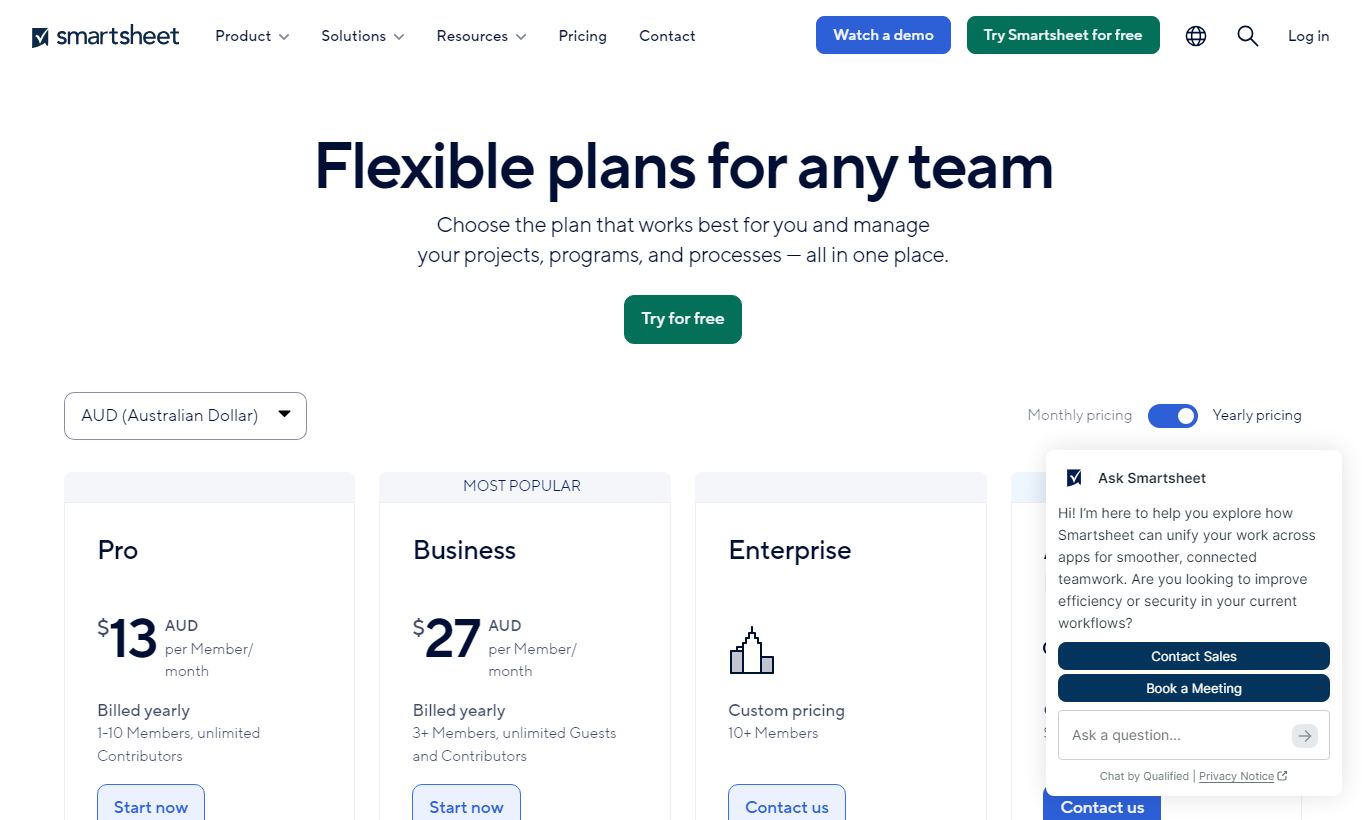
Smartsheet offers four main plans as of 2026. All prices shown are per-user, per-month when billed annually. Paid plans come with a 30-day free trial, and a limited Free plan supports up to 2 editors with 2 sheets.
- Free: $0/month. Up to 2 editors, 2 sheets, 500MB storage. Fine for testing the tool, not much else.
- Pro: $9/user/month (annual). Unlimited sheets, viewers, and forms, up to 10 editors, 20GB storage, 250 automations per sheet per month. Fits small teams well.
- Business: $19/user/month (annual). Unlimited editors, unlimited automations, Activity Log, Proofing, Document Builder, 1TB storage. Most teams should start here.
- Enterprise: Custom pricing. SSO, advanced admin controls, DLP, premium support SLAs, WorkApps, Brandfolder integration. Needed for organisations with real compliance or governance demands.
Resource Management costs extra and isn't part of the plans above. Smartsheet also sells Advance packages (Copper, Silver, Gold) that bundle premium features like Dynamic View, DataMesh, and premium support at negotiated rates. If you'd rather pay month-to-month, expect to pay roughly 30% more than the annual price.
What We Love
- Multi-view flexibility on a single dataset: Switching between Grid, Gantt, Card, and Calendar without duplicating data is genuinely rare. It saves teams from maintaining parallel trackers.
- No-code automation depth: Multi-step approval workflows, cross-sheet row actions, and scheduled automations can be set up in minutes, with no developer needed.
- Cross-sheet formulas and cell linking: Functions like VLOOKUP, COUNTIF, and SUMIF work across different sheets. That means portfolio-level rollups that tools like Asana can't match natively.
- Intake forms with conditional logic: Native forms feed directly into automated workflows, so most teams won't need a third-party form tool.
- Enterprise permission model: Sheet-level, workspace-level, and cell-level sharing permissions give security-conscious IT teams granular control over who sees what. That matters a lot in regulated industries.
Watch Out For
- No native time tracking: Smartsheet has no built-in time logging. You'll need an integration (Harvest, Clockify, or Everhour) or a manual workaround. That's a real gap for agencies and services firms who need billable hours tied to tasks.
- Learning curve steeper than it appears: The spreadsheet UI creates a false sense of familiarity. Cross-sheet formulas, permission hierarchies, and automation logic take real time to master, and onboarding without a dedicated champion often stalls.
- Pro plan automation cap frustrates growing teams: Active teams hit the 250 automations/sheet/month ceiling on the Pro plan ($9/user) faster than expected, forcing an upgrade to Business ($19/user) sooner than budget plans anticipated. That nearly doubles the per-user cost.
- Resource Management costs add up quickly: What looks like a $19/user/month Business plan can balloon to $28+/user/month once Resource Management is factored in. The true total cost of ownership runs higher than competitors' headline prices suggest.
Who Is It Best For?
PMO and operations managers at mid-market companies (100 - 2,000 employees) running multiple concurrent projects will get the most out of Smartsheet. The portfolio dashboard, cross-sheet reporting, and Gantt dependencies give them the visibility and control they need, without the implementation cost of enterprise PPM tools. Take a PMO director overseeing 12 simultaneous IT rollouts. She can maintain a master intake sheet, per-project trackers, and an executive summary dashboard, all connected, all automated, all in one platform.
Marketing operations and creative teams managing campaign intake, content calendars, and agency deliverables benefit from the form-to-workflow pipeline and Card view. A marketing ops manager at a 300-person SaaS company can build a single campaign request form, route it automatically to the right team based on campaign type, and track every deliverable from brief to publish. No developer has to touch the setup.
IT project managers and business analysts who need structured data, audit trails, and tight access controls will find real value in Smartsheet's Activity Log, cell-level locking, and SSO integration at the Enterprise tier. Teams handling change management, system migrations, or compliance-sensitive projects get governance features that more consumer-friendly tools like Trello or Notion just don't have.
How Does It Compare?
Monday.com is Smartsheet's most direct rival in the mid-market. Monday's visual interface is more immediately appealing and its onboarding is faster, but it lacks Smartsheet's cross-sheet formula depth and its Gantt dependencies are less mature. For data-heavy, formula-driven workloads, Smartsheet wins. For teams that want visual simplicity and fast adoption, Monday.com has the edge. See our full Smartsheet vs Monday.com breakdown.
Microsoft Project is the traditional enterprise alternative. It offers deeper scheduling and resource levelling for complex programmes, but it comes with significantly higher licensing costs, a steep learning curve, and a desktop-first architecture that creates collaboration friction. For most mid-market teams, Smartsheet delivers 80% of Microsoft Project's scheduling capability at a fraction of the total cost of ownership. Compare them directly in our Smartsheet vs Microsoft Project guide.
Final Verdict
Smartsheet is one of the most capable work management platforms available for teams that need structured, data-driven project tracking without the implementation overhead of traditional enterprise PPM software. Its multi-view flexibility, no-code automation, cross-sheet formula support, and enterprise-grade permissions make it a strong fit for operations, IT, and PMO teams managing complex, multi-phase work.
It isn't for everyone, though. Solo users and small creative teams will find it overkill. Agencies that live and die by billable hours will need to bolt on a time-tracking tool. Budget-conscious teams should model the full cost, including Resource Management and potential Business-tier upgrades, before committing. But for the mid-market operations or IT team that has outgrown Monday.com's visual simplicity or Asana's task-first model, Smartsheet is a well-priced, battle-tested platform that delivers real enterprise capability without the enterprise-level headache.
Try Smartsheet Free →FAQ
How much does Smartsheet cost per month?
Smartsheet's Pro plan costs $9/user/month (billed annually) and the Business plan costs $19/user/month (billed annually). A limited Free plan is available for up to 2 editors. Enterprise pricing is available on request. Month-to-month billing runs about 30% above the annual rate.
Does Smartsheet have a free plan?
Yes. Smartsheet offers a permanent Free plan supporting up to 2 editors, 2 sheets, and 500MB of storage. It's enough to test the tool but not to run real team projects. Paid plans include a 30-day free trial.
Is Smartsheet better than Monday.com?
It depends on your use case. Smartsheet is stronger for data-heavy, formula-driven workflows, cross-sheet reporting, and Gantt-based project scheduling. Monday.com is more visually intuitive and faster to onboard. Teams with complex data relationships and compliance requirements tend to prefer Smartsheet. Teams that prioritise ease of use and visual appeal often prefer Monday.com.
Is Smartsheet worth it for small businesses?
For small businesses managing simple tasks, Smartsheet can feel over-engineered and overpriced compared to tools like Trello, Notion, or ClickUp. It delivers the most value for teams of 10 or more running multi-phase projects with dependencies, stakeholder reporting needs, or structured intake workflows.
Does Smartsheet have time tracking?
No, Smartsheet does not have native time tracking. You can manually log hours in a column, but for billable time tracking you'll need an integration with tools like Harvest, Everhour, or Clockify. This is a real gap for agencies and professional services firms.
What is the difference between Smartsheet Pro and Business?
The key differences are: Business supports unlimited editors (Pro caps at 10), Business includes unlimited automations (Pro caps at 250/sheet/month), and Business adds Document Builder, Proofing, Activity Log, and 1TB storage (vs 20GB on Pro). Most teams managing real projects should budget for the Business plan at $19/user/month.
Does Smartsheet integrate with Microsoft Teams and Salesforce?
Yes. Smartsheet has native integrations with Microsoft Teams (notifications and sheet previews in channels), Salesforce (bi-directional sync of CRM data), Jira, Slack, Google Workspace, and hundreds of apps via its REST API and Zapier connector. The Salesforce and Jira connectors come included at the Business and Enterprise tiers.
We may earn a commission when you click affiliate links. This never affects our editorial scores.
| Best for | — |
| Category | Project Management |
Answer a few quick questions and we'll match you to the best tool for your needs.
→ Suggest a Tool