
ClickUp Review 2026: Is It Worth It?
ClickUp is an all-in-one project management platform built for teams that want to put tasks, docs, goals, time tracking, and chat into a single workspace. It offers one of the most generous free plans in the category (unlimited tasks and users), plus paid tiers starting at $7/user/month. Its feature range is hard to match, covering everything from Kanban boards and Gantt charts to AI writing assistance and custom automations. The learning curve is real. New users often feel overwhelmed by how many options they have to sort through. Mid-size teams willing to spend time on setup get exceptional value and flexibility in return. It works best for tech-savvy teams, agencies managing multiple clients, and operations leaders who want one tool to replace several. Smaller teams, or anyone who needs a simple, fast onboarding experience, will likely be happier with Notion or Asana.
What we love
Watch out for
ClickUp at a glance
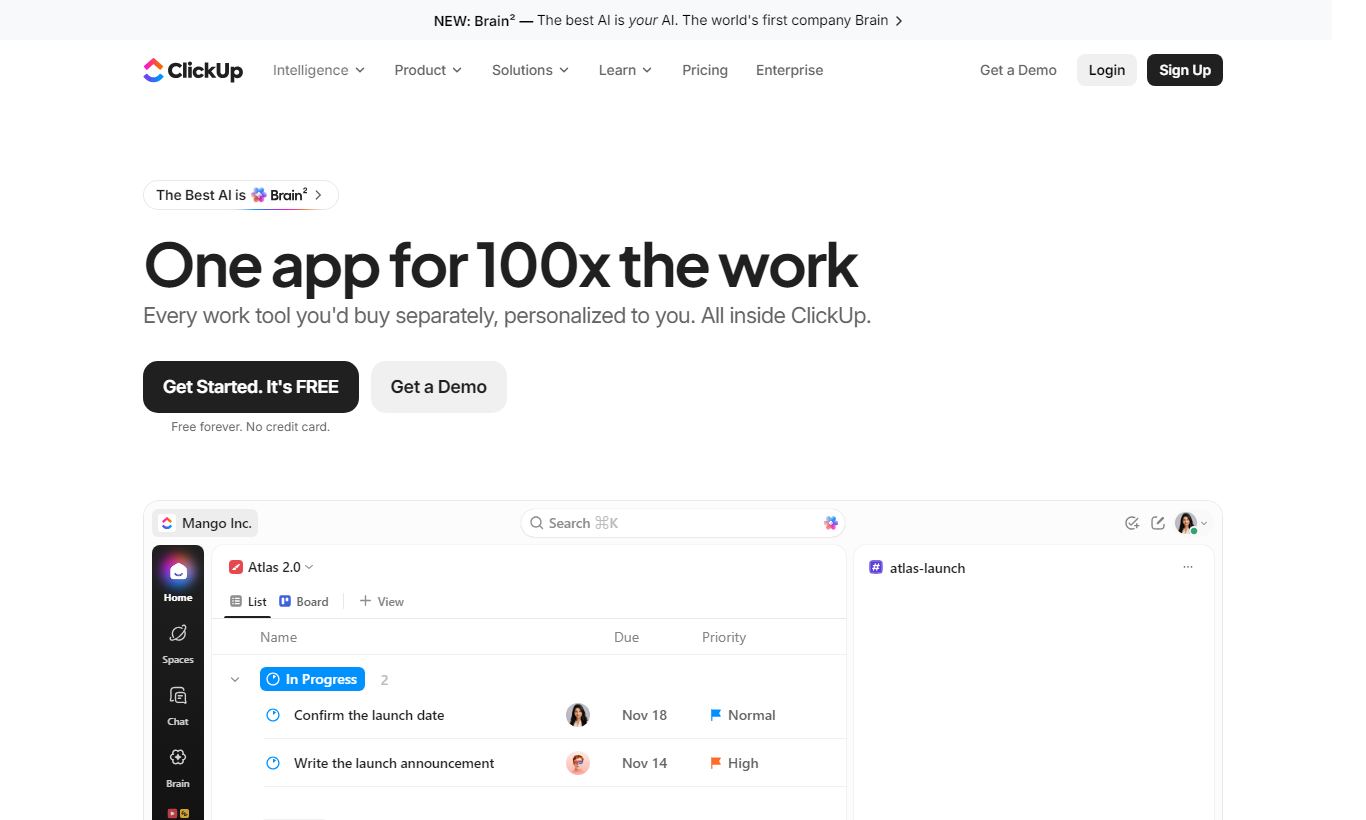
What to test in your ClickUp trial
14-day free trial
- Set up your team in 2-3 view types (List, Board, Gantt) to see which one fits your workflow
- Build one automation from scratch using the trigger-condition-action model and test it with your real tasks
- Set a team goal or OKR and link it to actual tasks to watch progress update automatically as work completes
- Try the mobile app on your phone and check if desktop features you need daily are available
- Decide before trial ends whether the 2-4 week setup time is worth replacing 4-5 separate tools for your team
ClickUp earns its place as one of the most capable project management platforms available in 2026. It packs task management, document creation, sprint planning, time tracking, goal setting, and AI assistance into one platform, and for teams willing to commit to it, that really does replace four or five separate tools. The free plan alone beats what most competitors charge for. It offers unlimited tasks and members with no time limit. For growing teams that have hit the ceiling on tools like Trello or Monday.com, ClickUp is a serious, cost-effective upgrade.
ClickUp isn't for everyone, though. The interface can feel like a cockpit with too many switches. If your team just needs to track a handful of projects without a steep onboarding investment, something leaner will serve you better. But if you want depth, customization, and the ability to build custom workflows without writing code, ClickUp is exceptionally hard to beat at this price point.
Start Your Free Trial →What is ClickUp?
ClickUp was founded in 2017 in San Diego by Zeb Evans and Alex Yurkowski. They built it out of frustration with fragmented productivity stacks, tools that didn't talk to each other and forced teams to jump between apps all day. The premise was simple: one app to replace them all. It's since grown to serve more than 10 million users across 160,000+ teams, everyone from freelancers and startups to enterprises like IBM and Netflix. Jira was built for software teams. Basecamp was built for simplicity. ClickUp goes after a much wider audience, any team doing any kind of structured work. That ambition is its greatest strength. It's also, sometimes, its biggest weakness.
The platform is cloud-based with native apps for iOS, Android, Mac, Windows, and Linux. It competes in a crowded market alongside Asana, Monday.com, Notion, and Wrike, but stands apart through sheer configurability and an aggressive free tier that lets early-stage teams get started long before they need to spend a dollar.
Key Features
Feature Checklist
Multiple Project Views (15+ View Types)
ClickUp's most immediately impressive capability is the sheer number of ways you can visualize work. Every project can be switched between List, Board (Kanban), Gantt, Calendar, Timeline, Table, Workload, Mind Map, Embed, and more, with no additional configuration needed. A marketing team might use Calendar view to plan campaign publishing dates, then switch to Gantt to see dependencies during a product launch. This flexibility means different team members can work in the view that suits them without creating duplicate data or duplicate projects. Trello, by contrast, locks you into Kanban by default. Unlocking other views there means paid upgrades or third-party add-ons.
Custom Fields and Task Customization
Beyond standard task properties like assignee and due date, ClickUp lets you add custom fields (dropdowns, number fields, currency, ratings, formulas, progress bars, and more) to any task list. A sales ops team could add a "Deal Value" currency field and a "Stage" dropdown to track pipeline items without switching to a dedicated CRM. A software team could add a "Story Points" number field for sprint estimation. Custom fields are available on the Free plan for up to 100 uses, and become unlimited on the Unlimited tier ($7/user/month). This alone saves many teams from needing a separate database tool like Airtable.
Automations
ClickUp's automation builder uses a trigger-condition-action model. You can build rules like "when a task status changes to 'In Review', assign it to the QA lead and post a message in Slack." The Free plan includes 100 automation runs per month. The Business plan raises this to 10,000 runs. Over 50 native automation templates cover common workflows, including sprint resets, recurring task creation, and status-based assignments, cutting down repetitive admin work for project managers. Native integrations with Slack, HubSpot, Salesforce, and Zapier extend this further for teams running more complex tech stacks.
ClickUp AI (ClickUp Brain)
Launched as ClickUp Brain and available from the $7/user/month Unlimited plan as a $7/user/month add-on, the AI layer connects to tasks, docs, and conversations across your workspace. It can summarize meeting notes, generate task descriptions from a one-line prompt, write project status updates, and answer questions like "what tasks are blocking the Q3 launch?" by reading your actual project data. It's more tightly integrated than most bolt-on AI tools since it has context about your team's actual work, not just generic knowledge. It won't replace a dedicated AI writing tool for content teams, but for project-specific intelligence, it's genuinely useful.
Goals and OKR Tracking
ClickUp's Goals feature lets teams set measurable objectives and link them directly to tasks and lists, so progress rolls up automatically as work gets done. An operations director can set a company-level goal of "Ship 10 product features in Q2," break it into key results, and attach those key results to sprint lists. As tasks are completed, goal progress updates without manual input. This closes the gap between strategic planning and day-to-day execution, something most project tools ignore entirely.
Docs and Whiteboards
ClickUp Docs functions as a full-featured collaborative document editor, similar to Google Docs but embedded inside your project workspace, with the ability to embed tasks, link to other docs, and assign action items directly from document text. Whiteboards provide a freeform canvas for brainstorming and diagramming, with sticky notes, shapes, and connectors that can convert into real tasks with one click. Both features remove the need for separate tools like Confluence or Miro for many teams.
Pricing
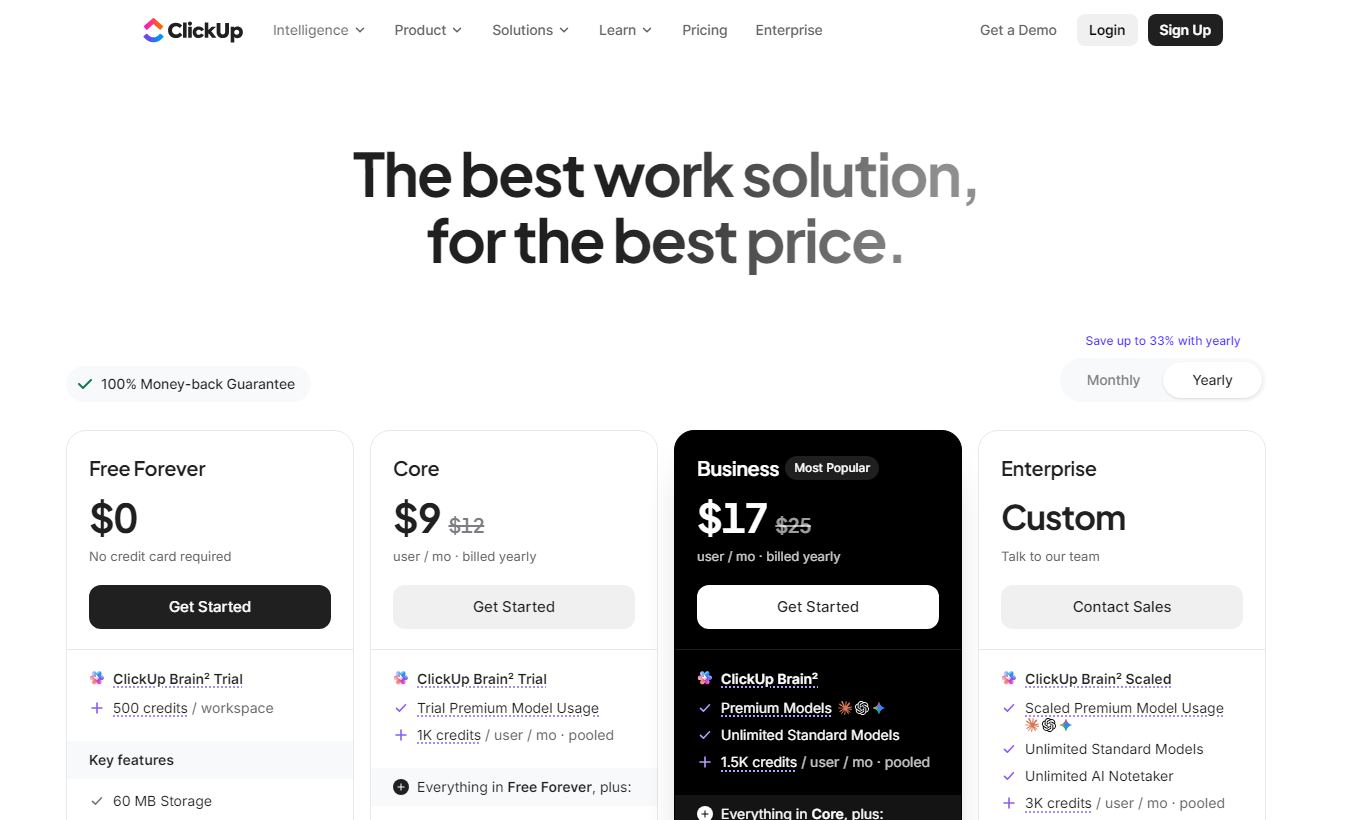
ClickUp offers four main plans, all billed per user per month. Annual billing saves you roughly 30-40% versus paying monthly.
- Free Forever: $0. Unlimited tasks and members, 100MB storage, 5 active Spaces, 100 automation runs/month, 1 integration, basic reporting. Genuinely useful for small teams or solopreneurs.
- Unlimited: $7/user/month (annual) or $10/user/month (monthly). Unlimited storage, integrations, Guests, Dashboards, and custom fields. This is the sweet spot for most growing teams. Includes 1,000 automation runs/month.
- Business: $12/user/month (annual) or $19/user/month (monthly). Adds Google SSO, unlimited Teams, advanced time tracking, workload management, and 10,000 automation runs/month. A good fit for agencies and project-heavy organizations.
- Enterprise: Custom pricing. Includes SAML SSO, custom role permissions, dedicated success manager, white labeling, MSA, and enterprise-grade security. You'll need to contact sales for pricing. It's generally built for 100+ seat organizations.
ClickUp Brain (AI) costs an additional $7/user/month on any paid plan. Paid plans come with a 14-day free trial, and you don't need a credit card to start one.
What We Love
- 15+ view types on every project: You can switch between Kanban, Gantt, Calendar, Workload, and more without duplicating data. That's rare at this price point.
- Free plan that actually works: Unlimited tasks and unlimited members at $0 is a genuinely strong offer. Most rivals cap seats or tasks on their free tiers.
- Custom fields without a database tool: Currency, formula, and rating fields let teams build simple CRM or inventory views right inside their project workspace.
- Goals linked directly to tasks: OKR progress rolls up automatically from completed tasks, so strategy and execution stay connected without manual updates.
- ClickUp Brain is contextually aware: Unlike generic AI copilots, Brain reads your actual workspace data, including task history, docs, and comments, to give answers specific to your project.
Watch Out For
- Steep learning curve and feature overload: New users consistently report feeling overwhelmed by the volume of options. Expect to spend 2 - 4 weeks on team onboarding and configuration before you see any productivity gains. It's the most common complaint in user reviews across G2 and Capterra.
- Mobile app lags behind desktop: The iOS and Android apps are missing several desktop features, particularly advanced dashboard customization and some automation controls. That makes ClickUp less useful for teams that rely heavily on mobile access.
- AI is a paid add-on: ClickUp Brain costs an extra $7/user/month on top of your plan subscription. For a 20-person team, that's an additional $140/month. Check this before you assume it's already included.
- Performance can lag on large workspaces: Teams with thousands of tasks and many nested lists sometimes report slow load times, particularly in Dashboard and Workload views. ClickUp has improved this a lot since 2023, but very large deployments may still notice lag.
Who Is It Best For?
Agency project managers running 10 to 50 concurrent client projects: ClickUp's Spaces-and-Folders hierarchy mirrors an agency's client, project, and deliverable structure. Custom fields let you track billable hours, deliverable status, and client approval stages in a single list. The 10,000 automation runs on the Business plan handle recurring task creation and status notifications, so you don't have to chase updates by hand.
Software development teams running agile sprints: Sprint Folders, story point custom fields, Burndown chart Dashboards, and GitHub or GitLab integrations make ClickUp a solid, lightweight alternative to Jira for teams under 50 developers. It works especially well for cross-functional teams that include non-technical stakeholders, the people who find Jira's interface a headache.
Operations leaders consolidating a fragmented tool stack: If your team currently juggles Asana for tasks, Google Docs for documentation, Miro for whiteboarding, and a separate time tracker, ClickUp can absorb all four. The consolidation savings alone can justify the Business plan. Cut the context switching, and you'll typically see real productivity gains within a quarter.
How Does It Compare?
ClickUp vs. Asana: Asana is cleaner and faster to onboard. It also has better portfolio management tools at its higher tiers. But it costs a lot more, starting at $13.49/user/month, and its free plan caps at 15 members with no timeline view. ClickUp wins on value and flexibility. Asana wins on polish and enterprise reporting. See our full ClickUp vs Asana breakdown.
ClickUp vs. Monday.com: Monday.com has a more intuitive drag-and-drop interface and stronger CRM and sales pipeline add-ons. Its pricing starts higher though, at $9/user/month with a minimum of 3 seats, and its free plan is limited to 2 seats. ClickUp gives you more native features without having to buy add-on modules. See our ClickUp vs Monday.com comparison for a detailed feature-by-feature breakdown.
Final Verdict
ClickUp is the right choice for teams that have outgrown simpler tools and are willing to spend the setup time it takes to get the most out of it. At $7/user/month for the Unlimited plan, it offers a feature depth that rivals products charging two or three times as much. The free plan is genuinely functional for small teams, not a crippled bait-and-switch. And for organizations that want a single source of truth for tasks, documents, goals, and reporting, ClickUp comes closer to that ideal than any other platform at this price.
Who should look elsewhere? Teams that need a tool their non-technical members can pick up in an afternoon will be better served by Asana or Basecamp. Companies with large enterprise compliance requirements around data residency or custom SLAs should evaluate the Enterprise plan carefully against Wrike or Smartsheet, since both have longer enterprise track records. But for the vast middle of the market, growing teams, agencies, and cross-functional ops squads, ClickUp earns a strong recommendation.
Try ClickUp Free →FAQ
Is ClickUp really free?
Yes. ClickUp's Free Forever plan is genuinely free with no time limit. It includes unlimited tasks, unlimited members, and 100MB of storage. Limitations include 5 active Spaces, 100 automation runs per month, and 1 integration. It's one of the most capable free tiers in the project management category.
How much does ClickUp cost per user?
ClickUp's Unlimited plan costs $7/user/month billed annually, or $10/user/month on monthly billing. The Business plan is $12/user/month (annual) or $19/user/month (monthly). Enterprise pricing is custom. ClickUp Brain (AI) is an optional add-on at $7/user/month on any paid plan.
Is ClickUp better than Asana?
It depends on your priorities. ClickUp offers more features at a lower price point and has a stronger free plan. Asana offers a cleaner interface, faster onboarding, and more refined portfolio management at its higher tiers. ClickUp is the better value pick for feature-hungry teams. Asana suits teams that care more about ease of use and polish.
Is ClickUp good for small businesses?
Yes, particularly for small businesses with technically comfortable teams. The Free plan covers most small-team needs. The Unlimited plan at $7/user/month pays for itself with even 3 to 4 users. The learning curve is the main risk. Small teams without a dedicated operations owner may struggle to configure it well.
Does ClickUp have a mobile app?
Yes. ClickUp has native apps for iOS and Android. The mobile experience covers core task management, comments, notifications, and time tracking. Some advanced features, including full Dashboard customization and certain automation controls, are only available on the desktop or web app.
Can ClickUp replace Jira?
For many software teams, yes. ClickUp supports sprint planning, story points via custom fields, Burndown chart dashboards, GitHub and GitLab integrations, and bug tracking workflows. It works best for cross-functional teams under roughly 50 developers. Very large engineering organizations with complex release pipelines may still prefer Jira's deeper DevOps integrations.
Does ClickUp integrate with Slack and Google Workspace?
Yes. ClickUp has native integrations with Slack (create tasks from messages, receive notifications), Google Drive (attach files, embed docs), Gmail, Google Calendar, and the broader Google Workspace suite. The Unlimited plan and above support unlimited integrations. The Free plan is limited to one active integration.
Is ClickUp worth it in 2026?
For most growing teams, yes. At $7/user/month, the Unlimited plan delivers task management, docs, goals, time tracking, automations, and 15+ view types, a feature set that would cost a lot more if you bought each piece as a separate tool. The main catch is the learning curve. Teams need to invest in proper onboarding to see the payoff. For those willing to put in that work, ClickUp delivers strong ROI.
We may earn a commission when you click affiliate links. This never affects our editorial scores.
| Best for | All-in-one productivity |
| Category | Project Management |
Answer a few quick questions and we'll match you to the best tool for your needs.
→ Suggest a Tool