
Basecamp Review 2026: Is It Worth It?
Basecamp is a flat-fee project management and team communication platform built around simplicity. At $299/month (billed annually) for unlimited users, it's a strong option for mid-sized teams tired of per-seat pricing. The platform bundles to-dos, message boards, file storage, group chat (Campfire), automatic check-ins, and a client portal into one clean interface. It skips advanced features like Gantt charts and time tracking, so it's a poor fit for complex engineering or agency workflows. Basecamp works best for teams of 15 to 100 people running multiple projects at once who care more about clear communication than deep reporting. A 30-day free trial is available and no credit card is required. If your team spends more time switching between Slack, email, and a task tool than actually working, Basecamp's all-in-one approach delivers real, measurable relief.
What we love
Watch out for
Basecamp at a glance
What to test in your Basecamp trial
30-day free trial
- Invite your actual team and run one active project end-to-end to test the six-tool workflow
- Use Hill Charts on real tasks and set up automatic check-ins to see if async updates replace your status meetings
- Test client access by inviting a real client to a project and verify they can see only what you allow
- Try Campfire group chat for a week instead of Slack and rate whether the lack of threads slows your team down
- Confirm that Basecamp's Schedule calendar tool covers your deadline and milestone needs without Gantt charts
Quick Verdict
Basecamp doesn't try to do everything. It does the essentials exceptionally well, and that's the whole point. Teams tired of juggling Slack threads, email chains, and disconnected task lists find that Basecamp's integrated workspace cuts through the noise. The flat-fee pricing model ($299/month for unlimited users) makes the ROI calculation unusually straightforward. Once your team grows past roughly 10 people, it almost always wins on cost against per-seat alternatives.
Basecamp is a deliberate tool with deliberate trade-offs. If your workflow depends on Gantt charts, time tracking, sprint boards, or granular resource planning, you'll hit walls quickly. The platform hasn't chased feature parity with tools like Asana or Monday.com. That's a conscious product philosophy, not an oversight. For the right team, that restraint works in its favor. For others, it's a dealbreaker worth recognizing before you commit.
Start Your Free Trial →What is Basecamp?
Basecamp was founded in 1999 by Jason Fried and David Heinemeier Hansson under the company name 37signals. It launched as one of the earliest web-based project management tools and has since grown to serve over 75,000 businesses globally. The company is privately held, fully bootstrapped, and famously opinionated about software design, a philosophy that shows up in every product decision. Basecamp is headquartered in Chicago and operates as a fully remote company. It's been running on async-first collaboration for over two decades, using its own product the whole time.
The platform targets small-to-mid-market teams, particularly agencies, consultancies, software studios, nonprofits, and internal operations teams, that need a shared workspace without the complexity overhead of enterprise tools. Basecamp skips the ERP features, skips the CRM features, and skips the heavy Gantt charts you'd find in a typical PM suite. What you get instead is a structured communication and coordination layer, and that's the right way to think about it.
Key Features
Feature Checklist
Projects with Six Built-In Tools
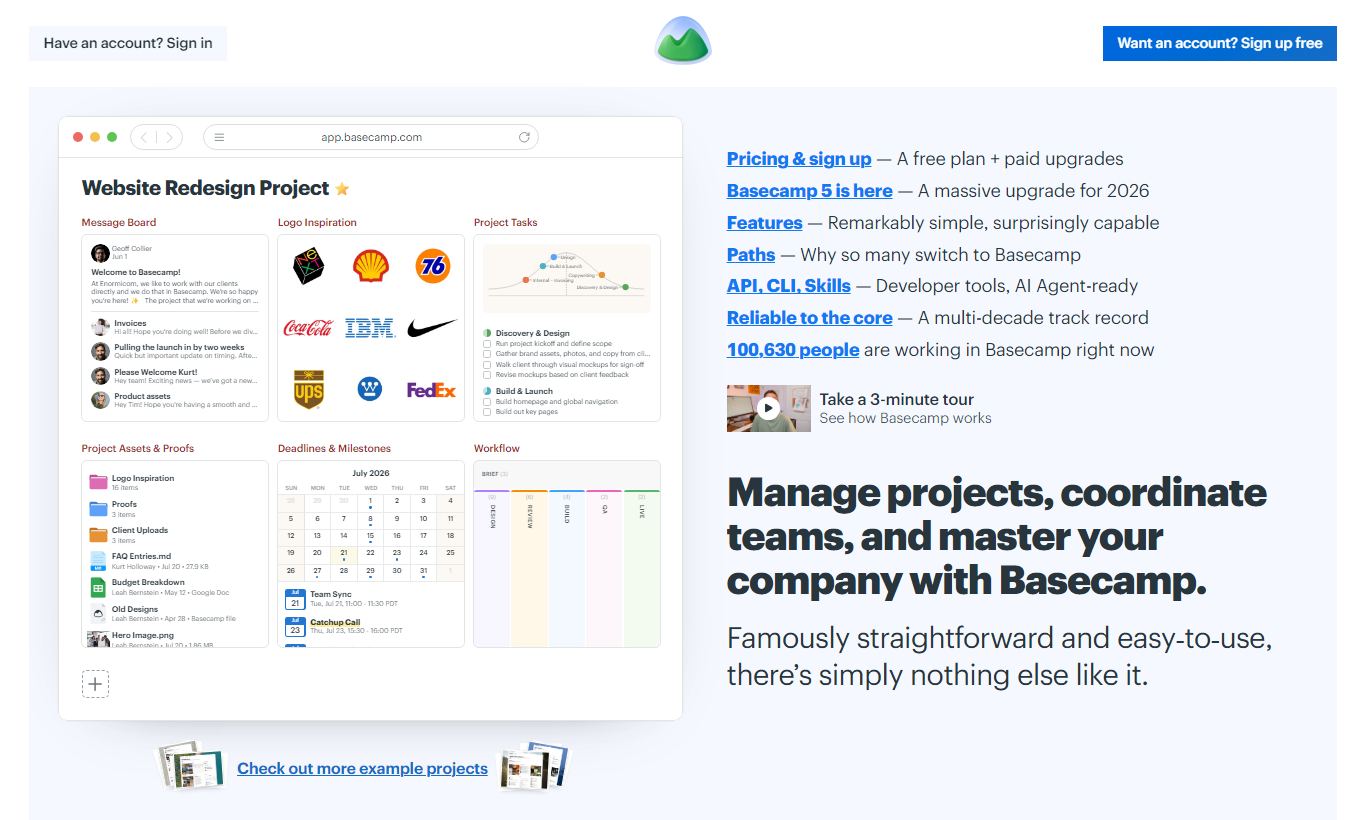
Every project in Basecamp comes with six tools baked in: a Message Board, To-dos, Docs & Files, Group Chat (Campfire), a Schedule, and Automatic Check-ins. This structure is non-negotiable. You can't add custom modules or remove the ones you don't use (you can hide them, but they remain). In practice, this standardisation helps teams onboarding new members or clients: everyone knows exactly where to look for what. A marketing agency, for example, could use the Message Board for creative briefs, To-dos for production checklists, Docs & Files for brand assets, and the Schedule for campaign deadlines, all without leaving a single project view.
Automatic Check-ins (Hill Charts Included)
Automatic Check-ins is one of Basecamp's most distinctive features. Managers can schedule recurring questions, things like "What did you work on this week?" or "Any blockers?", that get sent to team members at set intervals. Responses are collected asynchronously and visible to the whole team, cutting down on the need for status meetings. Paired with Hill Charts, a visual tool that shows whether a task is still being "figured out" (uphill) or being "executed" (downhill), Basecamp gives project leads a genuinely useful view of momentum without constant check-ins. That matters most for remote or distributed teams spread across time zones.
Campfire Group Chat
Campfire is Basecamp's real-time group chat, available at both the project level and across the whole company (called HQ). It isn't trying to be a feature-for-feature clone of Slack. There are no threads, no emoji reactions on individual messages (reactions exist but are limited), and no video calls. What Campfire does well is keep chat contextualised: conversations happen inside the project they relate to, rather than in a chaotic global channel list. For teams that find Slack too interruptive, Campfire's lighter feature set is a relief, not a limitation.
Client Access and Permissions
Basecamp has a long-standing client collaboration feature that lets you invite external clients into specific projects with controlled visibility. Clients only see what you explicitly share with them, specific to-do lists, files, or message threads, while internal conversations stay hidden. This sets Basecamp apart for agencies and consultancies. Rather than managing a separate client portal tool or forwarding email threads, client communication lives inside the same workspace the internal team uses, with a clean permission layer separating the two views.
Docs, Files, and the New Basecamp AI
Basecamp's document and file storage is functional rather than sophisticated. You can upload files, write text documents, and link Google Docs, but there's no native real-time collaborative editing. Documents are versioned through comments and re-uploads, which works fine for reference materials but feels clunky for live collaboration. More recently, Basecamp added AI-assisted features, mainly a writing assistant and a project summariser, available on the Pro Unlimited plan. Early adopters say the summariser genuinely helps new team members get up to speed on a long-running project, though it's still far from a mature feature set.
Pricing
Basecamp's pricing model is simple compared to most project management tools. There are two plans:
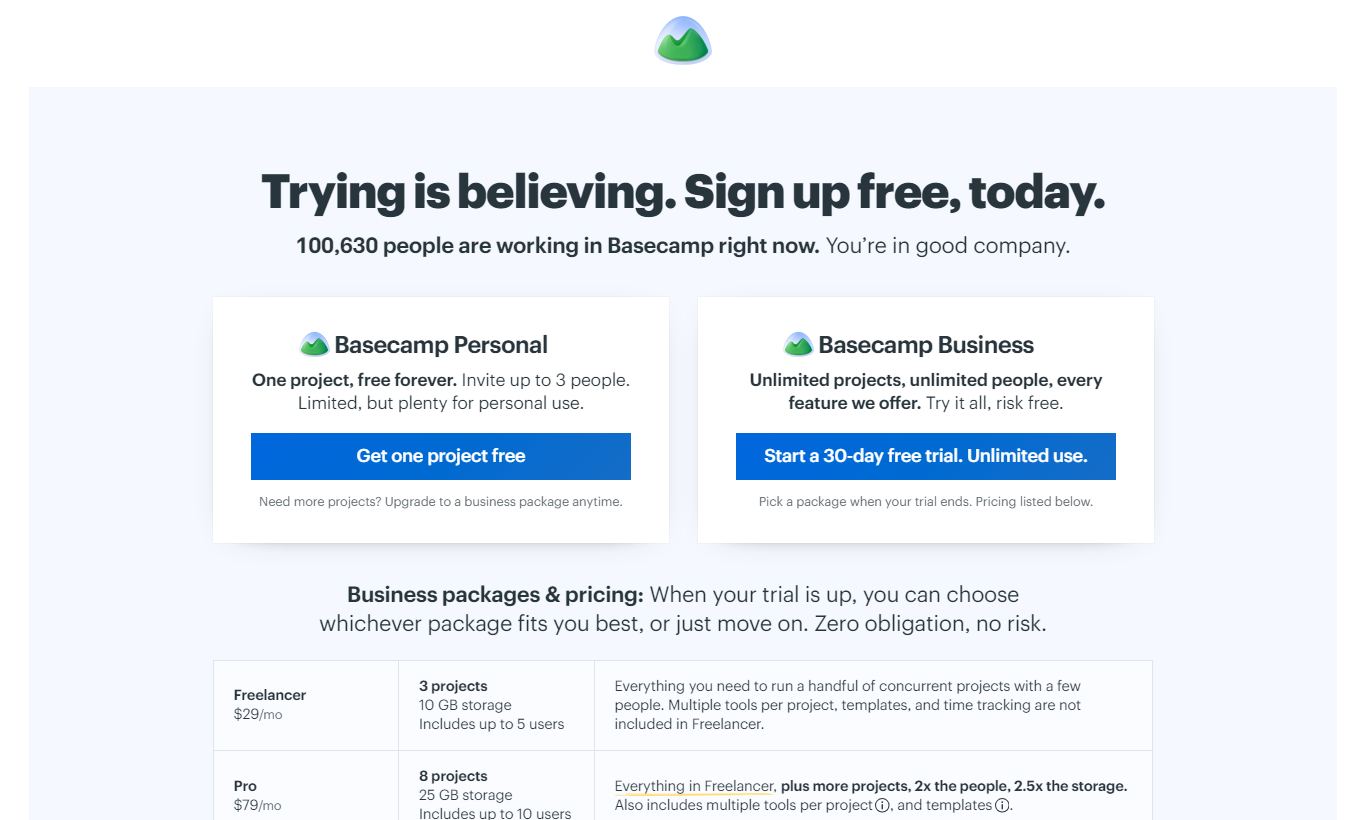
Basecamp ($15/user/month): This per-seat plan suits freelancers, very small teams, or individuals. It includes all core features but caps storage at 500GB and lacks a few advanced features like the AI tools and advanced client permissions available on the higher tier. It's billed monthly only at this price.
Basecamp Pro Unlimited ($299/month, billed annually, or $349/month billed monthly): This is the flagship plan and the one most businesses should look at. It includes unlimited users, 5TB of storage, 1:1 priority support, an AI writing assistant, project templates, and the ability to set access permissions at a granular level. For any team larger than 20 people, the per-user math makes this plan much cheaper than tools like Asana Business ($24.99/user/month) or Monday.com Standard ($14/user/month at scale).
There is no free plan, but Basecamp offers a 30-day free trial on both plans with no credit card required. That's a real trial window. It's long enough to run an actual project and see whether the workflow fits your team.
What We Love
- Flat-fee Pro Unlimited pricing scales exceptionally well: At $299/month for unlimited users, a 50-person team pays $5.98 per person, a fraction of what most per-seat competitors charge at equivalent team sizes.
- Hill Charts give a genuinely intuitive view of project momentum: Unlike status dropdowns or percentage completion fields, Hill Charts show whether work is still uncertain (uphill) or being executed (downhill). Managers get a clearer signal without digging through updates.
- Client collaboration sits inside the core product: Granular client visibility controls let agencies manage internal and external communication in one place, so they don't need a separate client portal subscription.
- Automatic Check-ins cut down on status meetings: Recurring async questions with centralised responses let distributed teams stay on the same page without standups.
- 30-day free trial, no credit card required: That's enough time to migrate a real project, onboard actual team members, and make a properly informed decision instead of guessing from a spec sheet.
Watch Out For
- No Gantt charts or timeline views: Basecamp's Schedule tool shows milestones and deadlines on a calendar, but there's no dependency mapping or Gantt-style timeline. Teams managing complex, interdependent workstreams, like software development sprints or construction projects, will find this a hard blocker.
- No native time tracking: Hours can't be logged inside Basecamp. Teams that need to track billable time against projects have to integrate a third-party tool like Harvest or Toggl. That adds friction and cost, and it chips away at the all-in-one pitch.
- Limited reporting and analytics: There are no built-in dashboards for workload management, burn rates, or cross-project reporting. The "Activity" feed is chronological, not analytical. Managers who need data-driven insight into team capacity will find Basecamp opaque.
- The fixed six-tool project structure frustrates power users: You can't add custom fields, create additional tool types, or configure the project layout. Users migrating from highly customised Notion or ClickUp setups often say this is the most jarring adjustment.
Who Is It Best For?
The growing agency (15 - 80 staff) juggling multiple client projects: Basecamp's client access feature, project-based organisation, and flat-fee pricing make it a strong fit for an agency managing 10 to 40 concurrent client projects. A 40-person shop pays roughly $7.50 per person per month on Pro Unlimited, which is hard to beat. Clients get a clean, professional portal without needing their own logins to a complex system.
The remote-first or async-distributed team: Companies built around asynchronous work, whether a fully remote software studio or a nonprofit with staff in multiple countries, benefit directly from Basecamp's communication-first design. Automatic Check-ins, the Message Board's long-form posting culture, and Campfire's contextual chat cut down the pressure to be online at the same time, something Slack-heavy workflows rarely manage.
The operations or internal projects team inside a larger company: HR teams managing onboarding workflows, marketing teams coordinating content calendars, and IT teams tracking internal requests all benefit from Basecamp's accessible, low-training-overhead structure. It doesn't need deep configuration to be useful, so adoption rates tend to run higher than with more complex tools. That's often the real predictor of whether a PM tool succeeds inside an organisation.
How Does It Compare?
Basecamp vs Asana: Asana offers much deeper task management, with dependencies, custom fields, timeline views, and portfolio dashboards. That makes it more powerful for complex, multi-team project work. But Asana's per-seat pricing ($10.99 - $24.99/user/month depending on tier) means a 50-person team spends $550 - $1,250/month, compared to Basecamp's $299 flat fee. If your team needs structure, Asana wins. If your team needs communication, Basecamp does.
Basecamp vs Monday.com: Monday.com is a highly customisable work OS with visual boards, automations, and reporting, none of which Basecamp offers. It suits operations teams that need flexible data views and workflow automation. But Monday.com's per-seat model, plus the work needed to set it up, can be overkill for teams that just want their projects organised and their conversations on track. Basecamp wins on simplicity, speed to value, and cost at scale.
Final Verdict
Basecamp is a well-crafted, opinionated tool that solves a specific problem with unusual clarity. It keeps teams organised and communicating without turning into a full-time job to maintain. The flat-fee Pro Unlimited plan is one of the best value propositions in project management software for teams of 20 or more, and the 30-day no-credit-card trial makes it genuinely low-risk to try.
Where Basecamp falls short is just as clear. It's not the right tool for teams that need timeline dependencies, native time tracking, sprint planning, or cross-project analytics. If those capabilities are central to how your team works, Asana, ClickUp, or Monday.com will serve you better, even at the higher cost. But if your team's main pain point is scattered communication and the overhead of juggling too many tools, Basecamp is one of the few products that actually delivers on its promise to simplify. Buy it for the structure. Stay for the sanity.
Try Basecamp Free →FAQ
How much does Basecamp cost in 2026?
Basecamp offers two plans: a per-seat plan at $15/user/month for small teams, and Basecamp Pro Unlimited at $299/month (billed annually) or $349/month (billed monthly) for unlimited users. There's no free plan, but you get a 30-day free trial with no credit card required.
Is Basecamp worth it for small teams?
For teams under 20 people, the $15/user/month plan is competitive but won't save you a ton compared to alternatives. The real value shows up at team sizes of 20+, where the $299/month flat fee beats per-seat competitors by a wide margin. Small teams that value simplicity and async communication will still get their money's worth at any size.
Does Basecamp have a free plan?
No. Basecamp dropped its free plan in 2022. It does offer a 30-day free trial on both plans without requiring a credit card, which counts as one of the more generous trial periods in the project management category.
How does Basecamp compare to Asana?
Asana packs in far more advanced task management: Gantt timelines, dependencies, portfolio views, custom fields. That makes it the better pick for complex project orchestration. Basecamp focuses on team communication and simplicity, and wins on cost for teams larger than 20 people. Pick Asana for structure-heavy workflows. Pick Basecamp for communication-heavy ones.
Does Basecamp support client access?
Yes. Basecamp includes built-in client access controls that let you share specific project sections, like to-do lists, files, and message threads, with external clients while keeping internal conversations private. This works on both plans and is a big reason agencies and consultancies pick Basecamp.
Does Basecamp have time tracking?
No. Basecamp doesn't include native time tracking. Teams that need billable hour logging have to bring in a third-party tool such as Harvest or Toggl. Both integrate directly with Basecamp, but that adds cost and chips away at the all-in-one convenience that makes Basecamp appealing in the first place.
Is Basecamp good for remote teams?
Yes, Basecamp is one of the strongest choices for remote and async-first teams. Its Automatic Check-ins cut down on synchronous status meetings, its Message Board pushes people toward thoughtful long-form communication instead of reactive chat, and its project-based structure keeps conversations in context. The company itself has operated fully remotely since its founding and co-authored influential books on remote work.
What are the biggest limitations of Basecamp?
The most common complaints from users: no Gantt chart or dependency mapping, no native time tracking, limited cross-project reporting, and a fixed project structure that can't be customised with additional tools or custom fields. Teams migrating from flexible platforms like ClickUp or Notion often find the structure constraining at first.
We may earn a commission when you click affiliate links. This never affects our editorial scores.
| Best for | Project management made simple |
| Category | Project Management |
Answer a few quick questions and we'll match you to the best tool for your needs.
→ Suggest a Tool