
Thinkific Review 2026: Is It Worth It?
Thinkific is an online course platform built for creators, coaches, and entrepreneurs who want to sell educational content without heavy technical overhead. It offers a solid free plan, an intuitive drag and drop course builder, and strong monetization tools, including memberships, bundles, and one-time or subscription pricing. Compared to rivals like Teachable and Kajabi, Thinkific stands out for its zero transaction fees on all paid plans and its granular student experience controls. It's not the cheapest option at scale, and its built-in marketing automation is thinner than what all-in-one competitors offer. But for creators who want a reliable, focused platform to host and sell courses without giving up customization, Thinkific earns a strong recommendation. The free plan is genuinely useful for beginners. The paid tiers unlock the tools serious course businesses need.
What we love
Watch out for
Thinkific at a glance
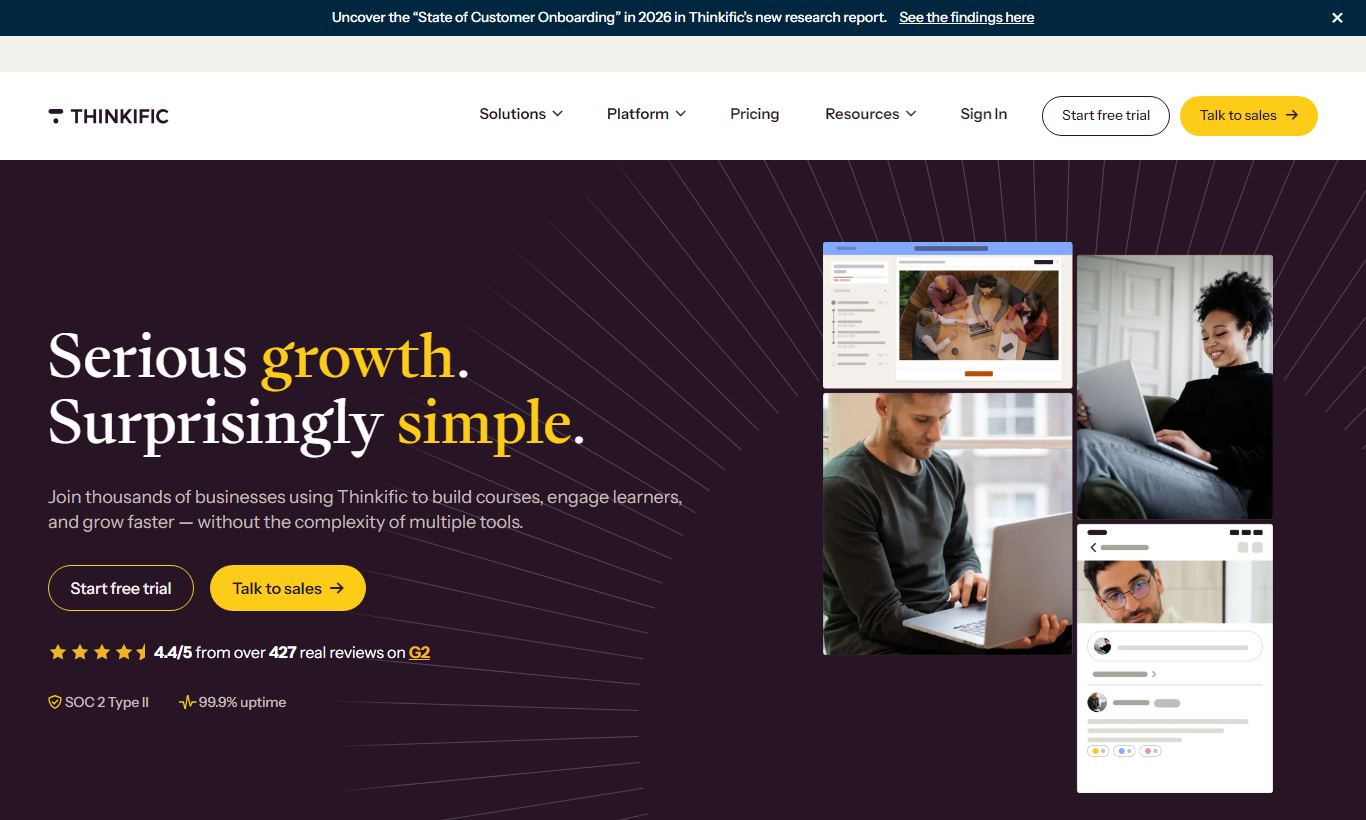
What to test in your Thinkific trial
14-day free trial
- Build a multi-lesson course with drip scheduling and prerequisites to test content structure controls
- Create a course landing page and checkout flow with your branding and custom domain
- Invite test students and monitor their progress, completion rates, and drop-off points in analytics
- Post discussion threads in the Communities feature and check if it meets your student engagement needs
- Decide which paid plan matches your business before the 14-day trial ends or your first charge
Quick Verdict
Thinkific is one of the most polished dedicated course platforms available in 2026. It balances ease of use with real depth of control. You can publish your first course in an afternoon, and you can also build a fully branded academy with custom domains, certificates, cohort-based learning, and tiered membership communities. The free plan is genuinely generous for solo creators just getting started, and paid plans scale sensibly as your student base grows.
Thinkific pulls ahead of the pack with its zero-transaction-fee model, which applies even on its free tier. Add a clean student experience and flexibility in course formats, from self-paced video courses to live cohorts and downloadable bundles, and you've got a strong package. If you're a coach, consultant, subject-matter expert, or content creator looking to launch a course business without stitching together a dozen tools, Thinkific deserves serious consideration.
Start Your Free Trial →What is Thinkific?
Founded in 2012 by Greg Smith and Matt Smith in Vancouver, Canada, Thinkific was built on a simple premise: educators and experts shouldn't need a developer to turn their knowledge into a sellable product. Today the platform hosts over 50,000 course creators and has helped deliver more than 100 million courses to students worldwide. It sits in the mid-market sweet spot. It's more powerful than lightweight tools like Podia, but less sprawling (and expensive) than all-in-one platforms like Kajabi. Thinkific went public on the TSX in 2021, and that's brought added product investment along with the reliability expectations that come with enterprise-grade uptime.
The platform is built for solo creators, small teams, and growing course businesses. Picture a fitness coach launching a 12-week training program, a freelance consultant packaging their methodology into a self-paced curriculum, or a professional association offering continuing education to members. Thinkific isn't the right fit for large enterprises with deep LMS requirements, like SCORM compliance at scale or complex SSO needs, though its Thinkific Plus tier does stretch in that direction.
Key Features
Feature Checklist
Course Builder and Content Formats
Thinkific's drag-and-drop course builder is its strongest asset. You can structure courses with chapters and lessons, reordering content with a simple drag. Lesson types cover a lot of ground: video (with built-in hosting via Wistia infrastructure), text, audio, PDF downloads, presentations, quizzes, surveys, and live lessons via Zoom integration. Each lesson can have drip scheduling attached. That means you can release content day-by-day or week-by-week after enrolment, which matters for cohort-based programs that want to stop students from rushing ahead. The builder also supports prerequisite lessons, so students must complete Lesson 1 before unlocking Lesson 2. Some competing platforms still don't offer this.
Monetization and Pricing Flexibility
Thinkific gives you granular control over how you charge. You can sell courses at a one-time price, on a payment plan (e.g. 3 instalments of $99), or via a recurring subscription. Courses can be bundled together and sold as a package, which works well for creators who want to offer a "complete library" upsell. Free and trial enrolments are supported natively, so running a lead-magnet mini-course is straightforward. Coupons and promotional pricing are available on all paid plans. Thinkific charges zero transaction fees on all plans, including the free tier. Teachable, by contrast, takes 5 - 10% on its lower tiers. For a creator doing $3,000/month in course sales, that difference adds up fast.
Student Experience and Community
Students access content through a clean, branded course player that adapts to desktop and mobile. Progress tracking is automatic, and completion certificates can be customized with your branding and issued on course completion. Thinkific's Communities feature (available on Basic and above) lets you run a discussion space directly within the platform. Picture a structured forum with spaces and posts, similar in concept to a lightweight Circle.so. This cuts down on the need to push students to a separate Facebook Group or Discord. The mobile experience is solid but relies on a browser-based app rather than a fully native iOS/Android app. That's a real limitation for mobile-first audiences.
Site and Landing Page Customization
Thinkific includes a website builder that lets you create a branded storefront, course landing pages, and a checkout flow, all without touching code. You can connect a custom domain, choose from a set of pre-built themes, and use the page editor to customise fonts, colours, and section layouts. It won't replace a dedicated website builder like Squarespace for complex marketing sites, but it's more than enough for a focused course business. The checkout page is clean and built to convert out of the box, with order bumps available on higher plans.
Analytics and Student Insights
Thinkific's analytics dashboard gives you enrolment counts, revenue totals, course completion rates, and individual student progress, all in one view. You can identify which lessons have the highest drop-off rates, which is genuinely useful for improving course content. Revenue reports break down by course and time period. The reporting is functional rather than sophisticated. You won't get cohort retention curves or advanced funnel analytics, but for most creators it's entirely sufficient. For deeper analytics, Thinkific integrates with Google Analytics and Facebook Pixel for tracking ad performance on your landing pages.
Pricing
Thinkific's pricing comes in four main tiers, billed monthly or annually (annual billing saves roughly 25%). All plans charge zero transaction fees.
- Free: $0/month. 1 course, unlimited students, 1 community, basic quizzes, and a Thinkific-subdomain site. Genuinely useful for testing the platform or launching a single mini-course. No credit card required.
- Basic: $49/month (billed monthly), about $36/month billed annually. Unlimited courses, custom domain, email integrations, coupons, drip content scheduling, and 1 community. Best for solo creators ready to launch properly.
- Start: $99/month (billed monthly), about $74/month billed annually. Everything in Basic, plus Assignments, Certificates, Live Lessons, cohort-based courses, and advanced course options. This is the tier most serious course creators should pick.
- Grow: $199/month (billed monthly), about $149/month billed annually. Everything in Start, plus advanced segmentation, bulk enrolments, API access, 2 communities, priority support, and a branded mobile app (add-on). Best for teams and growing academies.
- Thinkific Plus: custom pricing. An enterprise-grade tier with dedicated support, white-labelling, multiple admin accounts, Salesforce integration, and SLA-backed uptime. Priced by negotiation, typically $500+/month.
A 14-day free trial of paid plans is available, no credit card required. The free plan itself stays free permanently, not just during a trial, which matters if you're starting out on a tight budget.
What We Love
- Zero transaction fees on every plan. Even the free tier keeps 100% of your course revenue (minus payment processor fees), and that adds up fast compared to Teachable's lower tiers.
- Prerequisite lessons and drip scheduling. These granular content controls let you build a real curriculum with structure, not just a folder of videos dumped online.
- Generous free plan. You get 1 course, unlimited students, and a built-in community for $0/month, making this one of the most accessible entry points around.
- Built-in Communities feature. Student discussion stays inside the platform instead of scattering across Facebook Groups or other third-party tools, which helps engagement and cuts down on churn.
- Flexible monetization options. One-time payments, subscriptions, payment plans, free access, and bundle pricing are all supported natively, so you won't need third-party workarounds.
Watch Out For
- Thin native marketing automation. Thinkific doesn't have a built-in email marketing engine. You'll need to integrate a separate tool (Mailchimp, ConvertKit, ActiveCampaign) and stitch together automations. That adds cost and complexity compared to Kajabi's all-in-one approach.
- No fully native mobile app for students. The mobile experience is browser-based. For creators whose audience mostly watches content on a phone, this can hurt completion rates. A branded native app is an expensive add-on on the Grow plan.
- Community features are basic compared to dedicated tools. Thinkific's built-in Community handles simple Q&A and discussion fine, but creators who want Slack-style channels, live rooms, or gamification will likely still need Circle.so or something similar.
- Reporting lacks depth for data-driven operators. Drop-off and completion rates are available, but advanced cohort analysis, funnel visualisation, and revenue forecasting require exporting data or connecting a third-party analytics tool. It's a common complaint among power users on review platforms like G2 and Capterra.
Who Is It Best For?
The solo subject-matter expert launching their first course: A nutritionist, career coach, or language tutor who has knowledge to sell and wants to package it professionally without hiring a developer. Thinkific's free plan lets them build and launch one complete course, with quizzes, a branded page, and Stripe checkout, at zero cost. When they're ready to scale, upgrading to Basic or Start is affordable and doesn't mean starting over on a new platform.
The established creator scaling to a course library: A YouTuber or podcast host with an engaged audience who wants to launch three to five courses, bundle them, and run a subscription membership. The Start plan at ~$74/month (annual) gives them certificates, live lessons, and unlimited courses. That's a strong combination for turning audience trust into recurring revenue.
The small professional services firm building an education arm: An accounting firm, law practice, or marketing agency that wants to turn its expertise into a client education library or a new revenue stream. Thinkific's Grow or Plus plans offer the admin controls, bulk enrolment, and API access needed to manage 100+ students without manual overhead, and the branded landing pages keep the whole experience on-brand.
How Does It Compare?
Thinkific vs Teachable: Teachable has been around longer and its affiliate marketing system is a bit richer, but it charges transaction fees (up to 10%) on its free and basic plans. That's a real problem if you're generating meaningful revenue. Thinkific's zero-fee model and more flexible content types give it the edge for most creators. See our full Thinkific vs Teachable breakdown for a detailed side-by-side.
Thinkific vs Kajabi: Kajabi is an all-in-one platform that bundles email marketing, pipelines, podcasting, and community into one subscription starting at $149/month. If you want a single platform to replace ConvertKit, Thinkific, and Circle.so, Kajabi makes a strong case, but you'll pay a premium and face a steeper learning curve. Thinkific wins on price, simplicity, and pure course-building depth. Check our Thinkific vs Kajabi comparison for the full analysis.
Final Verdict
Thinkific earns its place as one of the top two or three course platforms for creators and small education businesses in 2026. Its combination of a genuinely useful free plan, zero transaction fees, flexible content types, and clean student experience makes it a trustworthy foundation for a course business at any stage. The platform is honest about what it is: a focused, well-built course delivery and sales tool, not an all-in-one marketing suite.
Where it falls short, thin native email automation, a browser-based mobile experience, and limited advanced analytics, these are real gaps. For most creators, though, they're bridgeable with affordable integrations. If you're choosing between Thinkific and a pricier all-in-one platform, ask yourself honestly whether you'll use every feature you're paying for. Most course creators won't. For those who want to launch fast, sell confidently, and grow without surprises, Thinkific is the answer.
Try Thinkific Free →FAQ
Does Thinkific have a free plan?
Yes. Thinkific offers a permanently free plan that includes 1 course, unlimited student enrolments, 1 community, and basic quiz functionality, with zero transaction fees. It's not a time-limited trial. You can use it indefinitely. Paid plans also come with a 14-day free trial.
How much does Thinkific cost per month?
Thinkific's paid plans start at $49/month (Basic, billed monthly) or roughly $36/month on annual billing. The Start plan is $99/month ($74/month annually) and is the one most serious creators should pick. The Grow plan is $199/month ($149/month annually). Enterprise pricing via Thinkific Plus is custom.
Does Thinkific take a percentage of sales?
No. Thinkific charges zero transaction fees on all plans, including the free tier. You keep 100% of your course revenue minus standard payment processing fees from Stripe or PayPal (typically 2.9% + $0.30 per transaction). That's a real advantage over Teachable, which charges up to 10% on its lower-tier plans.
Is Thinkific better than Teachable?
For most creators, Thinkific has the edge over Teachable. It charges zero transaction fees, offers more flexible content types (including prerequisite lessons and drip scheduling), and gives more away on its free plan. Teachable pulls ahead slightly on affiliate marketing tools. The right choice comes down to whether transaction fees or affiliate management matters more to your business.
Is Thinkific better than Kajabi?
It depends on your needs. Kajabi is an all-in-one platform that includes email marketing, funnels, and a podcast tool, which helps if you want one subscription to replace several tools. Thinkific is a more focused, affordable course platform that excels at content delivery and student experience. Thinkific usually wins on price and ease of use. Kajabi wins on native marketing automation.
Can students access Thinkific courses on mobile?
Yes, but through a mobile-optimised browser rather than a native app. Thinkific doesn't offer a standard native iOS or Android student app. A branded mobile app is available as a paid add-on on the Grow plan. For most audiences, the browser experience works fine, but mobile-first creators should weigh this before choosing.
Is Thinkific worth it for beginners?
Yes. Thinkific is one of the most beginner-friendly course platforms out there. The free plan lets you build and launch a full course with no upfront cost and no credit card. The drag-and-drop builder needs no technical skills, and the support resources (help docs, community, and live chat on paid plans) are strong. It's a low-risk starting point you won't need to abandon as you grow.
What integrations does Thinkific support?
Thinkific integrates natively with Mailchimp, ConvertKit, ActiveCampaign, Aweber, Drip, Zapier, Google Analytics, Facebook Pixel, Zoom, and Stripe. Through Zapier, you can connect it to hundreds of other tools. The Grow plan and above include API access for custom integrations. Salesforce integration is available on Thinkific Plus.
We may earn a commission when you click affiliate links. This never affects our editorial scores.
| Best for | Create and sell online courses |
| Category | Online Course Platforms |
Answer a few quick questions and we'll match you to the best tool for your needs.
→ Suggest a Tool