
Teachable Review 2026: Is It Worth It?
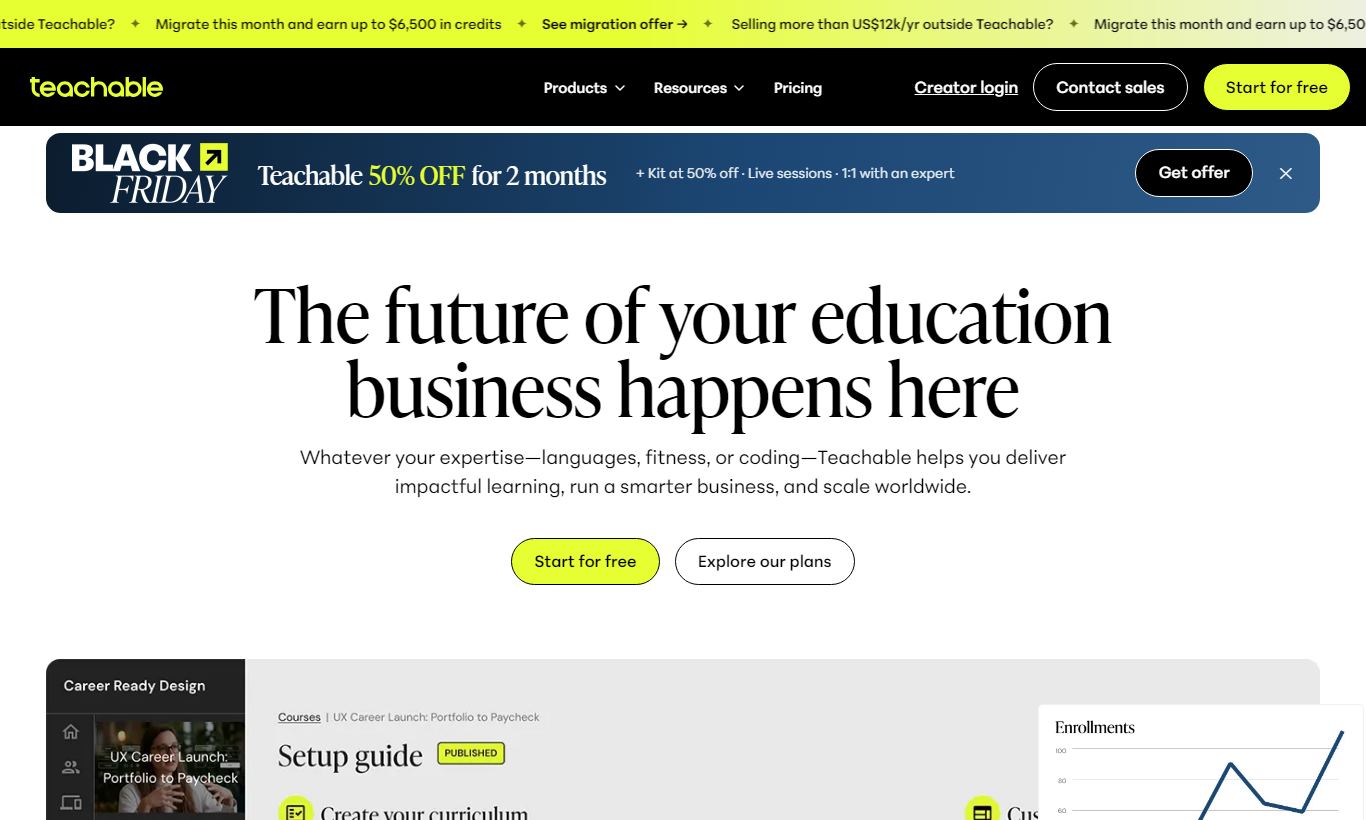
Teachable is a hosted platform for creators, coaches, and independent educators who want to sell courses, coaching packages, and digital downloads without touching code. It gives you a clean course builder, native payment processing, affiliate marketing tools, and a growing set of coaching and community features. Pricing starts at $0/month on the Free plan (with a 10% transaction fee) and scales up to $159/month on the Pro+ plan for larger businesses. Teachable works best for solo creators and small teams who want to launch fast and deliver a polished student experience, rather than teams chasing deep customization. It falls short for enterprise users who need advanced CRM integrations or white-label mobile apps. If you're an independent educator ready to monetize your expertise, Teachable is a solid, trustworthy choice, though you'll want to factor transaction fees into your margin calculations on the lower-tier plans.
What we love
Watch out for
Teachable at a glance
What to test in your Teachable trial
Free plan
- Build a complete course with video, PDF, quiz, and drip-scheduled content in the drag-and-drop editor
- Set up an affiliate program and invite one affiliate to track commission rates and dashboard reporting
- Create a coaching product bundling a video course with a live session and pricing it as one offer
- Upload a sales page with your branding, set coupon codes, and test the checkout flow with payment plans
- Track student progress, certificates, and completion data in your analytics and student dashboard
Quick Verdict
Teachable earns its place as one of the most popular hosted course platforms for good reason. It lowers the barrier to launching an online course to almost nothing, handling hosting, payments, student management, and sales pages under one roof. For a creator who wants to go from idea to first sale in a weekend, few platforms match its balance of simplicity and capability. The free plan is genuinely usable, not a crippled teaser, and the paid tiers scale reasonably as your revenue grows.
Teachable isn't a fit for every creator, though. The transaction fees on the Free and Basic plans can eat into margins, the native community features are still maturing compared to dedicated platforms like Circle, and deep customization of the student interface requires CSS know-how. If you're a high-volume creator with complex needs, the math on Thinkific or Kajabi may work better. But for most solo educators and small course businesses, Teachable delivers reliable, well-designed tools that get out of your way and let you teach.
Start Your Free Trial →What is Teachable?
Teachable was founded in 2013 by Ankur Nagpal and was acquired by Hotmart in 2020 for a reported $250 million. It's built for knowledge entrepreneurs, independent educators, coaches, subject matter experts, and small online education businesses who want to sell courses, coaching sessions, and digital products directly to students without managing their own server infrastructure or payment stack. Teachable hosts everything: video, quizzes, certificates, and checkout pages all live on Teachable's platform. The company now powers over 100,000 creators and has processed more than $1 billion in creator earnings. That track record says a lot about its staying power in the market.
Teachable sits in the mid-market of the course platform space. It's more polished and feature-rich than bare-bones tools like Gumroad, but it doesn't try to be the all-in-one marketing suite that Kajabi is. Its core promise is simple: you own your audience data, your brand, and your pricing, and Teachable handles the technical complexity underneath.
Key Features
Feature Checklist
Course Builder & Curriculum Editor
Teachable's drag-and-drop curriculum builder is where most creators spend the bulk of their time, and it's genuinely one of the platform's strongest assets. You can organize content into sections and lectures, mixing video, audio, PDFs, text, quizzes, and code embeds within a single course. Teachable processes and hosts your video uploads, so you don't need a separate Wistia or Vimeo account, and the player supports automatic transcription on higher-tier plans. Here's a practical example: a UX designer building a 12-module portfolio course can upload recorded Loom sessions, attach downloadable Figma templates per lecture, and gate specific modules with drip scheduling, all without touching a line of code.
Sales Pages & Checkout
Teachable includes a sales page builder with pre-built templates, customizable sections (hero, testimonials, instructor bio, curriculum preview), and a native checkout that supports one-time payments, payment plans, and subscriptions. The checkout handles multiple currencies, VAT for EU customers, Apple Pay, Google Pay, and major credit cards. Teachable also handles the complexity of international VAT compliance automatically on paid plans, which saves real time and otherwise means paying for a separate tool like Quaderno. You can also apply coupon codes, set affiliate commission rates per product, and A/B test pricing strategies.
Coaching & Live Sessions
Teachable added native coaching products in 2021, so creators can sell one-on-one or group coaching packages with integrated scheduling (via Calendly or Teachable's own scheduler on Pro+ plans). A fitness coach, for example, can bundle a 6-week video course with three 45-minute live check-in sessions and sell them as a single product at a premium price. Sessions run through Zoom, with automatic session notes stored in the student's account. This feature can push up average order value without forcing you to bolt on a separate booking tool.
Student Experience & Completion Tools
Teachable's student-facing interface is clean and mobile-responsive. Students get a personal dashboard showing enrolled courses, progress percentages, and completion certificates. Quizzes can be set as required before advancing to the next lecture, which is useful for compliance training or structured learning paths. Certificates carry the creator's own branding and can be toggled per course. Drip content scheduling lets creators release lectures on a fixed schedule or relative to enrollment date. It's a solid retention tool, and it keeps students in multi-week programs from feeling overwhelmed.
Affiliate Marketing & Revenue Tools
Teachable's built-in affiliate program lets creators recruit affiliates, set custom commission rates per course, and track performance in a dedicated dashboard. Affiliates get a unique link, and Teachable handles attribution and payout tracking. For a creator with an audience of fellow educators or influencers in their niche, this can dramatically extend organic reach without spending a cent on ads. The platform also supports order bumps (upselling a lower-cost product at checkout) and bundle pricing, both revenue tools that usually only show up on pricier platforms.
Analytics & Reporting
Teachable provides revenue analytics (gross revenue, net revenue, refunds), student enrollment trends, video engagement metrics, and quiz completion data. The reporting works well for individual creators, but it falls short of the funnel-level analytics that marketers used to tools like Kajabi or dedicated LMS platforms would expect. There's no native heatmap, no multi-touch attribution, and cohort analysis is limited. Most creators will find the built-in reporting good enough. Those running paid acquisition campaigns will likely need to supplement it with Google Analytics 4 or a dedicated attribution tool.
Pricing
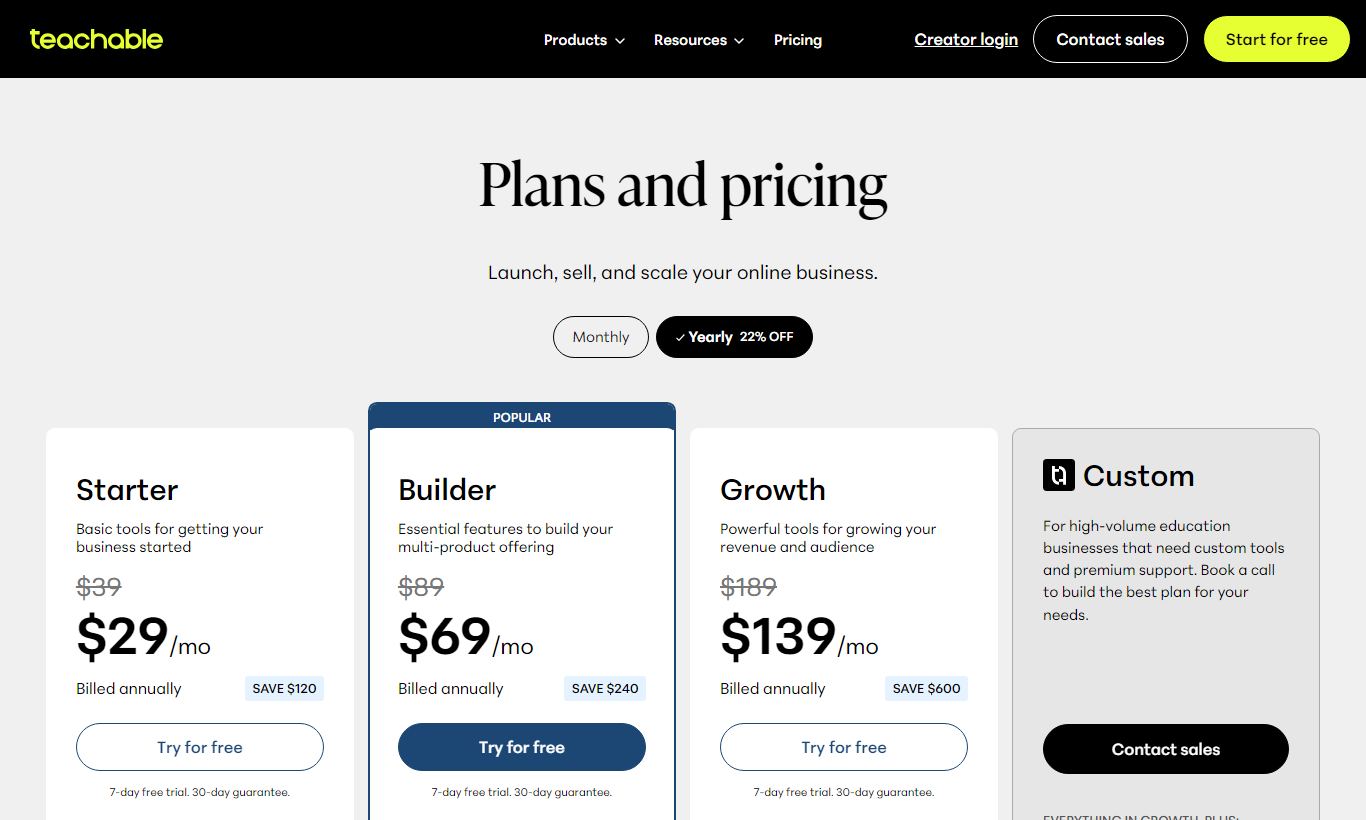
Teachable runs a tiered subscription model billed monthly or annually, and annual billing saves roughly 25%. Every plan includes unlimited students, but the lower tiers still charge transaction fees on sales.
- Free - $0/month: 1 published course, 1 coaching product, unlimited students, 10% transaction fee per sale. It's genuinely useful for testing the platform or launching a first paid product, but that transaction fee gets expensive fast once you're selling at any real volume.
- Basic - $59/month (billed monthly) or ~$39/month billed annually: 5 published products, 5% transaction fee, custom domain, coupon codes, email students, drip content, and integrated affiliate marketing. This is where most serious creators start.
- Pro - $119/month (billed monthly) or ~$89/month billed annually: Unlimited published products, 0% transaction fee, graded quizzes, course certificates, advanced reports, live chat support, and up to 5 admin-level users. The 0% transaction fee alone covers the cost of upgrading once monthly revenue passes roughly $2,400.
- Pro+ - $199/month (billed monthly) or ~$159/month billed annually: Everything in Pro, plus priority migration support, bulk student enrollments, custom user roles, and up to 20 admin users. It's built for established course businesses running a team.
Teachable doesn't run a traditional free trial on its paid plans. Instead, the Free plan works as a permanent sandbox with real transaction capability built in. If you're planning to stick with the platform long term, annual billing is worth it. The price gap between monthly and annual is too large to ignore.
What We Love
- Zero-friction course creation: The curriculum editor lets you build and publish a full course with mixed media content, video, PDF, quizzes, and drip schedules, in a single afternoon. No developer needed.
- Native VAT and international tax compliance: Teachable automatically calculates and remits EU VAT and applicable sales taxes on paid plans. That takes a genuinely painful compliance burden off the plate of solo creators operating globally.
- Built-in affiliate tracking with per-product commission control: Creators can recruit affiliates directly through the platform, set different commission rates per course, and monitor performance without a third-party tool like ThriveCart or Refersion.
- Coaching products with native scheduling integration: Bundling live sessions with course content into a single premium product is straightforward, and it meaningfully increases average order value without requiring Acuity or Calendly workarounds.
- Owned student data and direct payment processing: Unlike marketplace platforms such as Udemy, Teachable creators own their student email list and receive payouts directly. That's a real difference for long-term audience building and business resilience.
Watch Out For
- Transaction fees on Free and Basic plans erode margins fast: A 10% fee on the Free plan means a $197 course sale costs nearly $20 before Stripe fees. Creators generating more than $800/month in revenue should run the math and probably upgrade to Pro right away.
- Community features are immature compared to standalone tools: Teachable's built-in community (still rolling out broadly as of 2025) lacks the discussion threading, gamification, and event management depth of Circle or Mighty Networks. Creators who want a strong cohort community will need to bridge an external tool.
- Design customization hits a ceiling without CSS: Sales pages and student portals look polished out of the box, but template variety is limited. Getting a genuinely custom look requires custom CSS, which is only fully accessible on Pro and above.
- No native email marketing automation: Teachable can send basic enrollment emails and broadcasts, but it lacks conditional automation sequences, behavioral triggers, and tagging. Growing creators will need to connect ConvertKit, ActiveCampaign, or a similar ESP via Zapier or a native integration.
Who Is It Best For?
The solo subject-matter expert launching their first paid course: A nutritionist, career coach, or software developer turning their expertise into a $297 course program will find Teachable's Free or Basic plan more than capable. The platform handles checkout, delivery, certificates, and affiliate tracking without requiring any third-party setup. Getting from zero to a published product takes hours, not weeks.
The established creator scaling to a small course business: A creator with an existing audience generating $5,000 - $50,000/month in course revenue will get the most out of the Pro plan's 0% transaction fee, unlimited products, and certificate tooling. Adding four extra admin users means a virtual assistant or course manager can handle student support without needing the owner's login.
The coach who wants to blend async course content with live sessions: A business coach offering a $2,000 "course plus coaching" package can use Teachable's coaching product feature to bundle recorded curriculum with scheduled Zoom check-ins, sell it through a single checkout page, and manage the whole client relationship in one place. This is the user who gets the most out of Teachable's expanding coaching toolkit.
How Does It Compare?
Teachable vs. Thinkific: Thinkific offers a permanently free plan with 0% transaction fees, which makes it cheaper at the very low end. Its course builder holds up just as well, but Teachable's coaching products and affiliate system are more developed. See our full Teachable vs Thinkific breakdown for a side-by-side analysis.
Teachable vs. Kajabi: Kajabi is a broader all-in-one platform with built-in email marketing automation, pipelines, and a native podcast product. It starts at $149/month, though, with no free tier and no transaction fees at any level. Kajabi makes more financial sense for creators generating $10,000+/month who want to consolidate their tech stack. For anyone earlier in the process, Teachable's lower entry cost wins out. Compare them directly in our Teachable vs Kajabi guide.
Final Verdict
Teachable remains one of the most sensible first homes for a knowledge entrepreneur's online course business. Its course builder is fast and intuitive. Its payment and compliance infrastructure is enterprise-grade without requiring enterprise-level technical skill to operate, and the affiliate and coaching features punch above the platform's price point. The Free plan gives you a genuine taste of the full product, which is rare in a space full of artificially limited trials.
The platform does have real limitations. Transaction fees on lower tiers need careful management, the community tooling is still catching up to specialist platforms, and heavy email marketers will need an external tool. But for the creator who'd rather spend their time teaching than configuring software, these tradeoffs are easy to accept. Upgrade to Pro once your monthly revenue comfortably covers the $119/month fee. The 0% transaction rate makes that decision an easy one.
Try Teachable Free →FAQ
How much does Teachable cost per month?
Teachable offers four plans: Free ($0/month with a 10% transaction fee), Basic ($59/month or about $39/month billed annually), Pro ($119/month or about $89/month billed annually), and Pro+ ($199/month or about $159/month billed annually). Annual billing saves roughly 25% across all paid tiers.
Does Teachable have a free plan or free trial?
Teachable has a permanently free plan that lets you publish one course and one coaching product with unlimited students. There's no time-limited free trial on paid plans. The Free plan works as a functional sandbox with real payment capability, though you pay a 10% transaction fee on each sale.
Is Teachable worth it for beginners?
Yes, for most beginners. The Free plan lets you launch and sell a real course at zero upfront cost. The course builder, checkout, and student management tools are simple enough that most creators publish their first course within a day or two of signing up. Upgrade to Basic or Pro once you're generating consistent revenue.
What transaction fees does Teachable charge?
Teachable charges a 10% transaction fee on the Free plan and 5% on the Basic plan, on top of standard Stripe payment processing fees (typically around 2.9% + $0.30 per transaction). Pro and Pro+ plans charge 0% transaction fees. Creators earning over roughly $1,200/month should work out whether upgrading to Pro beats paying the Basic plan's 5% fee.
How does Teachable compare to Kajabi?
Kajabi includes built-in email marketing automation, sales funnels, and a native community, which makes it a true all-in-one platform, but it starts at $149/month with no free tier. Teachable is cheaper at entry level and has stronger standalone course and coaching features. Kajabi suits creators doing $10,000+/month who want to consolidate tools. Teachable wins on cost for everyone else.
Can you build a membership site on Teachable?
Partially. Teachable supports subscription pricing and recurring billing, so you can charge students a monthly fee for ongoing course access. It lacks the dedicated membership community features (threaded discussion, member directories, events) that platforms like Kajabi or Mighty Networks provide. It works as a content membership but not a full community membership platform.
Does Teachable own my student data?
No. Unlike marketplace platforms such as Udemy, Teachable gives you full ownership of your student email list and contact data. You can export your student list at any time and market to them directly. Teachable doesn't cross-promote your students to competitor courses, which matters for building an audience over the long term.
Is Teachable good for coaching businesses?
Yes, especially on Pro and Pro+ plans. Teachable's coaching product feature lets you sell one-on-one or group coaching packages with integrated scheduling, session notes, and bundled course content in a single checkout. It's not as full-featured as a dedicated coaching platform like Paperbell, but for creators who combine courses and coaching, Teachable handles both without needing a second platform.
We may earn a commission when you click affiliate links. This never affects our editorial scores.
| Best for | Course creation made easy |
| Category | Online Course Platforms |
Answer a few quick questions and we'll match you to the best tool for your needs.
→ Suggest a Tool