
Zapier Review 2026: Is It Worth It?
Zapier is a no-code automation platform that connects over 7,000 apps to automate repetitive workflows without writing a single line of code. It sits at the intersection of marketing automation, operations, and IT, which makes it unusually versatile for SMBs and mid-market teams. Its Zap builder lets non-technical users build multi-step automations between tools like HubSpot, Slack, Gmail, Salesforce, and hundreds more. Pricing starts with a free plan (100 tasks a month) and runs up through enterprise tiers. Zapier really shines for teams drowning in manual data entry and cross-app handoffs. Its range of integrations is unmatched, though costs can climb fast at high task volumes, and its advanced logic still lags behind fully custom automation tools. For most marketing and operations teams, Zapier delivers strong ROI, especially on the Professional and Team plans.
What we love
Watch out for
Zapier at a glance
What to test in your Zapier trial
14-day free trial
- Build a multi-step Zap connecting three of your most-used SaaS tools with real data to see if it cuts manual work
- Set up a Paths workflow to route leads or tasks based on specific conditions matching your current business logic
- Test the Formatter to clean messy data from one app before it enters your CRM or database
- Try AI Actions to auto-classify or summarize incoming data using OpenAI or Claude within your workflow
- Decide before the 14 days end whether the time saved justifies the monthly cost and commit to a paid plan or free tier
Quick Verdict
Zapier is the closest thing to a universal automation layer for modern business software. If your team uses more than five SaaS tools and burns real hours each week copying data between them, re-entering leads, or manually triggering follow-up actions, Zapier will pay for itself within the first month. It has over 7,000 app integrations, the largest library of any automation platform on the market. Whatever combination of CRM, email marketing tool, project manager, or ad platform your stack includes, Zapier almost certainly connects them.
Zapier isn't a perfect fit for everyone, though. High-volume operations teams burning through tens of thousands of tasks per month will face steep pricing, and teams that need deeply conditional branching or real-time event processing may find its logic capabilities limiting. For most marketing and operations teams at growing businesses, though, Zapier is dependable, easy to pick up, and genuinely saves time. It's worth serious consideration.
Start Your Free Trial →What is Zapier?
Wade Foster, Bryan Helmig, and Mike Knoop founded Zapier in 2011 on a simple premise: most businesses run dozens of disconnected software tools, and the people bridging those gaps with copy-paste and manual updates waste enormous amounts of time. Zapier's answer is the "Zap," an automated workflow that fires when a trigger event happens in one app and runs one or more actions in other apps. Over fourteen years, Zapier has grown from a scrappy Y Combinator startup into the standard automation tool for SMBs and mid-market companies, serving over 2.2 million businesses worldwide.
Zapier sits in a distinct spot in the market. It's more accessible than enterprise iPaaS platforms like MuleSoft or Boomi, more powerful than simple two-app connectors like IFTTT, and covers more integrations than focused competitors like Make (formerly Integromat) or n8n. Its main audience is marketing teams, RevOps professionals, operations managers, and founders who need automation without leaning on engineering. It's SaaS-first, cloud-based, and needs no installation.
Key Features
Feature Checklist
Zap Builder & Multi-Step Workflows
The core of Zapier is its Zap builder, a visual, step by step editor that walks you through selecting a trigger app, defining the trigger event, and stacking as many action steps as your plan allows. Here's a practical example. A new form submission in Typeform triggers a Zap that creates a contact in HubSpot CRM, adds them to a Mailchimp audience segment, posts a notification in a Slack channel, and logs the lead in a Google Sheet, all within seconds and with no human involvement. Multi-step Zaps are available from the Professional plan upward, and that's where Zapier's real power kicks in. Free and Starter plans are limited to single-step Zaps, which shuts out the most valuable use cases.
Paths (Conditional Logic)
Zapier's Paths feature, available on Professional plans and above, lets a single Zap branch into different sequences of actions depending on conditions you define. For example, a new inbound lead could be routed down Path A (high-value prospect: notify the enterprise sales team in Slack and create a deal in Salesforce) or Path B (SMB prospect: add to a nurture sequence in ActiveCampaign). A single Zap supports up to three paths. More complex conditional trees still need either nesting Zaps or upgrading to enterprise-grade tooling, a real constraint for teams with complex routing logic.
Filters
Filters let you stop a Zap from running unless specific conditions are met. It's a small feature but an essential one. If you only want to create a CRM contact when a form submission includes a business email address, a filter step handles that cleanly. Filters are available across all paid plans, and marketing operations teams use them constantly to keep CRM data clean and cut down on wasted tasks.
Formatter & Built-in Utilities
Zapier Formatter is a built-in utility that transforms data between steps without needing external tools. It handles text manipulation (splitting, replacing, capitalising strings), number formatting, date conversion, and even basic spreadsheet-style lookups. Marketing teams often deal with inconsistent data formats across platforms: phone numbers without country codes, dates in different formats, names in ALL CAPS. Formatter quietly handles all of it. It's not as powerful as a full scripting environment, but for most data-cleaning tasks, it gets the job done cleanly.
Tables, Interfaces, and Chatbots
Zapier has expanded well beyond pure workflow automation. Zapier Tables provides a lightweight relational database that can store, update, and serve as a trigger source for Zaps, useful for teams that want to manage automation data without a separate Airtable subscription. Zapier Interfaces lets you build simple internal forms and landing pages that feed directly into Zaps. And Zapier Chatbots, launched in 2024, let you create AI-powered chatbot flows connected to your automations. These features come included in paid plans and show Zapier's shift from a connector tool into a broader workflow platform, though none of them are mature enough yet to replace dedicated tools in those categories.
AI Actions & Zapier Central
Zapier has invested heavily in AI integration. The AI Actions feature lets you include OpenAI, Anthropic Claude, or other LLM calls directly within a Zap, useful for automatically summarising support tickets, categorising inbound leads, or drafting personalised email copy at scale. Zapier Central, currently in beta, is a conversational AI agent interface where you can instruct Zapier in plain English to build and modify Zaps without touching the visual editor. It's one of the most promising developments on the platform, though Central is still maturing and works more reliably for simple automations than for complex multi-branch workflows.
Pricing
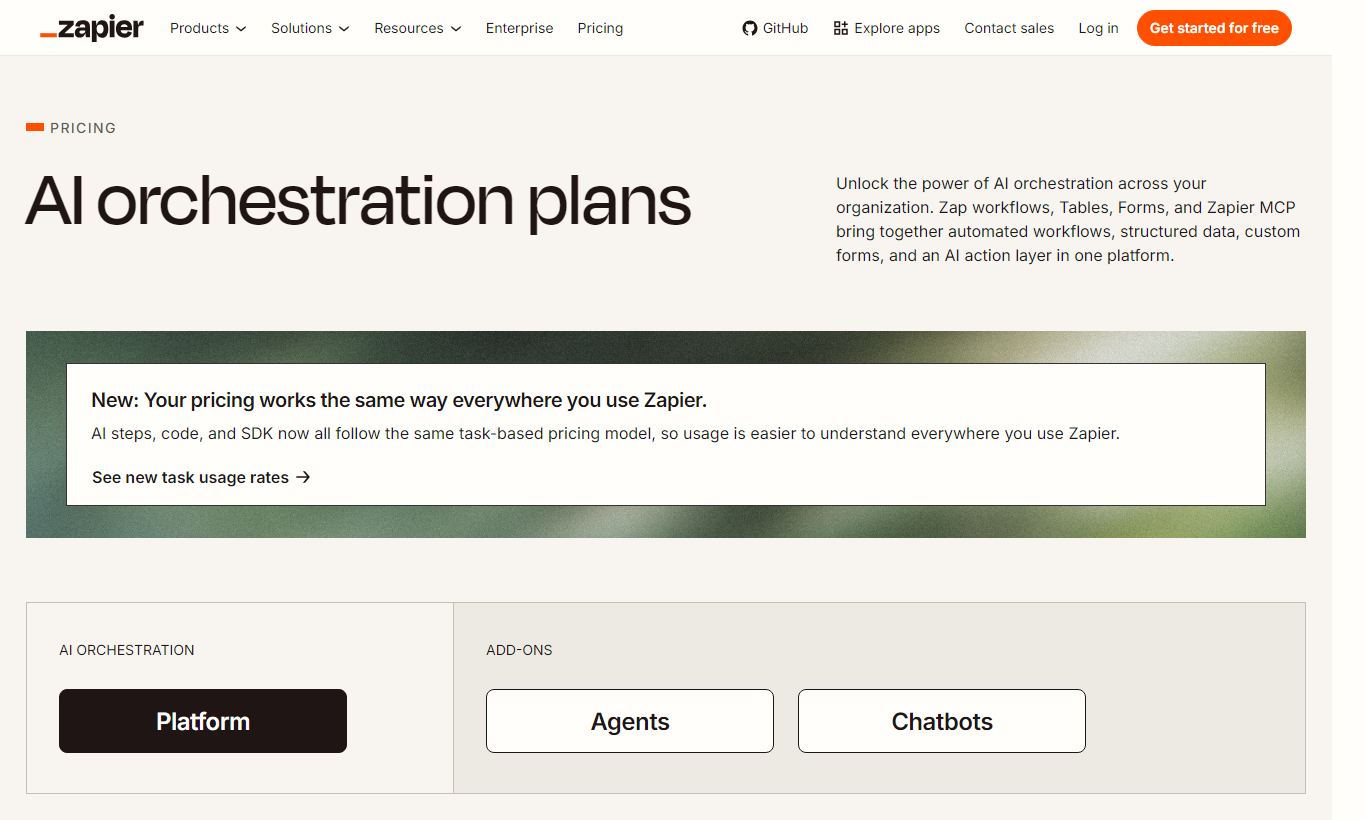
Zapier's pricing is task-based: a "task" is one successful action step completed by a Zap. Triggers do not count as tasks. Here's the full breakdown as of 2025/2026:
- Free - $0/month: 100 tasks/month, single-step Zaps only, 5 active Zaps, 15-minute update intervals. Fine for poking around, but too limited for real workflows.
- Professional - $19.99/month (billed annually) / $29.99/month (billed monthly): 750 tasks/month at entry level, multi-step Zaps, Paths (conditional logic), Filters, Formatter, and 2-minute update intervals. Scales up to 2,000 tasks/month at $49/month annually. This is the sweet spot for solo operators and small teams.
- Team - $69/month (billed annually) for up to 25 users / $99/month billed monthly: Starts at 2,000 tasks/month, shared Zap folders, team permissions, and premium app support. Scales to higher task counts at additional cost. Best for marketing and ops teams of 3 - 15 people.
- Enterprise - Custom pricing: Unlimited users, advanced admin controls, SAML SSO, custom data retention, dedicated account management, and SLA guarantees. Required for large organisations with compliance or security requirements.
Zapier offers a 14-day free trial of the Professional plan. There's no long-term free trial for Team or Enterprise tiers. Task consumption can escalate fast if Zaps are poorly structured or trigger on high-frequency events. Teams should audit task usage monthly, especially during scaling phases.
What We Love
- 7,000+ native app integrations: No other automation platform comes close to this range. It covers CRMs, ad platforms, project tools, payment processors, and everything in between.
- Formatter for data transformation: Built-in text, number, and date manipulation removes the need for custom code in most common data-cleaning scenarios.
- AI Actions for LLM-powered steps: You can embed OpenAI or Claude calls directly into workflows, which enables real content generation and classification without extra middleware.
- Paths for conditional branching: Lead routing, deal stage logic, and notification segmentation all get handled inside a single Zap, no external logic layer required.
- Tables and Interfaces as native data layers: These lightweight built-in database and form tools cut down on the need for extra platforms when you just need simple data storage and collection.
Watch Out For
- Task costs escalate fast at scale: A busy marketing operation processing thousands of leads per day can hit plan limits within weeks. Upgrading task counts adds up quickly, so model your task volume before you commit to a plan.
- Multi-step Zaps locked behind paid plans: The most valuable automation use cases need at minimum the Professional plan. The Free tier's single-step limitation means many new users never see Zapier's real power during the trial.
- Paths limited to three branches: Complex conditional logic, like multi-tiered lead scoring with five or more routing outcomes, needs workarounds, nested Zaps, or a more developer-oriented tool like Make or n8n.
- Error handling and debugging is basic: When a Zap fails mid-sequence, pinning down the exact failure point and replaying affected tasks is cumbersome. Enterprise teams running high automation volume often name this as a real operational pain point.
Who Is It Best For?
The solo marketing operator or consultant: A freelance marketing strategist managing campaigns for three to five clients, each running different CRM, email, and ad tools, gets enormous value from Zapier Professional. Automating lead handoffs, pulling campaign reports into Google Sheets, and sending client notification emails across different toolsets is exactly what Zapier was built for. At $19.99/month, the math works out fast if it saves even two hours of manual work per week.
The growth-stage SaaS marketing team (5 - 20 people): Teams running inbound lead generation with tools like HubSpot, Intercom, Segment, and Slack will find Zapier Team hard to do without. It keeps data synced across systems, routes MQLs to the right sales reps, and automates onboarding touchpoints. The shared workspace and permission controls make collaboration manageable, and team members don't all need to understand automation logic to use it.
The operations manager at a services business: An ops lead at a 50-person professional services firm, juggling project intake forms, invoicing in QuickBooks, project management in Asana, and client communication in Front, can use Zapier to automate the entire intake-to-project-creation pipeline. Its range of integrations across business operations tools, not just marketing, makes it exceptionally versatile here. It often replaces what would otherwise require a custom-built internal tool.
How Does It Compare?
Zapier vs Make (formerly Integromat): Make offers a more visual, flowchart-style scenario builder with more granular control over data mapping. It's also significantly cheaper per operation at high volumes. That said, Make has a steeper learning curve and fewer native app integrations. For technical users or agencies processing millions of operations monthly, Make often wins on cost. For non-technical teams who need fast setup and broad app coverage, Zapier is the better default.
Zapier vs n8n: n8n is an open-source automation platform you can self-host for near-zero cost at scale, with code execution built right into workflows. It's the right choice for engineering-led teams that want full control and don't mind dealing with self-hosting complexity. Zapier wins decisively on ease of use, onboarding speed, and supported integrations for teams without developers.
Final Verdict
Zapier is still the most accessible and broadly capable automation platform available to marketing and operations teams in 2026. With 7,000+ integrations, a genuinely intuitive Zap builder, and a growing set of AI-powered features, it's the right first choice for most businesses moving beyond manual workflows. Pricing is fair at the Professional tier and reasonable at Team. High-volume operations should still model task consumption carefully before scaling up.
If you need deeply complex conditional logic, real-time low-latency event processing, or you're processing millions of tasks a month on a tight budget, Zapier probably isn't the most cost-efficient choice. But for the vast majority of growing businesses, particularly those in marketing, RevOps, and client services, Zapier delivers real, measurable productivity gains that justify the subscription cost many times over.
Try Zapier Free →FAQ
How much does Zapier cost per month?
Zapier's paid plans start at $19.99/month (billed annually) for the Professional plan, which includes multi-step Zaps and 750 tasks/month. The Team plan starts at $69/month annually for up to 25 users. A free plan with 100 tasks/month is available indefinitely, and new users get a 14-day free trial of Professional.
Is Zapier free to use?
Yes. Zapier has a permanent free plan that allows 100 tasks per month and up to 5 active Zaps. It's limited to single-step Zaps and 15-minute update intervals though, which caps its usefulness for serious business automation. Most teams will need at least the Professional plan to run multi-step workflows.
Is Zapier worth the money?
For most marketing and operations teams, yes. If Zapier saves even two to three hours of manual work per week (a conservative estimate for teams automating lead routing, data entry, or notification workflows), the Professional plan at $19.99/month pays for itself many times over. ROI drops as task volumes push you into higher pricing tiers, so run the cost-benefit numbers again once you're operating at scale.
How does Zapier compare to Make (Integromat)?
Make offers more advanced visual workflow design and lower per-operation costs at high volumes, which makes it popular with technical users and agencies. Zapier wins on ease of use, app integration breadth, and onboarding speed for non-technical teams. If you don't have a developer and need automations running quickly, Zapier is the better starting point.
What apps does Zapier integrate with?
Zapier integrates with over 7,000 apps as of 2026, including HubSpot, Salesforce, Slack, Gmail, Google Sheets, Mailchimp, ActiveCampaign, Shopify, QuickBooks, Asana, Trello, Typeform, and thousands more. That's the largest app integration library of any automation platform.
Does Zapier work for marketing automation specifically?
Zapier is widely used for marketing automation tasks including lead capture and routing, CRM data syncing, email list management, social media posting, ad platform integrations, and campaign reporting aggregation. It won't replace a dedicated marketing automation platform like HubSpot or Marketo, but it works well as the connective layer between those tools and the rest of your stack.
Can Zapier handle conditional logic and branching workflows?
Yes. Through its Paths feature (available on Professional plans and above), Zapier supports up to three conditional branches within a single Zap. For more complex branching trees, you'll need workarounds using nested Zaps or Filter steps. Teams that need extensive conditional logic may find tools like Make or n8n more capable.
We may earn a commission when you click affiliate links. This never affects our editorial scores.
| Best for | — |
| Category | Marketing Automation |
Answer a few quick questions and we'll match you to the best tool for your needs.
→ Suggest a Tool