
Unbounce Review 2026: Is It Worth It?
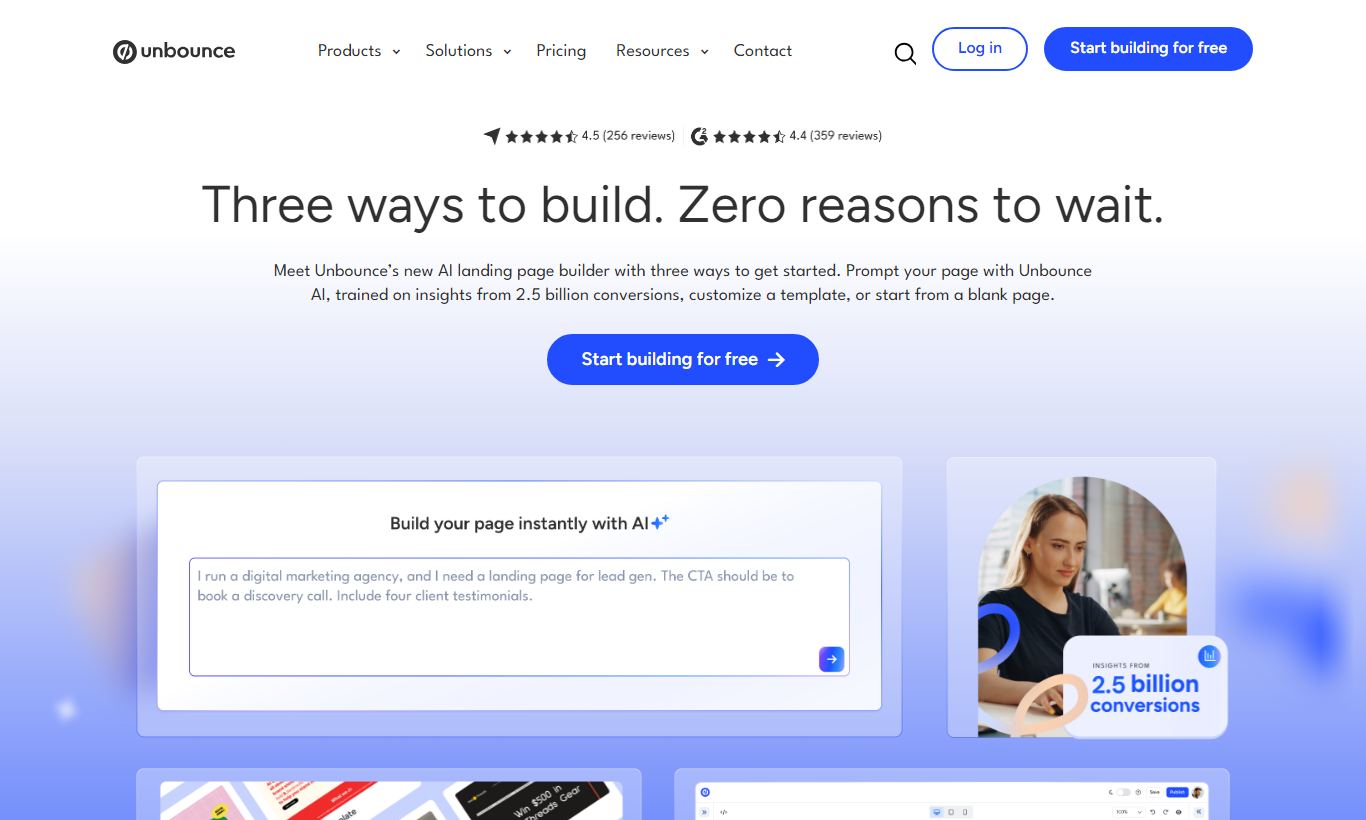
Unbounce is a landing page and conversion optimization platform built for marketers who want to launch, test, and tweak pages without pulling in a developer. Founded in 2009, it offers a drag-and-drop builder, AI-powered Smart Traffic routing, and a library of 100+ templates. Plans start at $99/month (billed annually), with a 14-day free trial. Unbounce works best for paid advertising teams running several campaigns at once, where its A/B testing and dynamic text replacement produce measurable lift. It's a weaker fit for businesses that need full website functionality or are watching every dollar. For conversion-focused marketers who treat landing pages as a core growth lever, the price is justified. Lighter users will find better value elsewhere.
What we love
Watch out for
Unbounce at a glance
What to test in your Unbounce trial
14-day free trial
- Build one landing page for a real ad campaign and test Smart Traffic AI routing against a manual A/B split
- Use Dynamic Text Replacement to serve keyword-matched copy to at least two different ad groups from one page
- Clone an existing page, make a design change in the free-form canvas, and launch an A/B test without re-building
- Integrate your landing page with your CRM or email platform using a native connection like HubSpot or Mailchimp
- Test your mobile layout independently in the mobile editor and verify it looks correct on your phone
Quick Verdict
Unbounce is the most mature, feature-complete dedicated landing page platform on the market. If your business runs paid search or social campaigns and you're still sending traffic to your homepage, Unbounce will almost certainly pay for itself within a single campaign cycle. Its AI-powered Smart Traffic feature alone, which automatically routes visitors to the variant most likely to convert based on their attributes, is a genuine differentiator that goes well beyond standard A/B testing.
Feature-complete comes with a cost, though. At $99 - $649/month, Unbounce is a deliberate investment. Solopreneurs and very early-stage startups may find the pricing steep relative to what they'll actually use. But for growth-stage companies and agencies running multiple clients or campaigns, the combination of speed, testing capability, and AI optimization makes it one of the clearest ROI-positive tools in the marketing stack.
Start Your Free Trial →What is Unbounce?
Unbounce was founded in Vancouver, Canada in 2009 by Rick Perreault and a team of marketers who were sick of waiting on engineering teams to build and tweak landing pages. The idea was simple: marketers should be able to launch a high-converting page in hours, not weeks. That founding idea still shapes the product today. Unbounce is built for one job: conversion. It's not a website builder, not a CMS, and not a full funnel tool. It helps you turn more ad clicks into leads, sign-ups, and sales.
The platform serves a wide range of users, from solo performance marketers and boutique agencies to enterprise marketing teams at companies like Later, Hootsuite, and Campaign Monitor. It sits in the "professional conversion optimization" tier, above lightweight builders like Carrd or Leadpages, and below full-suite platforms like HubSpot's CMS Hub. In 2021, Unbounce merged with Insightly and several other martech companies under the Unbounce brand umbrella, which expanded its data capabilities and integrations by a wide margin.
Key Features
Feature Checklist
Drag-and-Drop Landing Page Builder
Unbounce's core builder uses a truly free-form canvas. That means you're not locked into column-and-row grid structures like most website builders. You can place any element (text, image, video, button, form, countdown timer) anywhere on the page with pixel-level precision. That's a meaningful distinction for designers who need exact visual control. The builder also supports mobile-responsive editing with a dedicated mobile view, so you can tweak the mobile layout independently rather than accepting whatever the desktop layout auto-generates. For a campaign landing page where mobile traffic might account for 60-70% of your visitors, this granular control matters.
Smart Traffic (AI Optimization)
Smart Traffic is Unbounce's standout AI feature and the most compelling reason to choose it over competitors. Rather than splitting traffic 50/50 between two variants and waiting weeks for statistical significance, Smart Traffic uses machine learning to analyze visitor attributes, things like device type, location, browser, referral source, and time of day, and dynamically routes each visitor to the page variant they're most likely to convert on. Unbounce claims Smart Traffic delivers an average 30% more conversions compared to a standard 50/50 A/B split. It kicks in after as few as 50 visits, far faster than traditional testing approaches. For high-stakes campaigns with real ad spend behind them, this is a multiplier, not a nice-to-have.
A/B Testing
For teams who prefer statistical control over AI automation, Unbounce's classic A/B testing lets you create unlimited page variants and split traffic with custom weightings. You can test headlines, CTAs, form lengths, images, and entire page layouts simultaneously. Results are tracked in real time on the campaign dashboard with conversion rate, visits, and statistical confidence clearly surfaced. Performance marketers live in this feature, and Unbounce makes it genuinely fast to clone a page, make a targeted change, and launch a new split test without rebuilding from scratch.
Dynamic Text Replacement (DTR)
Dynamic Text Replacement is a PPC marketer's secret weapon. DTR automatically swaps text on your landing page to match the keyword or ad copy that brought the visitor there, without creating separate pages for each ad group. For example, if someone clicks an ad for "enterprise payroll software," your headline can dynamically read "Enterprise Payroll Software Built for Scale," while a visitor from an ad for "small business payroll" sees "Small Business Payroll Made Simple." This dramatically improves message match, one of the biggest drivers of Quality Score and conversion rate. Setting it up in Unbounce takes minutes once you understand the URL parameter syntax.
Popups and Sticky Bars
Beyond full landing pages, Unbounce includes a full popup and sticky bar builder. These can be triggered by time on page, scroll depth, exit intent, or specific click events. For e-commerce and SaaS teams, this means you can run lead capture, promotional offers, or newsletter sign-ups directly on your existing website without touching the site's codebase. Just drop in Unbounce's JavaScript snippet. The same drag-and-drop editor applies, and popups and bars can be A/B tested just like full pages.
Template Library and AI Copy Generation
Unbounce ships with over 100 professionally designed templates organized by industry (SaaS, e-commerce, events, agencies) and goal (lead generation, click-through, webinar registration). Each template is conversion-optimized by default: short forms above the fold, clear social proof sections, single focused CTAs. More recently, Unbounce added an AI copywriting assistant powered by its Smart Copy acquisition, which can generate headline variants, benefit bullets, and full page copy from a brief product description. The AI copy tool is genuinely useful for early drafts and getting past a blank page, though human review and brand-voice editing remain essential.
Pricing
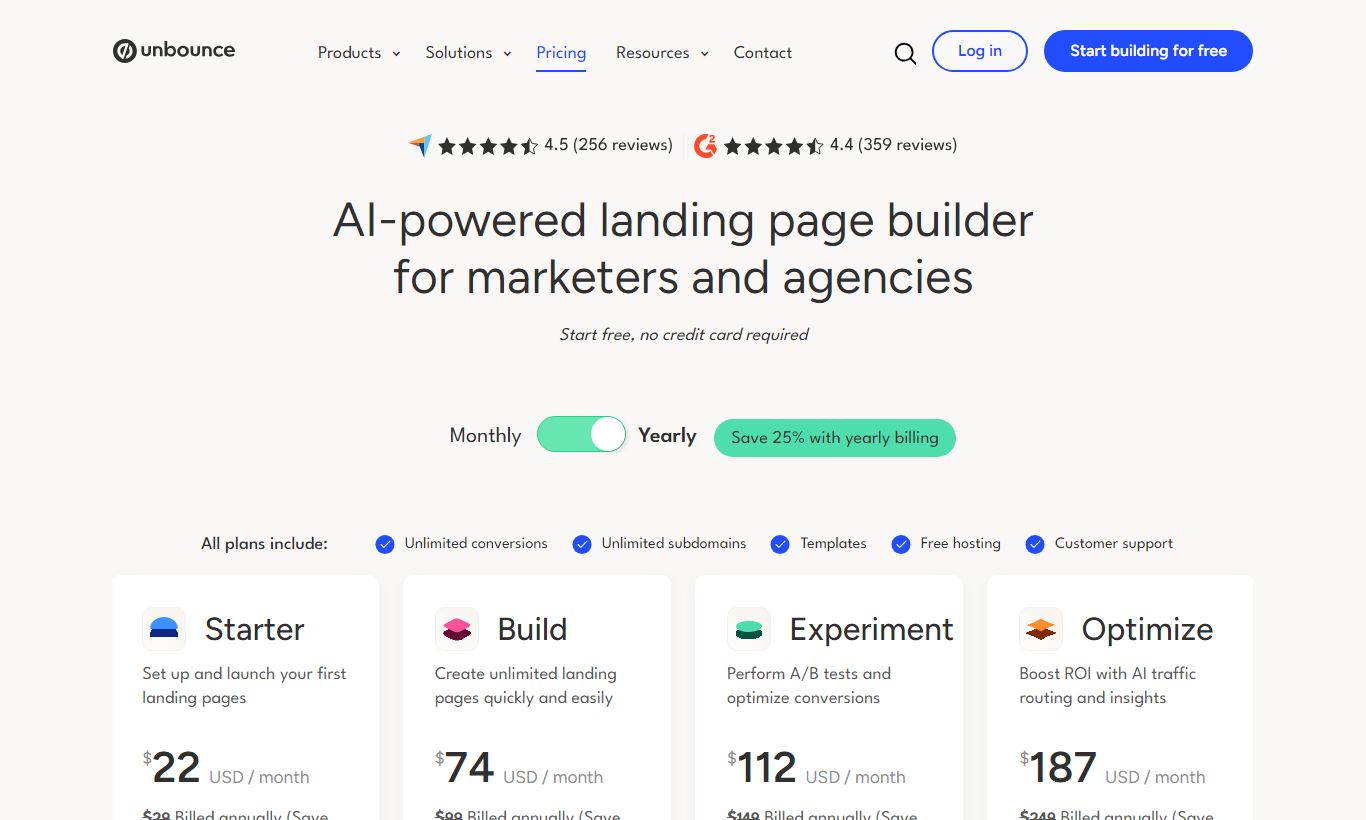
Unbounce offers four paid plans, billed monthly or annually (annual billing saves roughly 25%). There's no permanent free plan, but a 14-day free trial is available on all plans, and you don't need a credit card to sign up.
- Build - $99/month (annual): Up to 1 domain, 500 conversions/month, 20,000 visitors/month. Includes the drag-and-drop builder, unlimited landing pages, popups and sticky bars, A/B testing, and 1,000+ integrations. Does not include Smart Traffic.
- Experiment - $149/month (annual): Up to 2 domains, 1,000 conversions/month, 30,000 visitors/month. Adds Smart Traffic AI optimization and advanced reporting. This is the tier most active advertisers should pick.
- Optimize - $249/month (annual): Up to 5 domains, 2,500 conversions/month, 50,000 visitors/month. Adds AMP landing pages, advanced targeting, and page scheduling. Best for agencies managing multiple client domains.
- Concierge - $649/month (annual): Custom domains, 5,000+ conversions, 100,000+ visitors, a dedicated customer success manager, and onboarding support. Built for enterprise teams or large agencies.
One thing to know: Unbounce's pricing is capped on conversions, not just visitors. If you exceed your plan's monthly conversion limit, Unbounce will notify you but won't cut off service right away. Keep going over, though, and you'll get an upgrade prompt. Monthly billing runs roughly 10-25% higher than the annual figures above.
What We Love
- Smart Traffic AI routing delivers faster, smarter optimization than traditional A/B splits. It reaches usable results with as few as 50 visits, so it works even for campaigns with moderate traffic.
- The free-form canvas builder gives pixel-precise design control. Unlike grid-based builders, you can place every element exactly where it needs to be, and you can edit the mobile layout independently.
- Dynamic Text Replacement needs zero developer involvement. PPC teams can build one page and serve highly relevant copy to dozens of ad groups through URL parameters, which improves Quality Scores and conversion rates at the same time.
- There are 1,000+ native integrations through Zapier, plus direct connections to HubSpot, Salesforce, Mailchimp, and Google Analytics. Landing page leads flow straight into your CRM or ESP, no manual exports needed.
- The template library is actually built for conversion, not just good looks. Each template follows landing page best practices (a single CTA, a form above the fold, a social proof section) instead of just looking attractive.
Watch Out For
- Smart Traffic is locked behind the $149/month Experiment plan. Sign up for Build at $99/month expecting AI optimization, and you won't find it there. This feels like an artificial feature gate, not a genuine tier distinction.
- The conversion and visitor caps can catch fast-scaling teams off guard. A successful campaign launch can push you into overuse territory fast, and moving from Experiment to Optimize costs $100/month more.
- No native e-commerce or checkout functionality. Unbounce is a lead capture and click-through tool. If you want direct product sales with cart functionality, you'll need to integrate with Shopify or another platform, which adds complexity.
- The page builder's learning curve is steeper than Leadpages or Carrd. The free-form canvas that power users love can feel disorienting to newcomers, and users consistently report that mobile editing is fiddly and time-consuming.
Who Is It Best For?
Performance marketing managers at growth-stage SaaS or e-commerce companies running $10,000+/month in paid search or social spend. These users will use Smart Traffic, DTR, and A/B testing daily. The platform lets you launch a new variant in under 30 minutes, and that speed translates directly to campaign efficiency and lower cost per acquisition.
Digital marketing agencies managing 3 - 10 client accounts need a single platform to build, brand, and test landing pages across multiple domains. The Optimize plan's 5-domain support and template library make it possible to maintain quality and consistency at scale without custom development work for each client.
In-house demand generation teams at B2B companies run webinar registrations, content gated behind lead capture forms, or event sign-ups. Unbounce's HubSpot and Salesforce integrations sync leads to the CRM automatically with custom field mapping. That keeps sales pipeline data clean without manual intervention.
How Does It Compare?
Leadpages is the closest direct alternative and starts at $49/month, roughly half the cost of Unbounce's entry tier. Leadpages' builder is more beginner-friendly, but it lacks Smart Traffic AI optimization and the free-form canvas. If your team cares more about ease of use than testing sophistication, it's worth a look. See our full Unbounce vs Leadpages breakdown.
Instapage goes after the enterprise segment harder, with collaboration features like real-time page commenting and a dedicated AdMap tool for visually connecting ads to landing pages. Instapage's pricing starts at $299/month, well above Unbounce, so it's tough to justify unless your team actually needs those enterprise collaboration workflows. Read our Unbounce vs Instapage comparison for a deeper look.
Final Verdict
Unbounce earns its position as the go-to landing page platform for serious performance marketers. It pairs a flexible free-form builder with genuinely differentiated AI optimization in Smart Traffic, plus deep PPC features like Dynamic Text Replacement. Put together, that adds up to a conversion optimization system, not just a page builder. For teams that treat landing pages as a primary growth lever, the ROI case is straightforward. Even a 10-15% lift in conversion rate on a meaningful ad budget pays for the platform many times over.
Where Unbounce falls short is value at the edges. Solopreneurs or very small teams running occasional campaigns will likely find the $99-$149/month entry cost hard to justify next to Leadpages or even free alternatives. Businesses needing full funnel or e-commerce capabilities will need supplementary tools too, which adds complexity to the stack. But for the core job, building, testing, and optimizing campaign landing pages at speed, Unbounce remains the benchmark.
Try Unbounce Free →FAQ
How much does Unbounce cost per month?
Unbounce plans start at $99/month (Build, billed annually). The most popular plan for active advertisers is Experiment at $149/month, which includes Smart Traffic AI optimization. The Optimize plan is $249/month for up to 5 domains, and the Concierge enterprise plan starts at $649/month. Monthly billing is available at higher rates.
Does Unbounce offer a free plan or free trial?
Unbounce doesn't offer a permanent free plan. All plans come with a 14-day free trial, though, and it requires no credit card to start. You get full access to evaluate the platform before committing.
Is Unbounce worth it for small businesses?
For small businesses running consistent paid advertising campaigns, Unbounce is worth it. The conversion lift from Smart Traffic and A/B testing typically offsets the subscription cost quickly. For businesses with minimal ad spend or only occasional campaign needs, cheaper alternatives like Leadpages ($49/month) may offer better value.
How does Unbounce compare to Leadpages?
Leadpages starts at roughly half the price of Unbounce and is easier for beginners. Unbounce offers more advanced features, including Smart Traffic AI optimization, a free-form pixel-precise canvas, and Dynamic Text Replacement for PPC. If conversion testing and AI optimization matter to your campaigns, Unbounce is the stronger choice. If budget or simplicity is the priority, Leadpages is a solid alternative.
What is Unbounce Smart Traffic?
Smart Traffic is Unbounce's AI-powered optimization feature. It automatically routes each visitor to the landing page variant they're most likely to convert on, based on attributes like device, location, and referral source. It differs from standard A/B testing because it learns and optimizes in real time, rather than waiting for a test to reach statistical significance. It's available from the Experiment plan ($149/month) and up.
Can Unbounce integrate with my CRM or email platform?
Yes. Unbounce offers direct native integrations with HubSpot, Salesforce, Mailchimp, ActiveCampaign, Marketo, and many others. It also connects to 1,000+ additional tools through Zapier and webhooks. That means virtually any CRM or ESP can receive leads captured through Unbounce forms automatically.
Does Unbounce support e-commerce or Shopify?
Unbounce doesn't have native checkout or cart functionality. It does integrate with Shopify and other e-commerce platforms, though, so you can use Unbounce as a high-converting product landing page that links through to your Shopify checkout. For full e-commerce funnel management, you'll need Unbounce alongside your e-commerce platform, not as a replacement for it.
How many landing pages can I create with Unbounce?
All Unbounce plans allow unlimited landing pages, popups, and sticky bars. The main limits are on the number of domains (1 on Build, 2 on Experiment, 5 on Optimize), monthly visitor counts, and monthly conversion counts. You can build as many pages as you need within those domain and traffic parameters.
We may earn a commission when you click affiliate links. This never affects our editorial scores.
| Best for | AI-powered landing pages |
| Category | Landing Pages & Funnels |
Answer a few quick questions and we'll match you to the best tool for your needs.
→ Suggest a Tool