
Leadpages Review 2026: Is It Worth It?
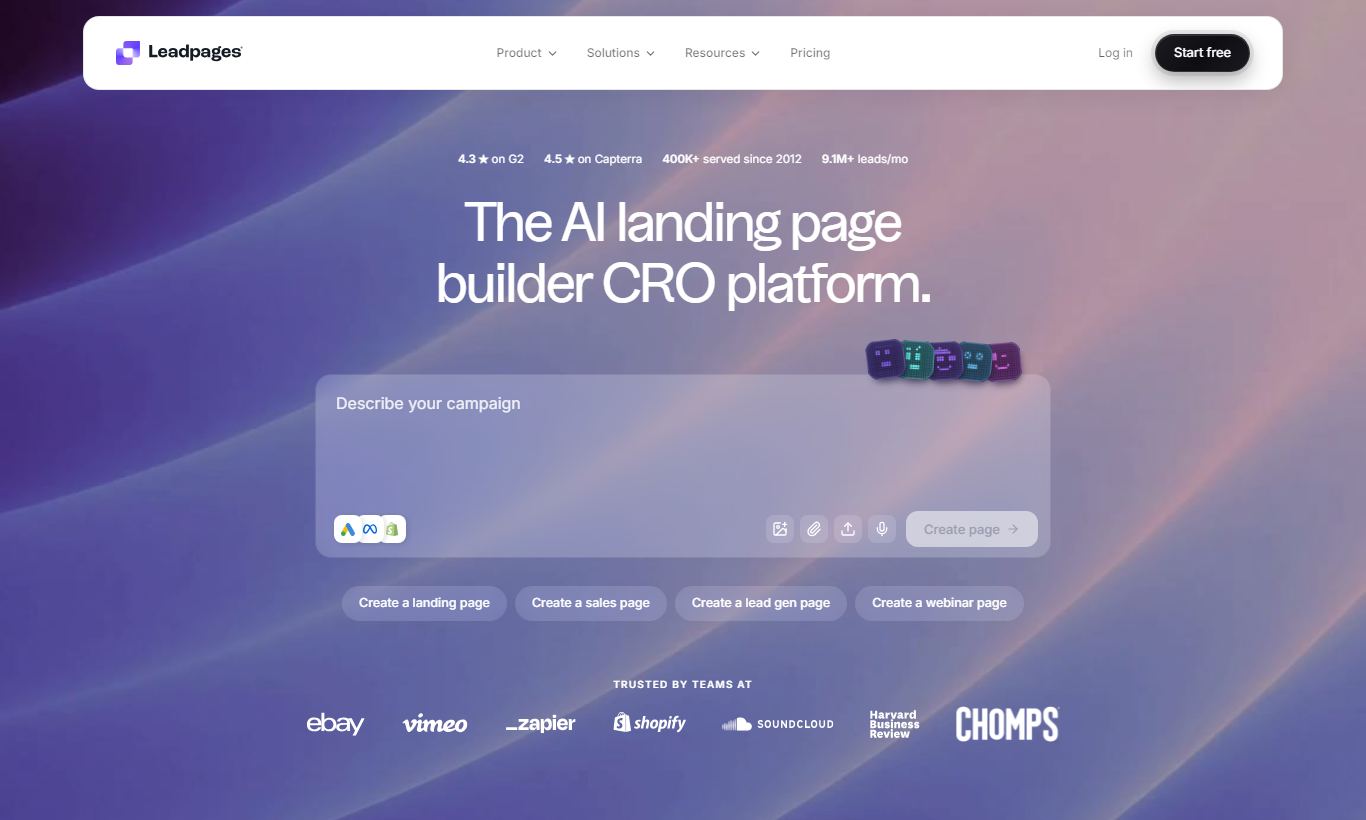
Leadpages is a landing page and lead generation platform built for small businesses, coaches, consultants, and marketers who need high-converting pages without hiring a developer. It starts at $37 a month, billed annually, and includes a drag-and-drop builder, over 200 templates, A/B testing, pop-ups, alert bars, and native integrations with major email and CRM tools. Its biggest strength is conversion-focused design, backed by built-in analytics and real-time conversion guidance. It's not a full marketing suite, so you won't get advanced CRM, email automation, or e-commerce out of the box. But for landing page performance alone, Leadpages is one of the most polished and accessible tools out there. Teams already paying for an email platform like ActiveCampaign or HubSpot will find it fits in cleanly. Overall rating: 4.3 out of 5.
What we love
Watch out for
Leadpages at a glance
What to test in your Leadpages trial
14-day free trial
- Build a landing page from scratch using the Leadmeter to follow real-time conversion scoring tips
- Create an A/B test by duplicating a page and changing one element, then check the conversion rate results
- Set up a pop-up or alert bar with exit-intent trigger to capture leads on your actual website
- Connect Leadpages to your email platform (Mailchimp, ActiveCampaign, etc.) and sync a captured lead
- Embed a Leadbox opt-in form on an existing blog post or website page using the WordPress plugin or code
- Decide if one site limit on Standard plan fits your needs, or if you need Pro plan's three sites before trial ends
Quick Verdict
Leadpages has earned its spot as the go-to landing page builder for small businesses and independent marketers. It's genuinely easy to use, yet it still packs real conversion tools: A/B testing, exit-intent pop-ups, real-time conversion scoring. Experienced growth marketers won't feel shortchanged. At $37/month on the annual Standard plan, it costs less than most all-in-one marketing platforms, and it does one thing extremely well: turning traffic into leads.
You should also know where it falls short. Leadpages isn't an email platform, a CRM, or an e-commerce tool. If you're hoping one subscription will cover your whole marketing stack, this won't be it. But if you already run an ESP like Mailchimp or ActiveCampaign and need a dedicated, high-performance tool for landing pages and lead capture, Leadpages is a smart, cost-effective pick.
Start Your Free Trial →What is Leadpages?
Founded in 2012 and headquartered in Minneapolis, Leadpages was one of the first SaaS tools to make professional landing page creation accessible to non-developers. Redbrick acquired the company in 2020 and has kept development moving since, adding a rebuilt drag-and-drop editor, AI-assisted copywriting hints, and a tighter conversion analytics suite. Its core market is small business owners, freelance marketers, coaches, course creators, and agencies building lead generation campaigns at scale without a development team.
Leadpages calls itself a "lead generation machine" rather than a website builder or marketing automation platform, and that focus shows up in the product decisions. The template library is curated by conversion rate data, the editor surfaces real-time performance predictions, and every feature ties back to one goal: getting a visitor to submit their contact information or make a purchase.
Key Features
Feature Checklist
Drag-and-Drop Builder with Leadmeter
The centerpiece of Leadpages is its visual editor, rebuilt in 2021 to support true pixel-flexible positioning rather than the rigid section-column grids common in older versions. You can drag any element (headline, image, form, video, countdown timer, social proof widget) to any position on the canvas. The mobile view is separately editable, and that matters. Hiding cluttered desktop elements on mobile is a common conversion tactic, and Leadpages handles it cleanly.
What sets the builder apart from competitors is the Leadmeter, a live conversion score displayed alongside your page as you build. It checks things like headline clarity, form length, page load weight, and visual focus, then gives you a score from 0-100 with specific suggestions. In practice, this is a surprisingly useful guardrail for marketers who don't have a CRO specialist on call. A solo consultant launching a webinar registration page can follow the Leadmeter's nudges and publish something grounded in conversion data instead of guesswork.
Template Library
Leadpages offers 200+ templates spanning landing pages, opt-in pages, sales pages, webinar registration, thank-you pages, 404 pages, and even full mini-websites. You can filter templates by industry (health, finance, coaching, e-commerce) and by page type. Each template shows its historical average conversion rate where available, which helps users start from proven structures instead of a blank page. All templates are mobile-responsive out of the box.
A/B Split Testing
Available on all paid plans (Standard and above), A/B testing in Leadpages is easy to set up: duplicate a page, make your variation, then set traffic split percentages. The dashboard tracks views, unique visits, conversions, and conversion rate for each variant. You can manually declare a winner or let the system flag when one variant reaches statistical significance. For a dedicated landing page tool, this implementation is solid. It won't replace a full experimentation platform like VWO for enterprise teams, but for testing a headline or CTA button color, it does the job without extra complexity.
Pop-Ups, Alert Bars, and Leadboxes
Leadpages covers more than single landing pages. It handles the full lead-capture surface of a website. Pop-ups can be triggered by time-on-page, scroll depth, exit intent, or a button click. Alert bars (thin sticky banners) can promote offers across your entire site. Leadboxes are embeddable opt-in forms you can deploy on any website, including non-Leadpages sites, via a code snippet or the dedicated WordPress plugin. A content marketer who wants to add a lead magnet opt-in to an existing blog post can solve that with Leadboxes in under five minutes.
Integrations and Publishing
Leadpages integrates natively with 40+ tools including Mailchimp, ActiveCampaign, ConvertKit, AWeber, HubSpot, Drip, Salesforce (Advanced plan), Zapier, Google Analytics, Facebook Pixel, and Stripe. The WordPress plugin, one of the most downloaded in its category, lets you publish any Leadpages page directly to a WordPress URL, so you skip copy-pasting embed code. Pages can also be hosted on Leadpages' own CDN (fast, reliable, SSL included) under a free leadpages.net subdomain, or mapped to your custom domain. On annual plans, one custom domain is included at no extra charge.
Pricing
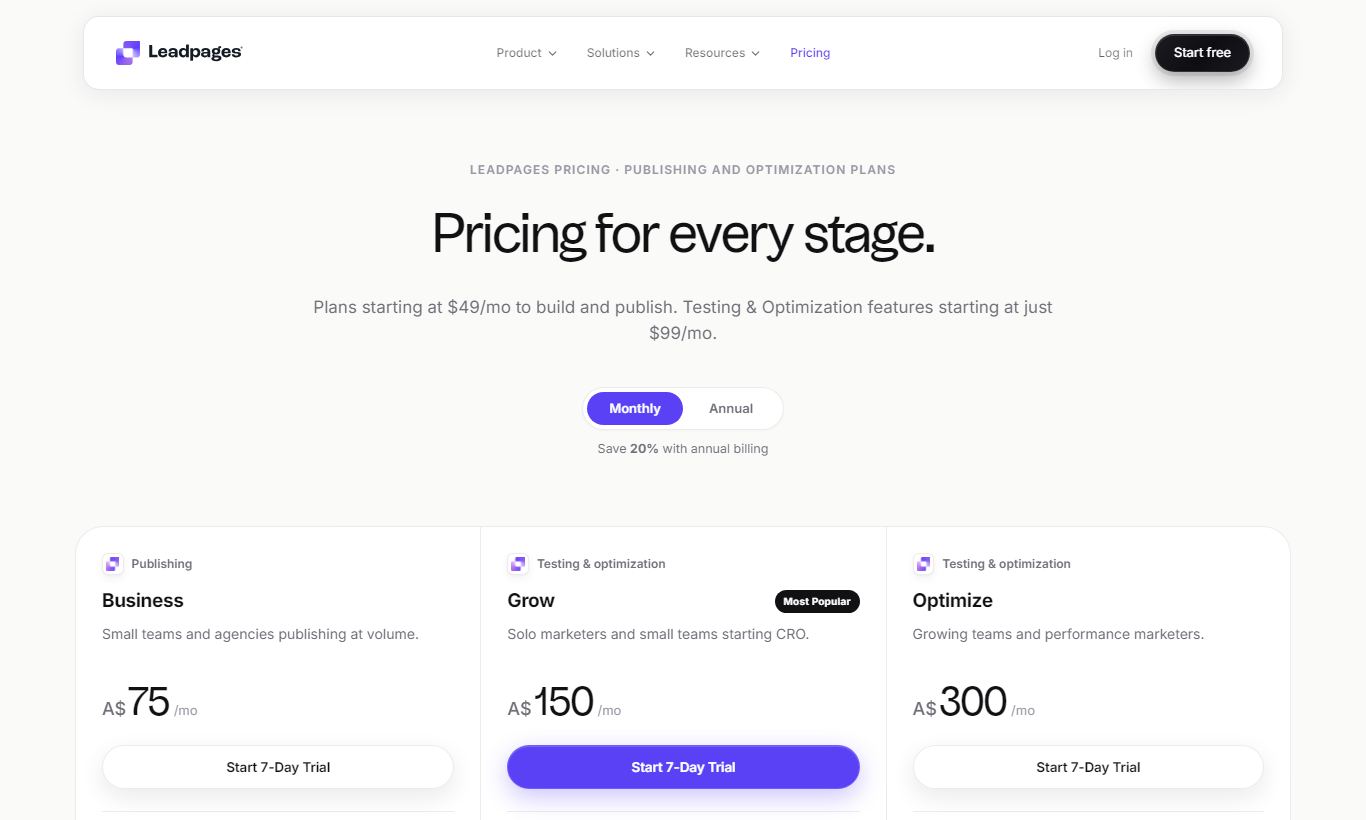
Leadpages offers three tiers. The Standard plan costs $49/month on monthly billing or $37/month billed annually ($444/year). It covers one site, unlimited landing pages, pop-ups, alert bars, free hosting, 200+ templates, A/B testing, email tech support, and 40+ integrations. Most small businesses should start here.
The Pro plan runs $99/month (monthly) or $74/month billed annually ($888/year). It adds three sites, Stripe payment processing directly on pages, unlimited A/B testing (Standard caps at one test per page), email trigger links for subscriber segmentation, 10 opt-in SMS text campaigns, and priority phone plus chat support. If you're selling digital products or running paid traffic campaigns at volume, the Stripe integration and priority support alone make Pro worth the step up.
The Advanced plan is custom-priced and requires an annual contract. It's built for agencies and larger marketing teams that need 50+ sites, Salesforce and Marketo integrations, a dedicated success coach, virtual workshops, and sub-account management. Pricing gets negotiated directly with sales.
A 14-day free trial is available for both Standard and Pro plans, no credit card required. There's no permanent free plan. Leadpages also backs paid subscriptions with a 30-day money-back guarantee.
What We Love
- Leadmeter conversion scoring gives real-time, actionable feedback as you design. That's rare in this price bracket and genuinely useful if you're not a CRO specialist.
- Unlimited pages on all plans means you never hit an artificial ceiling when scaling campaigns. There are no per-page fees, even on the cheapest tier.
- Template library sorted by conversion rate lets you start from data-backed designs instead of purely aesthetic choices, which shortens the path to a high-performing page.
- WordPress plugin for easy publishing removes the friction of manual embedding. You can publish from Leadpages straight to a WordPress URL in one click.
- 14-day free trial with no credit card required is one of the more generous offers in the landing page space. It makes it easy to check the fit before you spend anything.
Watch Out For
- No built-in email automation: Leadpages captures leads but can't nurture them without connecting to a separate ESP. Budget for that extra subscription if you don't already have one.
- Editor performance on complex pages: users with heavily customized pages (10+ sections, multiple videos, countdown timers) often report sluggish canvas response in the browser. It's a known issue the team has only partially fixed.
- Checkout is basic: the Stripe integration handles simple one-off payments and basic order forms, but it lacks order bumps, upsell flows, and subscription billing management, the kind you get in dedicated cart tools like ThriveCart or SamCart.
- Limited multi-site access on Standard: the entry-level plan restricts you to a single site, which becomes a real frustration for freelancers managing even two or three client accounts. You'll need Pro ($74/month) for three sites.
Who Is It Best For?
The solo coach or course creator running Facebook or Google ads to a lead magnet funnel needs a fast, professional opt-in page up within a day, connected to their ConvertKit or ActiveCampaign list, without touching code. Leadpages Standard at $37/month solves this entirely. The template library, Leadmeter, and native ESP integrations mean they're live before the afternoon is out.
The small marketing team at a B2B SaaS company running multiple campaign-specific landing pages per quarter is already using HubSpot for CRM and email, and needs a dedicated page tool that syncs form submissions directly into HubSpot workflows. Leadpages Pro's HubSpot integration, multi-page A/B testing, and three-site allowance fit this use case cleanly, with no duplication of the marketing stack.
The boutique digital marketing agency managing 5 to 15 clients, each needing their own landing pages and lead capture infrastructure, is exactly who Leadpages Advanced was built for. Sub-accounts, a success coach, and a 50+ site allowance make that possible. The agency can build templates once and roll them out across clients, with each account kept separate from the others. It won't replace a full white-label solution, but for agencies where landing pages are a core deliverable, it's a solid operational foundation.
How Does It Compare?
Unbounce is Leadpages' closest direct competitor and the tool most often evaluated alongside it. Unbounce offers AI-powered Smart Traffic (automatic variant routing) and more advanced dynamic text replacement for PPC campaigns. But Unbounce's entry price starts at $99/month, nearly 3× the Leadpages Standard tier. That makes Leadpages the clear winner for budget-conscious teams who don't need Smart Traffic. See our full Leadpages vs Unbounce breakdown for a detailed feature-by-feature comparison.
ClickFunnels targets users who want complete funnel sequences (opt-in → sales page → upsell → thank-you) within a single platform, and it includes basic email automation. At $97/month for its Basic plan, it costs more than Leadpages Pro and takes considerably longer to learn. If you specifically need multi-step funnel logic and don't have a separate ESP, ClickFunnels might justify its cost. If you just need top-quality landing pages and already have email covered, Leadpages wins on simplicity and value. Our Leadpages vs ClickFunnels guide covers this trade-off in depth.
Final Verdict
Leadpages is a tightly focused tool that does exactly what it promises: it turns more of your traffic into leads. For small businesses, marketers, coaches, and lean teams already running an email platform, it fills a real gap in the stack, and it fills that gap better than most alternatives at its price point. The Leadmeter alone is worth mentioning to any client who asks why conversion rates matter at the design stage.
It won't satisfy buyers looking for a single subscription to run their entire marketing operation. But if you know what a landing page tool is supposed to do and want the best standalone option under $75/month, Leadpages is an easy recommendation. Start with the 14-day free trial, build one real campaign, and the value will speak for itself.
Try Leadpages Free →FAQ
How much does Leadpages cost per month?
Leadpages Standard costs $49/month on monthly billing or $37/month on an annual plan ($444/year). The Pro plan is $99/month or $74/month annually. Advanced is custom-priced. A 14-day free trial is available, and you don't need a credit card to start it.
Does Leadpages have a free plan?
No. Leadpages doesn't offer a permanent free tier. It does offer a 14-day free trial on Standard and Pro plans, no credit card needed, plus a 30-day money-back guarantee once you subscribe.
Is Leadpages worth it for small businesses?
Yes, for most small businesses running paid traffic or content marketing campaigns. If you already have an email platform and need a dedicated, high-converting landing page tool, Leadpages Standard at $37/month is one of the strongest deals in the category.
How does Leadpages compare to Unbounce?
Unbounce offers AI-powered Smart Traffic and more advanced PPC features, but it starts at $99/month, roughly three times the Leadpages Standard price. Leadpages is the better choice for budget-conscious teams. Unbounce suits high-volume PPC advertisers who need dynamic traffic routing and are willing to pay a premium.
Can I sell products directly through Leadpages?
Yes, but only on the Pro plan and above. Leadpages integrates with Stripe to accept one-time payments directly on landing pages. It lacks advanced checkout features like order bumps, upsells, and subscription management, though. For serious e-commerce needs, pair it with a dedicated cart tool.
Does Leadpages integrate with WordPress?
Yes. Leadpages has a dedicated WordPress plugin that lets you publish any Leadpages page to a WordPress URL in one click. It's one of the smoothest integrations of its kind and works without any manual code embedding.
Does Leadpages include A/B testing?
Yes. A/B split testing is included on all paid Leadpages plans, including Standard. You can test two variants of any page, set traffic split percentages, and track conversion rates per variant. The Pro plan adds more concurrent tests and unlimited testing at scale.
What email platforms does Leadpages integrate with?
Leadpages connects natively with Mailchimp, ActiveCampaign, ConvertKit, AWeber, Drip, HubSpot, Constant Contact, and others. It also integrates with Zapier, which opens up connections to over 1,000 additional apps. Salesforce and Marketo integrations are available on the Advanced plan.
We may earn a commission when you click affiliate links. This never affects our editorial scores.
| Best for | Landing pages that convert |
| Category | Landing Pages & Funnels |
Answer a few quick questions and we'll match you to the best tool for your needs.
→ Suggest a Tool