
Instapage Review 2026: Is It Worth It?
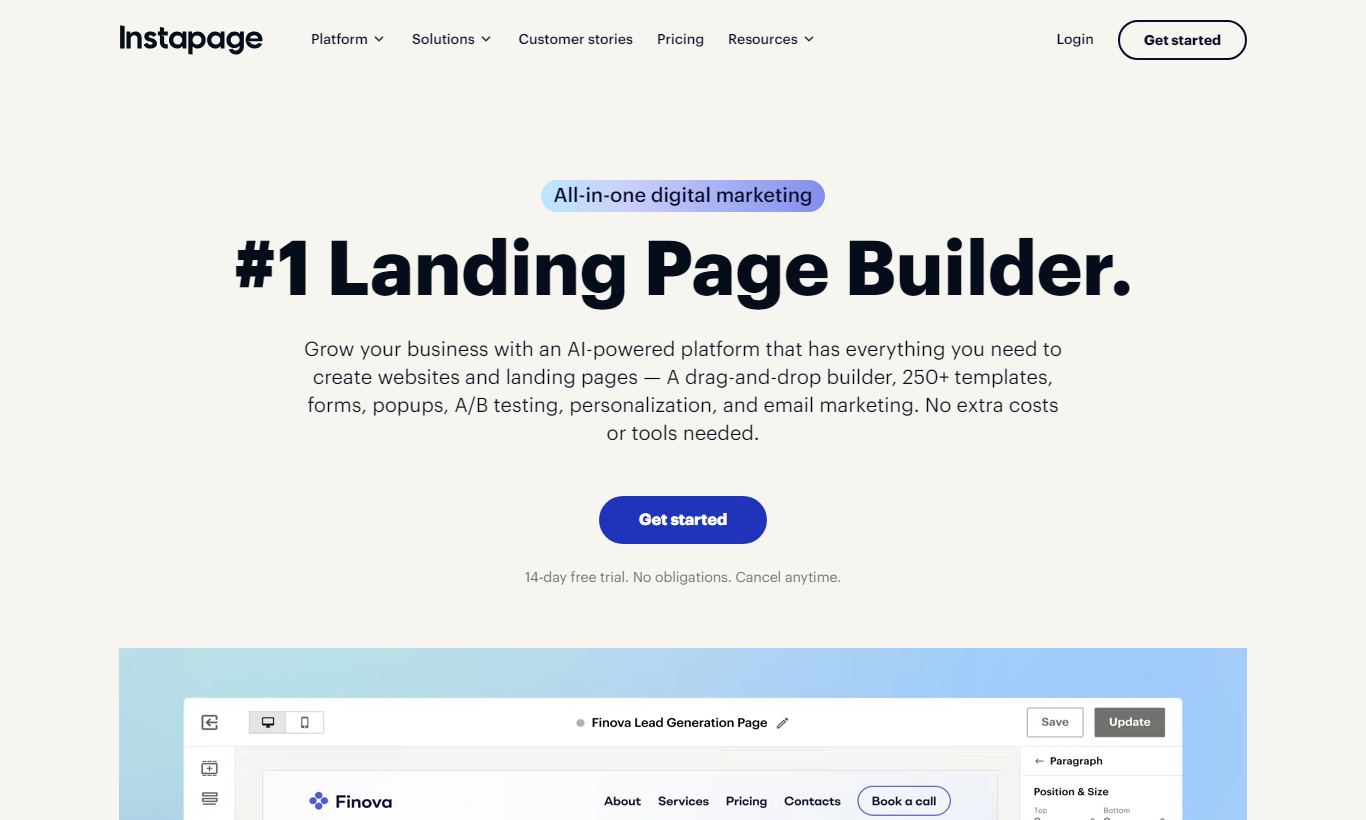
Instapage is a premium landing page builder built for advertisers who spend real money on paid traffic and for enterprise marketing teams. It stands out with a pixel-perfect drag-and-drop editor, AdMap for linking ad campaigns straight to matching landing pages, and built-in heatmaps and A/B testing, all without touching a developer. Pricing starts at $99/month (billed annually), which is steep next to alternatives. But the platform earns that price tag through conversion-focused features that agencies and performance marketers actually use day to day. It fits mid-market and enterprise teams running high-volume PPC campaigns who need fast, personalized post-click pages. Bootstrapped solopreneurs or teams watching every dollar will find better value elsewhere. Instapage delivers a polished, feature-rich product that earns its cost, but only if you're already spending serious money on ads.
What we love
Watch out for
Instapage at a glance
What to test in your Instapage trial
14-day free trial included
- Build and publish a real landing page using the freeform editor to test pixel-perfect element placement
- Map one of your ad groups to a landing page using AdMap to verify ad-to-page relevance matching
- Run an A/B test on headline copy or CTA color and check the conversion metrics and statistical significance
- Set up Dynamic Text Replacement with a UTM parameter to confirm copy auto-swaps for different keywords
- Check page load time using the Thor Render Engine to see if sub-2.5-second speeds actually match your ad spend goals
Quick Verdict
Instapage is the landing page platform performance marketers reach for when conversion rates actually matter. It's not the cheapest option on the market, not by a long shot, but for teams spending $10,000 or more per month on paid search and social ads, the combination of AdMap, built-in experimentation, and server-side A/B testing can pay for itself within weeks. The editor is fast, the collaboration workflow is polished, and the template library covers almost every vertical.
Where it struggles is at the entry level. The $99/month Build plan has conversion limits and no real personalization features. Teams that need dynamic text replacement, heatmaps, and multi-step funnels have to upgrade to the Convert plan, which means calling sales and likely spending $299/month or more. If you're a solo operator or early-stage startup, that math rarely works. But if you're a performance-driven marketing team that treats every dollar of ad spend seriously, Instapage is one of the strongest tools out there.
Start Your Free Trial →What is Instapage?
Instapage was founded in 2012 and has grown into one of the most recognized names in dedicated landing page software. Unlike general website builders that bolt on landing page functionality, Instapage was built from scratch for the post-click experience, the critical moment after a prospect clicks an ad. The company is headquartered in San Francisco and serves thousands of customers globally, from boutique digital agencies to Fortune 500 enterprise marketing departments. Its core positioning is "advertising conversion cloud," a phrase that gets at what it's actually for: not building pretty pages, but squeezing more return out of paid advertising spend.
The platform is popular in industries with high customer acquisition costs, including SaaS, financial services, healthcare, and e-commerce, where shaving even a single percentage point off bounce rates has real dollar value. It integrates deeply with Google Ads, Meta Ads, and HubSpot, and competes most directly with Unbounce, Leadpages, and ClickFunnels in the landing page and funnel builder space.
Key Features
Feature Checklist
Drag-and-Drop Page Builder
Instapage's editor is genuinely best-in-class for landing pages. Unlike grid-based editors that force elements into columns and rows, Instapage uses a freeform canvas. Every element, text blocks, images, buttons, forms, countdown timers, can be placed at the exact pixel position you intend. That matters enormously for designers replicating branded ad creatives or matching a specific visual style. The editor supports global blocks, so a navigation bar or footer updated in one place propagates across every page in your account automatically. For agencies managing dozens of client pages, that alone saves hours per week. Fonts, spacing, and mobile responsiveness are all handled through a clean right-hand panel without touching code, and the editor renders changes in real time.
AdMap: Ad-to-Page Campaign Visualization
AdMap is the feature that most clearly sets Instapage apart from its competitors. It creates a visual map connecting individual ad groups (from Google Ads or Meta Ads) to specific landing page variants. Instead of guessing which ad leads to which page, marketers can see the entire post-click journey in a single diagram, spot mismatches (ads pointing to the wrong page or a generic homepage), and fix them without leaving the platform. This directly supports ad relevance scoring and Quality Score optimization in Google Ads. A paid search team running 40 ad groups can make sure every single one points to a matching, message-consistent page. That improves campaign efficiency dramatically.
A/B Testing and Experimentation
Every Instapage plan includes A/B testing, but the depth varies by tier. On the Build plan, you can run standard split tests comparing two page variants against each other and view basic conversion metrics. On higher-tier plans, Instapage adds server-side testing with statistical significance tracking, multivariate capabilities, and auto-traffic allocation that shifts visitors toward the winning variant in real time. The heatmap feature, available on Convert and above, shows exactly where users are clicking, scrolling, and hovering. That makes it possible to iterate based on data instead of guesswork. For a SaaS company running a webinar registration campaign, this means you can test headline copy, form length, and CTA color at the same time across thousands of daily visitors.
Personalization and Dynamic Text Replacement
Personalization is available on Convert-tier plans and above. Dynamic Text Replacement (DTR) automatically swaps headline and body copy to match the keyword that triggered an ad click. So if someone searches "affordable project management software," your landing page headline can say exactly that. This 1:1 message matching between ad and landing page is proven to increase conversion rates, and Instapage's implementation is straightforward. You define a default text, add a URL parameter, and the platform handles substitution on the fly. Beyond DTR, Instapage also supports audience-based personalization where you can show different page versions to different visitor segments based on UTM parameters, referral source, or IP-based location data.
Integrations and Publishing Options
Instapage integrates natively with over 120 tools including HubSpot, Salesforce, Marketo, Mailchimp, ActiveCampaign, Zapier, Google Analytics 4, and Meta Pixel. Pages can be published to a custom domain (SSL included), as a WordPress page via plugin, or served through Instapage's own global CDN for sub-second load times. The platform's Thor Render Engine, its proprietary page delivery technology, claims average load times under 2.5 seconds regardless of page complexity. That matters for Quality Score and mobile bounce rates. Publishing to a custom domain takes under five minutes and requires only a CNAME DNS change.
Pricing
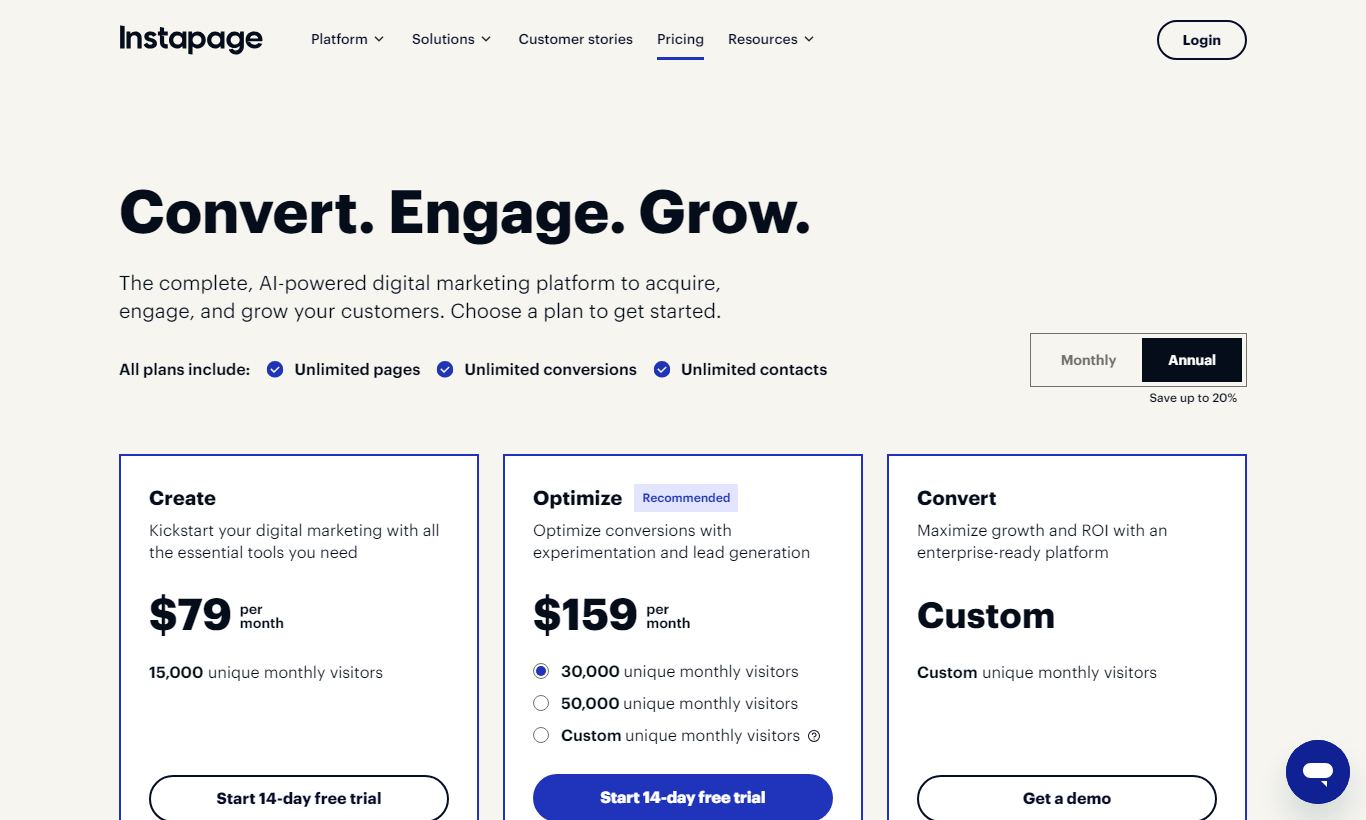
Instapage runs a two-tier publicly visible pricing model, with an enterprise option that requires a sales conversation. All prices below reflect annual billing. Monthly billing carries a steep premium.
- Build: $99/month (billed annually). Includes unlimited landing pages, up to 30,000 unique monthly visitors, 30 published page experiences, standard A/B testing, 5 workspaces, and access to the full template library. Doesn't include heatmaps, personalization, AdMap, or multi-step forms. A 14-day free trial is available and no credit card is required.
- Convert: Custom pricing (typically $299+/month, billed annually). Adds AdMap, heatmaps, real-time visual collaboration, advanced A/B and multivariate testing, Dynamic Text Replacement, direct lead bypass to CRM, Salesforce and Marketo integration, audit logs, and a dedicated customer success manager. Pricing gets negotiated with sales based on traffic volume and number of domains.
- Ignite / Agency Plans: For agencies managing multiple client accounts, Instapage offers white-label options and multi-account management under its agency pricing. These are entirely custom and require a sales engagement.
The 14-day free trial on the Build plan is genuinely useful. You can build and publish real pages and run an A/B test within the trial window. Convert plan features, though, are only accessible after talking to sales, which can slow evaluation down for enterprise buyers.
What We Love
- Freeform pixel-perfect editor: True drag-and-drop canvas with no grid constraints. Every element lands exactly where you place it, saving hours of CSS workarounds.
- AdMap for campaign-to-page visualization: A unique ability to map individual ad groups to matching landing pages, which improves Google Ads Quality Score and cuts wasted spend.
- Built-in heatmaps and real-time collaboration: Annotate pages, leave comments, and view click/scroll heatmaps without needing a separate Hotjar subscription or design tool.
- Thor Render Engine for speed: Proprietary CDN delivery keeps page load times under 2.5 seconds globally, which reduces bounce rates and supports better ad rank.
- Dynamic Text Replacement for ad personalization: Automated keyword insertion from UTM parameters means every visitor sees message-matched content with zero developer effort.
Watch Out For
- Build plan conversion caps are restrictive: The 30,000 monthly visitor limit and 30 published page cap get hit fast by any team running multiple campaigns at once. That means an upgrade sooner than you'd planned.
- Convert plan pricing lacks transparency: The most useful features (AdMap, heatmaps, personalization) sit behind a custom quote that starts around $299/month. That makes budgeting hard without booking a sales call first.
- No native multi-step funnel builder: Unlike ClickFunnels or Kartra, Instapage doesn't offer a visual funnel flow between pages. You can link pages manually, but there's no drag-and-drop funnel sequence builder built in.
- Limited e-commerce functionality: There's no native order form, upsell flow, or payment gateway integration. Teams selling products directly from landing pages will need to lean on third-party tools like ThriveCart or Stripe embeds.
Who Is It Best For?
Mid-market SaaS marketing teams running Google Ads and LinkedIn campaigns at $15,000+ per month ad spend need message-matched pages for every ad group, A/B testing infrastructure, and CRM integration with HubSpot or Marketo. Instapage's Convert plan is built for exactly this profile. The math is simple: a 2% lift in conversion rate translates to dozens of additional trials per month.
Digital agencies managing multiple PPC clients need a white-labeled, multi-workspace environment. Building and publishing pages fast, using global blocks and the 500+ template library, without pulling in a developer for every project, boosts output considerably. Agencies billing clients on performance metrics will like the built-in reporting and heatmap features for monthly reviews.
Enterprise demand generation teams in financial services, healthcare, or B2B technology verticals need compliance, brand consistency, and detailed conversion data all at once. The audit log, role-based permissions, dedicated CSM, and enterprise SLAs on the Convert plan cover needs that smaller tools like Leadpages just can't meet.
How Does It Compare?
Instapage vs Unbounce: Unbounce is the closest direct competitor and offers a similar A/B testing suite at a slightly lower starting price ($99/month for up to 500 conversions). Unbounce's Smart Traffic AI auto-routing genuinely impresses, but its editor is grid-based rather than freeform, and it lacks Instapage's AdMap functionality. That's a real disadvantage for PPC-heavy teams.
Instapage vs ClickFunnels: ClickFunnels targets a different buyer: course creators, coaches, and e-commerce operators who need multi-step sales funnels, order forms, and membership sites. It starts at $97/month and excels at funnel sequencing, but its landing page editor is noticeably less polished than Instapage's, and it lacks native ad campaign management tools like AdMap. If you need funnels over standalone pages, ClickFunnels wins. If you need pure landing page performance for paid ads, Instapage wins.
Final Verdict
Instapage earns its premium price tag, but only for the right buyer. If your team is running serious paid advertising campaigns, managing multiple client accounts, or operating at a scale where conversion rate improvements translate directly to revenue, Instapage is one of the most powerful and well-designed tools in the category. The AdMap feature alone is worth serious consideration for any Google Ads team frustrated by the disconnect between ad creative and post-click experience.
For bootstrapped founders, small businesses, or anyone primarily building organic landing pages, the cost-to-value ratio is hard to justify. Leadpages at $49/month or even Carrd at $19/year will serve those needs adequately. But for the performance marketer who treats every landing page as a conversion asset, and has the ad spend to back it up, Instapage is a very strong buy.
Try Instapage Free →FAQ
How much does Instapage cost per month?
Instapage's Build plan starts at $99/month billed annually ($149/month on monthly billing). The Convert plan, which includes AdMap, heatmaps, and personalization, is custom-priced and typically starts around $299/month. A 14-day free trial is available on the Build plan with no credit card required.
Does Instapage offer a free plan?
No, Instapage doesn't offer a permanent free plan. It does offer a 14-day free trial on its Build plan, giving full access to the editor, templates, and A/B testing with no credit card required.
Is Instapage worth it for small businesses?
For most small businesses with modest ad budgets, Instapage is overkill. The $99/month starting price makes more sense once you're spending $5,000+ per month on paid ads and need real conversion optimization infrastructure. Smaller teams will likely get better value from Leadpages or Carrd.
How does Instapage compare to Unbounce?
Both are premium landing page builders with strong A/B testing. Instapage's freeform editor and AdMap set it apart for PPC teams. Unbounce counters with Smart Traffic, an AI feature that auto-routes visitors to the best-converting variant. Unbounce can be slightly cheaper at scale. Instapage wins on ad-campaign mapping and design precision.
Can Instapage integrate with HubSpot and Salesforce?
Yes. Native HubSpot and Salesforce integrations are available on the Convert plan. The Build plan supports Zapier-based integrations and direct connections to Mailchimp, ActiveCampaign, and Google Analytics 4.
Does Instapage support multi-step funnels?
Not natively. Instapage is built for standalone post-click landing pages, not multi-step funnel sequences. You can link pages together manually, but there's no visual funnel builder. For multi-step funnels, ClickFunnels or Kartra fit better.
Is Instapage good for agencies?
Yes, Instapage is a popular pick for PPC and performance marketing agencies. The multi-workspace setup, white-label publishing options, global blocks for fast page production, and client collaboration tools make it a strong fit for agencies juggling multiple accounts. Custom agency pricing is available through sales.
We may earn a commission when you click affiliate links. This never affects our editorial scores.
| Best for | Post-click landing pages |
| Category | Landing Pages & Funnels |
Answer a few quick questions and we'll match you to the best tool for your needs.
→ Suggest a Tool