
CartFlows Review 2026: Is It Worth It?
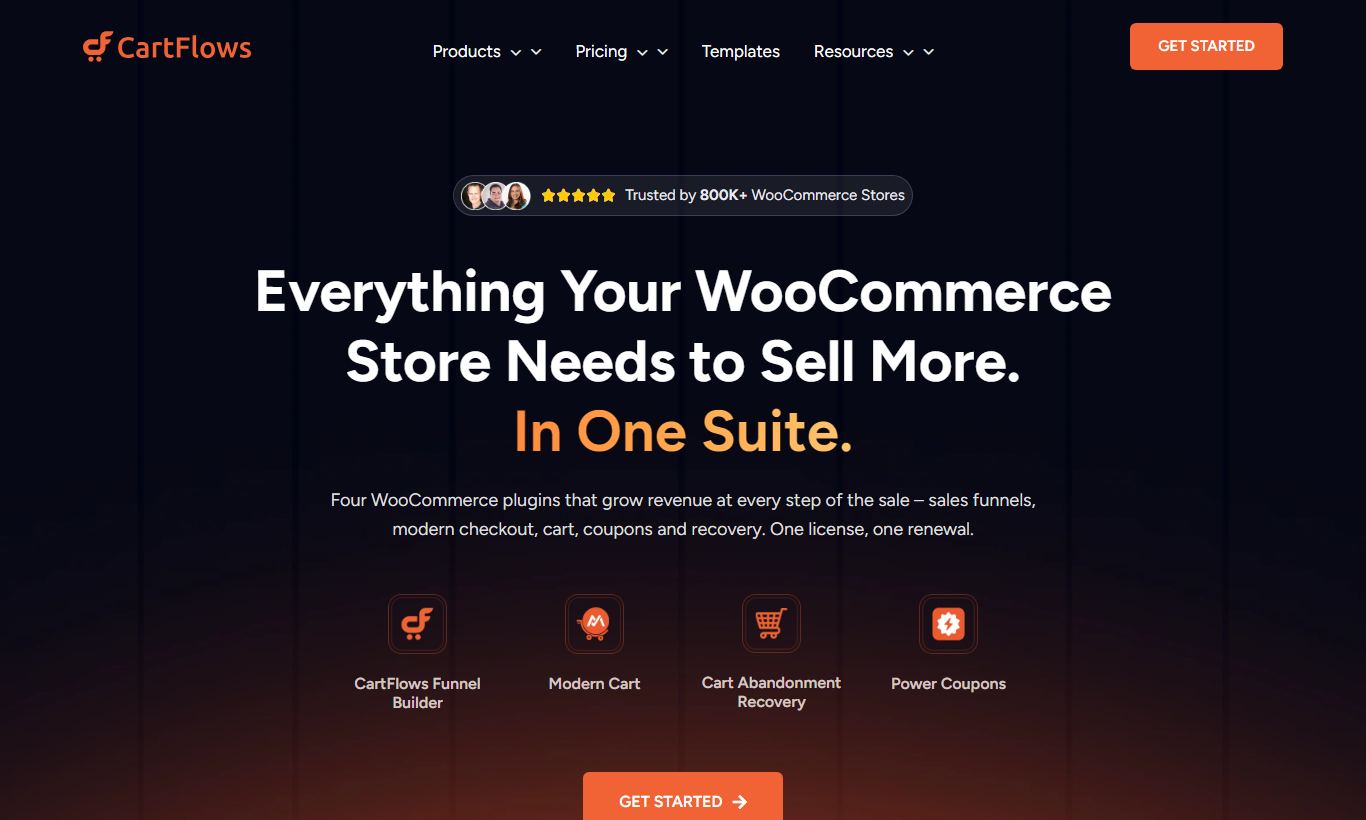
CartFlows is a WordPress-native sales funnel builder built for WooCommerce stores. It swaps out the clunky default WooCommerce checkout for customizable funnel steps, complete with one-click upsells, order bumps, and A/B-tested landing pages. The free version handles basic checkout replacement well. The Pro plan, at $239/year for unlimited sites, unlocks the features that actually move revenue. It's a solid fit for established WooCommerce merchants, course creators on LearnDash or LifterLMS, and digital product sellers who want ClickFunnels-style conversion tools without leaving WordPress. It won't work for SaaS businesses or anyone off the WordPress platform. If you're already running WooCommerce and want to raise average order value without rebuilding your stack, CartFlows gets the job done at a fair price.
What we love
Watch out for
CartFlows at a glance
What to test in your CartFlows trial
30-day money-back guarantee
- Replace your WooCommerce checkout and measure cart abandonment drop over 7-10 days
- Add one order bump to your checkout and track whether revenue per order increases
- Set up a one-click upsell page and confirm customers don't see a payment form on the follow-up
- Test one A/B split on your checkout (Plus plan) and see which variant converts higher
- Use conditional logic to show different upsells based on what customers bought (Plus plan)
- Decide which plan fits your stores before the 30 days end and the first charge hits
Quick Verdict
CartFlows earns its place as the leading sales funnel plugin for WordPress, not because it's flashy, but because it solves a real, expensive problem. WooCommerce's default checkout converts poorly. CartFlows replaces it with a leaner, multi-step funnel that adds order bumps, one-click upsells, and conditional logic without requiring you to migrate off WordPress or subscribe to an expensive SaaS platform. For WooCommerce merchants generating $3,000 or more per month, the Pro plan typically pays for itself within the first few weeks of deployment.
CartFlows is tightly coupled to the WordPress ecosystem, though. If you're not on WordPress, or if you're running a SaaS product, there's nothing here for you. Even within WordPress, you'll need WooCommerce installed for the checkout and upsell features to function. Accept those constraints upfront and CartFlows becomes a surprisingly powerful conversion engine that competes directly with tools costing three to five times as much.
Start Your Free Trial →What is CartFlows?
CartFlows was founded in 2019 by Adam Preiser and Sujay Pawar, two names well known in the WordPress product community. The plugin launched as a direct challenge to ClickFunnels and Leadpages, arguing that WordPress users shouldn't have to abandon their existing infrastructure to build high-converting funnels. The core thesis has held up. CartFlows now powers over 300,000 active websites and has been downloaded more than two million times, making it one of the most adopted funnel builders in the WordPress ecosystem.
The software sits firmly in the landing pages and sales funnels category. It integrates with every major WordPress page builder: Elementor, Divi, Gutenberg, Beaver Builder, and Bricks. You design your funnel pages exactly as you would any other page on your site, with no proprietary drag-and-drop environment to learn. The checkout, upsell, and order bump logic is layered on top via CartFlows' own settings panel. This setup gives you design freedom most SaaS funnel builders can't match, but it does mean you need a working WordPress-plus-WooCommerce site to get started.
Key Features
Feature Checklist
Optimized Checkout Replacement
CartFlows' biggest win is its custom checkout page. WooCommerce's native checkout is a multi-column, form-heavy relic that hasn't changed in years. CartFlows swaps it for a conversion-focused layout with one-column or two-column options, Google Address Autocomplete, a mini cart summary, and inline field validation. In testing, this simplified checkout cuts cart abandonment by 10 to 20% compared to the default WooCommerce checkout, a figure that matches what the CartFlows user community reports. You can pre-fill fields for returning customers and drop in trust badges, testimonials, or urgency timers right inside the checkout builder, using whatever page builder you already run.
One-Click Upsells and Downsells
After checkout, CartFlows can present a one-click upsell on its own page. The customer doesn't re-enter payment details. If they decline, a downsell page automatically offers a cheaper alternative. You build the whole sequence in a visual flow editor, dragging steps into order and wiring them together with accept and decline paths. A mid-tier WooCommerce store selling a $47 digital product might add a $97 video course as the upsell and a $27 mini-course as the downsell, which lifts average order value without spending another cent on ads. The feature works with Stripe, PayPal, and most major WooCommerce payment gateways.
Order Bumps
Order bumps are small, checkbox-style add-ons that sit right on the checkout page. Something like "Add the extended warranty for $19" placed just above the Place Order button. CartFlows lets you run multiple order bumps on one checkout page, each with its own product, price, image, and copy. Pick from a few visual layouts (horizontal banner, box with image, minimal) and set specific bumps to show only when certain products are in the cart. A store selling online courses could use an order bump to add a private Facebook group membership, a printed workbook, or a one-on-one coaching call, none of which requires leaving the checkout page.
A/B Split Testing
CartFlows Pro comes with a built-in A/B testing engine that works on any funnel step: landing pages, checkout pages, upsell pages, and thank-you pages. Set a traffic split (50/50, for instance), let the test run, and CartFlows tracks conversion rates for each variant. Once you're ready to call a winner, one click routes all traffic to that variant. This alone can replace a third-party split testing tool. One catch: the A/B testing module needs CartFlows Pro and isn't available on the free plan.
Dynamic Offers and Conditional Logic
CartFlows Pro supports conditional funnel routing. That means the upsell or downsell a customer sees changes based on what they bought, their cart total, or other rules you set. A fitness brand might show a protein supplement upsell to customers who bought a workout program, and a different recovery supplement upsell to customers who bought a yoga course. This conditional logic turns a static funnel into a personalized post-purchase flow that feels like a relevant recommendation rather than a sales pitch. You configure it through a rule-builder interface, no coding required.
Pre-Built Funnel Templates
CartFlows ships with a library of over 20 funnel templates, organized by use case: lead generation, product launch, tripwire, webinar registration, and more. Each one imports as a complete flow with every step already connected, placeholder copy and images included. Templates work with Elementor, Divi, Gutenberg, and Beaver Builder. That's a smaller library than SaaS competitors like ClickFunnels or Systeme.io offer (both have 100+ templates), but CartFlows templates are cleaner and easier to customize since they live inside your own page builder.
Pricing
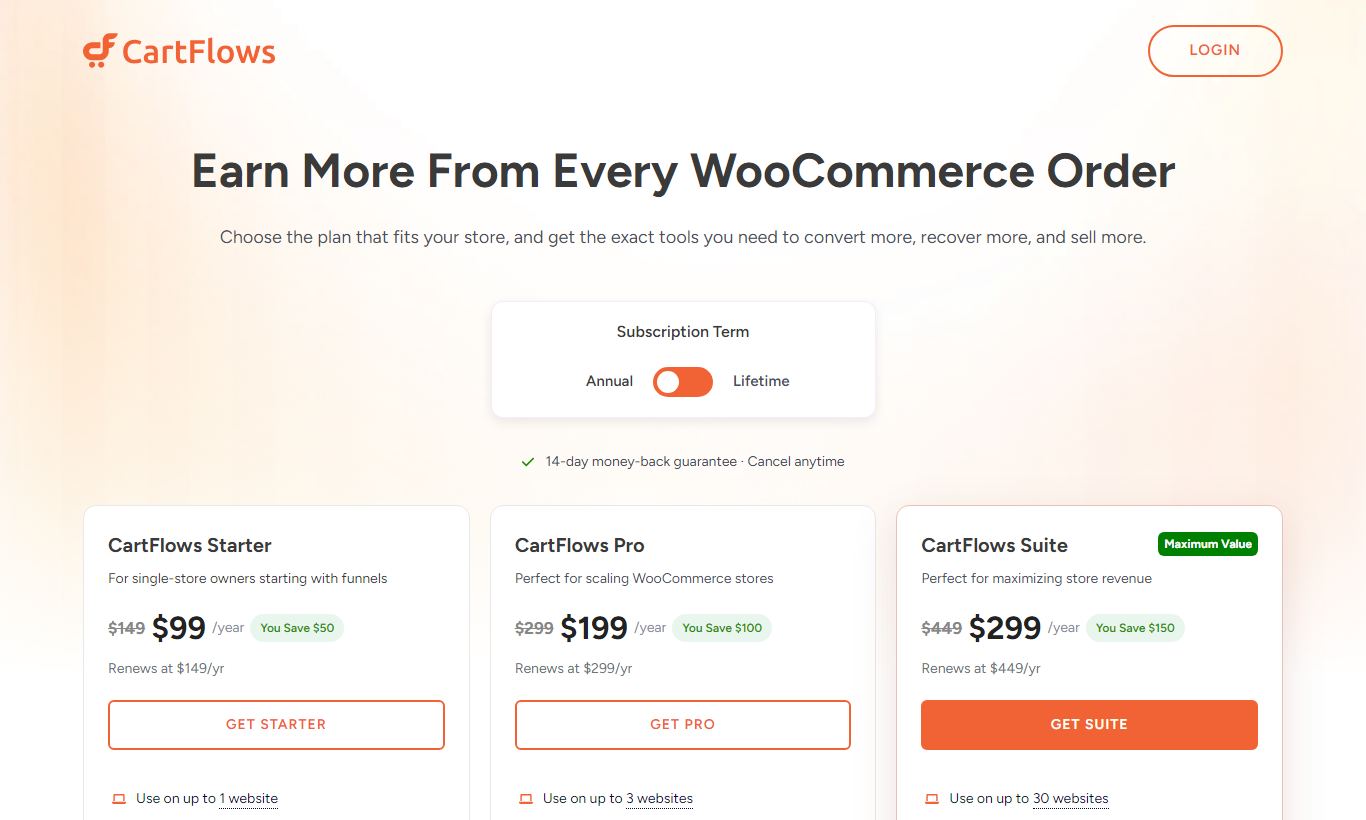
CartFlows offers a free version available on WordPress.org that includes unlimited funnels, the custom checkout replacement, basic templates, and the core flow builder. It's a legitimate starting point, not a stripped-down teaser. The paid plans break down like this:
- CartFlows Starter - $99/year (1 site): Adds order bumps, one-click upsells and downsells, and premium templates. This is the right choice for a single-site WooCommerce store getting started with funnel optimization.
- CartFlows Plus - $189/year (up to 10 sites): Includes everything in Starter, plus A/B split testing, dynamic offers, conditional routing, and advanced checkout features like address autocomplete and field editor. Best for agencies managing a handful of client stores or multi-brand operators.
- CartFlows Pro - $299/year (unlimited sites): Adds CartFlows' full feature set including priority support, early access to new features, and unlimited site licensing. Agencies and prolific WordPress developers will find this the most cost-effective option at scale.
CartFlows also runs a lifetime deal periodically through AppSumo and its own website, which can be strong value for established businesses. There's no monthly billing option. All plans are annual. A 30-day money-back guarantee applies to all paid plans, which works effectively as a risk-free trial period.
What We Love
- True page-builder agnostic design: CartFlows funnel pages are built entirely inside Elementor, Divi, Gutenberg, or Beaver Builder. There's no locked-in proprietary editor, so your existing design skills transfer completely.
- One-click upsells with zero payment friction: Post-purchase upsells require no re-entry of payment details, and they work with Stripe and PayPal without a hitch. Most stores see a direct lift to average order value within the first week.
- Genuine free tier: The free plan on WordPress.org includes unlimited funnels and the checkout replacement. That makes CartFlows one of the rare funnel tools that gives you real value before asking for a credit card.
- A/B testing built directly into the flow: Native split testing across every funnel step means you don't need a separate testing tool, and all your conversion data stays in one place.
- Flat annual pricing with unlimited site licensing on Pro: At $299/year for unlimited sites, CartFlows Pro is a strong deal for agencies compared to per-site or per-conversion SaaS pricing models.
Watch Out For
- Hard dependency on WordPress and WooCommerce: CartFlows does nothing outside WordPress. If your store runs on Shopify, BigCommerce, or a custom stack, this tool isn't an option. There's no standalone web app version.
- A/B testing and dynamic offers locked behind Plus tier: The features that drive the biggest conversion improvements aren't available on the Starter plan ($99/year). That frustrates solo merchants who expect them at entry-level pricing.
- Template library is smaller than SaaS competitors: With around 20 funnel templates, CartFlows lags behind ClickFunnels and Systeme.io, which both offer 100+ templates. That's a real time cost for teams that rely on templates to launch quickly.
- No built-in email marketing or CRM: Unlike all-in-one platforms such as Systeme.io or Kartra, CartFlows handles only the funnel layer. You'll need a separate email tool (Mailchimp, ActiveCampaign, FluentCRM) and rely on WooCommerce integrations for post-purchase follow-up sequences.
Who Is It Best For?
The established WooCommerce merchant ($5K-$50K/month revenue): This is CartFlows' core buyer. You're already generating revenue, you're losing money to a default checkout that leaks sales, and you need order bumps and upsells yesterday. CartFlows Starter or Plus pays for itself in days at this volume. The setup is fast enough that a non-technical store owner can have a funnel live within an afternoon.
The WordPress-based course creator or digital product seller: If you're selling online courses through LearnDash, LifterLMS, or TutorLMS and using WooCommerce as your payment layer, CartFlows fits right in. You can build a complete course launch funnel: a lead magnet page, checkout with order bump, and an upsell to a coaching package. No code, and no separate funnel platform to pay for.
The WordPress freelancer or agency managing multiple client stores: CartFlows Pro at $299/year for unlimited sites is a remarkable deal for agencies. You can build and maintain conversion funnels for 10, 20, or 50 WooCommerce clients under a single license, and use whatever page builder each client already has installed. The white-label positioning fits naturally too, since clients see their own branding throughout.
How Does It Compare?
vs. ClickFunnels: ClickFunnels starts at $97/month ($1,164/year) and runs as a fully hosted, all-in-one platform. It has a larger template library and built-in email automation, but it pulls you completely off WordPress, charges per contact, and offers no WooCommerce integration. For WordPress-native businesses, CartFlows costs a fraction of that and gives you deeper checkout customization. See our full CartFlows vs ClickFunnels comparison.
vs. Systeme.io: Systeme.io offers a generous free plan with email marketing, membership sites, and funnels bundled together, which makes it an appealing option for businesses starting from scratch. But it's a hosted SaaS platform with limited design flexibility compared to a WordPress-plus-CartFlows setup, and migrating an existing WooCommerce store over to Systeme.io is a real undertaking. See our full CartFlows vs Systeme.io comparison.
Final Verdict
CartFlows is the right tool for a specific, clearly defined job: building high-converting sales funnels on top of an existing WordPress and WooCommerce setup. It doesn't try to be an email platform, a membership site, or a website builder. It focuses on the checkout experience and post-purchase sequence, and it does that exceptionally well. The pricing is honest. There's a real free tier, straightforward annual plans, and an unlimited-site Pro license that agencies will find hard to beat.
If you're on WordPress and WooCommerce, CartFlows is almost certainly worth it. The real question is which plan you need. Start with the free version to validate the checkout replacement, then upgrade to Plus or Pro once you're ready to deploy order bumps, upsells, and split testing at scale. If you're not on WordPress, skip it entirely and check out ClickFunnels or Systeme.io instead.
Try CartFlows Free →FAQ
Is CartFlows free?
Yes. CartFlows has a genuinely useful free version on WordPress.org that includes unlimited funnels, the custom checkout replacement, and basic templates. Paid plans start at $99/year for the Starter tier, which adds order bumps and one-click upsells.
How much does CartFlows Pro cost?
CartFlows Pro costs $299/year and covers unlimited WordPress sites. It includes every feature in the product: A/B testing, dynamic conditional offers, one-click upsells, order bumps, advanced checkout, and priority support. A Starter plan ($99/year for 1 site) and a Plus plan ($189/year for up to 10 sites) are also available.
Does CartFlows work with Elementor?
Yes. CartFlows works fully with Elementor, Divi, Beaver Builder, Bricks, and the native WordPress block editor (Gutenberg). You design funnel pages with your existing page builder, and CartFlows adds the checkout and upsell logic on top.
Is CartFlows worth it compared to ClickFunnels?
For WooCommerce merchants already on WordPress, CartFlows is almost always the better value. ClickFunnels starts at $97/month ($1,164/year) and requires moving away from WordPress entirely. CartFlows Pro costs $299/year, supports unlimited sites, and plugs directly into your existing WooCommerce store. ClickFunnels only makes sense if you need its built-in email marketing and CRM features and you're willing to rebuild your site from scratch.
Does CartFlows require WooCommerce?
For the checkout, upsell, and order bump features, yes, WooCommerce is required. The landing page and lead generation funnel steps can technically work without WooCommerce, but the core value of CartFlows, the optimized checkout and post-purchase sequences, depends entirely on WooCommerce.
Can CartFlows replace ClickFunnels entirely?
For most WooCommerce merchants, yes. CartFlows covers the funnel-building and conversion-optimization functions of ClickFunnels. It doesn't include built-in email marketing or affiliate management, so you'd need separate tools (FluentCRM for email, AffiliateWP for affiliates, for example) to fully replace ClickFunnels' all-in-one suite.
Does CartFlows offer a money-back guarantee?
Yes. All CartFlows paid plans include a 30-day money-back guarantee. There's no free trial with a credit card. Instead, you can start with the free WordPress.org plugin to test the product before buying, and claim a refund within 30 days of any paid upgrade if it doesn't meet your needs.
We may earn a commission when you click affiliate links. This never affects our editorial scores.
| Best for | WordPress sales funnel builder |
| Category | Landing Pages & Funnels |
Answer a few quick questions and we'll match you to the best tool for your needs.
→ Suggest a Tool