
Rippling Review 2026: Is It Worth It?
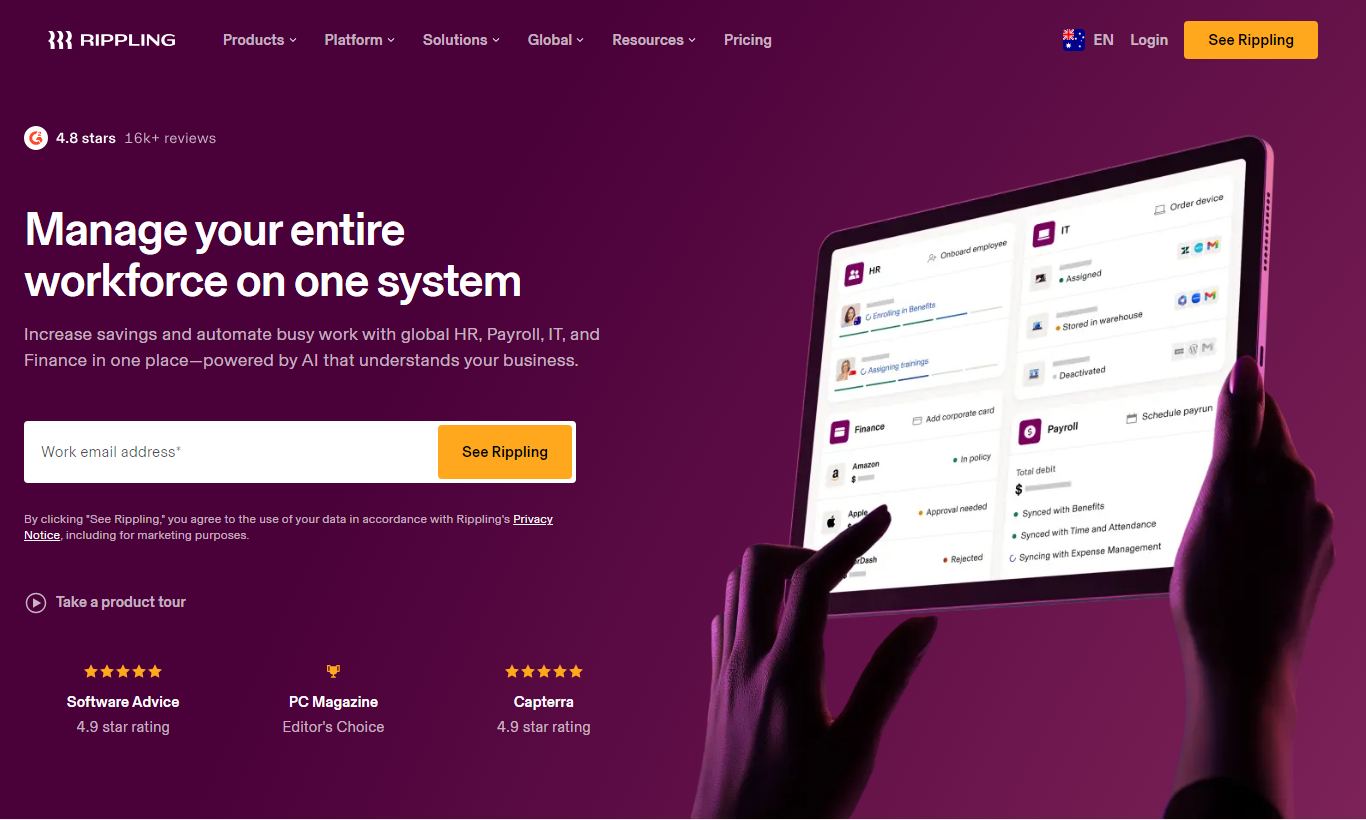
Rippling is an all-in-one workforce management platform that unifies HR, payroll, IT, and finance into a single employee record system. Parker Conrad founded it in 2016, built for fast-growing companies tired of duct-taping separate tools together. Pricing starts at $8 per employee per month, plus a required core platform fee on top. Its biggest strength is automation. Onboard a new hire and the platform can trigger payroll setup, device provisioning, app access, and benefits enrollment all at once. It genuinely earns the "unified" label, unlike many competitors that just bolt on shallow integrations. That said, the modular pricing model means costs can climb fast as you add capabilities. For companies with 50 to 1,000 employees looking to replace three or more point solutions, Rippling delivers strong ROI. Smaller teams will likely find it more than they need.
What we love
Watch out for
Rippling at a glance
What to test in your Rippling trial
Free trial (negotiated at sales stage)
- Map your current employee data to Rippling's unified record and test one automated onboarding workflow end-to-end
- Provision laptops and SaaS apps for a test hire to verify IT automation works across your tech stack
- Run a test payroll cycle with multi-state tax compliance to confirm accuracy before switching from your current system
- Build one custom workflow using the no-code builder to automate a cross-department process like offboarding
- Pull a compliance report (ACA, EEO-1, or I-9 audit) to verify it meets your regulatory needs without manual work
- Get a detailed cost breakdown for your full module stack and confirm the total monthly spend before the trial ends
Quick Verdict
Rippling is one of the few HR platforms that actually delivers on the promise of a unified workforce operating system. Instead of bolting together separate HR, IT, and payroll apps through flimsy integrations, Rippling stores every employee attribute in a single record and lets you build automated workflows across every department at once. For a mid-sized company currently juggling Gusto for payroll, Jamf for device management, and BambooHR for core HR, the consolidation value alone is significant.
The catch is cost transparency. Rippling's modular pricing means the base platform is just the entry point. Each functional module adds to the per-employee monthly cost, and the total bill can catch finance teams off guard at renewal. For companies between 50 and 1,000 employees with genuine cross-functional complexity, Rippling still tends to beat dedicated point solutions on both efficiency and total cost of ownership. It earns a strong recommendation, just go in with your eyes open on budget planning.
Start Your Free Trial →What is Rippling?
Rippling was founded in 2016 by Parker Conrad and Prasanna Sankar in San Francisco. Conrad, who previously co-founded Zenefits, built Rippling around a specific idea: most HR software fails because employee data gets stuck in silos. Rippling's fix is a compound software model, a unified employee data graph that powers HR, IT, and Finance products at the same time. By 2024, the company had raised over $1.2 billion in funding and reached a $13.5 billion valuation, serving tens of thousands of businesses worldwide.
The platform is built mainly for SMBs and mid-market companies with 10 to 2,000 employees, though some enterprise customers use it too. It competes directly with Workday and ADP at the upper end, and with BambooHR, Gusto, and Deel at the lower end. What sets Rippling apart is the real depth across HR, IT, and Finance. You can manage headcount, provision MacBooks, run global payroll, and enforce expense policies from a single admin console. For HR leaders who also coordinate with IT and Finance, that cross-functional visibility pays off in practice.
Key Features
Feature Checklist
Automated Employee Onboarding
Rippling's onboarding workflow engine is genuinely one of the best in the category. When a recruiter marks a candidate as hired in an ATS (or directly in Rippling), a single trigger can automatically enroll the employee in payroll, assign the correct benefits package, send device provisioning requests to IT, provision SaaS app access based on department and role, and send the employee their onboarding checklist. No manual hand-off between teams required. What used to take an HR coordinator two to three days of email coordination gets done in under an hour. You can build custom onboarding templates per department, location, or employment type, and the same automation logic applies to offboarding, which cuts down access-related security risk when employees leave.
Global Payroll and Employer of Record (EOR)
Rippling supports payroll in the United States with full multi-state compliance, and offers global payroll and EOR services across 185+ countries through its international modules. For domestic US payroll, it handles direct deposit, tax filing, garnishments, and off-cycle runs with a high degree of automation. The global payroll product stands out. Instead of relying on a patchwork of local payroll partners, Rippling has built direct integrations in key markets, so payroll data stays in the same employee record rather than getting exported to a third-party system. For companies hiring internationally, the EOR offering lets them bring on workers in new countries within days, with no need to set up a local legal entity.
IT Management and Device Lifecycle
This is where Rippling genuinely differentiates from pure-play HR vendors. Through Rippling IT, admins can manage the entire device lifecycle: ordering laptops pre-configured with the correct software, enforcing MDM (Mobile Device Management) policies, remotely locking or wiping devices when employees leave, and tracking inventory across the fleet. App management lets IT provision and deprovision access to over 500 SaaS applications automatically based on role changes. For a 200-person company spending $1,500 per year on IT coordination labour per employee, the ROI on this module alone can justify the Rippling subscription.
Benefits Administration
Rippling brokers and administers health, dental, vision, life, and supplemental benefits in the US. The benefits administration module connects directly to major insurance carriers, so there's no need for a separate broker portal or paper enrollment forms. Employees select their benefits through a clean self-service portal during onboarding or open enrollment, and elections sync automatically to payroll deductions. For companies with 50+ employees, Rippling also offers a licensed broker service, so you can manage carrier selection, compliance (ACA reporting, COBRA), and plan administration in one place. The 401(k) integration with providers like Guideline and Vestwell works smoothly.
Reporting, Analytics, and Compliance
Rippling's reporting suite covers workforce analytics, compensation benchmarking, headcount planning, and compliance reporting. HR teams can build custom reports pulling from any field in the employee record, including compensation history, performance cycle data, department spend, and time-off balances, without needing to export to a spreadsheet. The compliance module handles state-specific requirements automatically, flagging issues like minimum wage violations, overtime thresholds, or missing I-9 documentation. For publicly traded companies or those in regulated industries, the audit trail and role-based permission controls add real governance value. The EEO-1 and VETS-4212 filing tools are built in, not bolted on.
Pricing
Rippling uses a modular pricing structure. The Unity Platform (core) starts at $8 per employee per month, and every customer has to pay for this base layer. From there, each product module, HR Cloud, IT Cloud, Finance Cloud, is priced separately per employee per month. Rippling doesn't publish full module pricing, so you'll need a sales quote, but market-reported ranges are noted below.
- Unity Platform (Core): ~$8/employee/month. Includes the employee graph, HRIS, document management, and basic workflows. Required for all customers.
- HR Cloud (Full Suite): Estimated $16 - $25/employee/month bundled. Adds payroll, benefits administration, time & attendance, performance management, and learning management.
- IT Cloud: Estimated $8 - $15/employee/month. Adds device management, MDM, app provisioning, and inventory management.
- Finance Cloud: Estimated $8 - $12/employee/month. Adds expense management, corporate cards, and bill pay.
- Global EOR: ~$500/employee/month per internationally employed worker. Covers local entity, payroll, and compliance in 185+ countries.
There's no free plan, but Rippling does offer a free product demo and a trial period negotiated at the sales stage. Annual billing is standard. Month-to-month contracts exist but usually cost more. A 100-person company running HR Cloud + IT Cloud should budget roughly $3,500 - $5,000 per month total, depending on modules and negotiated rates.
What We Love
- Unified employee record powering cross-functional automation: One data change, a promotion or a location transfer, cascades automatically through payroll, app permissions, org chart, and benefits. No manual intervention across systems needed.
- IT device and app lifecycle management built into HR: Provisioning and deprovisioning 500+ SaaS apps based on role and department is something most HR platforms don't offer. It saves hundreds of IT hours a year.
- Global payroll and EOR in 185+ countries from one platform: Hiring internationally through a single interface, with local compliance handled automatically, sets it apart for distributed-first companies.
- Workflow automation depth without needing a developer: The no-code workflow builder handles conditional logic, multi-step approvals, and cross-module triggers, the kind of setup you'd otherwise build with Zapier or custom code.
- Compliance automation for multi-state and international complexity: Built-in ACA reporting, EEO-1 filing, state tax registration, and I-9 management cut the compliance workload for HR teams without dedicated legal staff.
Watch Out For
- Opaque and escalating modular pricing: The base $8/employee fee is misleading. A fully-featured deployment typically costs $25 - $40/employee/month once modules are stacked, and customers frequently report sticker shock at renewal when headcount grows.
- Implementation complexity for companies under 50 employees: The platform's power comes with configuration overhead. Smaller teams without a dedicated HR ops resource often find setup time-consuming, and the out-of-the-box defaults need real customisation to match how work actually happens.
- Customer support quality inconsistency: A recurring complaint in verified reviews on G2 and Capterra is slow resolution time for payroll errors. That's a serious problem when an employee's paycheck is wrong and the support queue takes 48+ hours to respond.
- Performance management module lags behind dedicated tools: Rippling's performance review module covers the basics (360 feedback, goal tracking, review cycles), but it lacks the depth of dedicated tools like Lattice or Leapsome. Companies with a more sophisticated performance culture may still need a point solution here.
Who Is It Best For?
The hypergrowth startup scaling from 50 to 300 employees: A Series B or C company adding 10+ employees per month across multiple states or countries gets enormous value from Rippling's automated onboarding and compliance tooling. When you're onboarding a new engineer in Texas, a sales rep in London, and a contractor in Canada in the same week, having one system handle the logistics is worth the subscription cost on its own.
The mid-market HR team consolidating multiple vendors: A 200-person company currently paying for BambooHR, Gusto, Jamf, and Expensify separately is a near-perfect Rippling candidate. The consolidation typically lowers per-employee software costs and cuts out the administrative overhead of managing four different systems, four renewal cycles, and four data exports.
The IT-HR partnership that needs shared tooling: At companies where IT and HR both touch the employee lifecycle, especially in tech, finance, or healthcare, Rippling's combined HR and IT module removes the friction of two teams working in separate systems. An IT admin who can see HR-triggered role changes in real time and auto-execute app access changes gets a concrete efficiency win that most platforms simply can't match.
How Does It Compare?
Rippling vs. BambooHR: BambooHR is much easier to set up and fits companies under 100 employees that just need core HR without IT headaches. Rippling wins on automation depth, payroll, and global reach, but it costs a lot more. See our full Rippling vs BambooHR breakdown for a side-by-side analysis.
Rippling vs. Gusto: Gusto is the friendlier, cheaper option for small businesses focused mainly on US payroll and basic HR. It doesn't have Rippling's IT management, global payroll depth, or workflow automation. For companies over 100 employees dealing with multi-state complexity, Rippling becomes the more capable platform. Our Rippling vs Gusto comparison covers pricing scenarios in detail.
Final Verdict
Rippling has built something genuinely rare in the HR software market: a platform where the whole is meaningfully greater than the sum of its parts. The unification of HR, IT, and Finance data into a single employee record isn't a marketing claim. It's the architectural foundation that makes 10-minute onboarding and fully automated offboarding actually possible. For any company where IT provisioning, global payroll, and HR administration currently live in separate tools run by separate teams, Rippling makes a strong case for consolidation.
Here's the honest counterpoint: it isn't the right tool for every business. Companies under 30 employees, those with purely domestic workforces and simple HR needs, or teams without the bandwidth to invest in proper configuration will get better value from simpler, cheaper tools like Gusto or BambooHR. Rippling rewards operational complexity. The more complicated your workforce, the more it earns its cost. Budget conservatively, negotiate your module bundle carefully, and invest in a proper implementation. Do those three things and Rippling will likely be one of the highest-ROI software decisions your company makes.
Try Rippling Free →FAQ
How much does Rippling cost per month?
Rippling starts at $8 per employee per month for the core Unity Platform. A full HR Cloud deployment typically costs $16 - $25 per employee per month, and IT Cloud or Finance Cloud modules push costs higher still. A 100-person company running HR + IT modules should budget roughly $3,500 - $5,000/month. You'll need a custom quote from Rippling for exact pricing.
Does Rippling have a free trial?
No self-serve free trial exists. Rippling does offer a free personalised demo, and in some cases sales will negotiate a trial period during the buying process. You can request a demo directly on rippling.com.
Is Rippling worth it for small businesses?
For very small businesses (under 30 employees) with simple HR needs, Rippling is probably overkill and overpriced next to alternatives like Gusto or BambooHR. It starts to pay off for small-to-mid businesses scaling fast, running operations across multiple states, or managing both HR and IT from one central team.
How does Rippling compare to ADP?
ADP has the edge on established enterprise payroll compliance, a larger service team, and deeper integrations with legacy ERP systems. Rippling wins on modern UX, IT management, global EOR, and workflow automation. Tech-forward companies tend to pick Rippling. Large enterprises with complex union payroll or heavy ERP dependencies often fit ADP better.
Does Rippling handle international payroll?
Yes. Rippling supports global payroll and Employer of Record (EOR) services in 185+ countries. The EOR service lets companies hire workers internationally without setting up a local legal entity, at roughly $500 per international employee per month. This is one of Rippling's strongest advantages over US-only payroll providers.
What is Rippling's Unity Platform?
The Unity Platform is Rippling's core infrastructure layer, the mandatory base subscription that houses the unified employee record, document management, basic HRIS, and workflow engine. It costs around $8/employee/month and is required before you can add any HR, IT, or Finance Cloud modules. It works like an operating system that every other Rippling product runs on.
Can Rippling replace both HR software and IT management tools?
Yes, and it's one of Rippling's most distinctive strengths. Through its IT Cloud module, Rippling manages device ordering and provisioning, MDM policies, and SaaS app access for 500+ applications, all triggered by HR events like hiring, role changes, and terminations. Many companies use it to replace separate tools like Jamf (device management) and Okta (identity and access management).
Is Rippling good for remote and distributed teams?
Rippling suits distributed teams especially well. It handles multi-state US payroll compliance automatically, supports international EOR hiring in 185+ countries, and manages remote device provisioning and software access without needing employees on-site. Remote-first companies consistently rank it among the top HR platforms for managing a distributed workforce.
We may earn a commission when you click affiliate links. This never affects our editorial scores.
| Best for | — |
| Category | HR Software |
Answer a few quick questions and we'll match you to the best tool for your needs.
→ Suggest a Tool