Gusto Review 2026: Is It Worth It?
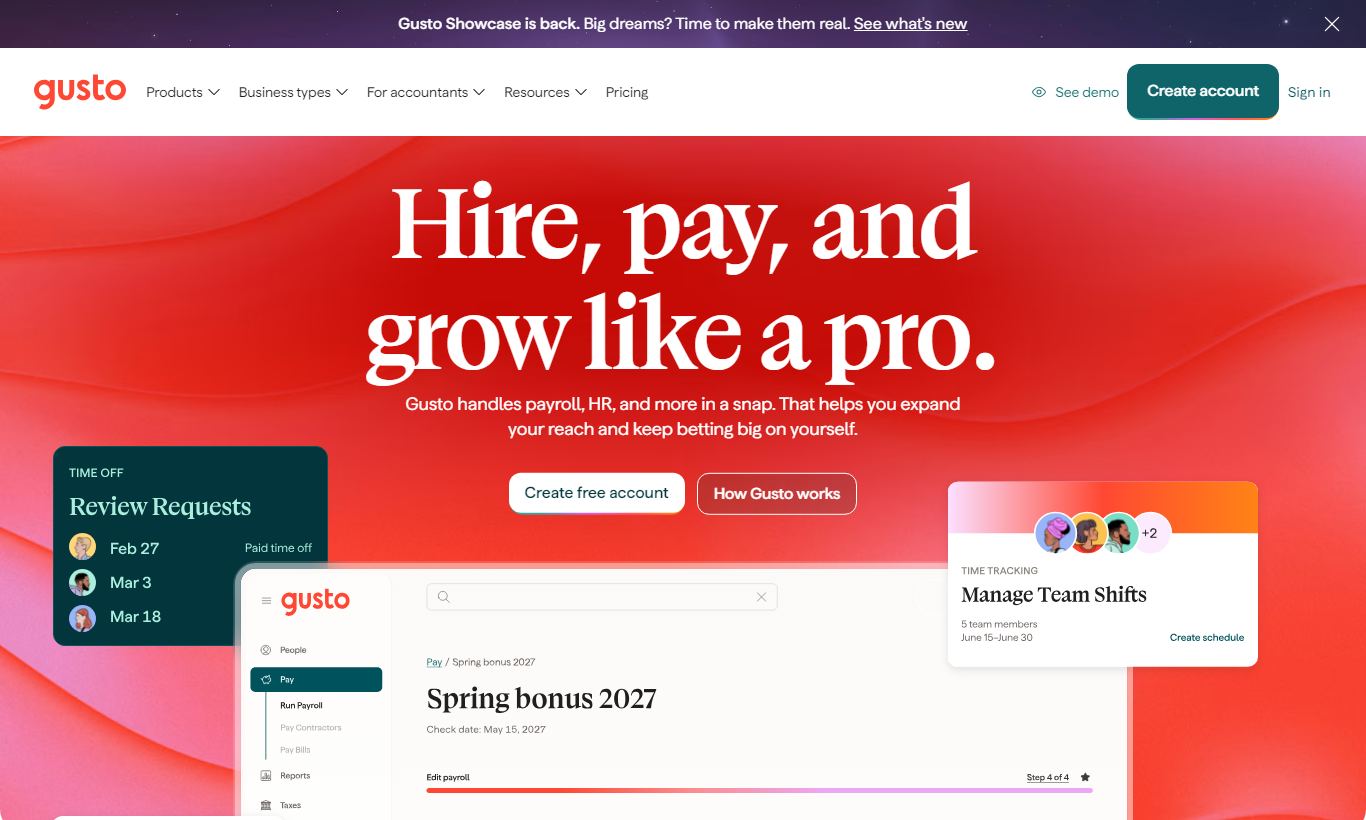
Gusto is a cloud-based HR and payroll platform built for small to mid-sized businesses in the U.S. It bundles full-service payroll, benefits administration, hiring tools, and time tracking into one clean interface. Plans start at $40/month plus $6 per person, with a more feature-rich Plus tier at $80/month plus $12 per person. Gusto's real strengths are automated tax filings, smooth new-hire onboarding, and a user experience that doesn't require an HR background to navigate. It struggles more with companies running complex multi-state hourly workforces or needing enterprise-scale compliance. For businesses under 100 employees that want payroll and HR handled in one place without a dedicated HR team, Gusto delivers strong value and is worth serious consideration.
What we love
Watch out for
Gusto at a glance
What to test in your Gusto trial
30-day free trial
- Run a full payroll cycle and confirm federal and state taxes are calculated and filed automatically
- Add a new employee through the onboarding flow and verify they can complete their own I-9, W-4, and direct deposit setup
- Set up a health or dental benefits plan and confirm deductions appear correctly on the next payroll run
- Enable time tracking for hourly employees and check that clocked hours automatically sync to payroll
Quick Verdict
Gusto has earned its reputation as the go-to payroll and HR platform for small U.S. businesses. It automates the stuff that actually trips up small teams: tax filings, new-hire paperwork, benefits deductions. And it does this through an interface a first-time business owner can navigate without reading a manual. For companies with 1 to 100 employees that don't have a dedicated HR professional on staff, Gusto cuts out a surprising amount of administrative friction, at a price that holds its own against standalone payroll tools.
It's not the right fit for every organization, though. Businesses scaling past 100 people will find the per-seat pricing harder to justify. Companies that need serious custom reporting, complex shift-based scheduling, or true native international payroll will hit real walls here. But for the core audience, a 15-person SaaS startup, a growing restaurant group, a professional services firm, Gusto is a well-designed, reliable product that does exactly what it promises. Our overall rating: 4.3 out of 5.
Start Your Free Trial →What is Gusto?
Gusto was founded in 2011 (originally as ZenPayroll) and is headquartered in San Francisco. It has grown to serve over 300,000 businesses across the United States, sitting between DIY payroll tools like QuickBooks Payroll and enterprise HR suites like ADP Workforce Now or Workday. The platform is built for the owner-operated business, the operations manager wearing six hats, or the first HR hire at a scaling startup, people who need payroll to just work without becoming payroll experts themselves. Gusto's product philosophy puts clarity ahead of configurability. That's both its core strength and the source of its most common criticisms among power users.
The product covers four main domains: payroll processing, HR and people management, benefits administration, and time and attendance. These aren't loosely connected modules. They share a single data layer, so a new hire's onboarding information flows directly into payroll without re-entry, and time-off approvals automatically adjust that pay period's calculations. That integration works more smoothly here than in many competitors at the same price point.
Key Features
Feature Checklist
Full-Service Payroll with Automated Tax Filing
This is Gusto's flagship capability and the reason most businesses sign up. Run payroll in as few as two clicks once it's configured, and Gusto handles the rest. It calculates gross-to-net for each employee, withholds federal and state income tax, remits payroll taxes on schedule, and files 940 and 941 forms automatically. At year-end, W-2s and 1099-NECs get generated and distributed to employees and contractors without you touching a form. For a business owner who has previously filed quarterly payroll taxes manually, or paid an accountant to do it, this automation alone often covers Gusto's annual cost. Four-day direct deposit is standard. Next-day direct deposit is available on Plus and Premium plans.
New-Hire Onboarding
Gusto's onboarding flow is genuinely one of its best features and a real differentiator against tools like QuickBooks Payroll, which treats HR as an afterthought. When you add a new employee, Gusto sends them a personalised onboarding link. The employee fills in their own personal details, uploads I-9 documentation, signs their W-4 digitally, sets up direct deposit, and reviews the employee handbook. None of it requires HR to collect paper forms or re-enter data. On Plus and Premium plans, you can build custom onboarding checklists (for example, "IT to provision laptop," "Manager to schedule 1:1") and assign tasks to specific team members. For a 20-person company hiring its fifth employee this month, this flow typically saves 2 to 3 hours per hire.
Benefits Administration
Gusto operates as a licensed insurance broker in most U.S. states, which means it can quote and administer health, dental, and vision plans directly. You don't have to use a separate broker and then import the data. Employee benefit elections are made inside Gusto during onboarding or at open enrollment, and deductions are automatically calculated and applied to each payroll run. For retirement benefits, Gusto integrates deeply with Guideline (its 401(k) partner), allowing automatic deductions and employer match contributions with minimal setup. HSA and FSA accounts, commuter benefits, and life insurance are also supported. One thing to flag: Gusto's health plan marketplace is strongest in major metro areas. Rural businesses or those in less-served states may find fewer carrier options.
Time Tracking and PTO Management
Available on the Plus plan and above, Gusto's built-in time tracking lets hourly employees clock in and out via web browser or mobile app. Hours sync directly to the payroll run, cutting out the manual transfer of timesheet data that causes errors in separate-tool setups. PTO policies are configurable with accrual rules (for example, 1.5 hours accrued per week, up to a 120-hour cap, no carry-over), and employees can submit time-off requests through the employee portal for manager approval, which also syncs to payroll. It's not as fully featured as a dedicated workforce management platform like Deputy or When I Work, but for most office-based or hybrid teams, it covers 90% of needs without adding another vendor.
Performance Reviews and Team Management
Introduced as part of the Plus plan, Gusto's performance review module lets you create review templates (self-review, manager review, peer review), set schedules, and track completion. It's a straightforward tool, not a replacement for a dedicated performance platform like Lattice or Culture Amp, but it gives a small team enough structure to run a formal twice-yearly review process without buying a separate HR tool. The employee directory and org chart features also live here, giving managers a visual map of reporting structures that stays automatically up to date as you add or change employees.
Integrations Ecosystem
Gusto connects natively with over 100 tools. The most important are its accounting integrations. QuickBooks Online, Xero, FreshBooks, and Wave all receive automatic payroll journal entries after each run. For hiring, Gusto integrates with Greenhouse and Lever, so an accepted offer in your ATS can trigger the onboarding flow in Gusto without duplicate data entry. Slack, Google Workspace, and Microsoft 365 integrations handle directory sync and notifications. For businesses with more complex HR tech stacks, there's also a public API and a growing set of middleware connections via Zapier and Make.
Pricing
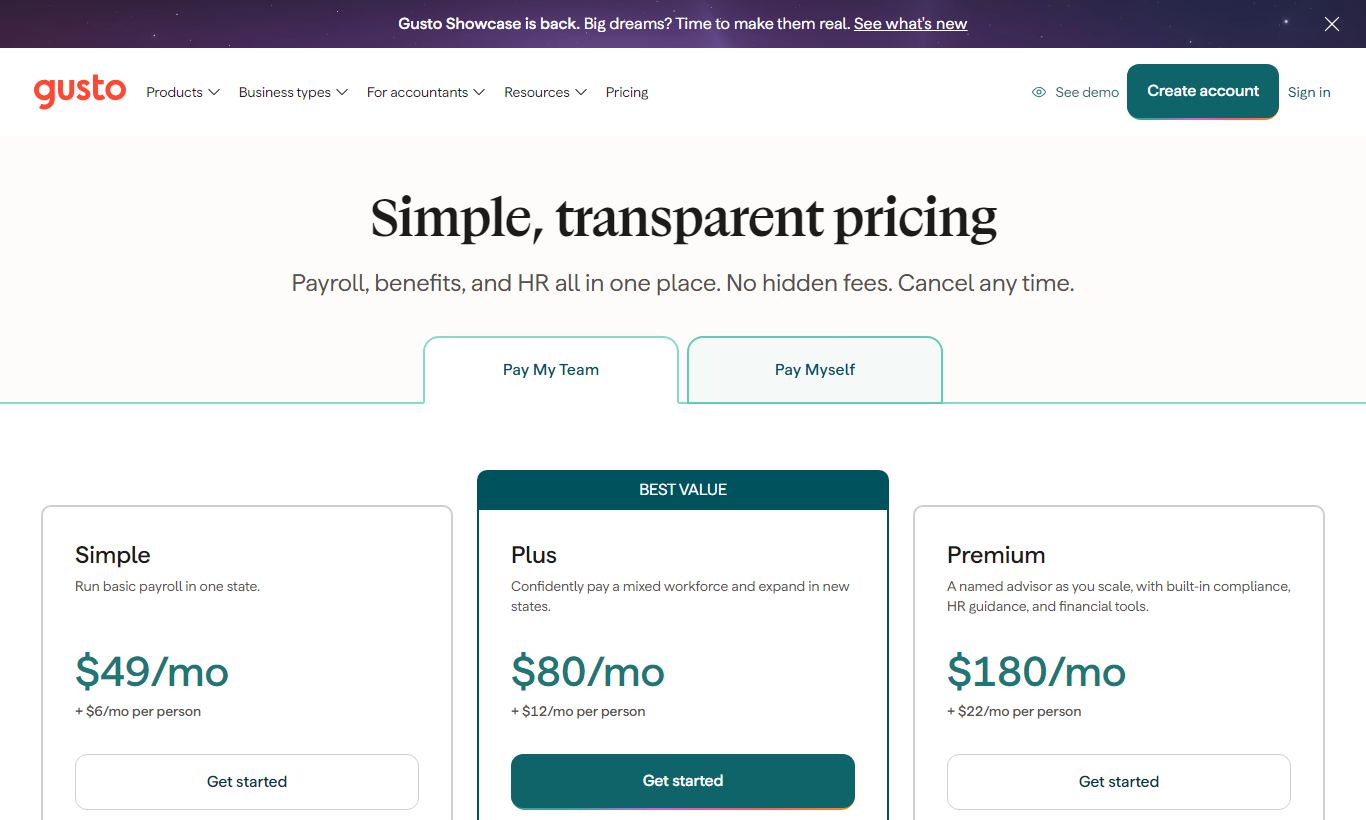
Gusto charges a base fee plus a per-employee-per-month rate. It's a transparent model, but the cost can climb fast as headcount grows. Here's the full breakdown as of 2026:
- Simple: $40/month + $6/employee/month. Covers single-state payroll, basic onboarding, health benefits administration, worker's comp, and the employee self-service portal. Email support only. Best for very small single-state employers who just want basic payroll automation.
- Plus: $80/month + $12/employee/month. Adds multi-state payroll, next-day direct deposit, time tracking, scheduling, PTO management, performance reviews, advanced onboarding checklists, and priority phone support. This is the tier most growing businesses should pick.
- Premium: custom pricing. Adds a dedicated Customer Success Manager, certified HR expert access, compliance alerts, and waived R&D tax credit fees. Built for companies over 50 employees or ones with complicated compliance needs. You'll need to contact sales for a quote.
- Contractor Only: $0 base + $6/contractor/month. No monthly base fee. Pay domestic and international contractors, auto-generate 1099-NECs, and manage contractor onboarding. It's one of the cheapest compliant ways to pay contractors on the market.
Gusto offers a 30-day free trial on the Simple and Plus plans, and you don't need a credit card to start one. Here's what that looks like in real numbers: a 10-person team on the Plus plan pays $200/month ($80 + $120). The same team at 30 people pays $440/month. At 75 people, that's $980/month. Those figures still beat full-service HR outsourcing, but they start to look less appealing next to enterprise platforms once you compare cost per seat.
What We Love
- Automated tax compliance on every plan: Federal, state, and local payroll tax filing, including year-end W-2s and 1099s, comes standard at every tier. Some competitors lock this behind a premium add-on.
- Self-serve employee onboarding that actually works: New hires handle I-9 verification, W-4 signing, direct deposit setup, and benefits enrollment on their own. That cuts HR admin time per hire by several hours.
- Benefits brokerage built in: Medical, dental, vision, 401(k), HSA, FSA, and commuter benefits all run through the same platform that handles payroll. Deductions sync automatically.
- Contractor-only plan with no base fee: At $6 per contractor per month with 1099 auto-generation, this is one of the simplest and cheapest ways to pay contractors compliantly.
- Clean, non-intimidating UX: Gusto's interface is built for people who aren't HR or payroll professionals. Error messages read in plain English, not error codes, and the help documentation is thorough and shows up right when you need it.
Watch Out For
- Phone support is gated behind the Plus plan: Simple plan customers get email support only, and user reviews complain about this consistently, especially during urgent payroll issues. If you need someone on the phone when things go wrong, budget for the Plus tier at minimum.
- Custom reporting is limited: Gusto's built-in reports cover standard payroll summaries, tax liability, and benefits deductions. Building a custom multi-variable workforce report usually means exporting to a spreadsheet. There's no drag-and-drop report builder.
- Per-seat costs become a pain point above 75 employees: Gusto's pricing works fine at small scale, but it compounds fast as headcount grows. A 100-person team on Plus pays over $1,280/month in seat fees alone. At that size, platforms like Rippling or Bamboo HR often offer better per-seat economics along with more advanced features.
- International payroll isn't fully native: Gusto's Global EOR product handles full-time international hires, but it's a separate offering with its own pricing and a noticeably rougher experience than the core domestic payroll product. Don't assume global payroll comes with your standard plan.
Who Is It Best For?
The owner-operated business under 30 people: A retail shop, marketing agency, or professional services firm where the owner or office manager runs payroll. Gusto's automated filings mean they never miss a quarterly tax deadline, and the onboarding flow handles new-hire paperwork without needing an HR background. The Simple plan is often enough here.
A Series A or B startup scaling from 15 to 60 employees: The first HR hire at a fast-growing tech company needs to stand up real HR infrastructure fast: offer letter templates, benefits enrollment, performance reviews, PTO tracking. They don't want to implement an enterprise HRIS to get there. The Plus plan covers most of these needs natively, with integrations to Greenhouse (ATS) and Slack already built in.
A business with a significant contractor workforce: Agencies, consultancies, or gig-economy platforms that pay 10 to 50 contractors regularly need compliant 1099-NEC generation at year-end. The Contractor Only plan, at $6 per contractor with no base fee, is often the cheapest compliant option in this category.
How Does It Compare?
Gusto vs. ADP Run: ADP Run goes after a similar small-business crowd, but it leans hard on its broker network for sales. That means pricing you can't pin down and an interface that's more of a maze. Gusto wins on ease of use, transparent pricing, and HR features built right in. ADP has the edge if you're in a regulated industry and need compliance support, or if you want access to dedicated HR advisors. See our full Gusto vs ADP breakdown for a side-by-side analysis.
Gusto vs. Rippling: Rippling is the better pick for companies that want IT management, things like device provisioning and app access, folded into HR and payroll on one platform. Its modular pricing also scales better once you're past 50 employees. But Rippling comes with a steeper setup curve, a longer implementation timeline, and higher minimum contract commitments. If you're under 40 people and just need payroll and HR handled well, Gusto gets you there faster. Read the full Gusto vs Rippling comparison for a detailed feature matrix.
Final Verdict
Gusto is the benchmark HR and payroll platform for small U.S. businesses, and it earns that status honestly. The automated tax compliance, self-serve onboarding, and integrated benefits administration work together as one coherent product, not a pile of bolted-on features. For a business under 75 employees that wants HR and payroll handled without building a specialist in-house team, it delivers strong ROI at a fair price.
If you're above 100 employees and need sophisticated workforce analytics, complex scheduling, or global payroll as a first-class feature, Gusto will start to feel constraining. At that point, Rippling or a dedicated HRIS like BambooHR paired with a best-of-breed payroll tool may serve you better. For most businesses reading this review, the 1-to-75-person company that wants payroll to be a solved problem, Gusto is a confident recommendation. Start with the 30-day free trial and run a real payroll cycle before committing. It won't take long to see whether it fits.
Try Gusto Free →FAQ
How much does Gusto cost per month?
Gusto's Simple plan starts at $40/month plus $6 per employee per month. The Plus plan runs $80/month plus $12 per employee per month. The Contractor Only plan has no base fee and costs $6 per contractor per month. Premium pricing isn't published. You'll need to contact Gusto's sales team for a quote.
Does Gusto offer a free trial?
Yes. Gusto gives you a 30-day free trial on its Simple and Plus plans, no credit card required. The Contractor Only plan also comes with a one-month free introductory period.
Is Gusto good for small businesses?
Gusto is one of the strongest payroll and HR platforms for small businesses with 1 to 100 employees, especially those without a dedicated HR team. Automated tax filings, self-serve employee onboarding, and integrated benefits administration make it a great fit for owner-operated businesses and lean operations teams.
How does Gusto compare to ADP?
Gusto is easier to set up, clearer on pricing, and has a cleaner user experience than ADP Run for small businesses. ADP offers deeper compliance support, dedicated HR advisory services, and stronger enterprise features for larger or regulated businesses. ADP's pricing is quote-based and usually higher. Gusto publishes its rates publicly.
Does Gusto handle multi-state payroll?
Yes, but only on the Plus and Premium plans. The Simple plan only covers single-state payroll. If your team is spread across multiple states, you'll need at least the Plus plan at $80/month base plus $12 per employee per month.
Is Gusto worth it compared to QuickBooks Payroll?
If all you need is payroll, QuickBooks Payroll holds its own, especially if you're already using the QuickBooks ecosystem. Gusto pulls ahead once HR features matter. Onboarding flows, PTO management, performance reviews, and benefits brokerage are all far more developed in Gusto than in QuickBooks Payroll.
Does Gusto support international employees?
Gusto supports payments to international contractors on all plans. For full-time international employees, Gusto offers a separate Global EOR (Employer of Record) product, priced independently from the standard plans, covering countries including Canada, the UK, and across the EU.
What accounting software does Gusto integrate with?
Gusto integrates natively with QuickBooks Online, Xero, FreshBooks, and Wave. After each payroll run, journal entries sync automatically to your accounting platform, so you skip manual data re-entry and cut down on reconciliation errors.
We may earn a commission when you click affiliate links. This never affects our editorial scores.
| Best for | Payroll and HR simplified |
| Category | HR Software |
Answer a few quick questions and we'll match you to the best tool for your needs.
→ Suggest a Tool