
Kit Review 2026: Is It Worth It?
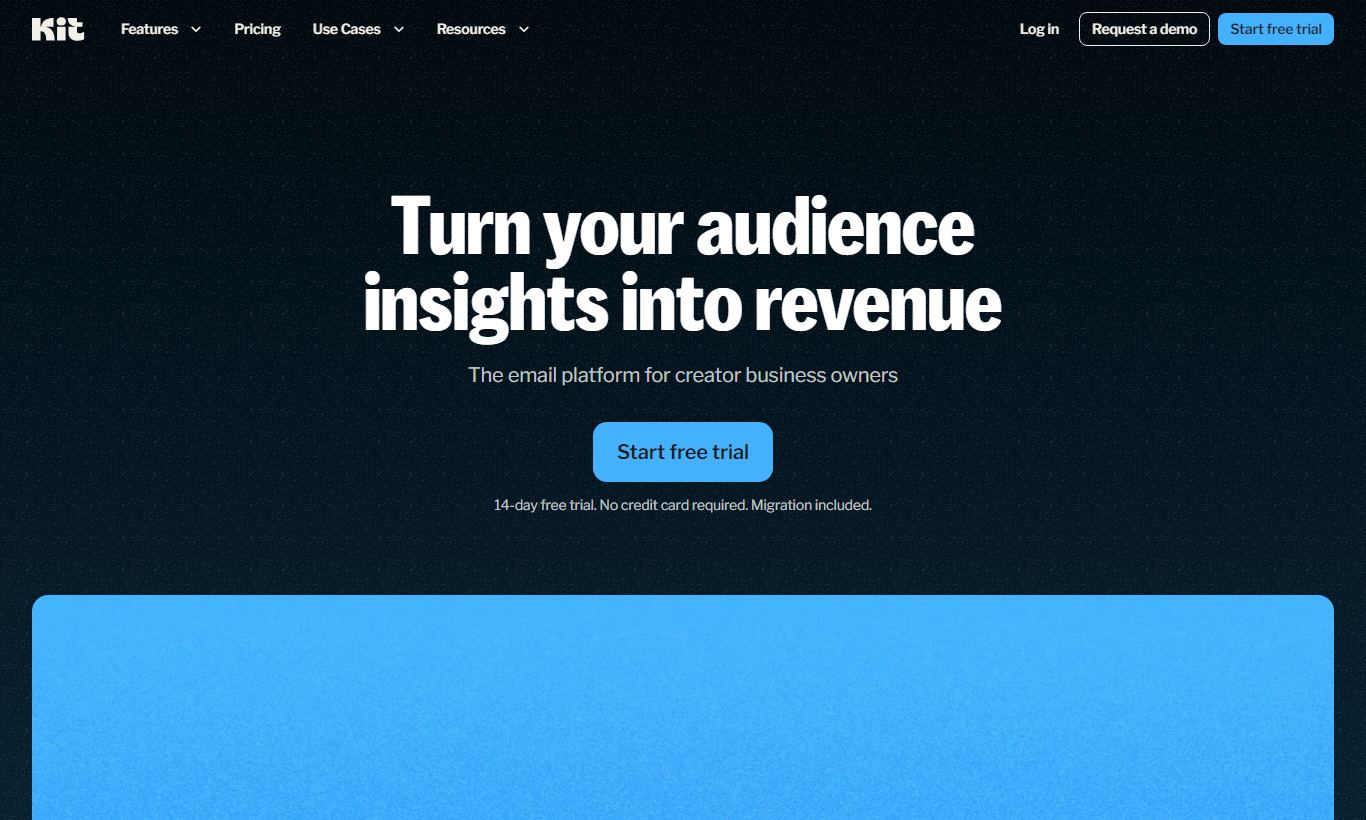
Kit (formerly ConvertKit) is an email marketing platform built for creators: bloggers, podcasters, course sellers, and independent writers. It offers a clean visual automation builder, flexible subscriber tagging, and a built-in commerce layer that lets you sell digital products without a third-party cart. The free plan supports up to 10,000 subscribers, which is genuinely competitive. Paid plans start at $25/month (Creator) and $50/month (Creator Pro). Kit earns its reputation through segmentation depth and deliverability consistency. It falls short on email template variety and e-commerce sophistication compared to all-in-one platforms like Klaviyo. For solopreneurs and content-led businesses scaling from 0 to 100,000 subscribers, Kit is one of the smartest investments available. Large retail brands needing deep product catalogue integrations should look elsewhere.
What we love
Watch out for
Kit at a glance
What to test in your Kit trial
14-day free trial
- Build a multi-step automation with conditional branching using real subscriber actions from your audience
- Tag your existing subscribers across multiple content areas and segment them into separate broadcast groups
- Create and sell a digital product in Kit, then track the automated post-purchase email and tagging flow
- Send two versions of your next newsletter to test opens and clicks without needing a paid plan upgrade
- Export your subscriber data and manually match revenue from email sends to actual product sales to evaluate reporting
- Decide before day 14 ends whether the tag-based model and visual automation justify upgrading to a paid plan
Quick Verdict
Kit (rebranded from ConvertKit in 2024) is the email marketing platform that content creators, independent educators, and solopreneurs keep choosing when they outgrow Mailchimp but aren't ready for the complexity of Klaviyo or ActiveCampaign. Its tag-based subscriber model, visual automation builder, and built-in digital product sales make it a rare tool that grows with you instead of forcing a migration once your list scales. For anyone monetising an audience directly, through newsletters, courses, memberships, or digital downloads, Kit is hard to beat at its price point.
Kit isn't built to do everything, though. Its email templates are minimal by design, its e-commerce layer doesn't scale to large product catalogues, and its reporting, while clean, lacks the granular attribution depth that performance marketers need. If you're running a DTC brand with hundreds of SKUs or a large enterprise with a complex martech stack, look elsewhere. For the creator economy it was built for, it's excellent. Start Your Free Trial →
What is Kit?
Kit was founded in 2013 by Nathan Barry as ConvertKit, a direct response to the complexity of existing email tools that weren't built with bloggers and online educators in mind. The rebrand to "Kit" in late 2024 reflects a bigger vision. The platform now positions itself as an operating system for the creator economy, combining email marketing, audience segmentation, landing pages, and digital commerce into a single workflow. It serves over 600,000 creators globally and has processed hundreds of millions of dollars in creator revenue through its commerce features.
Kit's core philosophy is the subscriber-first model. Instead of managing separate lists, which leads to messy duplicate contacts, every subscriber exists once and gets organised through tags, custom fields, and segments. This setup makes complex personalisation much easier to handle than traditional list-based platforms, especially once your audience spreads across multiple content topics or product lines.
Key Features
Feature Checklist
Visual Automation Builder
Kit's automation builder is a flowchart-style canvas where you connect triggers, actions, conditions, and delays with drag-and-drop logic. Here's a real-world example: when someone buys your online course, Kit can tag them as a customer, remove them from the pre-sale nurture sequence, enroll them in an onboarding email series, and after 14 days add them to a segment for upsell campaigns. All of that runs without any manual work. The visual layout makes complex branching sequences genuinely readable, even for non-technical users. Where it falls short of ActiveCampaign is in conditional logic depth. Split-testing within automations (A/B paths) is only available on the Creator Pro plan.
Subscriber Tagging and Segmentation
Unlike list-based tools where a subscriber in two campaigns counts twice against your quota, Kit's single-subscriber model means one contact, one billing record, no matter how many tags or sequences they belong to. You can tag subscribers based on link clicks, form submissions, purchases, or custom field values, then build dynamic segments that update in real time. For example, a business coach with three audience segments (side hustlers, freelancers, and agency owners) can send each group a different broadcast from a single account without maintaining three separate lists. This is where Kit genuinely beats Mailchimp's audience architecture.
Landing Pages and Forms
Kit includes a built-in landing page and opt-in form builder that covers the most common creator use cases: lead magnet delivery, webinar registration, newsletter subscription, and waitlist capture. There are around 50 landing page templates, all mobile-optimised and hosted on Kit's infrastructure (so you don't need a separate domain if you're just starting out). The editor is clean but not pixel-perfect. Designers who want granular layout control will find it limiting. Custom domains are supported on all paid plans. Forms can be embedded inline, as pop-ups, or as slide-ins, and each submission can trigger a specific tag, automation, or sequence automatically.
Creator Commerce (Sell Digital Products)
One of Kit's most underrated features is its built-in commerce layer, available on all plans including free. You can create a product listing for a PDF, e-book, preset pack, or paid newsletter directly in Kit, set a price (or pay-what-you-want), and receive payments via Stripe. Kit takes a 3.5% transaction fee on the free plan and no transaction fees on paid plans. Buyers are automatically added as subscribers and tagged, which makes post-purchase automation easy to set up. It won't replace Shopify or Gumroad for high-volume sellers. But for creators selling one to ten digital products, it removes the need for a separate commerce tool entirely.
Broadcasts and Newsletter Experience
Kit's broadcast editor is a distraction-free, text-first email composer that encourages clean, personal-feeling newsletters over heavily designed HTML templates. This is a deliberate choice. Plain-text or lightly styled emails consistently outperform flashy templates in open and click rates for creator audiences. The editor supports basic formatting, images, buttons, and dynamic subscriber personalisation (using merge tags and liquid-style conditionals). Broadcast scheduling, time-zone-based sending, and resend-to-unopened are all available. What's missing is a drag-and-drop block builder for multi-column promotional layouts, which makes Kit less suitable for brands that rely on visual email design.
Pricing
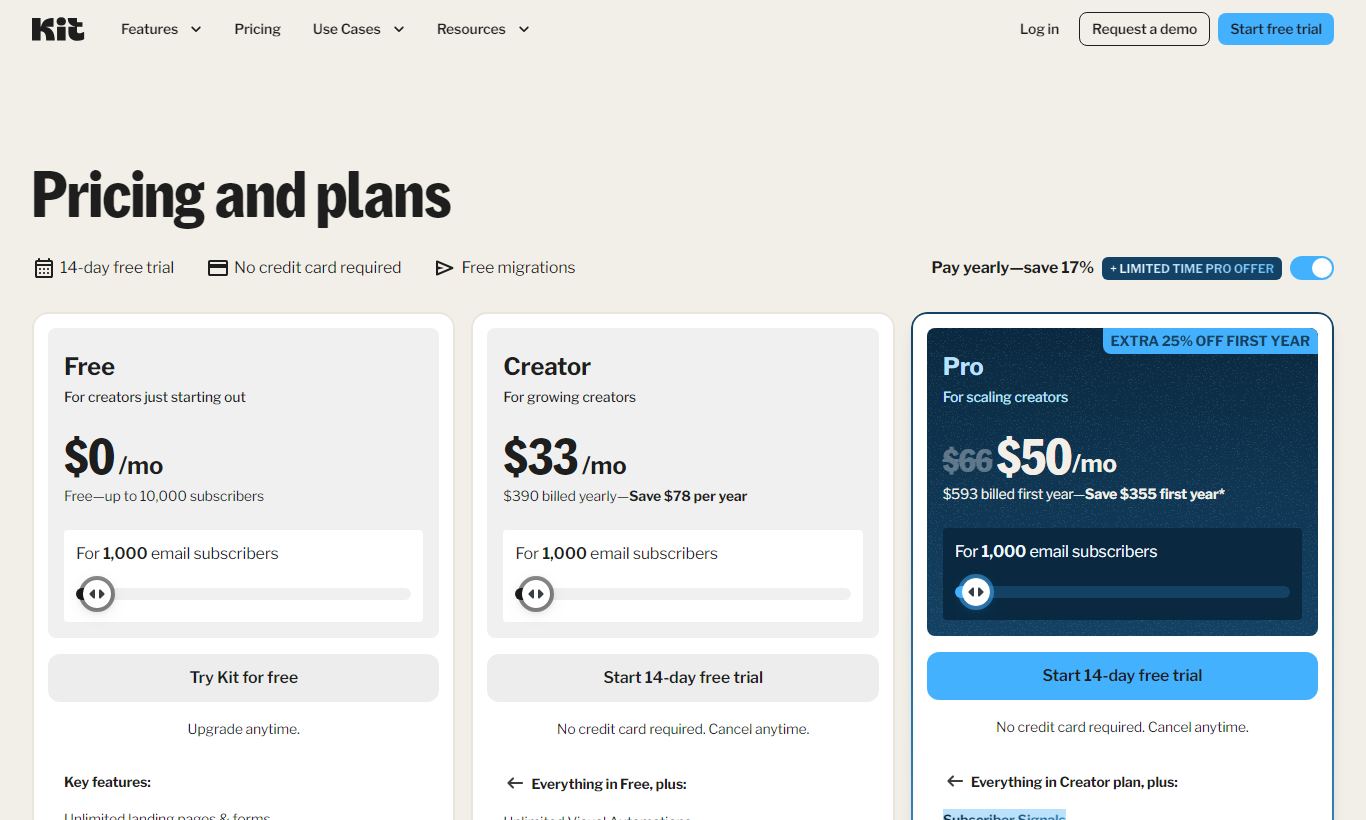
Kit's pricing is subscriber-based and scales in tiers. All prices below are for up to 1,000 subscribers. Costs go up incrementally as your list grows.
- Newsletter (Free): $0/month. Supports up to 10,000 subscribers, one of the most generous free plans in email marketing. Includes unlimited broadcasts, one automation, one sequence, landing pages, forms, and the commerce feature (3.5% transaction fee). No paid newsletters or referral programs on this tier.
- Creator, $25/month (billed monthly) or $290/year (billed annually, about $24/month): Unlocks unlimited automations and sequences, free migration from another platform, a third-party integration library, and the ability to add a second team member. Transaction fees drop to 0% on creator commerce. This is the tier we'd recommend for most growing newsletters and course creators.
- Creator Pro, $50/month (billed monthly) or $590/year (billed annually, about $49/month): Adds subscriber scoring, advanced reporting with a newsletter referral system (a built-in refer-a-friend programme), a Facebook Custom Audiences integration, priority support, and up to five team members. The referral system alone can justify the upgrade for fast-growing newsletters.
At 50,000 subscribers, Creator pricing rises to approximately $139/month and Creator Pro to $199/month. At 100,000 subscribers, expect $199/month and $379/month respectively. There's a 14-day free trial on paid plans, and the free plan requires no credit card. Annual billing saves roughly 17% across both paid tiers.
What We Love
- Tag-based subscriber architecture eliminates list duplication: One subscriber record regardless of how many segments or sequences they belong to. Billing is cleaner and data is more accurate than list-based alternatives.
- Free plan supports up to 10,000 subscribers: Most competitors cap free plans at 500 to 2,000 contacts. Kit's threshold is genuinely usable for early-stage creators before they need to spend anything.
- Zero transaction fees on paid plans for digital product sales: The built-in commerce layer removes the need for a separate tool like Gumroad or Payhip for creators selling fewer than ten digital products.
- Visual automation builder is intuitive without sacrificing power: A non-technical creator can build multi-step sequences with conditional branching in under an hour, with every step visible on a single canvas.
- Newsletter referral system on Creator Pro drives organic list growth: The built-in refer-a-friend programme (similar to SparkLoop) rewards existing subscribers for referring new sign-ups without requiring a separate integration.
Watch Out For
- Email template library is intentionally sparse: Kit's text-first philosophy means there's no drag-and-drop block builder or multi-column promotional templates. That's a real blocker for e-commerce brands that rely on visual email design.
- Reporting lacks revenue attribution depth: You can track opens, clicks, and unsubscribes, but tying email revenue back to specific automations or subscriber segments means exporting data and analysing it externally. Users who need closed-loop reporting bring this up a lot.
- Automation A/B split testing is Creator Pro only: The ability to test different automation paths (subject line variants within a sequence, for example) sits behind the highest paid tier, which feels stingy at the Creator level.
- Not built for large product catalogues or DTC e-commerce: Kit integrates with Shopify and WooCommerce, but it doesn't offer the deep behavioural triggers, product recommendation blocks, or abandoned cart logic that Klaviyo provides natively. That makes it the wrong choice for brands with large inventories.
Who Is It Best For?
Independent newsletter writers scaling from 0 to 100,000 subscribers: Whether you're running a free weekly newsletter or a paid subscription, Kit's broadcasting tools, segmentation, and referral system cover every stage of newsletter growth. The free plan buys you time, and the upgrade path to Creator Pro is logical rather than punitive.
Course creators and digital product sellers with small catalogues: If you sell one to five digital products, templates, e-books, presets, mini-courses, Kit's built-in commerce removes the need for a separate cart platform. The post-purchase automation (tagging buyers, enrolling them in onboarding sequences) beats the competition for this use case and needs no third-party integrations.
Podcasters and content creators building multiple audience segments: Say a podcaster covers three distinct topic areas and wants to send different content to different subscriber groups without running three separate mailing lists. Kit's tag-and-segment model handles that far more easily than Mailchimp's audience structure. It suits creators who publish consistently and want their email workflow to match the variety of their content without piling on extra operational work.
How Does It Compare?
Kit vs. Mailchimp: Mailchimp has a bigger template library and a bit more e-commerce depth thanks to its integration suite. But its audience-based billing means you pay for the same subscriber more than once if they land on different lists. Kit charges per subscriber, not per list, so it stays cheaper as your list grows more varied. See our full Kit vs Mailchimp breakdown.
Kit vs. Klaviyo: Klaviyo is the top pick for DTC e-commerce brands, thanks to its deep Shopify integration, product feed sync, and predictive analytics. Kit wins if you want something simpler, with creator-focused features like paid newsletters, digital products, and referral programmes, plus a more generous free tier. Klaviyo's free plan caps at 250 contacts. Kit's goes to 10,000. See our Kit vs Klaviyo comparison for a full feature breakdown.
Final Verdict
Kit has earned its spot as the default email marketing platform for serious content creators. The tag-based architecture, visual automation builder, built-in digital commerce, and a free plan that scales to 10,000 subscribers give it a structural edge over generalist tools at every stage of creator growth. The $25/month Creator plan is one of the best deals in email marketing once you factor in unlimited automations and zero commerce transaction fees.
Kit has real gaps: a thin template library, limited revenue attribution reporting, and no native abandoned cart logic. But these are deliberate trade-offs that keep the platform fast, focused, and easy to use. If your business is audience-first (newsletter, course, coaching, community), Kit is very likely the right tool. If you're running a product-led e-commerce operation, Klaviyo will serve you better. For everyone else in the creator economy, stop researching and start building. Try Kit Free →
FAQ
How much does Kit cost per month?
Kit has three plans: a free Newsletter plan (up to 10,000 subscribers), Creator at $25/month, and Creator Pro at $50/month. Both paid plans are priced for up to 1,000 subscribers and scale up with your list size. Pay annually and you save about 17%.
Is Kit free to use?
Yes. Kit's free Newsletter plan supports up to 10,000 subscribers and includes unlimited email broadcasts, one automation, one sequence, landing pages, opt-in forms, and digital product sales (with a 3.5% transaction fee). No credit card required.
Is Kit better than Mailchimp?
For content creators and newsletter publishers, Kit's single-subscriber model and tag-based segmentation beat Mailchimp's list-based architecture in most cases. Mailchimp has a wider template library and broader e-commerce integrations. But Kit costs less as your audience grows across multiple topics or products.
Can Kit replace Gumroad for selling digital products?
For creators with fewer than ten digital products, yes. Kit's built-in commerce feature lets you sell PDFs, e-books, presets, and digital downloads directly, with Stripe payments and zero transaction fees on paid plans. If you run a higher-volume digital store, dedicated platforms like Gumroad or Lemon Squeezy give you more product management features.
What happened to ConvertKit, is Kit the same product?
Yes. ConvertKit rebranded to "Kit" in late 2024. The underlying product, pricing structure, and feature set stayed the same. The rebrand reflects the platform's broader positioning as a creator operating system, not just an email marketing tool.
Is Kit worth it for small newsletters under 1,000 subscribers?
The free plan is genuinely worth using from subscriber zero. You get full broadcast functionality, automation, and landing pages at no cost. The Creator plan ($25/month) earns its keep once you're running multiple automations or want to drop the commerce transaction fees.
Does Kit integrate with Shopify or WordPress?
Yes. Kit integrates with both Shopify and WordPress, as well as Teachable, Thinkific, Zapier, and dozens of other platforms through its native integration library (available on Creator and Creator Pro plans). The Shopify integration supports purchase-triggered tagging, but it doesn't match the product feed depth of Klaviyo's native Shopify connector.
We may earn a commission when you click affiliate links. This never affects our editorial scores.
| Best for | — |
| Category | Email Marketing |
Answer a few quick questions and we'll match you to the best tool for your needs.
→ Suggest a Tool