
Gist Review 2026: Is It Worth It?
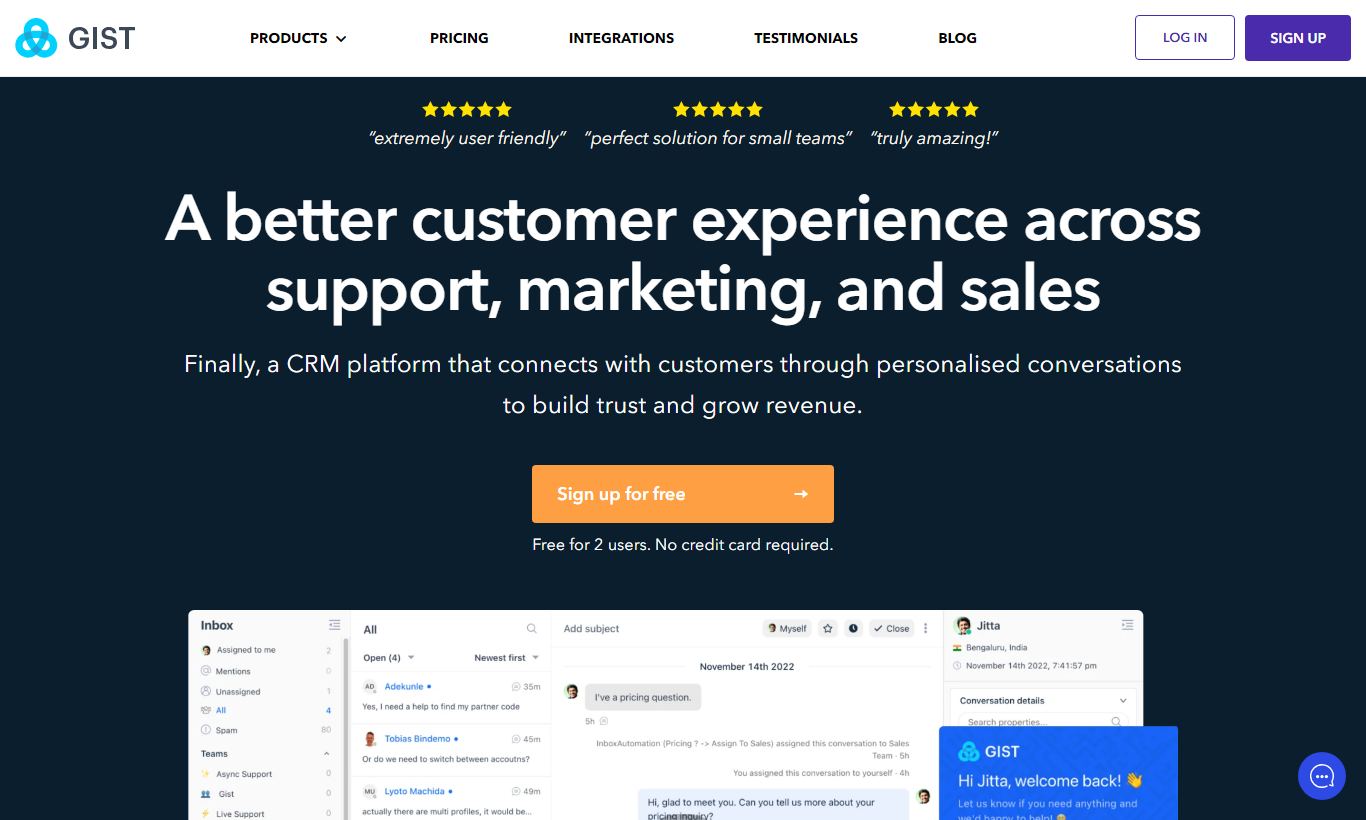
Gist is an all-in-one marketing, sales, and support platform built mainly for small to mid-sized SaaS businesses and online entrepreneurs. It bundles email marketing, marketing automation, live chat, chatbots, a help desk, event tracking, and a knowledge base into one platform. That means you can ditch Intercom, Drip, and HubSpot and pay a fraction of what they charge. The Free plan supports up to 200 contacts, and paid plans start at $19/month. The unified inbox and visual automation builder are genuine standouts. Where it falls short is email template variety, and the UI has occasional inconsistencies. For bootstrapped SaaS founders or small digital businesses who want to consolidate their tech stack without paying enterprise prices, Gist is a solid, well-rounded pick that punches above its weight class.
What we love
Watch out for
Gist at a glance
What to test in your Gist trial
14-day free trial
- Import your customer contacts and set up a live chat widget on your site
- Build a multi-step automation workflow with event triggers and conditional branching
- Create a behavioral email sequence tied to a real action in your app or website
- Consolidate a live chat, email reply, and chatbot message thread in the unified inbox
- Design an email campaign from scratch to assess template options and editor ease
- Decide if the $19/month Starter plan fits your growth plan before the trial ends or your first charge
Quick Verdict
Gist earns its place on the shortlist for any small or mid-sized SaaS company tired of paying five separate tool subscriptions to manage email campaigns, live chat, support tickets, and customer data. It bundles a genuinely capable set of features into a single platform, and the pricing makes the math easy. At $19/month for the Starter plan, you'd be hard-pressed to find a comparable set of tools this tightly integrated.
Gist isn't for everyone, though. Its email template library is lean, its reporting depth lags behind dedicated tools like ActiveCampaign, and users who need enterprise-grade CRM features will quickly hit a ceiling. For the right buyer, a bootstrapped SaaS founder, a solo consultant running automated sequences, or a small e-commerce brand wanting chat and email in one place, Gist is an honest, effective investment. If you're considering it, the free plan is a no-risk starting point.
Start Your Free Trial →What is Gist?
Gist (formerly known as ConvertFox) was founded in 2017 and rebranded as it expanded its feature set well beyond its email marketing roots. Headquartered remotely with a globally distributed team, Gist has positioned itself as the all-in-one customer communication platform for growing SaaS companies and online businesses. It's a direct challenger to the likes of Intercom for chat, Drip for email automation, and Freshdesk for support ticketing. The pitch is simple: stop paying $200-$400/month across fragmented tools and consolidate onto one platform for a fraction of the price.
Its target user is fairly specific: a technical founder, a small marketing team, or a solo operator who needs real product-led growth infrastructure, things like event tracking, behavioral email automation, a live chat widget, and chatbot flows, but doesn't have the budget or the headcount to manage a bloated enterprise stack. Gist has carved out a loyal niche in exactly that segment, and the feature roadmap reflects it.
Key Features
Feature Checklist
Visual Marketing Automation Builder
Gist's automation builder is its best feature. Using a drag-and-drop canvas, you can build multi-step workflows triggered by events like page visits, form submissions, tag additions, link clicks, or custom JavaScript events fired from your app. A SaaS onboarding sequence, for instance, might start when a user signs up, wait 10 minutes, send a welcome email, check whether they've completed a key action (like connecting an integration), then branch into a "completed" path or a "nudge" path with follow-up messages over seven days. The logic engine supports if/else branching, time delays, goals, and exit conditions, all without writing a line of code. It's genuinely comparable to what you'd build in ActiveCampaign or Drip, and it holds up well.
Email Marketing Campaigns
Beyond automation, Gist supports one-off broadcast campaigns, newsletters, product announcements, promotional blasts, with a block-based email editor. The editor is functional and clean, supporting text, image, button, divider, and social link blocks. Personalization tokens (first name, company, custom attributes) are easy to insert. Where Gist lags is the template library. It ships with a modest selection compared to Mailchimp or Klaviyo, so you'll likely be building your first few campaigns from scratch or importing your own HTML. A/B testing is available on paid plans, letting you test subject lines and content variants across a percentage of your list.
Live Chat, Chatbots & Inbox
Gist includes a full live chat widget that can be installed via a JavaScript snippet or through integrations like WordPress and Shopify. The chat widget supports custom launchers, away schedules, team routing, and typing indicators. More powerful is the bot builder, where you can create automated conversation flows for qualifying leads, routing support requests, capturing emails, and booking demos, without a live agent. All conversations land in the Unified Inbox alongside email replies, making it easier for small teams to manage customer communication without switching between windows. This alone replaces Intercom for many of Gist's customers.
Event Tracking & Contact Segmentation
Gist lets you fire custom events from your web app or website using its JavaScript SDK, then use those events as automation triggers or segmentation criteria. For a SaaS product, this means you can track actions like "Created Project," "Upgraded Plan," or "Invited Team Member" and use them to send well-timed, behavior-driven emails. Contact profiles are enriched with a timeline of every event, page view, email open, and chat message, giving your team a full activity log for each user. Segmentation uses AND/OR logic across custom attributes, tags, events, and engagement data, which is flexible enough for most use cases.
Help Desk & Knowledge Base
Rounding out the platform is a built-in help desk with ticket management and a fully hosted knowledge base. You can create article categories, customize the look of your help center with your brand colors and logo, and embed a search widget in your live chat. For early-stage SaaS companies that haven't yet invested in a dedicated support tool, this is a meaningful addition. It won't replace Zendesk at scale, but for teams handling fewer than a few hundred tickets a week, it covers the essentials without requiring a separate subscription.
Pricing
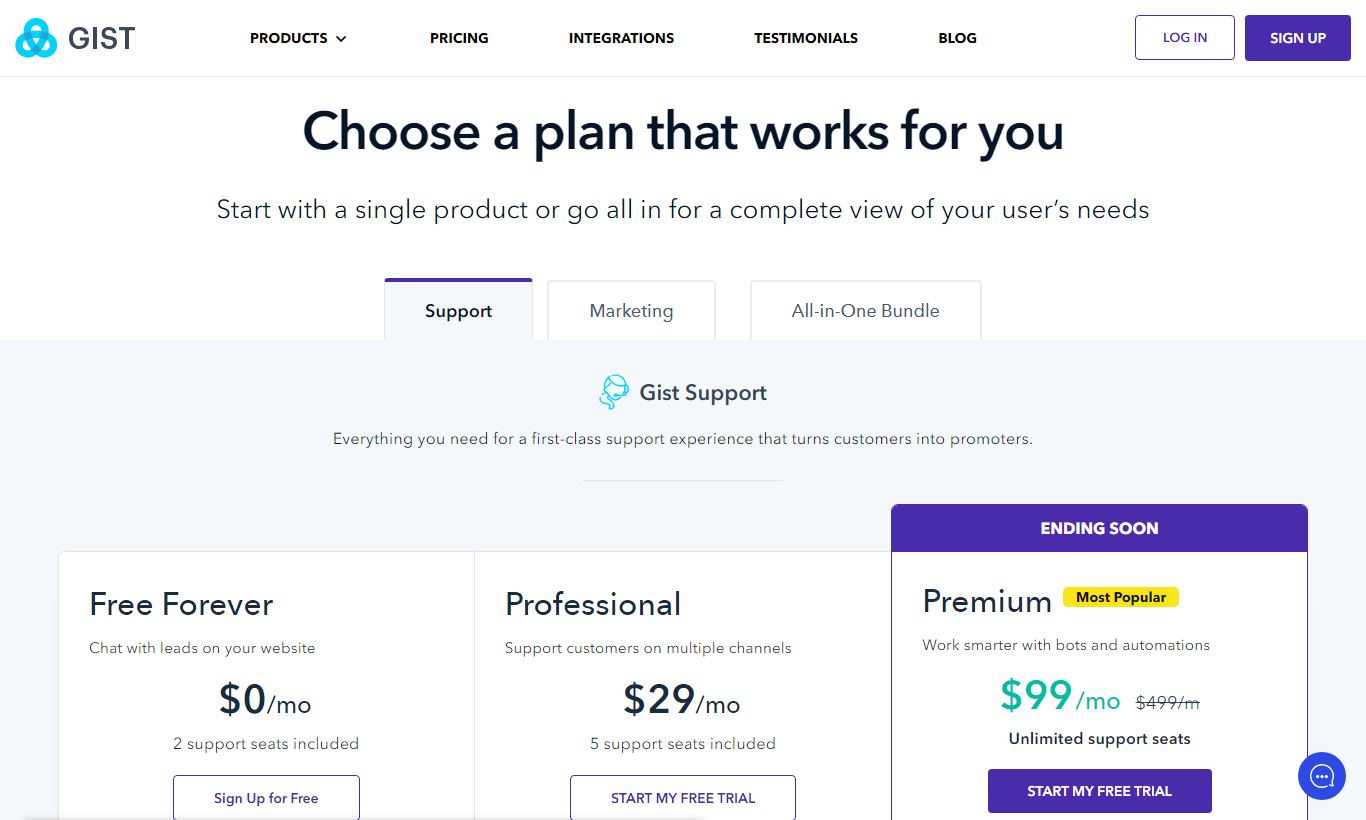
Gist uses a contact-based pricing model with a generous free tier. Here's how the plans break down:
- Free: $0/month. Up to 200 contacts, unlimited email sends, live chat (1 seat), basic automation, and the knowledge base. It's genuinely useful for very early-stage projects or testing the platform.
- Starter: $19/month (billed monthly), or approximately $15/month billed annually. Up to 1,000 contacts, full automation builder, A/B testing, chatbots, 2 team seats, and help desk. This is the sweet spot for solo founders and very small teams.
- Professional: $29/month (billed monthly) for 1,000 contacts, scaling upward with contact count. Adds event tracking, custom bot flows, more team seats, and priority support. Suited for growing SaaS companies with product analytics needs.
- Premium / Business: Custom pricing for larger lists (10,000+ contacts). Includes dedicated onboarding, SLA support, and advanced customization. Contact Gist for enterprise quotes.
As your contact list grows, pricing increases in tiers. For example, 5,000 contacts costs more than 1,000, which is standard in the industry. Gist stays competitive at most tiers compared to Intercom or HubSpot, both of which charge significantly more at equivalent feature levels. All paid plans come with a 14-day free trial, and you don't need a credit card to start.
What We Love
- All-in-one consolidation at honest pricing: Replacing Intercom, Drip, and a basic help desk with a single $19 - $29/month subscription is a real, measurable cost saving for bootstrapped teams.
- Visual automation builder with solid branching logic: Multi-branch workflows with event-based triggers, goal conditions, and time delays perform on par with dedicated automation tools costing 3 - 4x more.
- Behavioral email automation tied to product events: The JavaScript SDK event tracking means SaaS companies can fire in-app behavioral triggers directly into automation workflows, a capability usually reserved for more expensive platforms.
- Unified Inbox that genuinely reduces context switching: Chat, email replies, and bot conversations all show up in one queue, with full contact history visible in the right panel during every conversation.
- Generous Free plan for early validation: Up to 200 contacts with access to core features (live chat, automation, and the knowledge base) gives early-stage founders a real platform to test with, not just a crippled demo.
Watch Out For
- Thin email template library: The built-in template selection is limited compared to Mailchimp or Klaviyo. Teams without a designer or HTML skills may find email creation more time-consuming than they expect.
- Reporting lacks depth for data-driven teams: Campaign analytics cover the basics (opens, clicks, unsubscribes), but advanced attribution reporting, revenue tracking, and funnel analytics are either missing or surface-level. That's a real gap if analytics drive your email strategy.
- UI inconsistencies between modules: A common complaint among users is that the chat, email, and help desk sections feel slightly mismatched in design. It's the kind of thing you see in a platform that grew by bolting on features over time rather than building from one unified design system.
- Contact limits can escalate pricing unexpectedly: If your list grows faster than expected, you can move through pricing tiers quickly. Teams with rapidly scaling lists should map out 12-month contact projections before committing to annual billing.
Who Is It Best For?
The bootstrapped SaaS founder with 500 - 5,000 users: This is Gist's core customer. If you're running a SaaS product and currently paying separately for Intercom (chat), Drip or ConvertKit (email), and maybe Freshdesk (support), Gist can consolidate all three at a lower combined cost. The event tracking SDK earns its keep here. You can trigger onboarding sequences, feature adoption emails, and churn-prevention workflows straight from user behavior inside your product.
A digital marketing agency or consultant managing client communications: Gist's multi-inbox setup and automation templates let an agency build reusable workflows across client accounts. The help desk doubles as a client communication portal for smaller engagements. At $19 - $29/month, the overhead is easy to absorb into retainer pricing.
A small e-commerce brand or content creator with under 5,000 subscribers: If your needs are behavioral email sequences, a live chat widget on your site, and a simple FAQ knowledge base, Gist covers all three without making you pay for features you'll never use. It won't match Klaviyo's e-commerce depth (no native Shopify revenue analytics), but for volume under 5,000 contacts, the numbers still work in your favor.
How Does It Compare?
Gist vs. Intercom: Intercom is the gold standard for product-led live chat and in-app messaging, but it starts at $74/month for basic features and climbs steeply from there. Gist replicates roughly 70-80% of Intercom's core functionality at a fraction of the price. That makes it a real option for pre-Series A startups watching their budget. See our full Gist vs Intercom breakdown.
Gist vs. ActiveCampaign: ActiveCampaign leads on pure email marketing power, with deeper automation, better A/B testing, and stronger reporting. It doesn't include live chat or a help desk natively, though. If email is your primary channel and you don't need chat, ActiveCampaign is the stronger tool. If you want a broader communication stack, Gist wins on value. Check out our Gist vs ActiveCampaign comparison for a feature-by-feature breakdown.
Final Verdict
Gist is one of the more honest value propositions in the crowded email marketing and customer communication space. It doesn't try to be everything to everyone. It's built for a specific user: a small, technical, growth-focused team that needs a full communication stack without enterprise complexity or enterprise pricing. The automation builder is genuinely powerful, the unified inbox is a daily quality-of-life improvement, and the free plan is one of the most usable on the market.
The limitations are real but predictable. You'll miss depth in reporting, you'll occasionally notice the seams between modules, and your email templates will need more effort than with a dedicated ESP. If those tradeoffs fit your situation, and for a lot of early-stage SaaS founders and small digital teams, they will, Gist earns a confident recommendation. Start with the free plan, test your automations, and upgrade when the list demands it.
Try Gist Free →FAQ
How much does Gist cost per month?
Gist offers a Free plan for up to 200 contacts, a Starter plan at $19/month, and a Professional plan starting at $29/month for 1,000 contacts. Pricing scales with contact count, and every paid plan comes with a 14-day free trial. No credit card required.
Does Gist have a free plan?
Yes. Gist's Free plan supports up to 200 contacts and includes live chat (1 seat), basic email automation, and a knowledge base. It's genuinely usable for early-stage projects, not some stripped-down demo meant to push you toward a paid tier.
Is Gist good for email marketing?
Gist works well as an email marketing tool for SaaS companies and small digital businesses, especially if you also need live chat and automation baked in. Its visual automation builder and behavioral event tracking stand out. It doesn't match the template depth or reporting sophistication you'd get from dedicated ESPs like Mailchimp or ActiveCampaign, though.
How does Gist compare to Intercom?
Gist replicates most of Intercom's core live chat and messaging features at roughly 20 to 30% of the cost. Intercom looks more polished and digs deeper into product analytics, but for pre-Series A SaaS companies, Gist delivers an 80% solution for a fraction of the price.
Is Gist worth it for a small business?
If you currently pay for separate email marketing, live chat, and help desk tools, Gist is almost certainly worth it. Consolidating three tools into one at $19 to $29/month cuts costs and cuts the hassle of managing multiple systems. SaaS businesses with in-app event tracking needs get the most value out of it.
Does Gist integrate with third-party apps?
Yes. Gist integrates natively with Zapier (which opens up 1,000+ app connections), WordPress, Shopify, Stripe, Segment, Google Tag Manager, and several CRMs. Its JavaScript SDK also lets you build custom integrations for web apps. The native integration list is shorter than HubSpot's, but Zapier fills most of the gaps.
What is Gist's automation like compared to ActiveCampaign?
Gist's visual automation builder handles branching logic, event triggers, and multi-channel actions without much trouble. ActiveCampaign still pulls ahead with more advanced conditional logic, deeper CRM automation, and better split-testing. For most small teams, Gist's automation does the job, and costs a lot less.
Can I use Gist for customer support?
Yes. Gist includes a built-in help desk with ticket management and a hosted knowledge base. It fits teams handling light-to-moderate support volume well. Once support volume climbs, you'd likely outgrow it and want a dedicated tool like Zendesk or Freshdesk.
We may earn a commission when you click affiliate links. This never affects our editorial scores.
| Best for | Messaging and marketing automation |
| Category | Email Marketing |
Answer a few quick questions and we'll match you to the best tool for your needs.
→ Suggest a Tool