
Squarespace Review 2026: Is It Worth It?
Squarespace is a premium website builder built for creative professionals, small businesses, and entrepreneurs who want a polished, design-forward site without touching code. It starts at $16/month (billed annually) and bundles award-winning templates, built-in ecommerce, blogging, SEO tools, and scheduling into one subscription. It beats most competitors on visual quality and ease of use, though power users may balk at the customization ceiling and the higher price tag next to WordPress or Wix. If you care more about aesthetics, reliability, and a single integrated toolset than maximum flexibility, Squarespace pays off, especially on its Business and Commerce plans. You can try it free for 14 days, no credit card required.
What we love
Watch out for
Squarespace at a glance

What to test in your Squarespace trial
14-day free trial
- Design a homepage using the Fluid Engine editor with overlapping image and text blocks to test layout flexibility
- Browse 180+ templates filtered by your industry and confirm the design quality matches your brand standards
- Test Acuity Scheduling by embedding a booking flow on your site (if you're a service business)
- Try switching to a different template mid-project to see if rebuilding content layout is acceptable for your workflow
Quick Verdict
Squarespace has earned its reputation as the most design-conscious website builder on the market. Freelancers, creative agencies, restaurants, and small retailers who want a site that looks like a professional studio built it, without hiring one, get exactly that from Squarespace. Its Fluid Engine editor, deep template library, and built-in ecommerce and scheduling tools make it one of the most complete all-in-one platforms available at its price range.
Looking best doesn't guarantee it's the best fit for every business. Squarespace's closed ecosystem, weekend support gaps, and 3% transaction fee on its Business plan are real friction points, and power users and high-volume sellers will feel them. Developers, high-SKU retailers, and businesses running on a CRM-heavy tech stack will hit its ceiling fast. Everyone else can use the 14-day free trial to find out if it clicks.
Start Your Free Trial →What is Squarespace?
Squarespace was founded in 2003 by Anthony Casalena out of his University of Maryland dorm room. It has since grown into a publicly traded company (NYSE: SQSP) serving millions of websites worldwide. The platform runs on a simple premise: beautiful, functional websites shouldn't require technical skill to build. It's a fully hosted SaaS platform, so Squarespace handles servers, security, software updates, and SSL certificates. You just build and publish. Its core audience spans creative professionals (photographers, designers, musicians), service businesses (consultants, coaches, salons), and small-to-mid-sized ecommerce operations.
Over the past few years, Squarespace has pushed well past pure website building. Its 2019 acquisition of Acuity Scheduling added a genuinely capable appointment booking engine. Its proprietary Email Campaigns product turned it into a lightweight marketing hub. The 2022 launch of the Fluid Engine editor gave it a competitive drag-and-drop layout system. Squarespace now calls itself a complete "online presence platform" rather than a simple site builder, and for a lot of small business use cases, it lives up to that claim.
Key Features
Feature Checklist
Fluid Engine: The Drag-and-Drop Editor
Squarespace's Fluid Engine, rolled out to replace the older legacy editor, is a significant step forward for the platform. It runs on a responsive grid system that lets you place, resize, and overlap content blocks (text, images, video, buttons) with genuine freeform flexibility. Unlike the older editor's rigid section-based constraints, Fluid Engine lets a yoga studio owner, for example, create an overlapping hero image with a floating booking button and staggered testimonial cards without touching CSS. The learning curve is gentle. New users typically have a working page layout within an hour. Power users who want pixel-level control can layer in custom CSS, though that stays an optional step rather than a requirement.
Template Library and Design System
Squarespace's 180+ templates are consistently praised as the most polished in the website builder category, and that reputation holds up under scrutiny. Templates are organized by industry (portfolio, restaurant, wedding, ecommerce, blog), and every one is fully mobile-responsive out of the box. Squarespace's design system also enforces typographic and color consistency across your whole site. Change a font or palette in your Global Styles panel, and every page updates instantly. This prevents the "Frankenstein effect" common on more open platforms, where individual pages drift visually over time. The catch: once you launch on a template, switching to a different one means rebuilding your layout from scratch. Your content doesn't migrate cleanly between templates.
Ecommerce and Commerce Tools
Squarespace's ecommerce capabilities are credible for small-to-mid-volume retail. On the Business plan, you can sell unlimited physical, digital, or service products, though a 3% transaction fee applies to every sale. Upgrading to Commerce Basic ($28/month) removes that fee and adds customer accounts, POS via a Square card reader, and on-domain checkout. Commerce Advanced ($52/month) layers in abandoned cart recovery emails, subscription and recurring product selling, advanced shipping rules, and gift cards. A boutique clothing store doing $5,000/month in revenue, for example, would save $150/month in transaction fees alone by upgrading from Business to Commerce Basic. That makes the $5/month difference an easy call. Where Squarespace ecommerce falls short is depth. There's no multi-currency selling without workarounds, limited B2B pricing options, and no native marketplace selling (Amazon, eBay sync, for instance).
Acuity Scheduling Integration
One of Squarespace's most underrated differentiators is its native integration with Acuity Scheduling, a booking platform Squarespace acquired and built deeply into its ecosystem. Service businesses can embed a full booking flow directly into their site. Clients pick a service, choose a time slot, fill out intake forms, and pay a deposit, all without leaving the page. A personal trainer, for instance, can offer 30-minute consultation slots, block off personal time in a connected Google Calendar, send automated reminder emails, and collect a $50 deposit at booking, all configured within Squarespace without a single third-party plugin. Acuity as a standalone product costs up to $45/month. A simplified version comes bundled into Squarespace's subscription, adding real value for service-based businesses.
SEO and Marketing Tools
Squarespace handles the foundational SEO requirements well. It auto-generates XML sitemaps, produces clean and customizable URL structures, supports Open Graph tags for social sharing, and includes per-page meta title and description fields. An SEO checklist inside the dashboard walks new users through key setup steps, a thoughtful touch for non-technical site owners. The platform also integrates with Google Search Console directly from settings. Where it lags behind dedicated SEO tools is content-level optimization. There's no built-in keyword analysis, readability scoring, or structured data schema generator comparable to Yoast on WordPress. For content-heavy sites trying to compete in dense SERPs, this gap is noticeable. Email Campaigns, Squarespace's built-in email marketing module, starts at a small add-on fee and supports branded newsletters with solid open-rate analytics, though it lacks the advanced automation sequences that Mailchimp or Klaviyo provide.
Pricing
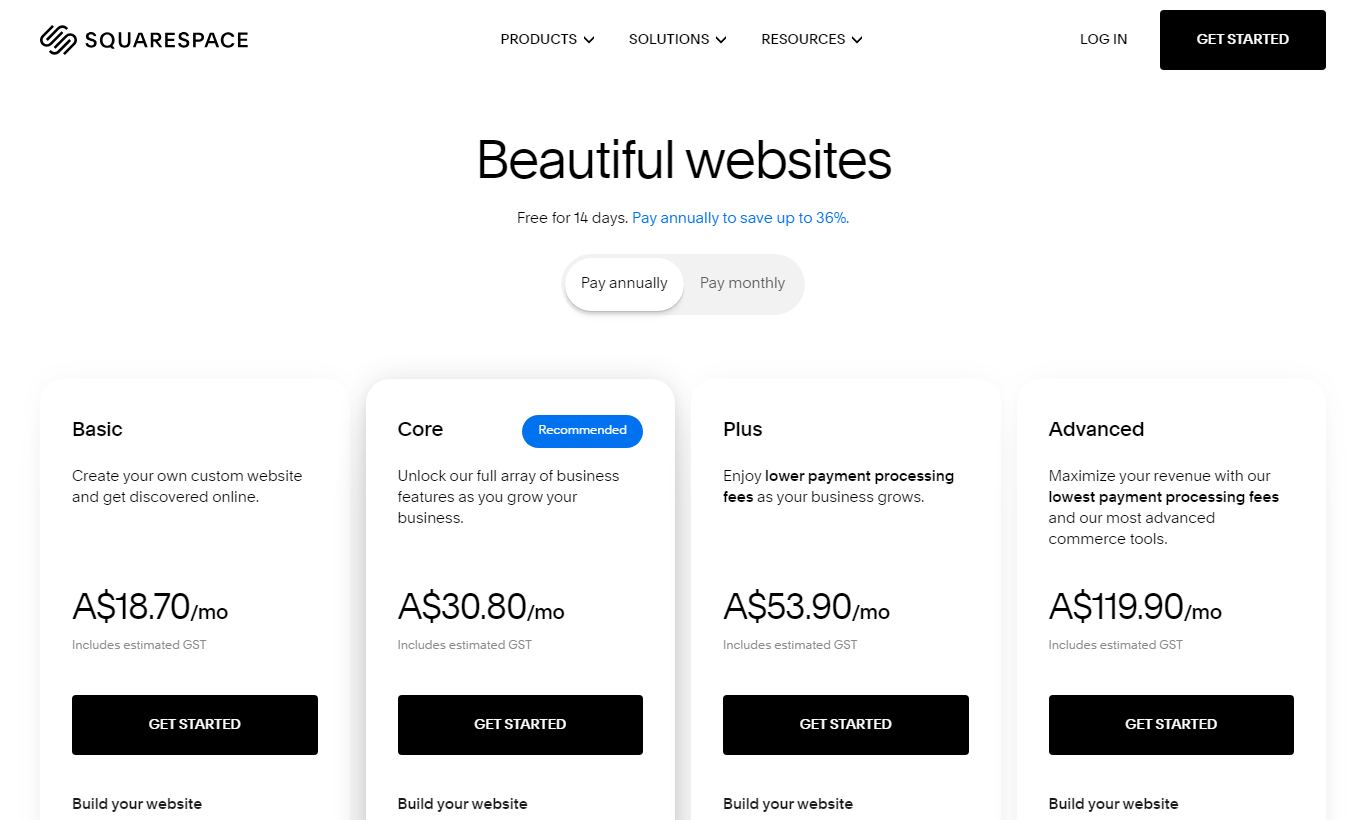
Squarespace offers four paid plans, all billed monthly or annually. Annual billing saves 30 to 40% depending on the tier, and Squarespace often runs promotional discounts, typically 10 to 20% off for first-year subscribers.
- Personal ($16/month annual, $23/month monthly): Best for pure content or portfolio sites. Includes unlimited pages, a free domain for one year, SSL, and basic analytics. Limited to 2 contributors, and it excludes ecommerce functionality and professional email.
- Business ($23/month annual, $33/month monthly): Adds fully integrated ecommerce with unlimited products, Google Workspace email, promotional pop-ups, advanced analytics, and unlimited contributors. It does apply a 3% transaction fee on all sales.
- Commerce Basic ($28/month annual, $36/month monthly): Drops the transaction fee and adds POS, customer accounts, product reviews, and on-domain checkout. This is the tier to pick if you're actively selling online.
- Commerce Advanced ($52/month annual, $65/month monthly): Adds abandoned cart recovery, subscription products, advanced discounts, gift cards, and Commerce APIs for deeper integrations. Best for stores scaling past $10K a month in revenue.
Every plan comes with a 14-day free trial, no credit card required. Email Campaigns is a paid add-on starting around $7/month for up to 500 emails. Acuity Scheduling is bundled at a basic level into Business and Commerce plans. Advanced Acuity features need a separate Acuity subscription.
What We Love
- Template quality that holds up under scrutiny: Squarespace's 180+ templates aren't just pretty previews. They hold their visual cohesion across device sizes, and the global design system keeps multi-page sites looking intentional instead of cobbled together.
- Zero-plugin infrastructure: Hosting, SSL, CDN, ecommerce, blogging, analytics, and scheduling are all native. For a solo entrepreneur or small team, never having to troubleshoot a plugin conflict or a failed WordPress update feels like a genuine relief.
- Fluid Engine's freeform grid layouts: The 2022 editor overhaul gave Squarespace a layout tool that finally matches the design ambitions its templates set. Overlapping elements, asymmetric grids, and image-text interplay that used to require a developer are now drag-and-drop.
- Acuity Scheduling bundled at no extra cost: For service businesses, getting a full appointment booking engine, with intake forms, calendar sync, and payment collection, baked into the subscription saves real money compared to assembling the same stack separately.
- Commerce Advanced abandoned cart recovery: Automated recovery emails sent to customers who leave mid-checkout can recoup 5 - 15% of otherwise lost revenue. It's a feature usually reserved for platforms charging twice as much.
Watch Out For
- Support is email-only on weekends: Live chat only runs Monday through Friday. If your site goes down on a Saturday morning before a launch, you're stuck submitting a ticket and waiting for a reply. For business-critical sites, that's a real operational risk.
- Switching templates means rebuilding, not swapping: Plenty of users find out mid-project, or after launch, that moving to a different template forces them to rebuild page layouts from scratch. Your text and images carry over, but the positioning, spacing, and design choices don't. It's one of the most common complaints on Squarespace's user forums.
- The 3% transaction fee hits Business plan sellers hard: It's easy to overlook this when you're just launching. At $2,000/month in sales, you're handing Squarespace $60 a month, money that disappears the moment you upgrade to Commerce Basic for just $5 more per month. New sellers should run these numbers before picking a plan.
- The integration list is thinner than rivals offer: Squarespace has around 30 native extensions. Wix's App Market has hundreds, and WordPress plugins number in the thousands. If your business depends on a specific CRM, ERP, or marketing tool, check that it's supported before you commit.
Who Is It Best For?
The creative freelancer or portfolio-driven professional: A photographer, graphic designer, or architect who needs a visually immaculate portfolio that doubles as a client inquiry funnel will find Squarespace hard to beat. The Personal or Business plan gives them a magazine-quality site, a contact form, and a blog for case studies, all without managing a server or hiring a developer. The design constraints that frustrate power users actually work as guardrails here. They stop layouts from drifting into inconsistency over time.
The local service business with appointment-based revenue: A wellness studio, consulting practice, hair salon, or personal trainer who needs online booking, a clean service menu, client intake forms, and payment collection will get exceptional value from the Business or Commerce Basic plan. The bundled Acuity integration handles the entire client journey, from discovery to booking to reminder email, inside a single subscription that costs less than most standalone scheduling tools alone.
The small ecommerce brand under 500 SKUs: A boutique retailer selling handmade goods, a food brand selling direct-to-consumer, or a creator selling digital downloads will find Commerce Basic or Advanced a capable and better-looking alternative to platforms like Shopify's base tier, especially if brand presentation sets you apart. Above a few hundred SKUs, or if you need multi-warehouse inventory, advanced B2B pricing, or marketplace sync, the platform's limitations start to matter more.
How Does It Compare?
Squarespace vs. Wix: Wix offers more layout freedom and a larger third-party app ecosystem, but its templates feel less unified and its ecommerce tools lag behind Squarespace's Commerce plans. Wix's free plan makes it more accessible for hobbyists. Squarespace wins on design quality and integrated scheduling. See our full Squarespace vs Wix breakdown.
Squarespace vs. Shopify: Shopify is the go-to choice for serious ecommerce operations. Its inventory management, multi-channel selling, and app ecosystem are hard to beat at scale. Squarespace's Commerce plans hold up well for small stores, but they can't match Shopify's depth once a business clears roughly $20K a month in revenue. Squarespace wins on site design and content publishing. Shopify wins on ecommerce infrastructure. See the full Squarespace vs Shopify comparison.
Final Verdict
Squarespace in 2026 is a mature, well-rounded platform that delivers on its core promise: beautiful websites that anyone can build and maintain. For creative professionals, service businesses, and small ecommerce brands, it cuts out a huge amount of technical overhead while producing results that would cost thousands of dollars to replicate with a custom-coded site. The Fluid Engine editor, bundled Acuity Scheduling, and zero-transaction-fee Commerce plans are all genuine competitive strengths.
The weak spots are real too: limited integrations, weekend support gaps, no template-switching flexibility, and transaction fees on the Business plan. You should test these against your specific workflow before committing. The 14-day free trial is genuinely useful for this. Build a few pages, test the ecommerce flow, and connect your key tools. If everything fits, Squarespace will serve you well. If you hit a wall, it's better to find out during the trial than after a year-long subscription.
Try Squarespace Free →FAQ
How much does Squarespace cost per month?
Squarespace plans start at $16/month (Personal, billed annually) and go up to $52/month (Commerce Advanced, billed annually). Month-to-month billing is available but costs a lot more, $23 to $65/month depending on the plan. A 14-day free trial requires no credit card.
Does Squarespace have a free plan?
No, Squarespace doesn't offer a permanent free plan. It does provide a 14-day free trial on all plans with no credit card required, so you get full access to test templates, add content, and explore features before you commit.
Is Squarespace better than WordPress?
Squarespace is easier to use and needs no plugin management or hosting setup, which makes it better for beginners and creatives. WordPress offers far greater customization, a bigger plugin ecosystem, and lower long-term costs at scale. Pick Squarespace for simplicity and design quality. Pick WordPress if you need deep technical control. See our full Squarespace vs WordPress comparison.
Is Squarespace good for ecommerce?
Squarespace works well for small-to-mid-volume ecommerce. Commerce Basic ($28/month) removes transaction fees and adds POS and customer accounts. Commerce Advanced ($52/month) adds abandoned cart recovery and subscriptions. It's not the right fit for large catalogs or complex B2B stores. Shopify handles that scale better.
Does Squarespace charge transaction fees?
Yes, but only on the Business plan, which applies a 3% transaction fee on all sales. Upgrading to Commerce Basic or Commerce Advanced removes this fee entirely. If you're selling any real volume, Commerce Basic at $28/month usually pays for itself quickly through the fees you save.
Can I use my own domain with Squarespace?
Yes. All Squarespace plans include a free custom domain for the first year. After that, domain renewal typically costs $20 to $70/year depending on the extension. You can also connect a domain you already own from any registrar at no extra charge.
Is Squarespace worth it for small businesses?
For most small businesses, especially service providers, photographers, restaurants, and boutique retailers, Squarespace offers strong value. The all-in-one model cuts out the cost and hassle of managing separate hosting, plugins, and design tools. The Business plan at $23/month is the most popular entry point for commercial use.
What is the best Squarespace plan?
Commerce Basic at $28/month is the best plan for most businesses selling online, since it removes transaction fees and adds POS and customer accounts. For pure content or service sites with no ecommerce, the Business plan at $23/month offers the best feature-to-price ratio.
We may earn a commission when you click affiliate links. This never affects our editorial scores.
| Best for | — |
| Category | — |
Answer a few quick questions and we'll match you to the best tool for your needs.
→ Suggest a Tool