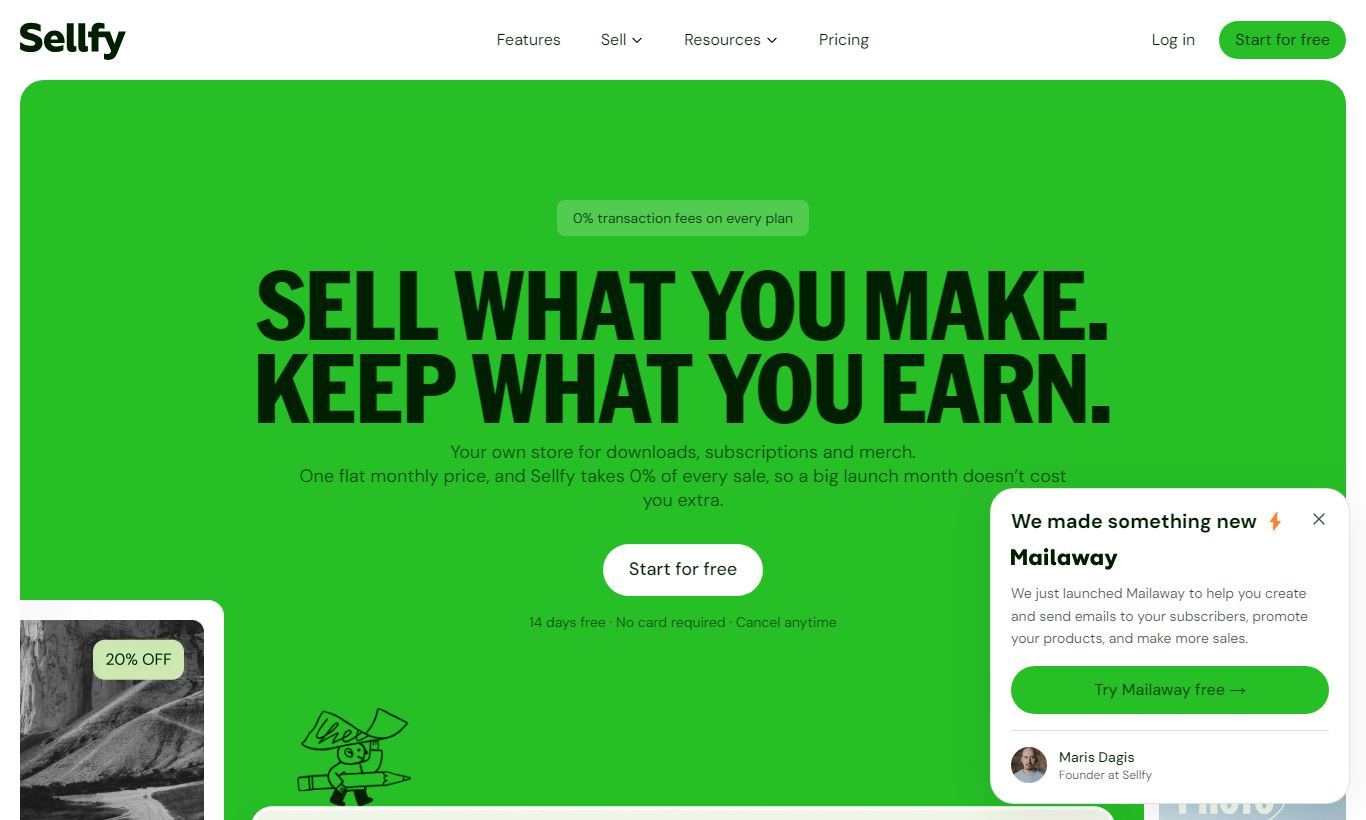
Sellfy is a hosted ecommerce platform built for creators selling digital products, physical goods, and subscriptions. Plans start at $29/month, and the package covers a storefront, product delivery, email marketing, and print-on-demand, all without needing a separate website. Sellfy earns strong marks for zero transaction fees on paid plans and a clean onboarding experience. It falls short on advanced customization: storefronts are limited compared to Shopify, and the analytics suite won't satisfy data-heavy teams. For a digital-first creator who wants to go from idea to first sale in under an hour, Sellfy is one of the more focused tools on the market. Larger operations or businesses needing deep integrations will outgrow it fast. Overall rating: 4.1/5.
What we love
Watch out for
Sellfy at a glance
What to test in your Sellfy trial
14-day free trial
- Upload a digital product file and test the download link, PDF stamping, and download limits
- Design and configure a print-on-demand product to see markup options and production workflow
- Create an embeddable buy button and embed it on a WordPress or external website to test checkout
- Set up a post-purchase email sequence and a basic newsletter to your past buyer list
- Build a subscription or recurring product and test how billing frequency and automation work
- Before trial ends, decide if the revenue cap on your plan tier will constrain your growth in the next 12 months
Quick Verdict
Sellfy is built for creators who want to sell digital downloads, physical products, and subscriptions without stitching together a dozen different tools. If you've ever tried to sell an ebook or a design template through a general-purpose platform and spent more time on setup than on creating, Sellfy fixes that problem. You get a storefront, secure file delivery, email marketing, and print-on-demand capabilities in one monthly subscription. And every paid plan comes with zero transaction fees.
The honest caveat: Sellfy trades depth for simplicity. Storefront customization is limited to a handful of themes and color tweaks. If you need granular analytics, abandoned cart recovery beyond the basics, or solid third-party app integrations, you'll hit a ceiling faster than you'd like. But for the solo course creator, illustrator, or musician who wants clean, fast, and reliable, Sellfy earns its price tag.
Start Your Free Trial →What is Sellfy?
Sellfy was founded in 2011 and is headquartered in Riga, Latvia. It launched as one of the earliest dedicated digital product storefronts, back when creators had little to work with beyond PayPal buttons and clunky plugins. Over the years it added physical merchandise, subscriptions, print-on-demand fulfillment, and basic email marketing, without losing the simplicity that made it popular in the first place. Today, Sellfy serves over 60,000 creators worldwide and processes millions of dollars in transactions annually.
The platform sits in the creator economy segment, competing with Gumroad, Payhip, and to a lesser extent Shopify for creators who don't need an enterprise-level storefront. Its sweet spot is the individual creator or small team that generates between $500 and $200,000 per year in revenue and wants a single, low-maintenance platform to handle everything from checkout to delivery.
Key Features
Feature Checklist
Digital Product Delivery
Sellfy's core strength is secure, automated digital delivery. You upload your file (PDF, ZIP, MP3, MP4, software license, or nearly any file format up to 10 GB per file) and Sellfy handles the rest. After a customer completes checkout, they get a time-limited, unique download link automatically. You can set a download limit per purchase (say, 3 downloads maximum) to guard against link sharing. For software sellers, Sellfy supports PDF stamping, which embeds the buyer's name and email into each downloaded file as a lightweight anti-piracy measure. That alone saves creators from needing a separate digital rights management tool.
Print-on-Demand
Sellfy's built-in print-on-demand (POD) service lets creators design and sell custom merchandise, t-shirts, hoodies, mugs, tote bags, phone cases, without holding inventory. You upload your artwork, apply it to a product mockup inside Sellfy's editor, set your retail price, and Sellfy handles production and shipping through its fulfillment partner when an order comes in. Base costs are deducted automatically from your revenue. The markup is yours to keep. For an illustrator or YouTuber wanting to monetize an audience with branded merch, this removes a huge operational burden. It's not as feature-rich as Printful's standalone platform, but the integration works smoothly since it's native to Sellfy.
Subscription & Membership Sales
Any product in Sellfy can be converted into a recurring subscription. You choose billing frequency, weekly, monthly, or annual, and set the price. Customers get charged automatically through Stripe or PayPal. This works particularly well for creators offering ongoing content libraries: a monthly subscription to a stock photo bundle, a Notion template club, or an exclusive podcast feed. Subscription management is straightforward from the seller dashboard. You can see active subscribers, pause or cancel individual subscriptions, and issue refunds. What's missing is a tiered membership portal. Sellfy doesn't yet offer a gated member area with multiple access levels the way Patreon or Memberful does.
Storefront & Embed Options
Every Sellfy account comes with a hosted storefront at a yourname.sellfy.store subdomain, with the option to connect a custom domain on all paid plans. You can customize colors, add a logo, write a store bio, and choose a layout from Sellfy's small but clean template library. More practically, every product also generates an embeddable buy button or product card that you can drop into an existing website or blog with a single line of code. That means Sellfy works equally well as a standalone store or as a checkout layer on top of a WordPress or Squarespace site, a real advantage that Gumroad also offers but many competitors don't.
Email Marketing
Sellfy includes a built-in email marketing module, no Mailchimp integration required (though one is available). You can send product update emails, newsletters, and upsell campaigns directly to your customer list from inside the dashboard. Automation is limited to a post-purchase email sequence, but for many solo creators that's enough. The list populates automatically from your buyers, so there's zero manual import friction. The editor is basic, plain text and simple HTML blocks, and power email marketers will find it constraining. But for a "new product just dropped" announcement to 2,000 past buyers, it works well and keeps costs down.
Discount Codes & Upsells
Sellfy supports percentage and fixed-amount discount codes with optional expiry dates and usage limits. You can also configure cart upsells, recommended products that appear at checkout, which have a measurable impact on average order value. These are available on all paid plans. One limitation: there's no native abandoned cart recovery email feature on the Starter plan. You'll need the Business plan or above for that automation.
Pricing
Sellfy offers a 14-day free trial on all paid plans with no credit card required. There's no permanent free tier. All paid plans include zero transaction fees, unlimited products, a custom domain, and basic email marketing.
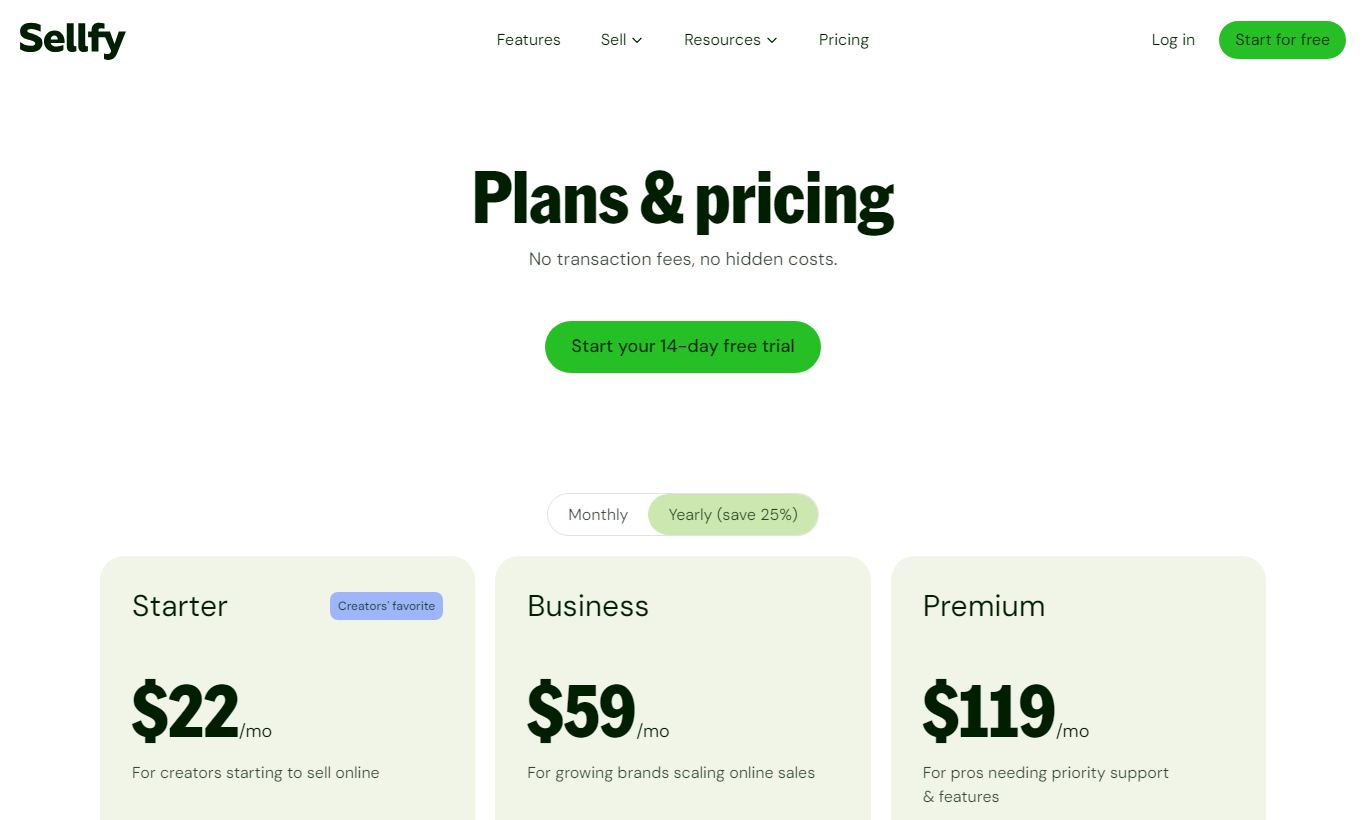
- Starter - $29/month (billed monthly) or $22/month billed annually (~$264/year). Supports up to $10,000 in annual store revenue. Includes digital, physical, and subscription products, a custom domain, and basic email marketing (up to 2,000 subscribers).
- Business - $79/month (billed monthly) or $59/month billed annually (~$708/year). Supports up to $50,000 in annual store revenue. Adds cart abandonment emails, product upselling, removes Sellfy branding, and bumps email marketing up to 10,000 subscribers.
- Premium - $159/month (billed monthly) or $119/month billed annually (~$1,428/year). Supports up to $200,000 in annual store revenue. Adds priority support, migration assistance, and email marketing up to 50,000 subscribers.
Pay attention to the revenue caps. If your store exceeds the cap for your plan tier, Sellfy will prompt you to upgrade. It's a usage-based ceiling, not a hard cutoff, but it means the Starter plan won't fit an established store doing real volume. The annual billing discount runs roughly 25%, which is a solid deal if you're committed for the long haul.
What We Love
- Zero transaction fees on all paid plans: Unlike Gumroad's 10% fee on the free tier or Payhip's 5% base rate, every cent above payment processor fees stays with you from day one of a paid Sellfy plan.
- Native print-on-demand with no third-party account needed: You design, price, and sell custom merchandise entirely within Sellfy. No Printful, no Printify, no syncing headaches.
- PDF stamping for anti-piracy: Automatically embeds buyer information into every downloaded PDF, a feature most platforms charge extra for or skip entirely.
- Embeddable buy buttons for any existing website: A single snippet turns any web page into a checkout page, making Sellfy an easy addition to an existing content site without a full platform migration.
- 14-day free trial with no credit card required: You can build a store, upload products, and test the checkout flow before spending a single dollar. That's a genuinely low-risk way to start.
Watch Out For
- Revenue caps create forced upgrade pressure: The $10K annual cap on Starter is tight for any creator with a modest audience. One successful launch can push you into the $79/month Business tier faster than you'd like.
- Storefront customization is genuinely limited: There are only a handful of themes, no drag-and-drop page builder, and no blog functionality. If brand presentation matters to your business, Shopify or Squarespace Commerce will serve you better.
- Analytics are surface-level: You get revenue totals, product views, and conversion rates, but there's no cohort analysis, no geographic breakdown beyond the basics, and no customer lifetime value tracking. Marketers who live in dashboards will find this thin.
- App marketplace is thin: Sellfy's integration ecosystem covers a handful of tools (Mailchimp, Google Analytics, Facebook Pixel, Zapier). Compared to Shopify's 8,000+ app store, businesses with complex tech stacks may hit a wall here.
Who Is It Best For?
The independent digital creator with an existing audience. Picture a graphic designer with 5,000 newsletter subscribers launching a Procreate brush pack, or a fitness coach selling a PDF training program. These users need fast, reliable checkout and delivery, not a sophisticated storefront. Sellfy's setup time of under 60 minutes and zero transaction fees make it the cheapest entry point around.
The YouTuber or influencer adding merchandise to their revenue mix. A content creator with a loyal following who wants to sell branded hoodies and mugs without managing a warehouse will find Sellfy's native print-on-demand integration far simpler than coordinating a Shopify plus Printful stack. Revenue stays in one dashboard, and order fulfillment runs on its own.
The educator or coach selling recurring content. Someone running a monthly stock asset subscription, a recurring Notion template bundle, or a paid newsletter archive gets real value from Sellfy's subscription billing paired with its digital delivery. The automatic recurring charge via Stripe or PayPal, plus the ability to update product files without re-sending links, keeps an ongoing content business running without extra hassle.
How Does It Compare?
Sellfy vs. Gumroad: Gumroad's free tier looks appealing, but the 10% transaction fee on that plan chips away at revenue fast. Sellfy charges zero transaction fees on all paid plans and builds print-on-demand right in, something Gumroad doesn't offer. For creators pulling in more than a few hundred dollars a month, Sellfy's $29/month Starter plan almost always costs less overall. Check our full Sellfy vs Gumroad breakdown for a head-to-head look.
Sellfy vs. Shopify: Shopify remains the top choice for physical product stores at scale. It has a massive app ecosystem and deep customization options. But digital-first creators need third-party apps just to handle file delivery, and print-on-demand isn't built in, which adds cost and hassle. Sellfy wins on simplicity and total cost for creators. Read our Sellfy vs Shopify comparison for the full feature audit.
Final Verdict
Sellfy isn't trying to be everything to everyone, and that restraint is its biggest asset. For creators who want to sell digital products, subscriptions, or print-on-demand merch with minimal operational overhead, it delivers a clean, reliable, and honestly priced solution. The 14-day free trial, zero transaction fees, and native POD integration remove three of the most common friction points new sellers face. The revenue caps, thin analytics, and limited storefront customization are real constraints, but they reflect deliberate product focus rather than neglect.
If you're a creator generating under $200,000/year from digital or merchandise sales and you want a single platform that handles checkout, delivery, subscriptions, and email in one dashboard, Sellfy is worth serious consideration. If you're running a high-volume physical goods operation, need a custom-built brand experience, or depend on deep integrations with your marketing stack, look at Shopify or BigCommerce instead.
Try Sellfy Free →FAQ
Does Sellfy charge transaction fees?
No. Sellfy charges zero transaction fees on all paid plans (Starter, Business, and Premium). You only pay standard payment processor fees from Stripe or PayPal, typically 2.9% + $0.30 per transaction.
How much does Sellfy cost per month?
Sellfy's Starter plan costs $29/month (or $22/month billed annually). Business is $79/month ($59/month annually), and Premium is $159/month ($119/month annually). A 14-day free trial is available on all tiers with no credit card required.
Is Sellfy good for selling digital products?
Yes. Digital product delivery is what Sellfy does best. It supports files up to 10 GB, unique download links, download limits, and PDF stamping for anti-piracy. It's one of the easiest platforms to use for ebooks, templates, music, software, and courses.
Can I use Sellfy with my existing website?
Yes. Sellfy generates embeddable buy buttons and product cards that work on any website, including WordPress, Squarespace, Wix, and static HTML sites. You don't need to migrate your site. Sellfy can act purely as a checkout and delivery layer.
Sellfy vs Gumroad: which is better?
For creators earning more than a few hundred dollars per month, Sellfy's paid plans are usually more cost-effective than Gumroad's free tier, which charges 10% per transaction. Sellfy also includes native print-on-demand and stronger subscription billing. Gumroad has a lower barrier to entry for absolute beginners with zero upfront cost.
Does Sellfy have a free plan?
No, Sellfy does not offer a permanent free plan. It offers a 14-day free trial on all paid plans without requiring a credit card. After the trial, you must choose a paid tier starting at $29/month.
What are Sellfy's revenue caps?
Sellfy's Starter plan supports up to $10,000 in annual store revenue. Business supports up to $50,000, and Premium supports up to $200,000. If you exceed your plan's cap, Sellfy prompts you to upgrade to the next tier.
Is Sellfy worth it for print-on-demand?
For creators who also sell digital products, yes. Sellfy's native POD integration removes the need for a separate Printful or Printify account. For sellers whose entire business is print-on-demand merchandise at scale, a dedicated POD platform may offer more product variety and better base pricing.

We may earn a commission when you click affiliate links. This never affects our editorial scores.
| Best for | Sell products and merch online |
| Category | eCommerce |
Answer a few quick questions and we'll match you to the best tool for your needs.
→ Suggest a Tool