
CircleCI Review 2026: Is It Worth It?
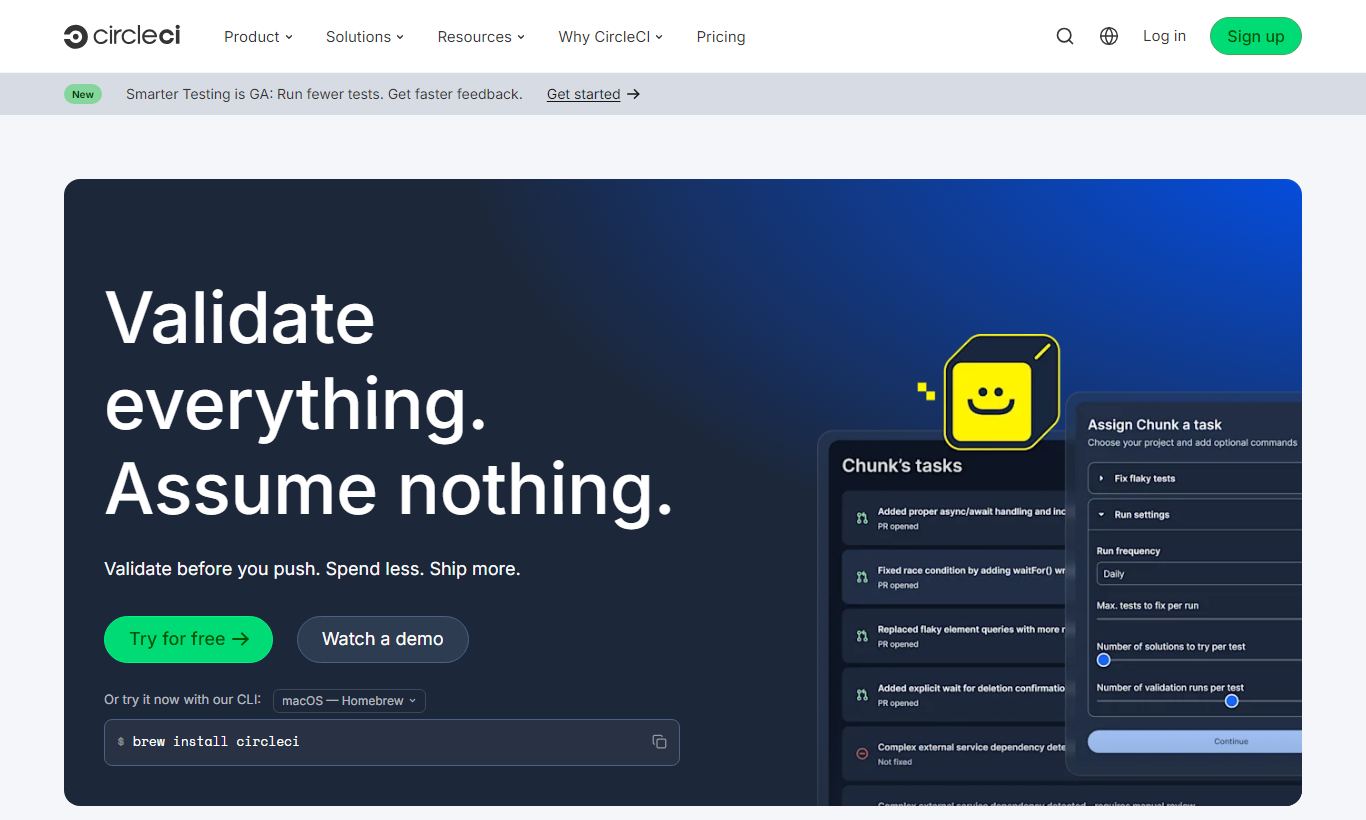
CircleCI is a cloud-native CI/CD platform that automates build, test, and deployment pipelines for software teams of any size. It supports Docker, Linux, macOS, and Windows executors, and it plugs directly into GitHub, GitLab, and Bitbucket. The Free plan covers up to 6,000 build minutes a month, which is plenty for solo developers or small open-source projects. Paid tiers start at $15 per active user per month. CircleCI's biggest strengths are its detailed pipeline configuration through YAML, strong parallelism for splitting test suites, and a large library of reusable Orbs. It isn't the cheapest option for large teams, and the YAML-first setup takes time to learn if you're new to CI/CD. Still, it's a solid pick for engineering teams that want tight control over their pipelines without running their own infrastructure.
What we love
Watch out for
Circleci at a glance
What to test in your Circleci trial
Free plan
- Connect your GitHub/GitLab/Bitbucket repo and trigger a test pipeline using config.yml
- Set up test splitting across 3-4 parallel jobs and measure how much faster your test suite runs
- Explore the Orbs registry and swap one custom pipeline script for a reusable Orb command
- Spin up different resource classes (small, medium, large) on separate jobs to compare credit burn rates
- Check the Insights dashboard for your workflow's flakiness rate, mean duration, and throughput trends
Quick Verdict
CircleCI is one of the most mature and capable cloud CI/CD platforms on the market. If your team ships code frequently and needs a reliable, highly configurable automation pipeline, from unit tests to production deployments, CircleCI delivers. Its YAML-based configuration gives developers surgical control over every step of the pipeline. Features like test splitting, resource classes and Orbs make it genuinely faster to iterate than most competing platforms. The Free tier is legitimately useful, not a demo.
CircleCI isn't without friction, though. New users face a steeper learning curve than they would with, say, GitHub Actions for simple projects, and compute costs can escalate quickly for teams with heavy parallelism needs. For teams that already live inside GitHub's ecosystem, the switching cost deserves honest consideration. But for organisations that need enterprise-grade pipeline reliability, advanced caching strategies, and a platform built for CI/CD rather than bolted onto a code repository, CircleCI remains a top-tier choice.
Start Your Free Trial →What is CircleCI?
CircleCI was founded in 2011 and is headquartered in San Francisco. It launched as one of the first cloud-hosted continuous integration services, back when most teams were still running Jenkins on their own servers. Today it serves tens of thousands of organizations, from scrappy startups to enterprises like Salesforce, Spotify, and PagerDuty. The platform is built for CI/CD and nothing else. It doesn't try to be a project management tool, a code repository, or a ticketing system, and that focus shows in the depth of its pipeline features.
CircleCI targets software engineering teams that deploy frequently and need a repeatable, automated path from code commit to production. It supports a wide range of languages and frameworks out of the box, including Node.js, Python, Ruby, Go, Java, and .NET, and it runs workloads in Docker containers, Linux VMs, macOS VMs, and Windows environments. Its cloud product (CircleCI.com) handles the vast majority of customers. A self-hosted Server edition is also available for teams with strict data-residency requirements.
Key Features
Feature Checklist
Pipeline Configuration with config.yml
Everything in CircleCI is defined in a single .circleci/config.yml file committed alongside your code. That means pipeline configuration lives in version control, gets reviewed in pull requests, and changes alongside your application. You can define multiple workflows, conditional job execution based on branch names or Git tags, and fan-out/fan-in patterns for running independent jobs in parallel. Here's a real-world example: a monorepo team can set up separate workflows for each service, triggering only the relevant pipeline when files in a specific directory change. That alone cuts a lot of wasted build time and compute cost.
Orbs: Reusable Pipeline Components
Orbs are shareable, versioned packages of CircleCI configuration. They work a lot like npm packages, but for your CI pipeline. The public Orb registry holds over 1,000 community and partner-authored Orbs for tools like AWS, Slack, Datadog, Snyk, Terraform, and Kubernetes. Instead of writing 40 lines of YAML to authenticate with AWS ECR and push a Docker image, you reference a single Orb command. Teams can also write private Orbs for internal standards, so every team uses the same approved deployment scripts instead of copy-pasting YAML across repositories.
Test Splitting and Parallelism
CircleCI's built-in test splitting is one of its most useful features for teams with large test suites. Set a parallelism key and you can spin up multiple containers running different subsets of your test suite at the same time. CircleCI's timing-based splitting algorithm distributes tests so each container finishes at roughly the same time, which cuts down the longest-running container, the usual bottleneck. A suite that takes 20 minutes sequentially can often drop under 4 minutes with 6× parallelism. That directly shortens the feedback loop that makes CI/CD worth having in the first place.
Resource Classes and Compute Flexibility
Not all jobs need the same hardware. CircleCI lets you assign specific resource classes to individual jobs, ranging from small (1 vCPU, 2 GB RAM) all the way to 2XL (8 vCPU, 16 GB RAM) for Docker and Linux, with GPU and Arm resource classes also available on higher-tier plans. This granularity means you can run lightweight lint and unit test jobs cheaply while saving larger machines for integration tests, Docker builds, or ML model training jobs. Few rivals match this level of per-job hardware flexibility.
Advanced Caching and Workspaces
CircleCI gives you two ways to share data between jobs: caches and workspaces. Caches persist across pipeline runs. You cache your node_modules or Maven dependencies so the next run doesn't re-download packages from scratch. Workspaces pass build artifacts between jobs within a single workflow. Your build job compiles binaries, then your test and deploy jobs pull them from the workspace without rebuilding. Together, these two features can cut pipeline run times by 40 to 70% on projects with large dependency trees or compiled build steps.
Insights Dashboard and Pipeline Analytics
The Insights dashboard surfaces per-workflow and per-job metrics: mean duration, success rate, throughput, and median queue time, all tracked over time. Engineering managers can quickly spot which pipeline is a reliability bottleneck, which jobs have the highest flakiness rate, and whether a recent refactor improved or hurt build performance. This isn't vanity data. It gives teams an evidence base for infrastructure investment decisions and SLA conversations with stakeholders.
Pricing
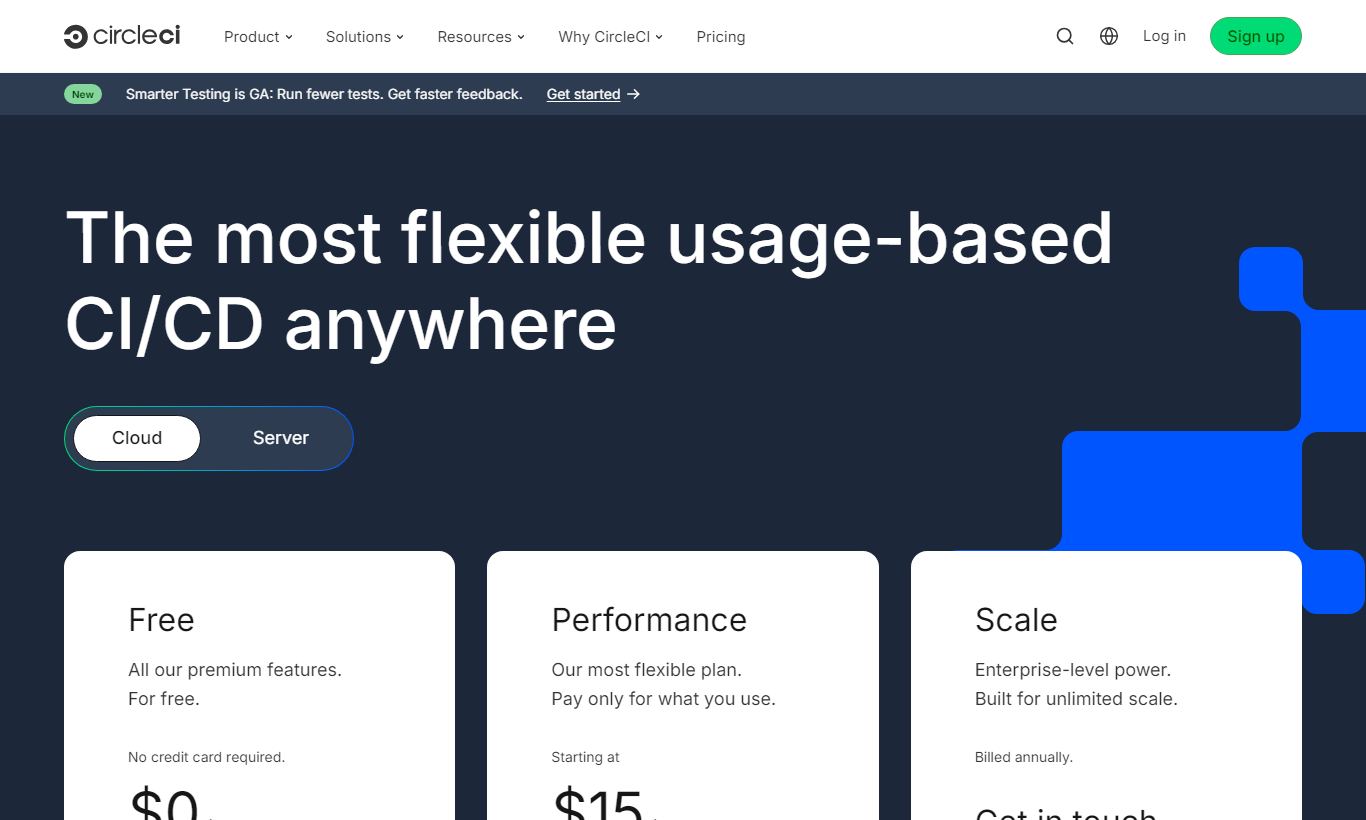
CircleCI charges based on compute credits consumed rather than a flat per-seat fee, except on the Performance plan, which combines per-user pricing with credits. Here's how each tier breaks down:
Free Plan - $0/month: Includes 6,000 free credits per week (roughly 6,000 minutes on the smallest Linux resource class), 1 concurrent job, access to Docker and Linux executors, and unlimited users. No credit card required. Good fit for individual developers and small open-source projects.
Performance Plan - from $15/month per active user: Unlocks up to 80 concurrent jobs, all resource classes (including large, XL, GPU, Arm, macOS, and Windows), faster queue times, and features like test splitting insights. Credits get consumed based on the resource class and duration of each job. Teams should budget carefully here, since a 2XL Linux machine burns through credits roughly 8x faster than a small machine.
Scale Plan - custom pricing: Built for large engineering organisations with high-volume pipeline needs. Includes volume credit discounts, a dedicated support team, custom concurrency limits, and SLA guarantees. Pricing gets negotiated directly with CircleCI's sales team.
Server (Self-Hosted) - custom pricing: A self-managed installation of CircleCI on your own infrastructure (typically Kubernetes on AWS, GCP, or Azure). Aimed at enterprises with data-residency compliance requirements. Includes all cloud features plus an admin control plane.
CircleCI doesn't publish a standard free trial for paid plans. You start on the Free tier and upgrade by adding a credit card. The free weekly credits reset every Monday and don't roll over.
What We Love
- Timing-based test splitting automatically balances test distribution across parallel containers. It routinely cuts large test suite run times by 60-80% with minimal configuration.
- Orbs ecosystem with 1,000+ reusable components eliminates repetitive YAML boilerplate and enforces consistent deployment patterns across teams and repositories.
- Per-job resource classes let you right-size compute for each individual job step, small machines for linting, large machines for Docker builds, keeping credit consumption lean.
- Insights dashboard surfaces flakiness rates, mean duration, and throughput trends per workflow, giving engineering leads actionable data instead of raw log files.
- Config versioning in
.circleci/config.ymlmeans pipeline changes go through the same code review process as application changes. That cuts down "who broke the build?" incidents by a wide margin.
Watch Out For
- YAML configuration complexity grows fast on large monorepos or complex multi-workflow setups. New users routinely spend a full day debugging indentation errors and job dependency chains before their first successful pipeline run.
- Credit consumption is hard to predict until you have real pipeline history. Teams on the Performance plan have reported bill shock in the first month when parallelism and large resource classes compound unexpectedly.
- macOS executor costs are high. macOS builds consume credits at a significantly higher rate than Linux, which makes iOS CI expensive for teams with long Xcode build times. Many teams migrate to Apple silicon self-hosted runners to offset this.
- There's no native project management or issue tracking. CircleCI is strictly a CI/CD tool, so teams that want end-to-end DevOps visibility from tickets to code to deploy still need to stitch together separate tools like Jira or Linear alongside it.
Who Is It Best For?
Mid-size SaaS engineering teams (15 - 150 engineers): teams shipping to production several times a day, who've outgrown basic GitHub Actions workflows and need granular pipeline control, reliable parallelism, and per-job compute tuning. CircleCI's Orbs make it easy to standardise deployment patterns across multiple product squads, without needing a dedicated DevOps engineer to write custom actions for every integration.
Open-source project maintainers with complex test matrices: the Free tier's 6,000 weekly credits and unlimited users make CircleCI a genuinely viable option for well-trafficked open-source projects. You can split tests across multiple language versions or OS targets without paying for a plan, and the Orb ecosystem means common tasks like publishing to npm or PyPI need barely any custom scripting.
Enterprise DevOps teams with compliance requirements: organisations in financial services, healthcare, or government that can't send source code or build artefacts through a third-party cloud service can deploy CircleCI Server on their own Kubernetes cluster instead. They get the full CI/CD feature set, plus the data-residency guarantees their security team demands. Cloud-only competitors simply can't offer that.
How Does It Compare?
vs. GitHub Actions: GitHub Actions wins on convenience for teams already on GitHub. There's zero onboarding friction and generous free minutes on public repositories. CircleCI wins on pipeline configurability, test splitting sophistication, and cross-platform executor flexibility. If your team lives entirely within GitHub and runs simple pipelines, Actions may be all you need. If you're pushing the edges of CI performance, CircleCI's focus on that problem pays off. See our full CircleCI vs GitHub Actions comparison.
vs. GitLab CI/CD: GitLab CI/CD is the stronger choice if your team hosts code on GitLab. The integrated experience, merge requests, pipelines, environments, and security scanning all in one UI, is genuinely compelling. CircleCI edges ahead on ecosystem breadth through Orbs, third-party VCS flexibility, and a deeper set of resource class options. See our CircleCI vs GitLab CI/CD breakdown for a feature-by-feature analysis.
Final Verdict
CircleCI earns its reputation as a best-in-class CI/CD platform for engineering teams that take pipeline performance seriously. Timing-based test splitting, per-job resource classes, a mature Orbs ecosystem, and actionable pipeline analytics put it ahead of most competitors once your pipeline complexity goes beyond trivial. The Free tier is genuinely useful, not a crippled demo. That makes it low-risk to test against real workloads before you commit to a paid plan.
Who should look elsewhere? Solo developers with simple projects will find GitHub Actions or Bitbucket Pipelines more approachable and cheaper. Teams already living inside the GitLab ecosystem should give GitLab CI/CD a serious look before adding another vendor. Organisations with heavy macOS build needs should model credit costs carefully before signing up, the numbers can surprise you. For everyone else, particularly mid-size SaaS teams and enterprises that need compliance-grade self-hosting, CircleCI is a well-justified choice, backed by 13 years of CI/CD focus.
Try CircleCI Free →FAQ
Is CircleCI free to use?
Yes. CircleCI's Free plan includes 6,000 credits per week (roughly 6,000 minutes on the smallest Linux resource class), 1 concurrent job, and unlimited users. No credit card is required to sign up. It's enough for individual developers and small open-source projects.
How much does CircleCI cost for a small team?
The Performance plan starts at $15 per active user per month. A team of 5 developers would pay a minimum of $75/month, plus compute credits consumed beyond the included free credits. Actual costs vary a lot based on pipeline complexity, resource classes used, and build frequency.
Is CircleCI better than GitHub Actions?
It depends on your context. GitHub Actions is more convenient for teams already on GitHub and handles straightforward pipelines fine. CircleCI is the better pick for teams that need advanced test splitting, fine-grained compute control, and cross-platform executor flexibility. CircleCI is built specifically for CI/CD. GitHub Actions is a general-purpose automation platform.
Does CircleCI support self-hosted runners?
Yes. CircleCI offers self-hosted runners (called "CircleCI Runner") on Performance and Scale plans, letting you run jobs on your own infrastructure. This helps when you need access to private network resources, want to use custom hardware, or want to cut compute credit spend on long-running jobs.
What programming languages does CircleCI support?
CircleCI supports any language that runs in a Docker container or VM. In practice, that means Python, Node.js, Ruby, Java, Go, .NET, PHP, Rust, Swift, and many more. CircleCI also provides ready-made images for the most popular languages and frameworks to speed up pipeline setup.
Is CircleCI worth it for a startup?
For early-stage startups, the Free tier is a solid starting point with no upfront cost. As the team and codebase grow, CircleCI's Performance plan pays for itself through faster feedback loops and less developer idle time. Startups that expect frequent deploys and a growing test suite tend to find the investment pays off by the time they reach 5 to 10 engineers.
How does CircleCI pricing compare to competitors?
CircleCI's Performance plan at $15/active user/month is broadly comparable to Buildkite's per-agent model and Travis CI's per-concurrent-job pricing. GitHub Actions is cheaper for teams with low build volumes because of its generous free minutes on public repos. For large organisations, CircleCI's Scale plan pricing is negotiated and can compete well with volume discounts.
Does CircleCI integrate with Slack?
Yes. CircleCI has an official Slack Orb that sends build notifications, approval requests, and deployment alerts straight to Slack channels with a few lines of YAML configuration. It's one of the most popular Orbs in the registry.
We may earn a commission when you click affiliate links. This never affects our editorial scores.
| Best for | — |
| Category | Development & DevOps |
Answer a few quick questions and we'll match you to the best tool for your needs.
→ Suggest a Tool