
Visme Review 2026: Is It Worth It?
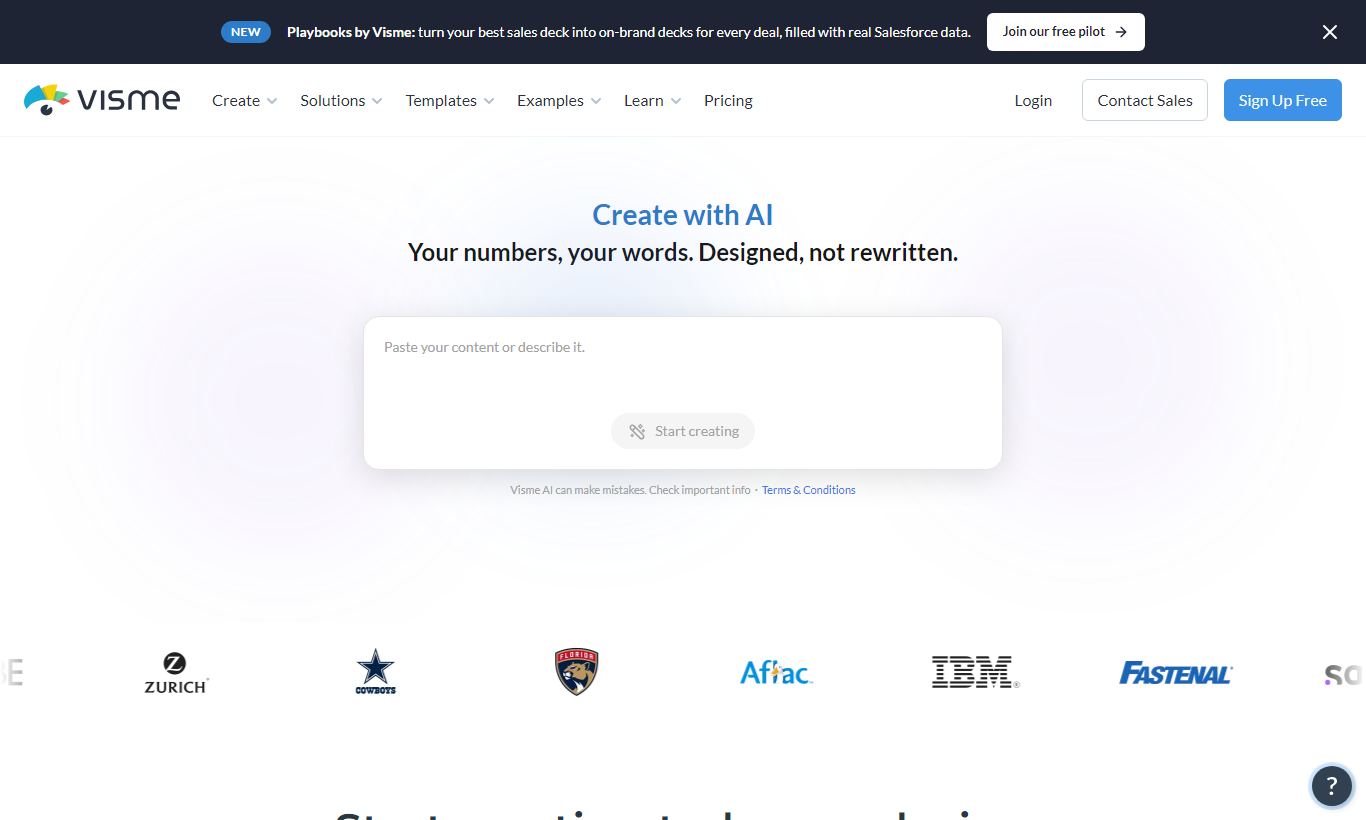
Visme is a cloud-based visual content platform built for business teams who need to produce presentations, infographics, reports, and branded social media assets without a dedicated design team. It sits between consumer tools like Canva and professional suites like Adobe Creative Cloud, offering a deep template library, real data visualization tools, and brand kit management at a mid-market price point. The free plan works, but it's limited. The paid tiers, starting at $29/month, unlock the features that make Visme genuinely powerful. For marketing teams, educators, and HR departments producing high-volume visual content, Visme delivers strong value. Freelancers and solo creatives may find Canva's pricing more accessible, but Visme's analytics, interactivity features, and team collaboration tools give it a clear edge for professional B2B use cases.
What we love
Watch out for
Visme at a glance
What to test in your Visme trial
14-day free trial
- Connect a Google Sheet to a chart and verify data updates without manual refresh
- Create a presentation with animations and interactive hotspots, then publish it
- Export a completed project as PowerPoint and check for font and layout issues
- Build an interactive form into a report and test how analytics track viewer engagement
- Test the AI Presentation Maker by generating a deck from a text prompt
- Before trial ends, decide if Visme's Pro plan ($25/month annual) or Teams plan fits your needs
Quick Verdict
Visme earns its place as one of the most capable mid-market visual content tools available in 2026. It does something genuinely difficult: it gives non-designers enough power to produce work that looks professional, while offering enough depth (data widgets, interactive embeds, brand controls, and analytics) to satisfy marketers and communications teams who need more than a drag-and-drop template picker. If your team regularly produces presentations, reports, infographics, or training materials, and you're tired of paying for a freelance designer or wrestling with PowerPoint, Visme is a strong answer.
Visme isn't for everyone, though. The free plan is restrictive enough that serious users will quickly hit its ceiling, and the jump to paid tiers is a real cost consideration for solo users. Teams on the Business or Enterprise plan, however, get a remarkably full toolkit. The brand kit, team collaboration, and publishing analytics alone justify the price for organisations producing content at scale.
Start Your Free Trial →What is Visme?
Visme was founded in 2013 by Payman Taei and is headquartered in Rockville, Maryland. The platform launched with a focus on infographics, back when visual storytelling was still becoming a serious content marketing discipline. Over the past decade it has grown into a full visual communications suite, covering presentations, documents, video, interactive content, social media graphics, and data dashboards. Today Visme serves over 21 million users across more than 120 countries. Its strongest footing is with mid-size marketing teams, educators, and HR and internal communications departments.
Canva skews toward quick, consumer-friendly social content. Visme, by contrast, plants its flag in the B2B and professional communications space. It bets on data visualization depth, interactivity (clickable prototypes, embedded forms, hover effects), and brand governance, features that matter far more to a 50-person marketing team than to a freelancer knocking out Instagram posts. That positioning shapes almost every feature decision the product makes.
Key Features
Feature Checklist
Presentation Builder
Visme's presentation editor is the product's most-used feature, and it shows in the polish. The drag-and-drop canvas supports pixel-level positioning, grid snapping, and layering, with a level of control that PowerPoint users will find familiar but noticeably smoother. You get over 500 presentation templates spanning industries, from tech pitch decks to non-profit annual reports, and each template is fully editable down to color schemes, fonts, and layout grids. You can add animated transitions and object-level animations without touching any code, so slides feel dynamic without becoming distracting. Presenters can also embed live web content, interactive charts, and video directly into slides, which is a real upgrade over static decks.
Data Visualization & Charts
This is where Visme most clearly separates itself from Canva and similar tools. The platform includes over 40 chart types, bar, line, pie, scatter, funnel, treemap, Gantt, and more, all of which can be populated by pasting data directly, importing a CSV, or connecting to a live Google Sheets document. That live data connection is worth a closer look on its own. A marketing dashboard built in Visme can refresh automatically when the underlying spreadsheet updates, with no manual editing required. Charts are fully styled to match your brand palette and can be animated for presentations. For teams that routinely turn data into visual reports, this capability alone is a strong reason to pick Visme over a pure design tool.
Brand Kit & Asset Management
Business and Enterprise plan users get a full brand kit system: upload your logos, define your primary and secondary color palettes, set approved fonts, and Visme will surface those assets whenever any team member creates a new project. Administrators can also lock specific brand elements to prevent unauthorised changes, a feature that matters for organisations where brand consistency isn't negotiable. The asset library supports custom image uploads, icon sets, and approved stock photos. Unlike some competitors where brand kits feel bolted-on, Visme builds this into the creation flow, with a dedicated brand tab visible in every editor.
Interactivity & Publishing
Visme content can be published in multiple formats: as a public or password-protected web link, embedded via iframe into a website, exported as PDF or PowerPoint, or downloaded as an image or HTML5 file. The interactive publishing option is where things get interesting. Creators can add clickable hotspots, hover tooltips, pop-up layers, and embedded forms (powered by Visme's own form builder or connected to HubSpot and Mailchimp). This lets a sales team publish an interactive proposal that a prospect can explore at their own pace, or an HR team build an onboarding document where employees click through sections instead of scrolling through a PDF. The analytics dashboard then shows per-page engagement data, how long each viewer spent on each section, where they dropped off, and that's genuinely useful intelligence.
AI Design Assistant
Visme rolled out AI-assisted design tools in 2023 and has expanded them significantly since. The AI Presentation Maker can generate a full slide deck from a text prompt. Type a brief description of your topic and desired tone, and Visme produces a structured, on-brand deck in under 60 seconds. It won't replace a well-crafted deck, but as a starting scaffold it speeds up the creation process considerably. There's also an AI image generator for creating custom visuals, an AI Writer for slide copy and document text, and AI-powered background removal. These features are available on paid plans and deliver a real productivity boost rather than just a marketing checkbox.
Team Collaboration
Business plan and above includes real-time collaboration: multiple team members can work on the same project at once, leave comments on specific canvas elements, and assign review tasks. Projects live in shared team folders with role-based permissions (viewer, editor, admin). For agencies managing multiple client brands, the workspace structure allows separate brand kits and asset libraries per client account, a practical feature that doesn't get enough credit.
Pricing
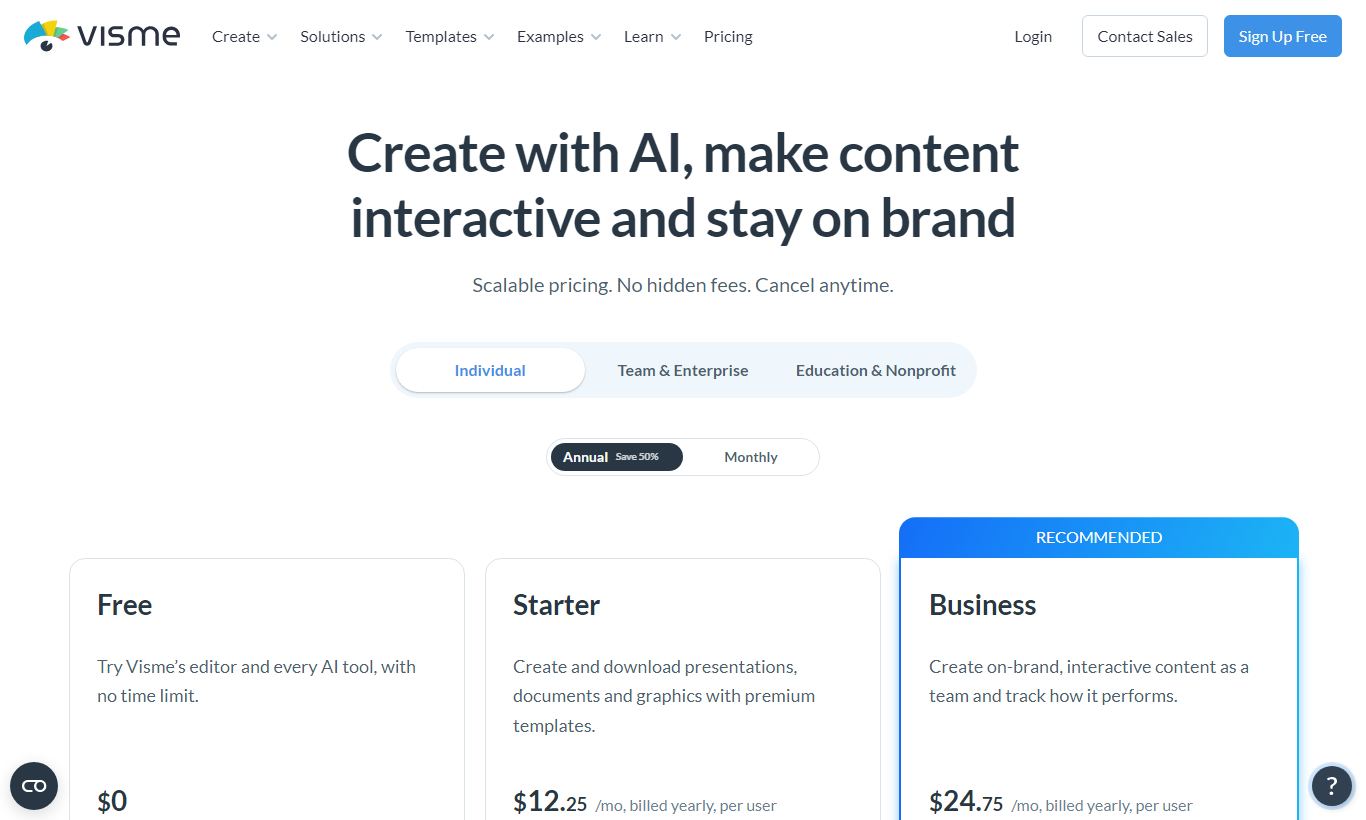
Visme offers four plan tiers. All paid plans come with a discount if you pay annually instead of monthly. There's a 14-day free trial on paid plans, and you don't need a credit card to start one.
- Free: $0/month. Includes 5 projects, limited templates, a Visme watermark on exports, 100MB storage, and basic shapes and charts. Fine for messing around, not for real work.
- Starter: $29/month billed monthly, or about $15/month billed annually. Removes the watermark and adds 15 projects, 3GB storage, full template library access, and standard export formats (PDF, PNG, PPT). No brand kit or analytics.
- Pro: $59/month billed monthly, or about $25/month billed annually. Unlimited projects, 10GB storage, a brand kit (1 brand), the full chart library with Google Sheets integration, content analytics, privacy controls, and AI features. This is the plan that makes sense for serious solo users and small teams.
- Visme for Teams (Business): Starts at $199/month for 3 users, billed annually. Includes multiple brand kits, team folders, real-time collaboration, advanced permissions, custom subdomain publishing, priority support, and SSO. You pay per seat beyond 3 users. This is the plan where Visme actually pays off for professional teams.
- Enterprise: Custom pricing. Adds dedicated account management, custom integrations, SLA, advanced security and compliance controls, and white-labelling.
Canva Pro runs $15/month per person, so Visme's Pro plan at $25/month annual costs more. But the depth of its data visualization tools and analytics makes the extra money worth it for business use. The Teams plan holds its own against other collaboration-focused design tools at similar prices.
What We Love
- Live Google Sheets data connections: Charts update automatically when source data changes. No more manual report refreshes, which saves real time for data-heavy teams.
- Content analytics with per-page engagement: You'll know exactly which slide a prospect dropped off on, or which section of your interactive report got the most attention. A static PDF can't tell you any of that.
- Locked brand elements for team governance: Admins can pin logos, colors, and fonts so team members can create freely within guardrails. It solves a real brand consistency problem without micromanaging anyone.
- Interactive publishing with embedded forms: You can turn a presentation into a lead-capture or onboarding flow without writing a line of code. That's what makes Visme more versatile than tools built for design alone.
- AI Presentation Maker generates structured decks from a text prompt: The output is a credible first draft with consistent styling, not a random collage of slides. For routine deck work, it cuts creation time in half.
Watch Out For
- Free plan is too limited for serious use: The 5-project cap and mandatory watermark mean most users hit the paywall fast. The free tier works more like an extended trial than something you could actually run on long-term.
- Pro plan lacks multi-brand support: Solo consultants or small agencies handling multiple client brands have to upgrade to the Teams plan (starting at $199/month for 3 seats) just to get more than one brand kit. That's a frustrating gap at the individual tier.
- Performance can lag with complex projects: Users building large presentations with lots of animations, embedded videos, or real-time chart widgets often report sluggish canvas response in the browser editor. This comes up repeatedly in the user community.
- Export fidelity isn't perfect: Exported PowerPoint files sometimes render fonts and custom layouts differently than they appear in the Visme canvas, so you may need to fix things by hand before presenting. This is especially annoying for anyone who has to hand off files to clients.
Who Is It Best For?
A marketing manager at a 50 - 200 person B2B company who produces monthly reports, sales enablement decks, and social assets will get real value from Visme's Pro or Teams plan. The brand kit keeps everything on-brand across a small team, the chart integrations handle the data storytelling, and the analytics show which content people actually read.
An instructional designer or corporate trainer building interactive onboarding modules, employee handbooks, or compliance training will like the interactive publishing features. Clickable sections, embedded quizzes via form widgets, and the ability to track completion through analytics all come without needing an LMS authoring tool like Articulate.
A communications or PR team at a university, non-profit, or government agency that needs to produce high-quality infographics and annual reports on a regular basis, but doesn't have an in-house designer, will find Visme's template library and data visualization tools deliver professional output for a fraction of the cost of agency design work.
How Does It Compare?
Canva: Canva has a bigger template library and a free plan that's a lot more generous. That makes it the better pick for individual creators and small teams doing social media posts and simple graphics. Visme pulls ahead on data visualization, interactivity, and analytics, so it's the stronger choice for professional B2B content. Check our full Visme vs Canva breakdown for a side-by-side feature comparison.
Beautiful.ai: Beautiful.ai sticks to presentations only, using AI-driven "Smart Slides" to auto-format layouts. That makes it quicker if all you need is slides. It doesn't have Visme's infographic, document, and interactive publishing tools, though, so Visme is the better fit for teams whose content needs go beyond decks. Compare them directly in our Visme vs Beautiful.ai guide.
Final Verdict
Visme is a well-built, genuinely capable visual communications platform. It punches above its weight in data visualization, interactivity, and brand management. For the right buyer, a marketing, HR, or communications team producing regular professional content, it delivers measurable ROI by cutting the team's dependency on design resources and making content performance visible through analytics.
The pricing structure has some awkward gaps (particularly the single-brand-kit limitation on Pro), and the export fidelity and occasional performance issues are real friction points. Still, the breadth of what Visme enables at the Pro and Teams tiers is hard to match at the same price point. If you're currently producing business content in PowerPoint, Google Slides, or a consumer design tool and feel boxed in by their limits, a Visme trial will likely win you over.
Try Visme Free →FAQ
How much does Visme cost per month?
Visme's paid plans start at $29/month (Starter, billed monthly) or about $15/month if you pay annually. The Pro plan runs $59/month billed monthly, or roughly $25/month annually. Teams starts at $199/month for 3 users on an annual contract. There's also a free plan with limited features.
Does Visme have a free plan?
Yes. The free plan is permanent and includes up to 5 projects, basic templates, and standard shapes and charts. Every export carries a Visme watermark though, and storage caps out at 100MB. Treat it as a trial run rather than something you'd build a real workflow around.
Is Visme better than Canva?
Depends what you're doing. Canva's free plan is more generous and its template library bigger, so it wins for quick social posts and personal projects. Visme pulls ahead for professional B2B work. Its data visualization tools, interactive publishing, per-page analytics, and brand governance features make it the stronger pick for marketing teams and business communicators.
Can Visme export to PowerPoint?
Yes, Visme exports to .pptx. Complex layouts with custom fonts and heavier animations don't always render the same way once they hit PowerPoint, though. If you're sharing or editing the file as a native PowerPoint deck, check it over before you send it out.
Is Visme worth it for small businesses?
If your business regularly turns out branded presentations, reports, or marketing materials, the Pro plan at around $25/month (annual billing) is a solid deal, especially given what you get in data visualization and analytics. If your design needs are simpler or the budget's tighter, Canva's Pro plan at $15/month might cover you just fine.
Does Visme support team collaboration?
Real-time collaboration, meaning simultaneous editing, in-canvas comments, and shared brand kits, lives on the Teams plan, starting at $199/month for 3 users billed annually. Pro is built for individual use and skips shared workspaces and multi-user brand management entirely.
What types of content can you create in Visme?
Presentations, infographics, reports and documents, social media graphics, video content, data dashboards, interactive web content, email headers, digital ads, and forms all fall within Visme's range. Few visual design tools in this category cover as much ground.
Does Visme have AI features?
Yes. Visme's AI toolkit, available on paid plans, includes an AI Presentation Maker that builds full decks from a text prompt, an AI image generator, an AI writing assistant for slide copy, and AI background removal. These tools sit directly inside the editor and get updated on a regular basis.
We may earn a commission when you click affiliate links. This never affects our editorial scores.
| Best for | Visual content creation platform |
| Category | Design Tools |
Answer a few quick questions and we'll match you to the best tool for your needs.
→ Suggest a Tool