Snappa Review 2026: Is It Worth It?
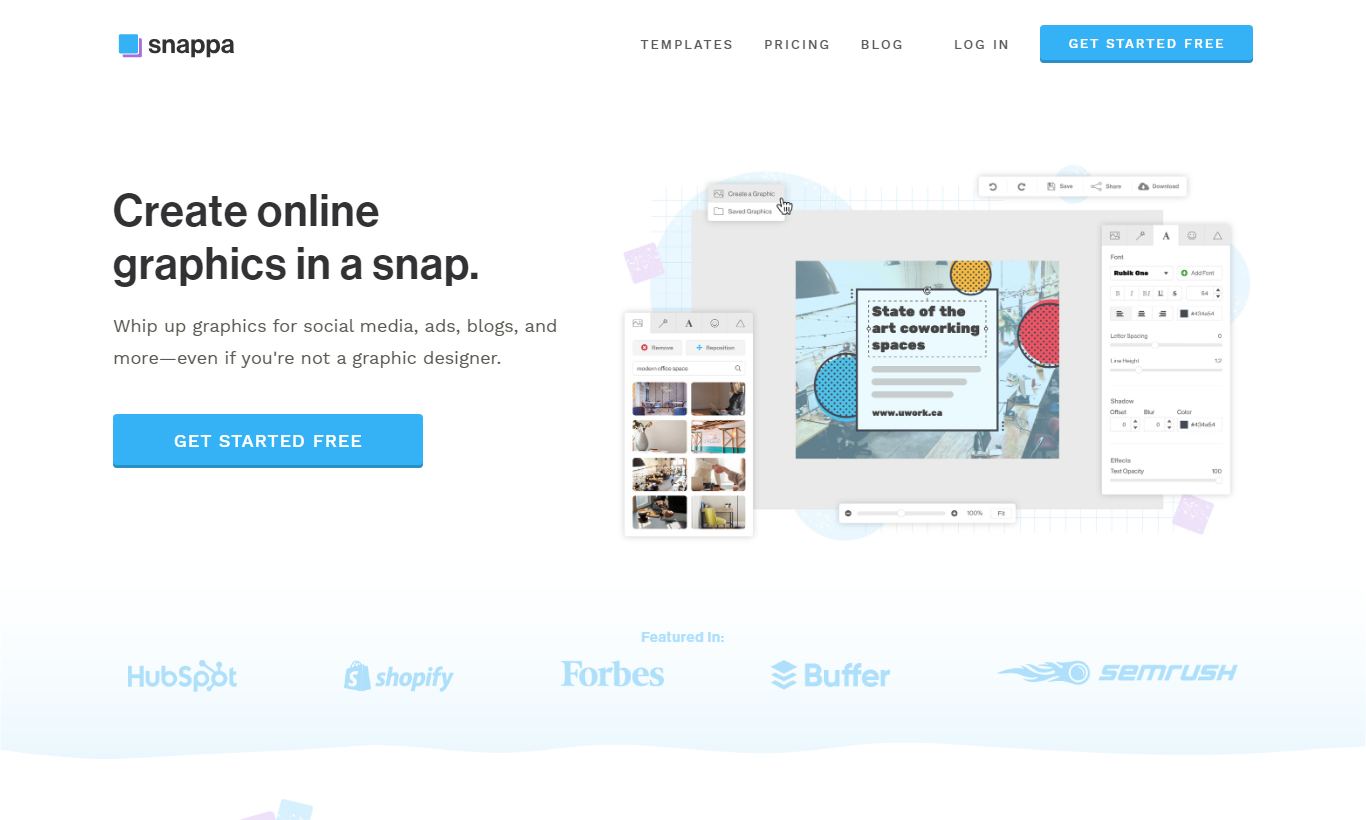
Snappa is a browser-based graphic design tool built for marketers, bloggers, and small business owners who need professional-looking visuals but have no design training. It packs in 6,000+ templates, 5 million+ stock photos, and a drag-and-drop editor that doesn't require a manual. Pricing starts free (3 downloads a month) and caps at $20/month for teams. Next to Canva, Snappa feels leaner and quicker to navigate, though it carries fewer advanced features and a smaller asset library. It's worth the price for solo creators and small marketing teams who care more about speed than versatility. If you need animation, video editing, or brand management across a large org, look elsewhere. For everyone else, Snappa is a focused tool that gets the job done fast.
What we love
Watch out for
Snappa at a glance
What to test in your Snappa trial
Free plan
- Use one-click resizing to adapt a blog header to Instagram, Twitter, and LinkedIn without rebuilding
- Search for 3-4 stock photos for your industry and create a finished social post in under 10 minutes
- Set up your Brand Kit with your logo, brand colors, and custom fonts to test consistency across designs
- Create and resize a graphic in Snappa, then schedule it through Buffer or Hootsuite without downloading
- Try the background remover on a product photo or headshot to see if accuracy meets your needs
- Decide if 3 free downloads per month works for your content volume or if you need to upgrade before the trial ends
Quick Verdict
Snappa is a no-frills, browser-based graphic design platform built for marketers and content creators who need polished visuals fast. It strips away the complexity that weighs down more ambitious tools and swaps it for a clean editor, a well-organised template library, and one-click social media resizing. If your team regularly produces blog headers, social media posts, ad creatives, and email graphics, Snappa can cut production time dramatically. You won't need a designer on staff.
Here's the honest caveat: Snappa is deliberately narrow in scope. It doesn't support animation, video, or advanced vector editing. Teams managing complex brand systems or producing motion graphics will hit a ceiling fast. But for most small business marketers and content teams producing static graphics at volume, Snappa punches well above its price point. The Pro plan at $10/month (billed annually) is one of the better deals in the category.
Start Your Free Trial →What is Snappa?
Snappa was founded in 2015 by Christopher Gimmer and Marc Chouinard, two bootstrapped founders who wanted a design tool that non-designers could actually use under deadline pressure. Based in Ottawa, Canada, the company has stayed independent and product-focused. That's a notable contrast to venture-funded rivals that keep piling on features. Snappa targets a specific audience: marketers, bloggers, social media managers, and small business owners who produce graphics regularly but don't have the time or budget for Adobe Creative Suite or a dedicated design resource.
The platform sits in the "simplified graphic design" category alongside Canva, Adobe Express, and Crello (now VistaCreate). Snappa sets itself apart with a speed-optimised workflow: preset canvas sizes for every major platform, a focused template library instead of an overwhelming one, and a Buffer/Hootsuite integration that lets users schedule graphics directly from the editor. It's built around one clear job: create a great-looking social graphic or ad in under five minutes.
Key Features
Feature Checklist
Template Library and Canvas Presets
Snappa ships with over 6,000 pre-built templates organised by use case: social media posts (Facebook, Instagram, Twitter/X, LinkedIn, Pinterest), blog headers, YouTube thumbnails, ads, email headers, and more. Every template is sized correctly for its platform out of the box, so there's no manual pixel-hunting required. The canvas preset system is where Snappa earns real goodwill. You can switch between all major social platform dimensions in one click without rebuilding the design. A Facebook post becomes a Twitter header becomes an Instagram Story in seconds. For teams repurposing content across channels, this feature alone saves a lot of time.
Stock Photo and Graphics Library
Every paid plan includes unlimited access to over 5 million royalty-free stock photos sourced from Unsplash and other premium providers, plus a library of vectors, icons, and shapes. This is a genuine differentiator against lower-tier competitors. You don't need a separate Shutterstock or Adobe Stock subscription to get professional imagery. The search tool works fine, though it's less sophisticated than Getty or Adobe Stock's semantic search. You won't always find hyper-specific imagery on the first query, but for lifestyle, business, and concept photography, the library covers most use cases without you ever leaving the platform.
Background Remover
Snappa includes a one-click background removal tool powered by AI. Upload a product photo or headshot, click "Remove Background," and the cutout is ready in a few seconds. The accuracy is solid for high-contrast images, and product photos against plain backgrounds come out clean. Complex hair or fine detail edges can occasionally need manual adjustment, but the tool saves what used to be a 10-minute Photoshop task. This feature is available on Pro and Team plans, not the free tier.
Brand Kit
The Brand Kit feature (available on Pro and Team plans) lets you store your brand colours, fonts, and logo in a centralised panel accessible from any design session. When you open a new canvas, your brand assets sit one click away instead of buried in upload history. For small businesses managing brand consistency without a dedicated designer, this is quietly one of the most useful features in the product. The Team plan extends this so all team members share the same brand assets automatically, which means no more "what hex code are we using?" Slack messages.
Team Collaboration and Direct Sharing
The Team plan supports up to five users sharing a workspace, with a shared asset library, brand kit, and design history. Collaboration works, but it's lightweight. There's no real-time co-editing (unlike Figma) and no commenting or approval workflow. What you do get is a shared folder system where team members can access, duplicate, and build on each other's designs. For a two- or three-person marketing team, that's usually enough. Snappa also integrates directly with Buffer and Hootsuite, letting you push a finished graphic to your social scheduling queue without downloading and re-uploading the file.
Pricing
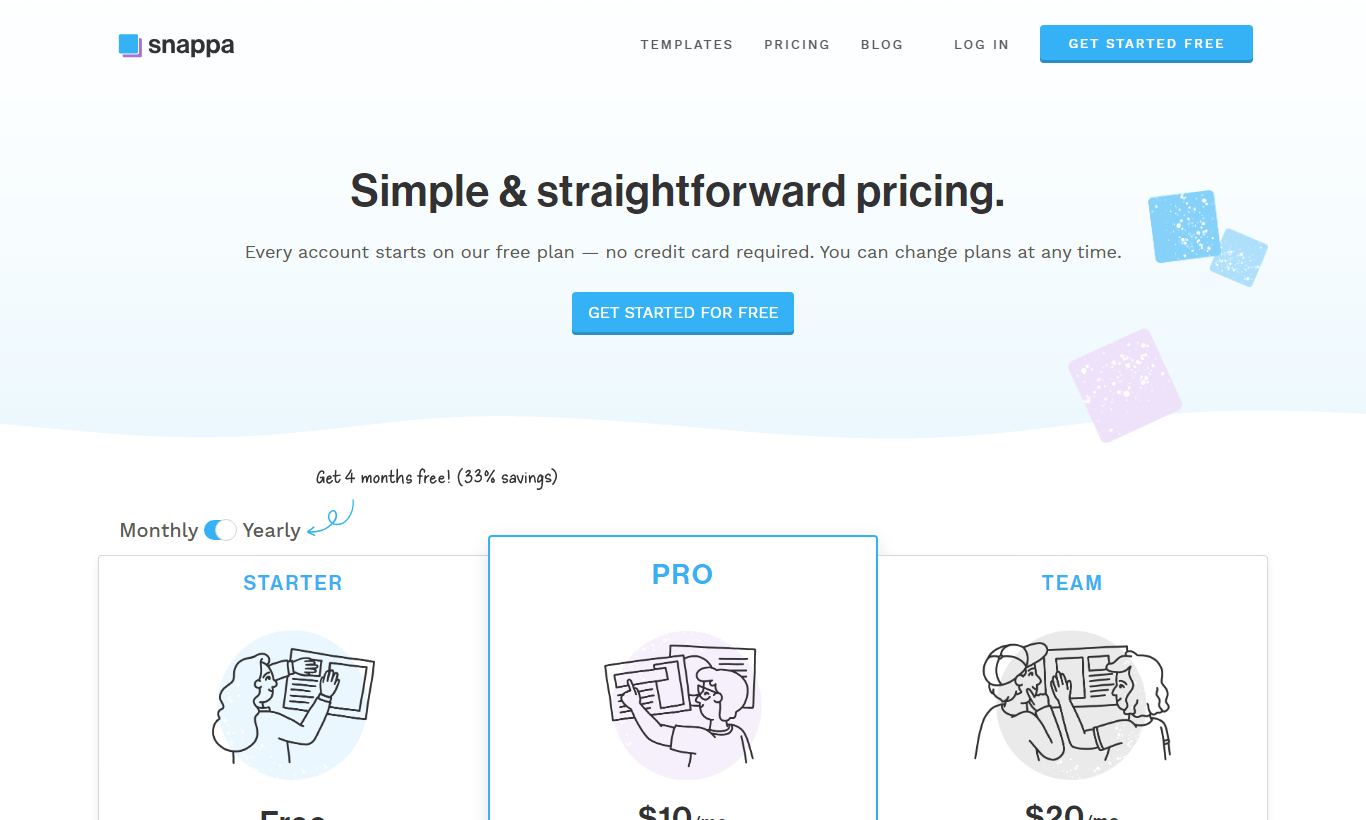
Snappa runs on a straightforward three-tier pricing model. There's no hidden add-ons or per-seat complexity beyond the Team plan.
- Free: $0/month. Includes 3 downloads per month, access to the full template library and stock photo search, but no Brand Kit, no background remover, and limited asset uploads. Fine for occasional use, but it runs out fast if you create content regularly.
- Pro: $10/month (billed annually at $120/year) or $15/month on a monthly basis. Unlimited downloads, full stock photo library (5M+ images), Brand Kit, background remover, custom font uploads, and priority support. This is the plan most solo users and freelancers should pick. It's strong value for the category.
- Team: $20/month (billed annually at $240/year) or $30/month on a monthly basis. Includes everything in Pro, plus up to 5 team members, shared brand kit, shared team folders, and shared asset library. Each additional team member beyond 5 costs $10/month.
Snappa offers a free plan (no credit card required) and a 30-day money-back guarantee on paid plans, so trying it out costs you nothing. There's no enterprise tier with custom pricing, SSO, or advanced admin controls, though, and that's a real gap for larger organisations.
What We Love
- One-click platform resizing: Resize any design to fit different social media platforms instantly, without rebuilding from scratch. It saves real time for anyone juggling multiple channels.
- 5 million+ royalty-free stock photos included on paid plans: You won't need a separate stock subscription. The library covers lifestyle, business, and concept photography at no extra cost.
- Exceptionally clean, fast editor interface: The canvas loads quickly, layers are easy to manage, and the toolbar doesn't overwhelm you. New users can put together a finished design in under 10 minutes without a tutorial.
- Brand Kit with custom font uploads: Store logos, hex codes, and custom fonts in a panel that's there every time you open a new design, so brand consistency happens without extra effort on your part.
- Native Buffer and Hootsuite integration: Push finished graphics straight to your social scheduling tool from inside the editor. No more downloading a file just to upload it somewhere else.
Watch Out For
- No animation or video support: Snappa is strictly a static image tool. If you need animated social posts, GIFs, or short video graphics, you'll need a separate tool like Canva or Adobe Express alongside it.
- Collaboration is shallow: The Team plan lacks real-time co-editing, inline commenting, and approval workflows. Teams needing a structured creative review process will find this genuinely frustrating.
- Template library feels solid at first but thins out over time: At 6,000+ templates, the library is fine for getting started. Power users producing graphics daily will notice repetition, though, and find the selection narrower than Canva's catalogue after a few months.
- No enterprise plan or advanced admin controls: There's no SSO, audit logging, role-based access control, or custom contract option. That makes Snappa a poor fit for companies with IT security requirements or teams larger than five to ten people.
Who Is It Best For?
The solo content marketer at a small business. Someone producing 20 - 30 social graphics, blog headers, and ad creatives per month without a design background. They need to move fast, stay on-brand, and can't justify $50+/month for a more complex tool. The Pro plan at $10/month gives them everything they need, with no onboarding hassle.
A two- or three-person social media team at an agency or startup. They're managing multiple client brands or internal channels, need shared asset libraries and brand kits, and want to schedule content without leaving their design workflow. The Team plan at $20/month for up to five users is a genuine bargain for what it delivers here.
A blogger or creator producing YouTube thumbnails and Pinterest graphics at scale. Snappa's preset canvas sizes cover YouTube, Pinterest, and all major social platforms natively. A creator pumping out 10 - 15 thumbnails per week can build a repeatable workflow around the template system and Brand Kit, cutting each thumbnail from 20 minutes down to under 5.
How Does It Compare?
Canva: Canva is the dominant player in the category. It offers a much larger template library, video and animation support, and a more powerful free tier. That said, Canva's interface has gotten busier as features piled up over the years, and its Team pricing ($120/year per user) is considerably higher than Snappa's flat-rate Team plan for small groups. See our full Snappa vs Canva breakdown for a side-by-side feature comparison.
Adobe Express: Adobe Express makes more sense if you're already tied into the Adobe ecosystem (Creative Cloud, Adobe Stock) or need tighter integration with Photoshop and Illustrator assets. It carries a steeper learning curve, though, and a higher price for its premium tier. For non-designers who just want to make great social graphics, Snappa's simpler UX wins on day-to-day usability. Compare them directly in our Snappa vs Adobe Express guide.
Final Verdict
Snappa is not trying to be everything to everyone, and that restraint is precisely what makes it good at what it does. For non-designer marketers, bloggers, and small business owners who need to produce high-quality static graphics quickly and consistently, it delivers a focused, well-priced solution that gets out of your way and lets you ship work. The Pro plan at $10/month is genuinely hard to beat for a solo creator, and the Team plan offers rare value for small groups who just need shared brand assets and a common workspace.
Where Snappa falls short is equally clear. No animation, no video, limited collaboration depth, and no path to enterprise. If any of those are hard requirements, Canva or Adobe Express are more appropriate choices. But if you've ever lost 45 minutes trying to find the right stock photo, resize a Facebook post to Instagram dimensions, or locate your brand hex codes before a deadline, Snappa was built exactly for you.
Try Snappa Free →FAQ
How much does Snappa cost?
Snappa offers three plans: Free ($0/month, 3 downloads/month), Pro ($10/month billed annually or $15/month), and Team ($20/month billed annually or $30/month for up to 5 users). There are no per-seat fees on the Team plan until you go past 5 members.
Does Snappa have a free plan?
Yes. Snappa's free plan gives you access to the full template library and stock photo search, but limits you to 3 downloads per month and leaves out the Brand Kit, background remover, and custom font uploads. You don't need a credit card to sign up.
Is Snappa better than Canva?
It depends what you need. Canva has a larger template library, video and animation support, and a more generous free tier. Snappa is faster to navigate, cheaper for small teams, and better suited to high-volume static graphic production. If you never need animation and want something simple, Snappa is often the better tool for daily use.
Can multiple people use Snappa at the same time?
Yes, with the Team plan (from $20/month). Up to 5 users can share a workspace, brand kit, and asset library. Snappa doesn't support real-time co-editing, though. Two users can't edit the same canvas at once the way they can in Figma.
Does Snappa include stock photos?
Yes. Pro and Team plans include unlimited access to over 5 million royalty-free stock photos at no extra cost. The free plan gives you access to the search interface but caps full downloads at 3 per month.
Is Snappa worth it for small businesses?
For most small businesses producing regular social media, blog, and ad graphics without a dedicated designer, Snappa's Pro plan at $10/month is a good deal. It removes the need for a separate stock photo subscription and covers the most common marketing graphic needs in one clean tool.
Does Snappa work on mobile?
Snappa is a browser-based tool built for desktop use. It runs on mobile browsers, but it isn't made for small-screen editing. There's no dedicated iOS or Android app. If you need mobile-first design work, Canva's mobile app is the stronger choice.
What file formats can I export from Snappa?
Snappa supports PNG, JPEG, and PDF export. It doesn't support SVG, GIF, or video export. For teams that need layered files or vector exports, that's a real gap. For web and social use, though, PNG and JPEG cover most of what you'll need.
We may earn a commission when you click affiliate links. This never affects our editorial scores.
| Best for | Online graphic design made easy |
| Category | Design Tools |
Answer a few quick questions and we'll match you to the best tool for your needs.
→ Suggest a Tool