
Easil Review 2026: Is It Worth It?
Easil is a template-first graphic design platform built for marketing teams and non-designers who need brand-consistent visuals fast. It lands between Canva's simplicity and Adobe Express's depth, and its brand-locking features are what set it apart: they stop off-brand designs from ever going live. Teams on the Plus and Edge plans can lock fonts, colours, and entire template sections, so junior staff and contractors stay on-brand without someone checking their work. Pricing starts free with a solid template library and scales to $7.50/user/month for full team features. For SMBs and mid-market marketing departments tired of correcting brand mistakes, Easil pays for itself. Solo users will find Canva's free tier richer. Teams with brand governance headaches will find Easil's controls worth the monthly fee.
What we love
Watch out for
Easil at a glance
What to test in your Easil trial
7-day free trial on the Plus plan
- Set up your brand kit with logos, colours, and approved fonts
- Lock template elements and test if team members can only edit unlocked zones
- Import product photos and test the one-click background remover
- Create an animated GIF or MP4 social post to check if it covers your animation needs
- Invite a team member and test role-based permissions (Admin, Designer, Team Member)
- Before the trial ends, decide if template locking prevents enough off-brand mistakes to justify $7.50 per user per month
Quick Verdict
Easil earns its place in a crowded design-tools market by solving a problem most competitors ignore: brand governance. Any team member can open the drag-and-drop editor and produce a polished flyer, social post, or presentation. What they can't do is accidentally swap the logo for a blurry JPG, change the brand font to Comic Sans, or resize a locked header. That combination of accessibility and control is genuinely rare, and it makes Easil a smart pick for marketing managers tired of chasing down off-brand assets.
Easil shows its limits in illustration depth, animation sophistication, and the size of its free tier compared to Canva. If you're a solo freelancer or a creative with complex motion-graphics needs, you'll hit those ceilings fast. But for a five-to-fifty-person marketing team producing consistent social content, event graphics, and internal communications, Easil's brand-locking toolkit pays for the subscription many times over.
Start Your Free Trial →What is Easil?
Easil launched in 2016 out of Australia, founded by a team with deep roots in professional print production and brand management. The product was built for marketing teams inside organisations, not individual creatives. That's why it leans so heavily on template locking, multi-user brand kits, and approval-style workflows. Easil calls itself a "do-it-yourself design tool for teams," and that's a fair description. The focus stays on repeatable, consistent output rather than open-ended creative exploration.
The platform serves businesses of every size, from independent consultants managing client brands to enterprise marketing departments rolling out seasonal campaigns. Its cloud-based editor runs in the browser, no download needed, and exports cover print-ready PDF, PNG, JPG, GIF, and MP4 video. The template library holds more than 4,000 designs across social media formats, presentations, posters, menus, and merchandise. That range covers most marketing workloads without much trouble.
Key Features
Feature Checklist
Brand Kit & Template Locking
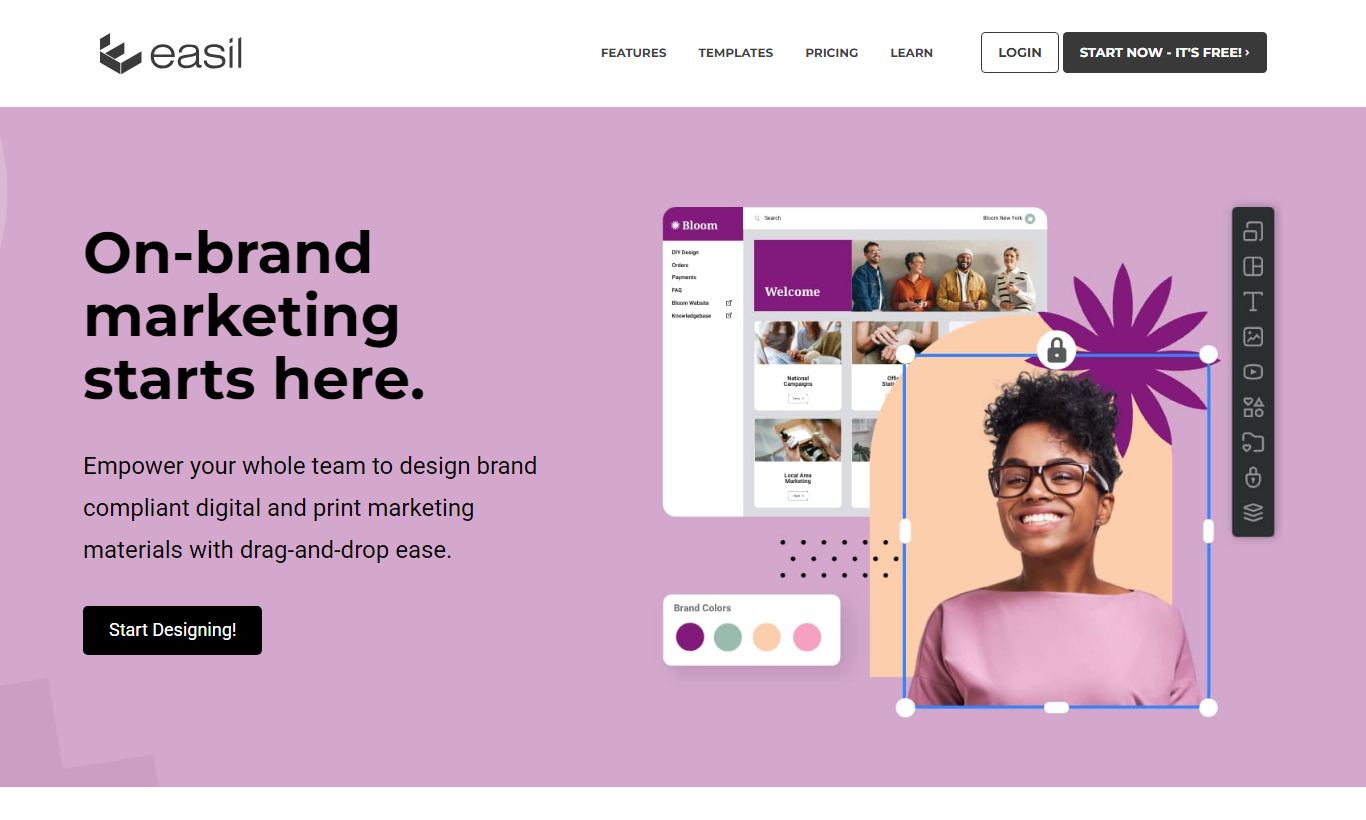
This is Easil's standout capability and the main reason teams pick it over cheaper alternatives. Each workspace supports a full Brand Kit that stores logos (with transparent-background variants), a custom colour palette, and approved typefaces. Administrators can lock individual elements within a template, a header image, the brand mark, a background colour, so that when a team member opens the design, they can edit only the unlocked zones. A franchisee, for example, can personalise the store address and promotional offer text without touching the brand's approved logo placement or colour scheme. For organisations managing multiple sub-brands or client accounts, this alone removes an entire category of QA rework.
Drag-and-Drop Canvas Editor
Easil's editor will feel familiar to anyone who has spent time in Canva or Adobe Express. Elements (text, images, shapes, icons, and stickers) snap to smart guides, and a layering panel makes it easy to manage complex compositions. One genuinely useful refinement is the "text resizing" behaviour: Easil auto-scales text within a locked container so a long headline doesn't overflow its boundary. For teams producing localised versions of the same template in multiple languages, this is a small but real time-saver. The editor runs well in most modern browsers, though very large multi-page documents can feel sluggish on older hardware.
GIF & Video Creation
Beyond static graphics, Easil supports animated GIF export and short-form MP4 video output directly from the browser editor. Users can set element entrance and exit animations, control timing per slide, and layer animated backgrounds. The toolset compares to Canva's basic animation suite rather than anything close to Adobe Premiere, but for social-media-ready motion graphics (a looping Instagram Story, an animated event announcement) it covers most team needs without requiring a separate tool or specialist skill.
Image & Background Tools
Easil includes a one-click background remover on paid plans, letting users drop a product photo or headshot onto any template without needing Photoshop. The results hold up well for clean, well-lit images but struggle with complex edges like hair against busy backgrounds, typical of AI-based removal tools at this price point. Paired with an integrated stock photo library (Getty Images on higher tiers, a hand-picked free library on lower plans), a team member can go from brief to finished social graphic in under ten minutes without leaving the platform.
Team Collaboration & Workspaces
The Plus and Edge plans support multiple team members within a shared workspace where designs, brand assets, and approved templates all live together. Administrators can assign roles, Admin, Designer, or Team Member, controlling who can create new templates versus who can only customise locked ones. There is no real-time co-editing (two users working on the same canvas at once), which is a genuine gap compared to Figma or even Canva's collaborative features. The folder and sharing system is clean though, and the ability to push a finished template to all team members instantly is a practical workflow win for teams running on content calendars.
Pricing
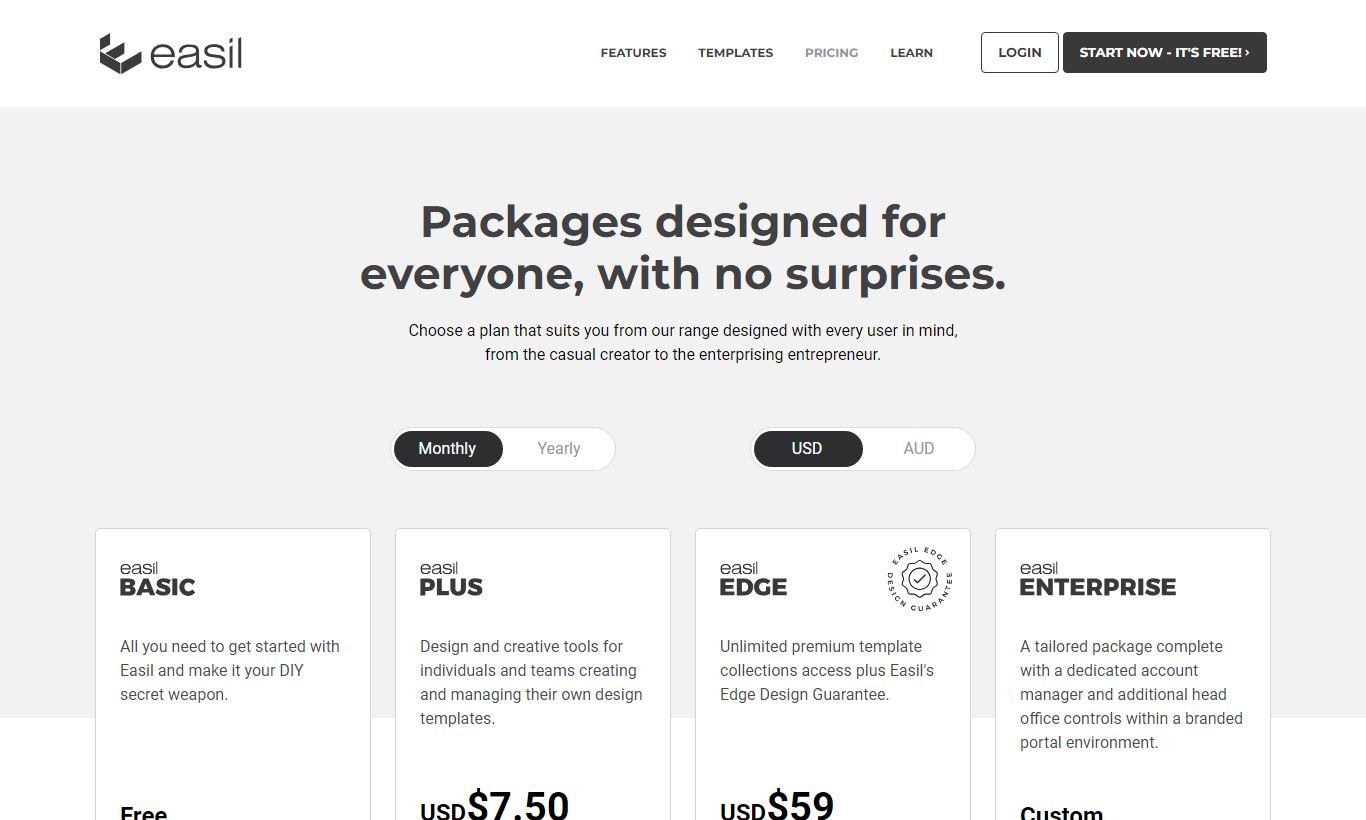
Easil offers three published plans. All prices shown are per user per month when billed annually. Monthly billing is available at a higher rate.
- Basic (Free): Unlimited designs, access to free templates, 1 GB storage, PNG and JPG export, standard fonts, and a basic colour palette. No brand kit, no template locking, and no video export. This tier suits solo users who just want to try the platform.
- Plus ($7.50/user/month annually): Everything in Basic, plus the full Brand Kit, template locking, GIF and MP4 export, background remover, team workspaces (up to 10 users per workspace), premium template library, and 10 GB storage. This is the tier where Easil actually starts paying off for teams.
- Edge ($59/user/month annually): Everything in Plus, plus API access, white-labelling options, dedicated account management, Getty Images premium stock library, advanced user permissions, and SSO support. It's built for agencies and larger enterprises that manage multiple brand accounts or resell design work to clients.
Easil offers a 7-day free trial of the Plus plan with no credit card required. That's enough time to test the Brand Kit and template locking against a real project. Annual billing saves roughly 20% versus paying month to month. Plus has no per-seat discount for large teams, so pricing stays flat per user. That flat structure can make Edge feel pricey for mid-market teams that don't actually need API access.
What We Love
- Template locking prevents brand drift at scale. Administrators can lock fonts, colours, logos, and layout zones so team members and franchisees stay on-brand without someone looking over their shoulder.
- 7-day free trial on Plus with no credit card required. That's enough time to test brand kit setup and team collaboration against a real campaign.
- The one-click background remover works well. It handles product photos and headshots quickly inside the same editor, so you skip the round-trips to Photoshop for common tasks.
- GIF and MP4 animated export from the browser. This covers most social animation needs without a separate motion-graphics tool or a specialist hire.
- Role-based permissions on team workspaces. The Admin, Designer, and Team Member role structure lets marketing leads hand off design production without losing control of the brand.
Watch Out For
- No real-time co-editing. Unlike Figma or Canva Teams, two users can't work on the same canvas at once. That creates bottlenecks on fast-turnaround campaigns where several people need to contribute at the same time.
- Free tier is noticeably thinner than Canva's. The Basic plan lacks brand kit, video export, and many premium templates, which makes it a harder sell for solo users or bootstrapped teams who want real free functionality before they commit.
- Edge plan pricing is steep for mid-market teams. At $59/user/month, the jump from Plus to Edge is dramatic. Teams who only need one or two Edge features, like the Getty Images library, may find the price hard to justify against the value.
- Animation and video toolset lags behind specialists. Easil's motion features cover basic social-media use cases, but teams with complex animation needs, such as multi-layer transitions, synced audio, or frame-by-frame control, will still need a dedicated video tool.
Who Is It Best For?
The franchise or multi-location marketing manager running 20 to 200 locations who needs every site to produce localised promotional materials without straying from brand guidelines. Easil's template locking means the regional coordinator in Brisbane gets the same brand-compliant flyer template as the one in Edinburgh, editable only where it should be. The time saved in design QA alone typically covers the subscription cost within the first month.
The in-house content marketing team of five to fifteen people at a SaaS company or consumer brand producing daily social content, email headers, and blog graphics. With a shared Brand Kit and a library of locked master templates, a junior marketing coordinator can produce publication-ready assets on day one, no design induction required. The Plus plan at $7.50/user/month scales affordably as the team grows.
The boutique creative or digital agency managing three to fifteen client brands who needs a white-label design portal so clients can self-serve simple asset requests. Think updating an event banner or swapping a testimonial quote card, without emailing the studio every time. The Edge plan's white-labelling and API access make this workflow possible. Agencies should still price the per-seat cost carefully against client billing models before committing.
How Does It Compare?
Easil vs Canva: Canva's free tier is substantially richer, its template library dwarfs Easil's (250,000+ versus roughly 4,000), and its real-time collaboration is more mature. Canva Teams starts at $10/user/month. Canva's brand locking is less granular, though. Easil lets you lock individual elements within a template, while Canva's brand controls only work at the kit level. If brand governance is your main headache, Easil's locking model wins outright.
Easil vs Adobe Express: Adobe Express (formerly Adobe Spark) integrates tightly with the Creative Cloud ecosystem, so it's the natural pick for teams already paying for Adobe subscriptions. Its generative AI features, powered by Firefly, are ahead of what Easil currently offers. Express doesn't match Easil's depth on multi-user template locking, though, and its team administration tools lag behind. Teams with no existing Adobe relationship will find Easil's pricing and onboarding easier to get into.
Final Verdict
Easil is a focused, well-executed tool that solves one problem well: helping non-designer teams produce brand-consistent visual content without constant creative oversight. It's not trying to be Figma, and it's not trying to out-Canva Canva. What it delivers, template locking, role-based brand control, and a clean enough editor to get real work done, is genuinely useful for the marketing teams and franchise networks it's built for.
If your team regularly produces repetitive branded content and you spend real time correcting off-brand assets, Easil's Plus plan at $7.50/user/month is likely worth the investment. If you're a solo designer who wants maximum creative freedom, or a team deeply embedded in the Adobe ecosystem, check those alternatives first. But for marketing managers who need distributed teams to stay on-brand without becoming design police, Easil is one of the most purpose-built solutions available at this price point.
Try Easil Free →FAQ
How much does Easil cost?
Easil offers a free Basic plan, a Plus plan at $7.50/user/month (billed annually), and an Edge plan at $59/user/month (billed annually). You can try Plus free for 7 days, no credit card required.
Is Easil better than Canva for teams?
If brand governance matters to your team, Easil's template locking beats Canva's. Canva wins on template library size and real-time co-editing. Pick based on whether you care more about brand control or having more templates to choose from.
Does Easil have a free plan?
Yes. Easil's Basic plan is free forever with unlimited designs, PNG/JPG export, and access to free templates. It skips brand kit features, template locking, video export, and team workspaces. You'll need a paid plan for those.
Can Easil be used for print design?
Yes. Easil supports print-ready PDF export and includes templates for posters, flyers, business cards, and menus. Higher-resolution export and CMYK colour support come with paid plans.
Is Easil worth it for small businesses?
If even two or three people on your team are producing marketing materials, the Plus plan at $7.50/user/month pays for itself fast, as long as it cuts down time spent fixing off-brand content or briefing a designer for simple asset updates. Solo users might find the free tier too limited. Canva's free tier is probably the better starting point there.
What file formats does Easil export?
Easil exports PNG, JPG, and PDF on all plans. Animated GIF and MP4 video export are only on Plus and Edge plans.
Does Easil work for agencies managing multiple client brands?
Yes, especially on the Edge plan, which includes white-labelling options, API access, and multi-brand workspace management. Agencies on the Plus plan can manage multiple brand kits across separate workspaces, but check the per-seat cost structure carefully against how you bill clients.
We may earn a commission when you click affiliate links. This never affects our editorial scores.
| Best for | DIY design for teams |
| Category | Design Tools |
Answer a few quick questions and we'll match you to the best tool for your needs.
→ Suggest a Tool