Canva Review 2026: Is It Worth It?
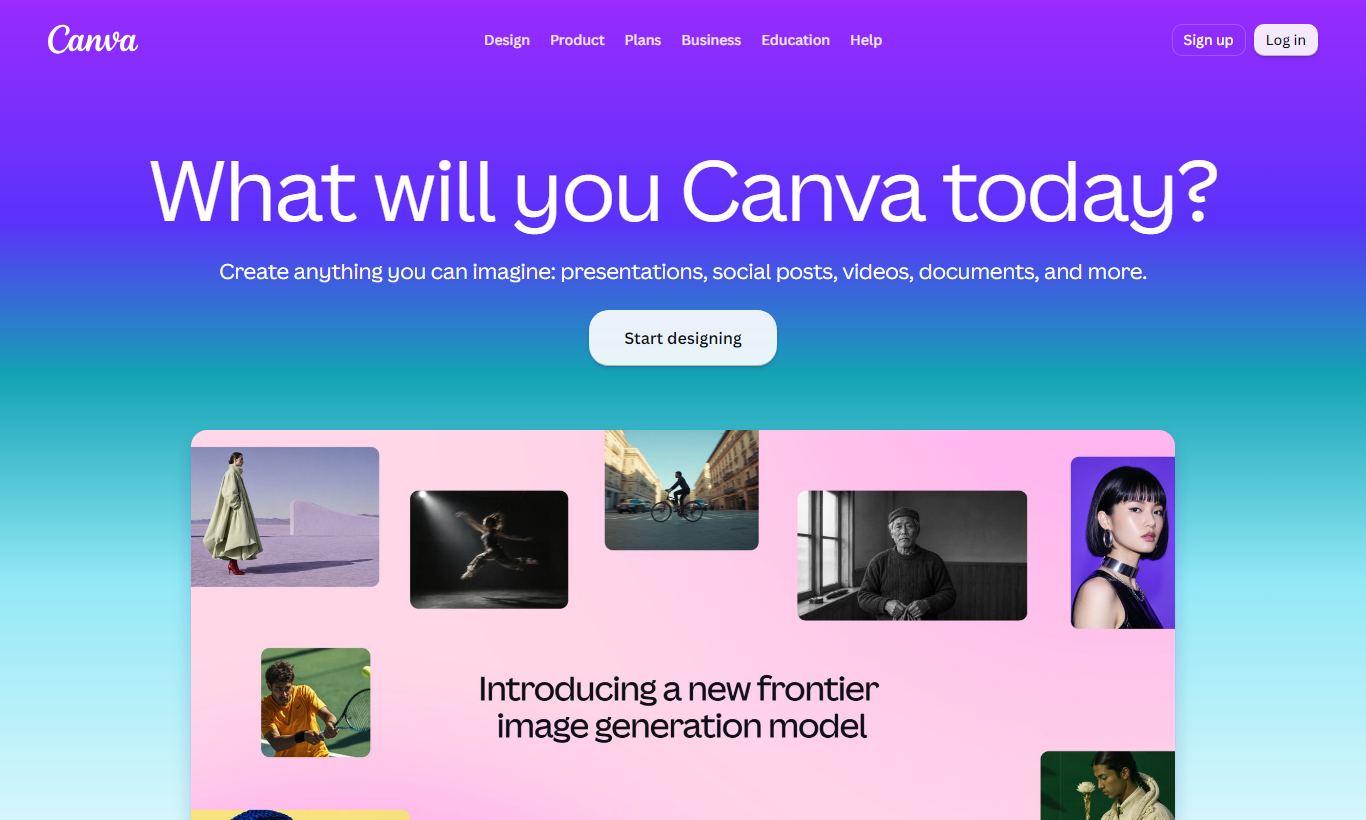
Canva is a browser-based design platform with over 170 million users worldwide. It runs on a drag-and-drop editor, packs in 250,000+ templates, and includes a built-in Brand Kit, AI design tools, and real-time team collaboration. You don't need any design background to use it. The free plan is genuinely generous and covers most solo use cases without friction. Canva Pro costs $15/month per person and unlocks premium assets, background removal, and the Magic Studio AI tools. Canva Teams runs $10/person/month for 3+ users and adds brand controls plus approval workflows. For marketers, educators, small business owners, and anyone without formal design training who needs polished visuals fast, Canva delivers real value. It won't replace Adobe Illustrator or Figma for precision design work, and it was never built to. If speed, accessibility, and brand consistency matter more to you than pixel-level control, Canva is the most capable easy-design tool on the market in 2026.
What we love
Watch out for
Canva at a glance
What to test in your Canva trial
30-day free trial, no credit card required
- Use Magic Resize to reformat a design for 3+ social platforms and compare quality
- Upload your brand fonts, colours, and logo to Brand Kit and apply to an existing template
- Test Magic Edit on a product photo to replace a background or remove an object
- Try Magic Studio AI tools and track how many credits you use per design
- Create a presentation with screen recorder and Presenter View features
- Decide before the 30 days end if the paid features justify the $15/month cost for your needs
Quick Verdict
Canva earns its dominant market position by doing one thing exceptionally well: making professional-looking design accessible to people who have never opened Photoshop. Its drag-and-drop editor, massive template library, and increasingly powerful AI toolset mean a marketing manager can produce a polished social media campaign in 20 minutes. No designer required. For teams that need brand consistency without the overhead of a dedicated design stack, the value is hard to argue with.
The ceiling exists, though. Canva's vector editing is rudimentary compared to Illustrator, and its free-plan export limitations can frustrate users who hit them mid-project. But for its intended audience, non-designers who need results fast, Canva in 2026 is the clear default choice. It's come a long way since its 2013 launch, and the Magic Studio AI additions have only widened the gap over competitors like Adobe Express.
Start Your Free Trial →What is Canva?
Canva was founded in 2013 in Sydney, Australia by Melanie Perkins, Cliff Obrecht, and Cameron Adams. It launched as a simple drag-and-drop design tool aimed squarely at non-designers, and that founding philosophy still defines the product today. Where Adobe's Creative Suite demands weeks of onboarding, Canva bets on immediacy: open a browser, pick a template, customise, and export in minutes. The platform now covers graphic design, video editing, presentations, websites, whiteboards, and document creation. It's essentially an all-in-one visual communication suite.
Canva's primary audience is marketers, small business owners, educators, content creators, and HR teams who need high-quality visuals regularly but can't justify hiring a full-time designer or learning complex software. It also has strong enterprise traction. Canva for Teams and Canva Enterprise are used by companies including FedEx, Zoom, and Salesforce for centralised brand management at scale. With 170+ million monthly active users across 190 countries, it's one of the most-used SaaS products on the planet.
Key Features
Feature Checklist
Drag-and-Drop Editor
Canva's editor is its backbone, and it's still the most intuitive design interface at this price point. Text boxes, images, shapes, icons, charts, and videos snap into alignment guides automatically. Toolbars appear only when relevant. Select a photo and you get crop, filter, and adjustment controls. Select text and you get typography options. For a marketing coordinator building a conference banner or a teacher assembling a classroom poster, this means no ramp-up time at all. The editor handles canvases up to 8000×8000 pixels, which covers most digital and standard print needs, though large-format print work like trade show displays or billboards requires workarounds.
Template Library (250,000+ Templates)
Canva's template library is genuinely staggering in scope. Templates are organised by format (Instagram Story, A4 flyer, pitch deck, email header, resume) and further filtered by style, industry, and colour scheme. Free-plan users get access to a substantial subset. Pro users unlock everything. Templates are starting points, not finished products. Every element is independently editable, so a SaaS startup can take a "tech company pitch deck" template and rework it to match their brand in under an hour. Template quality varies. The curated "Pro" collection is polished, while some community-contributed templates look dated. Use the search filters to stay in the curated set.
Magic Studio (AI Tools)
Canva's AI suite, branded Magic Studio, is one of the biggest additions to the platform in recent years. Key tools include: Magic Write (AI text generation for captions, headlines, and copy blocks), Magic Edit (generative image fill, where you select an area of a photo and describe what you want to replace it with), Magic Eraser (one-click background object removal), Text to Image (generate original artwork from a text prompt), and Magic Resize (automatically reformat any design for a different canvas size). Magic Resize alone saves hours per week for social media managers who publish across multiple platforms. These tools are available on Pro and Teams plans, with limited free-plan access per month.
Brand Kit
The Brand Kit is where Canva turns from a personal tool into a team asset. Pro and Teams users can upload brand fonts (including custom typefaces), set primary, secondary, and accent colour palettes, add logos in multiple variants, and save brand-approved templates that teammates can't accidentally over-edit. Teams plan users get multiple Brand Kits, which matters for agencies managing several client brands at once. When a Brand Kit is active, Canva's "Brand Hub" suggestion engine nudges designers toward on-brand choices. For a 20-person marketing team that's struggled with inconsistent font usage across departments, this feature alone can justify the Teams subscription.
Collaboration and Approval Workflows
Real-time multi-user collaboration works much like Google Slides. Multiple team members can edit at the same time, with live cursor tracking and a comment thread system. Canva Teams adds approval workflows: a designer submits a design for review, a brand manager approves or requests revisions directly in the canvas, and the design locks once approved. That's a real upgrade over the free plan's basic sharing links. Version history (available on Pro and above) lets teams roll back to earlier states, which is reassuring when someone "helpfully" rearranges your carefully laid-out annual report.
Video and Presentation Tools
Canva has expanded well beyond static graphics. Its presentation mode includes speaker notes, timer display, and a "Presenter View" that mirrors a professional slide software experience. Video editing supports multi-clip timelines, audio tracks, text overlays, animated transitions, and direct publishing to social platforms. A built-in screen recorder lets users record themselves presenting over a deck and export it as a video, handy for async sales demos or internal training. These tools won't replace Final Cut Pro, but for a 90-second product explainer or an animated LinkedIn carousel, they do the job well.
Pricing
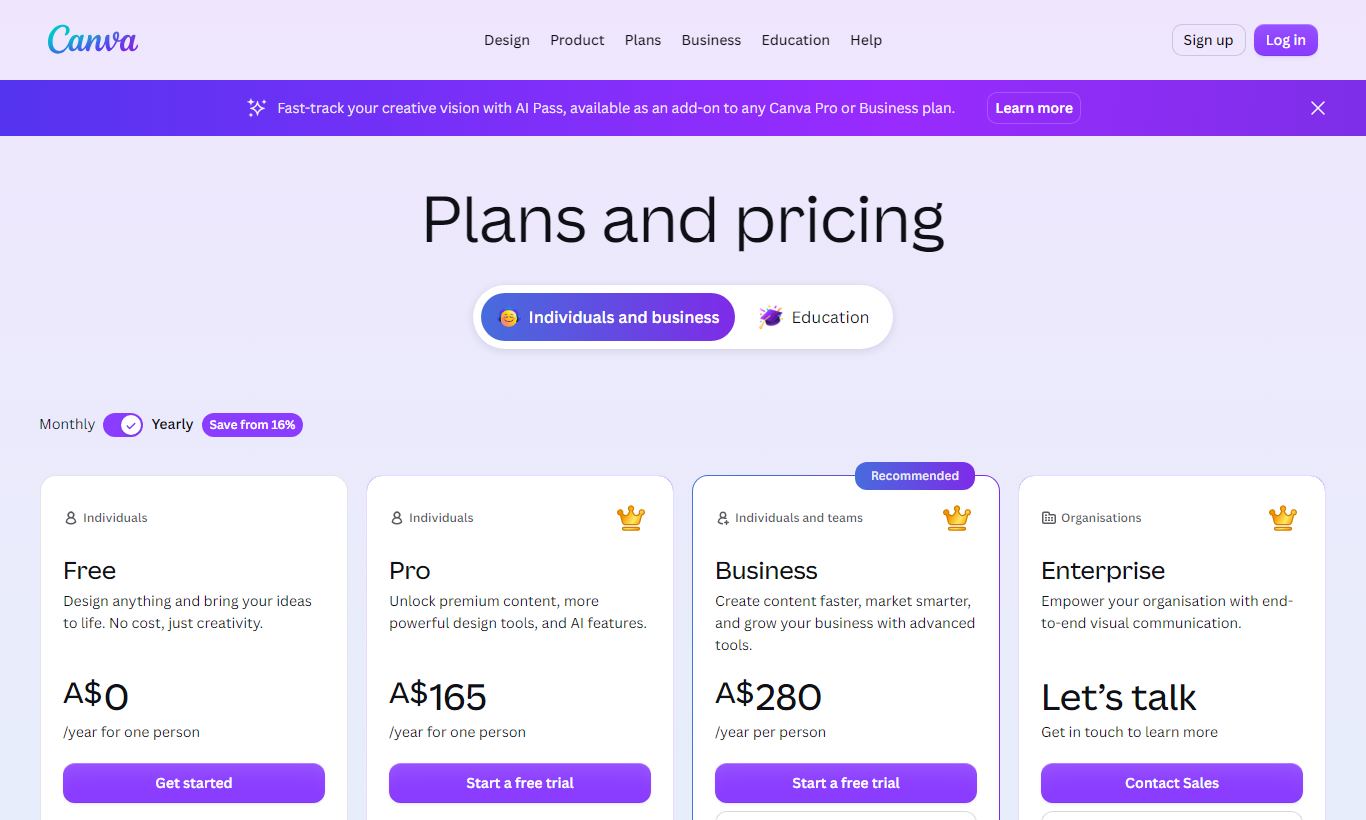
Canva runs on a freemium model with three main tiers available in 2026:
- Canva Free: $0 forever. Includes 1 million+ free templates and design elements, 5GB cloud storage, a basic editor, and collaboration with up to 5 people. Export to PNG, JPG, and PDF. No background remover, no Brand Kit, no Magic Studio AI beyond a very limited trial.
- Canva Pro: $15/month per person (billed monthly) or $120/year (about $10/month). Unlocks 100+ million premium photos, videos, and graphics. You also get the full Magic Studio AI suite, a background remover, Brand Kit (1 brand), Magic Resize, 30 days of version history, 1TB storage, and scheduling for social media posts.
- Canva Teams: $10/person/month billed annually (minimum 3 people, so $300/year minimum). Adds multiple Brand Kits, approval workflows, team admin controls, SSO on request, 1TB shared storage, and enterprise-grade content controls. Per-seat cost drops further at enterprise scale.
- Canva Enterprise: Custom pricing. Adds SAML SSO, advanced analytics, dedicated customer success, SLA guarantees, and organisation-wide brand governance tools. Built for 100+ seat deployments.
Canva Pro offers a 30-day free trial with no credit card required. That's one of the most generous trial periods in the design software category. The free plan has no time limit, so it's a legitimate long-term option for anyone with light design needs.
What We Love
- Magic Resize cuts multi-platform publishing time dramatically. One click reformats a Facebook post into an Instagram Story, a Twitter card, and a LinkedIn banner at the same time.
- Brand Kit keeps visual consistency across distributed teams. Locked brand colours, fonts, and logos stop off-brand designs from reaching customers.
- The free plan is genuinely useful. Over 1 million templates, full editor access, and collaboration for up to 5 people with no time limit beats what most competitors offer even on their paid plans.
- Magic Edit's generative fill works surprisingly well on product photography. Replacing backgrounds or removing unwanted objects takes under 30 seconds and produces clean results for web-quality images.
- Presentations include a built-in screen recorder and Presenter View. Teams can record async video walkthroughs without leaving Canva, so there's no need for a separate screen capture tool.
Watch Out For
- Vector editing is too limited for professional print production. Canva can't do true node-level vector manipulation, so packaging designers or anyone producing complex print collateral will hit a hard wall and need Illustrator or Inkscape instead.
- Premium elements appear unlocked until export. A common complaint from free users: an element used throughout a design turns out to be Pro-only, and you don't find out until you hit download. That means a plan upgrade or a scramble to redesign the asset.
- Offline access is not available. Canva runs entirely in the browser. Lose your Wi-Fi mid-project and your work stalls. There's no desktop app with real offline capability. Even the desktop app still needs a connection.
- AI usage is capped by credits, not unlimited. Magic Studio's AI features on Pro run on a monthly credit system. Heavy users running large content operations can burn through their credits before the month ends, and Canva rarely spells this out upfront.
Who Is It Best For?
The one-person marketing team at a 10 - 50 person company. This is Canva's sweet spot. A solo marketer handling social media, email assets, event collateral, and presentations can use Canva Pro ($120/year) to cover all of it without hiring a freelance designer for every request. The Brand Kit keeps everything on-brand, Magic Resize handles platform variations, and the template library fills gaps when inspiration runs dry.
An agency managing 3 - 8 client brand accounts. Canva Teams' multiple Brand Kits and approval workflows make it a real option for boutique agencies producing regular content for clients with distinct brand guidelines. Designers set up locked brand templates. Clients or junior staff then populate them with new copy and images without breaking the design system. At $10/seat/month (annual), it undercuts an Adobe CC Teams licence by a wide margin.
An educator or nonprofit creating regular communications. Canva runs a dedicated Canva for Education (free for K-12 teachers and students) and Canva for Nonprofits (free Pro access for qualifying organisations). These programmes hand over the full Pro feature set at no cost. That's a genuine win for schools and charities that need professional-quality materials on tight budgets.
How Does It Compare?
Adobe Express is Canva's most direct competitor. It plugs into Adobe's asset ecosystem (Lightroom photos, Firefly AI), which matters if your team already pays for Creative Cloud. That said, its template library is smaller, the free plan is more restrictive, and the editor just doesn't feel as polished as Canva's. Check our full Canva vs Adobe Express breakdown for a side-by-side analysis.
Figma targets a different crowd, mostly product designers and UX teams who need precise component-based design and clean developer handoff. Figma wins on prototyping, design systems, and code export. Canva wins on accessibility, template depth, and ease of use for non-designers. They're complements more than rivals, but if you're deciding where to centralize brand marketing asset production, read Canva vs Figma for a detailed comparison.
Final Verdict
Canva in 2026 is the best design tool for non-designers, and honestly it's not close. A genuinely useful free plan, a Pro tier that's affordable and well-featured, and an AI suite that actually saves measurable time add up to an easy recommendation. Canva has added video, presentations, websites, and whiteboards without losing the simplicity that made people love it in the first place.
The caveats are real, but they're limited. If your work demands precise vector illustration, CMYK print production, or developer-ready design handoff, skip Canva. But for most business design needs, social content, slide decks, marketing collateral, internal documents, and brand asset management, Canva Pro at $120/year delivers more value per dollar than almost any other software in a business's stack. Start with the free plan. Use the 30-day Pro trial to test the AI tools and Brand Kit, and upgrade only if you hit the free-plan ceiling. Most teams will.
Try Canva Free →FAQ
Is Canva free to use?
Yes. Canva's free plan has no time limit. It includes access to over 1 million templates, the full drag-and-drop editor, PNG/JPG/PDF export, and collaboration for up to 5 people. Premium features like background removal, the full AI suite, and Brand Kit require a Pro or Teams subscription.
How much does Canva Pro cost?
Canva Pro costs $15/month per person on a monthly plan, or $120/year (~$10/month) billed annually. A 30-day free trial is available with no credit card required. Teams pricing starts at $10/person/month (billed annually, minimum 3 users).
Is Canva Pro worth it?
For anyone producing design assets more than a few times a month, yes. Magic Resize, the background remover, the full Magic Studio AI suite, Brand Kit, and access to 100+ million premium assets save hours of work each week. At $120/year, most marketing professionals see a positive return after the first month of use.
Can Canva replace Adobe Illustrator or Photoshop?
Not for professional design work. Canva lacks true vector node editing, CMYK colour mode, advanced layer masking, and the precision tools needed for packaging or print production. For digital marketing assets, social content, and presentations, Canva does the job, and often does it faster. For complex illustration or print production, Adobe tools remain the standard.
How does Canva compare to Adobe Express?
Canva has a larger template library, a more intuitive editor, a more generous free plan, and a wider feature set (video, whiteboards, websites). Adobe Express has an edge if your team already uses Creative Cloud, since it integrates with Lightroom and Adobe Firefly. For most teams not already invested in the Adobe ecosystem, Canva is the stronger standalone choice.
Does Canva work offline?
No. Canva is a cloud-based platform and needs an internet connection to run. A desktop app exists for Windows and Mac, but it still requires connectivity. There's no true offline mode, and that's a real limitation for anyone working in low-connectivity environments.
Is Canva suitable for teams and agencies?
Yes, especially on the Teams plan ($10/person/month, billed annually). Multiple Brand Kits, approval workflows, team admin controls, and shared asset libraries make it a good fit for marketing teams and boutique agencies managing multiple brand accounts. Enterprise pricing is available for 100+ seat deployments with SSO and advanced governance.
Does Canva have a free trial for Pro?
Yes. Canva Pro includes a 30-day free trial with no credit card required, one of the most generous trial periods in the design software market. That gives teams enough time to test the Magic Studio AI tools, the Brand Kit, and Magic Resize before committing to a paid plan.
We may earn a commission when you click affiliate links. This never affects our editorial scores.
| Best for | — |
| Category | Design Tools |
Answer a few quick questions and we'll match you to the best tool for your needs.
→ Suggest a Tool