
Huntress Review 2026: Is It Worth It?
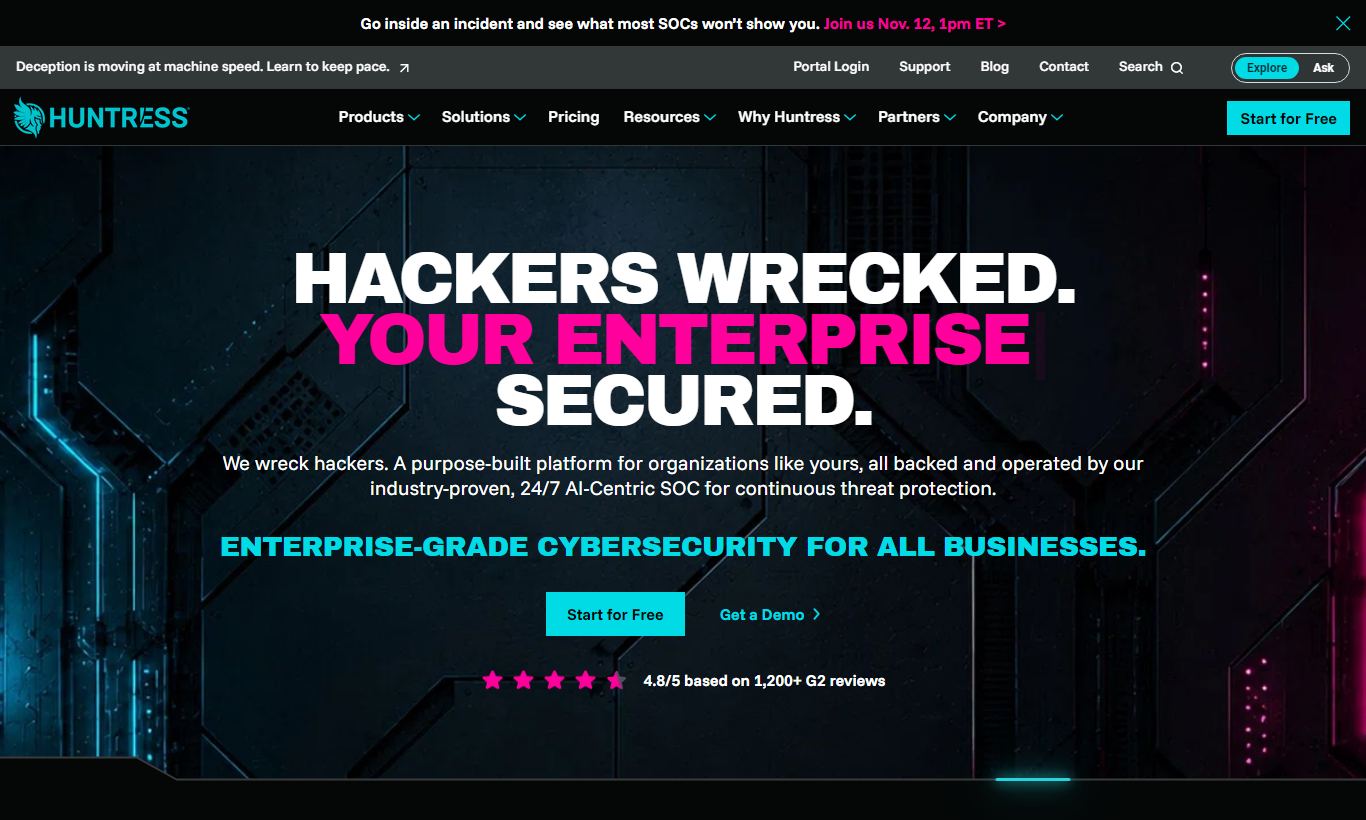
Huntress is a managed detection and response (MDR) platform built for small and mid-sized businesses and the managed service providers (MSPs) who support them. Founded in 2015 by former NSA operators, it pairs 24/7 human-led threat hunting with automated persistent foothold detection, Microsoft 365 identity protection, and ransomware canaries. Pricing starts at $5 per agent/month for endpoint protection and $3 per seat/month for Microsoft 365 coverage. What sets Huntress apart is the combination of lightweight software agents with a 24/7 Security Operations Center (SOC) that writes plain-English incident reports. You don't need SIEM expertise to use it. The platform fits MSPs, IT service providers, and lean internal IT teams that want enterprise-grade threat detection without hiring a full security staff. A 21-day free trial is available, and no credit card is required.
What we love
Watch out for
Huntress at a glance
What to test in your Huntress trial
21-day free trial
- Deploy agents to 5-10 real Windows endpoints and generate at least one foothold detection alert
- Check a real Microsoft 365 tenant for OAuth anomalies, inbox rules, and impossible travel logins
- Read 2-3 incident reports from the SOC to confirm plain-English explanations and remediation steps are clear
- Test one-click remediation on a low-risk flagged autorun to verify workflow works for your IT team
- If you're an MSP, test the multi-tenant portal with 2+ client accounts to check ConnectWise or RMM integration
Quick Verdict
Huntress is one of the more honestly positioned cybersecurity products on the market. It doesn't pretend to be an all-in-one security suite. Instead, it focuses tightly on catching the threats that slip past antivirus: persistent footholds, living-off-the-land attacks, and identity-based intrusions. For managed service providers (MSPs) managing dozens or hundreds of SMB clients, it solves a real, daily problem: how do you deliver enterprise-grade threat detection without a dedicated 24/7 SOC team? Huntress answers that with a mix of automated detection and actual human threat hunters who write incident reports in plain English and tell you exactly what to do next.
For small and mid-sized businesses running lean IT teams, the pitch holds up just as well. At $5 per endpoint per month, you get round-the-clock monitoring backed by analysts who've worked offensive security operations, people who understand attacker tradecraft at a level most SMB IT teams rarely see. The platform has real weaknesses (limited native SIEM capabilities, no built-in vulnerability scanner, macOS/Linux coverage that trails Windows), but for the threat model it targets, few competitors at this price point come close.
Start Your Free Trial →What is Huntress?
Huntress was founded in 2015 by Kyle Hanslovan and Chris Bisnett, both former NSA offensive cyber operators. That background matters. The product was built by people who spent their careers breaking into systems, and it shows in the detection logic. The company is headquartered in Ellicott City, Maryland, and has grown to serve over 125,000 businesses through a partner-first model built around MSPs and IT solution providers. Huntress doesn't sell direct-to-SMB as a primary channel. It's built to be white-labeled and managed through a multi-tenant partner portal, which is a big reason it has become a staple in the MSP toolstack. The platform covers three main threat surfaces: endpoints (Windows, macOS, Linux), Microsoft 365 identities, and, added in 2023, Security Awareness Training to close the human-vector gap.
The core philosophy is "boots on the ground" security. Software detects anomalies, but human threat hunters in the 24/7 SOC review, validate, and add context to every finding before it reaches your screen. This human-in-the-loop model cuts down alert fatigue compared to raw SIEM or EDR tools, which can throw off hundreds of unfiltered alerts per day. Huntress sits squarely in the MDR (Managed Detection and Response) category. It competes less with point-solution EDR tools and more with full-service MDR providers like Arctic Wolf and Red Canary, but at a price point the SMB market can actually afford.
Key Features
Feature Checklist
Persistent Foothold Detection
This is the feature that put Huntress on the map, and it remains its most technically differentiated capability. Huntress monitors Windows autorun locations, including registry keys, scheduled tasks, startup folders, and services, for persistent mechanisms attackers use to survive reboots. When a threat actor compromises a machine, they almost always plant a persistent foothold so they can return even if the initial payload is cleaned. Most antivirus tools miss these because they look clean. Huntress catches the persistence mechanism itself. In practice, an MSP managing a dental office with outdated systems might get an alert that a remote access tool planted a scheduled task disguised as a Windows update process. The alert comes with a full incident report explaining the attack chain and a one-click remediation option.
24/7 Human-Staffed SOC & Incident Reports
Huntress maintains a round-the-clock Security Operations Center staffed by trained threat hunters. Every actionable incident is reviewed by a human analyst before it hits your dashboard. The resulting incident reports are written in plain English, not just a hash and a severity score. They include a narrative explaining what happened, how the attacker likely got in, what they did, and what you need to do to remediate. For MSPs whose technicians may not have a deep malware analysis background, this is transformative. You don't need to know how to reverse-engineer a DLL to understand a Huntress incident report. The SOC also offers a one-click "approve remediation" button for many incidents, allowing technicians to authorize a fix directly from the report without remote-desktopping into the affected machine.
Microsoft 365 Identity & Email Protection
Huntress added Microsoft 365 coverage as a core module. It monitors user identities, mailbox rules, OAuth application consent grants, and sign-in anomalies across an entire M365 tenant. This matters because Microsoft 365 has become the single most targeted attack surface for SMBs. Business email compromise (BEC) and OAuth phishing campaigns regularly bypass Microsoft's native Defender protections. Huntress surfaces things like a newly created inbox rule that silently forwards emails to an external address, a suspicious OAuth app granted full mailbox access, or a user account signing in from an impossible travel location. Coverage is priced separately at $3 per seat/month, making it easy for MSPs to layer it on top of endpoint protection.
Ransomware Canaries
Huntress deploys hidden canary files across protected endpoints, files designed to look attractive to ransomware encryption routines. If any process attempts to encrypt or modify these canaries, Huntress detects it within seconds and can trigger an automated response to isolate the host. This provides a meaningful last-line-of-defense against ransomware variants that evade signature-based detection. For an SMB managing shared file servers, ransomware canaries on a file server can mean the difference between a contained incident affecting one machine and a catastrophic multi-server encryption event. The feature requires no configuration and is deployed automatically alongside the endpoint agent.
Security Awareness Training (SAT)
Huntress launched this module in 2023 under the "Huntress SAT" brand. It provides phishing simulations and training content delivered directly through the Huntress partner portal. Training modules are short (typically under 10 minutes), compliance-mapped (covering HIPAA, PCI-DSS, and general security hygiene), and include automated reporting for MSPs to share with clients. It isn't the most feature-rich SAT platform. Tools like KnowBe4 offer a deeper content library, but Huntress SAT removes the need to manage a separate vendor relationship for the human-factor piece of security, which many MSPs find operationally valuable.
Pricing
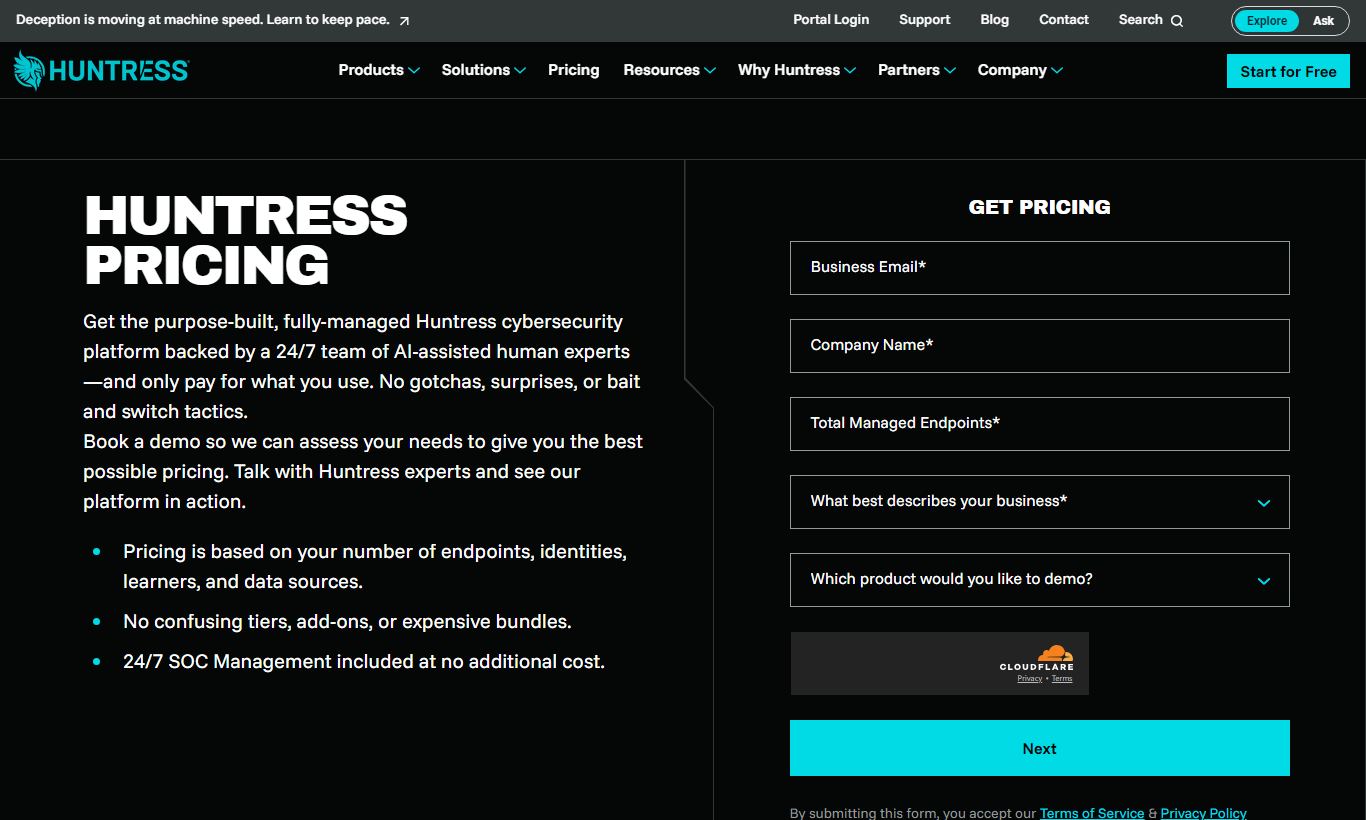
Huntress charges per agent, per month, billed through its partner portal. Pricing publicly starts at the tiers below. Huntress sells primarily through MSP partners, so end-customer pricing may vary based on partner markup.
- Endpoint Protection: Starting at $5 per agent/month. Covers Windows, macOS, and Linux endpoints. Includes persistent foothold detection, ransomware canaries, process insights, 24/7 SOC monitoring, and one-click remediation. Volume discounts apply at higher agent counts.
- Microsoft 365 Protection: Starting at $3 per seat/month. Covers identity monitoring, inbox rule analysis, OAuth app review, and sign-in anomaly detection across M365 tenants.
- Security Awareness Training: Starting at $2 per seat/month. Includes phishing simulations, training modules, compliance reporting, and partner-branded delivery.
There's no free plan, but Huntress offers a 21-day free trial with no credit card required. That gives partners full access to the platform to deploy agents and test the SOC experience in a live environment. For MSPs managing 50+ endpoints, custom pricing and bundled packages are available by contacting the Huntress sales team. There are no setup fees, and the agent footprint is deliberately light (under 10 MB memory usage on average) to keep deployment friction low.
What We Love
- Human SOC with plain-English reports: Every validated incident comes with a narrative written by a real analyst, including recommended remediation steps. Your team doesn't need malware analysis expertise to act on them.
- Persistent foothold detection fills a genuine AV gap: Huntress monitors autoruns and persistence mechanisms instead of just known malware hashes, so it catches post-exploitation activity that traditional antivirus misses entirely.
- M365 identity monitoring at $3/seat is compelling value: BEC and OAuth phishing are the top SMB threat vectors in 2025. Human-reviewed identity alerts at this price are hard to match with native Microsoft tooling alone.
- Multi-tenant MSP portal is genuinely well-designed: Partners can see all clients, deploy agents via RMM integrations (ConnectWise, NinjaRMM, Datto, Kaseya), and manage billing in one interface without switching contexts.
- 21-day full-feature free trial with no credit card: Partners can deploy agents to a live client environment and get real SOC-reviewed incident reports during the trial. It's a genuine evaluation, not a sandbox demo.
Watch Out For
- macOS and Linux coverage lags behind Windows: This is the complaint you'll hear most often. Mac agents have historically lacked feature parity with their Windows counterparts, especially around process-level telemetry and how deep the foothold detection actually goes. If you're an agency, creative firm, or dev team running a lot of Macs, this is worth weighing carefully.
- No native vulnerability management or patch management: Huntress catches active threats but won't scan for unpatched software or misconfigurations. MSPs still need a separate tool, something like Action1 or Patch My PC, to handle vulnerability remediation.
- Not sold direct-to-SMB easily: The partner-first model means a business can't just sign up for Huntress on its own. You have to go through an MSP or reseller. SMBs with their own in-house IT team will run into enrollment friction getting into the partner program.
- Security Awareness Training content library is smaller than dedicated SAT vendors: Stack it against KnowBe4 or Proofpoint Security Awareness and Huntress's SAT module comes up short on training modules and simulation customization. Treat it as a handy add-on, not a SAT replacement for enterprises.
Who Is It Best For?
MSPs managing 20 - 500 SMB endpoints per client: This is Huntress's sweet spot. A managed service provider running ConnectWise Manage or NinjaRMM who wants to add an MDR layer for all clients without hiring a SOC analyst will find Huntress fits naturally into the existing toolstack. The multi-tenant portal, RMM integrations, and white-label reporting make client delivery smooth and simple.
Internal IT teams at SMBs in regulated industries: A 15-person IT team at a 500-employee healthcare organization or regional accounting firm faces enterprise-level threats with nowhere near enterprise security staffing. Huntress gives that team 24/7 SOC coverage and human-reviewed alerts. The two IT generalists on staff won't be stuck triaging raw EDR telemetry at 2 a.m. The M365 module matters a lot for HIPAA and SOC 2-scoped environments.
IT solution providers moving from reactive to proactive security services: Break-fix shops or IT consultants looking to build a recurring security revenue stream can use Huntress as the technical backbone of a managed security offering. The per-agent billing model is easy to mark up. The SOC does the heavy lifting, and the partner portal supports white-labeled reporting so partners can share results with clients under their own brand.
How Does It Compare?
Huntress vs. Arctic Wolf: Arctic Wolf is a full-spectrum MDR platform with SIEM, vulnerability management, and cloud monitoring built in. But it targets mid-market and enterprise organizations, with pricing that typically starts at $30,000+ annually. Huntress is dramatically more accessible for SMBs, though it gives up some breadth for that affordability. See our detailed Huntress vs Arctic Wolf breakdown for a feature-by-feature comparison.
Huntress vs. SentinelOne (with MDR add-on): SentinelOne's Singularity platform offers deeper endpoint telemetry and AI-based behavioral detection, and its Vigilance MDR add-on provides SOC coverage. But the combined cost, complexity, and minimum seat requirements put it out of reach for most SMBs. Huntress trades raw telemetry depth for operational simplicity and a lower barrier to entry. For teams without an in-house security engineer to tune SentinelOne's policies, Huntress is the more practical choice. See our Huntress vs SentinelOne comparison for full details.
Final Verdict
Huntress earns a strong recommendation for MSPs and SMB IT teams that need real threat detection without building a SOC from scratch. The combination of persistent foothold detection, human-reviewed incident reports, and Microsoft 365 identity monitoring addresses the actual threat landscape facing small businesses today, not some theoretical one. At $5/agent/month for endpoints and $3/seat/month for M365 coverage, the value-to-protection ratio is among the best in the MDR category at the SMB price point.
Huntress does fall short in a few places. Vulnerability management is thin, macOS parity isn't quite there yet, and direct SMB self-service has gaps. These are real limitations, and buyers should plan to pair Huntress with a patching tool and confirm agent support for their specific OS mix before signing anything. Still, for the MSP community especially, Huntress has become a default recommendation for good reason. It solves the right problem, at the right price, with enough operational simplicity that it actually gets deployed instead of sitting in an evaluation queue forever.
Try Huntress Free →FAQ
How much does Huntress cost?
Huntress pricing starts at $5 per agent/month for endpoint protection and $3 per seat/month for Microsoft 365 identity monitoring. The Security Awareness Training module starts at $2 per seat/month. Volume discounts are available for larger deployments, and custom pricing is offered for MSPs managing high agent counts.
Does Huntress offer a free trial?
Yes. Huntress offers a 21-day free trial with no credit card required. Partners can deploy agents to real endpoints and get live SOC-reviewed incident reports during the trial period. The trial includes full functionality rather than a stripped-down demo.
Is Huntress worth it for small businesses?
For small businesses working with an MSP, yes. Huntress provides 24/7 SOC-backed threat detection at a price point that was previously unavailable to SMBs. For businesses trying to self-serve without an MSP partner, the onboarding process adds some friction. Even so, the security value holds up well against alternatives at a similar price.
What is the difference between Huntress and traditional antivirus?
Traditional antivirus detects known malware signatures. Huntress focuses on the techniques attackers use after gaining access: persistence mechanisms, living-off-the-land abuse, and identity compromise. It's built to catch threats that have already slipped past antivirus, not to replace it. Huntress recommends running both alongside each other.
Does Huntress replace a SIEM?
No. Huntress doesn't aggregate logs, provide long-term retention for compliance, or offer the correlation rule customization of a full SIEM platform. It focuses on a narrower, high-signal set of detections and backs them up with human-reviewed incident reports. Organizations with SIEM requirements (for example, SOC 2 or PCI-DSS log retention) will still need a dedicated SIEM tool like Microsoft Sentinel or Splunk.
How does Huntress compare to Arctic Wolf?
Arctic Wolf offers broader coverage (SIEM, vulnerability management, cloud monitoring) and targets mid-market and enterprise customers at a significantly higher price point. Huntress is built for the SMB and MSP market, prioritizing simplicity, affordability, and fast deployment over breadth. For organizations with under 500 endpoints and no dedicated security team, Huntress typically delivers better practical value per dollar.
What operating systems does Huntress support?
Huntress supports Windows, macOS, and Linux endpoints. Windows coverage is the most mature, with the deepest feature parity for persistent foothold detection and process-level telemetry. macOS and Linux support has expanded but still trails Windows in some detection depth areas, particularly around autorun monitoring granularity on macOS.
Can Huntress detect ransomware?
Yes. Huntress deploys ransomware canary files on protected endpoints. If any process attempts to encrypt these files, a telltale sign of ransomware activity, Huntress detects it within seconds and can trigger automated host isolation. This gives you a behavioral, signature-independent layer of ransomware detection that works even against novel variants.
We may earn a commission when you click affiliate links. This never affects our editorial scores.
| Best for | — |
| Category | Cybersecurity |
Answer a few quick questions and we'll match you to the best tool for your needs.
→ Suggest a Tool