
Zendesk Review 2026: Is It Worth It?
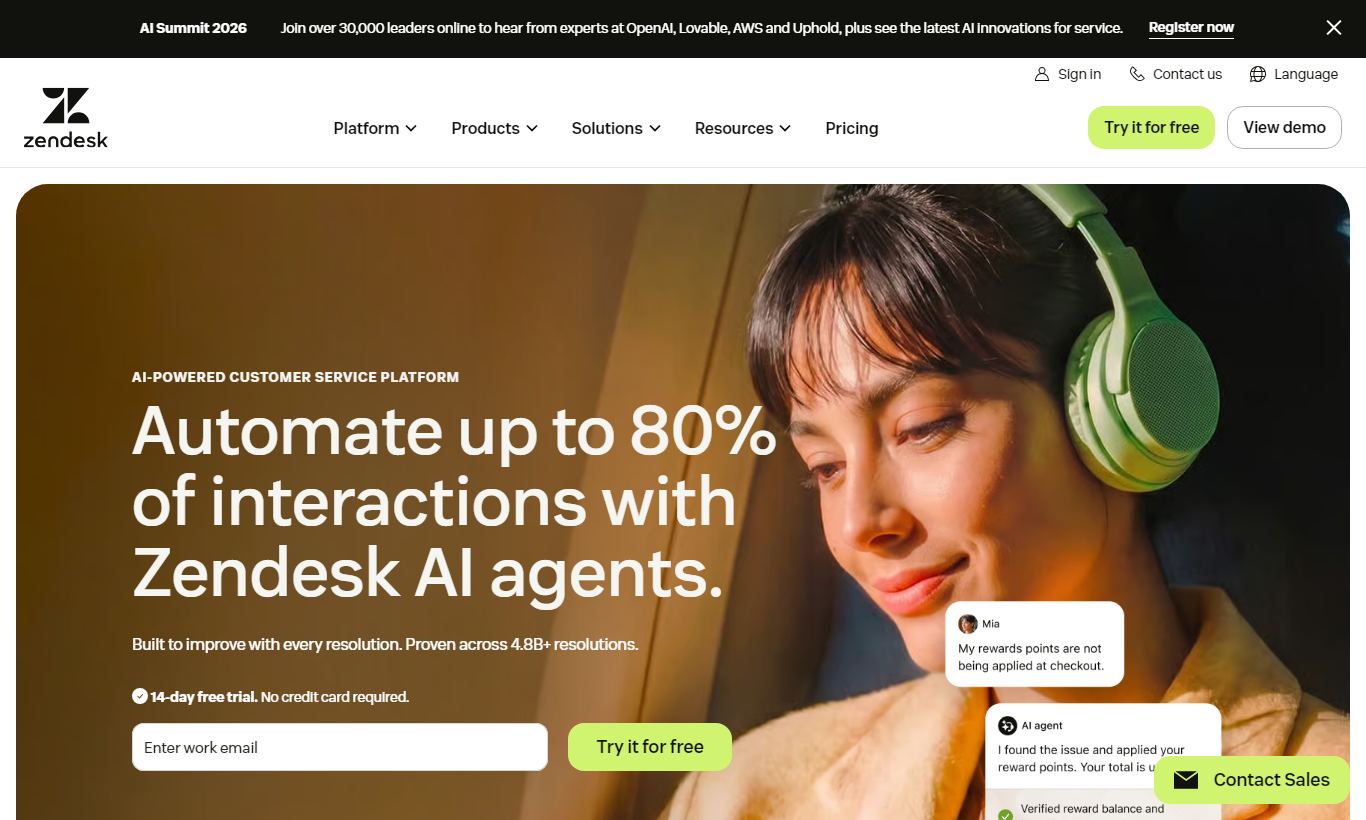
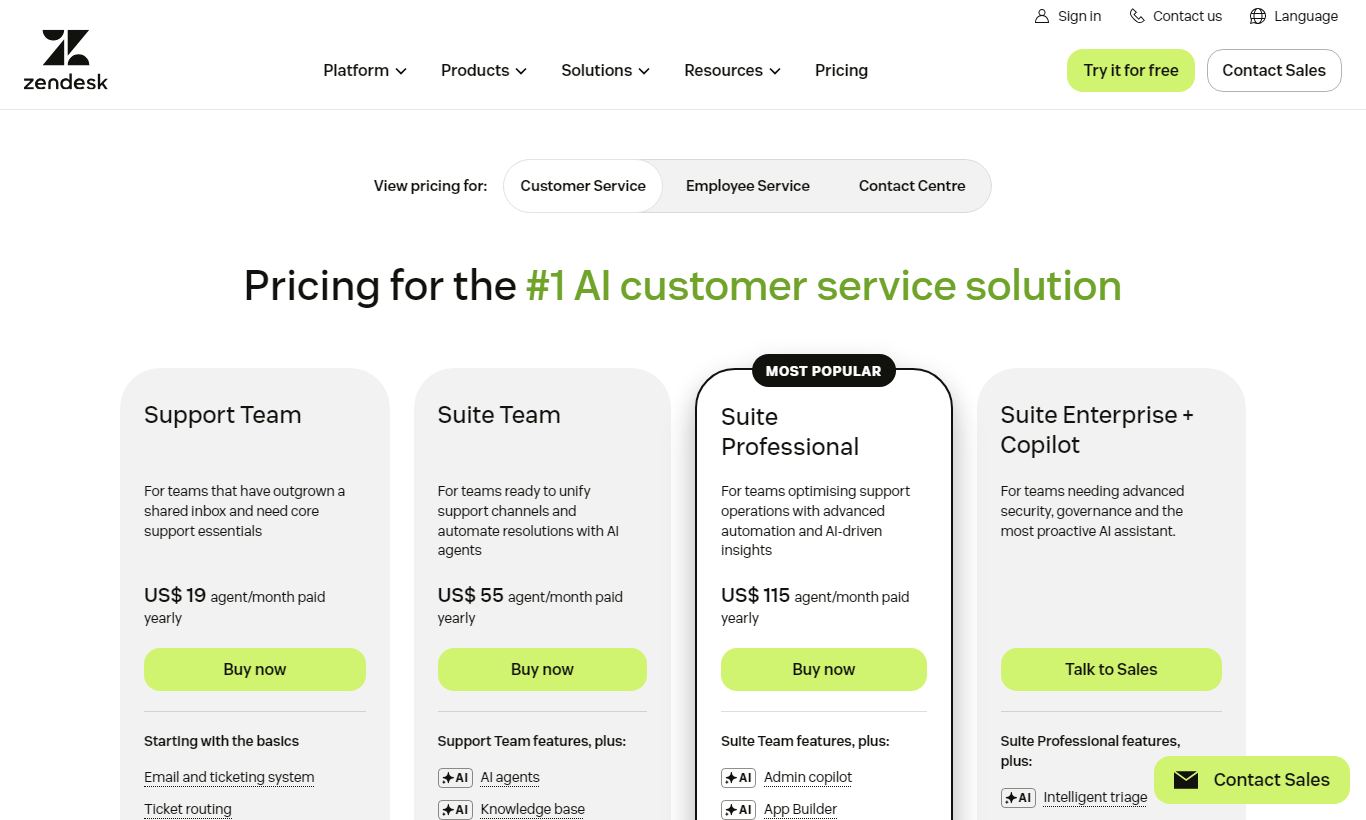
Zendesk is one of the most mature customer support platforms on the market. It combines a unified ticketing system, live chat, AI-powered automation, and a self-service knowledge base in one place. It works best for mid-market and enterprise companies handling high ticket volumes across multiple channels: email, chat, voice, social, and SMS. Pricing starts at $19/agent/month on the Suite Team plan and scales up to enterprise pricing that can run into six figures annually for large deployments. The platform's depth is both its biggest strength and its steepest learning curve. Smaller teams or startups may find the pricing and setup work hard to justify. But for support operations that need strong reporting, advanced routing, and deep CRM integrations, Zendesk is still one of the most capable platforms out there in 2026. Most plans include a 14-day free trial.
What we love
Watch out for
Zendesk at a glance
What to test in your Zendesk trial
14-day free trial
- Import your real email, chat, and social tickets into one workspace and route a week of live support through it
- Set up intelligent triage to automatically route 10+ tickets by intent and language without manual sorting
- Build a help centre article for your most common customer question and test AI-suggested macro responses
- Create three SLA policies (urgent, standard, low priority) and verify countdown timers alert agents before breaches
- Connect Zendesk to your CRM or Slack to test if key integrations work smoothly with your existing stack
Quick Verdict
Zendesk is the gold standard for mid-to-enterprise customer support operations. It earns that reputation through sheer breadth of functionality. From omnichannel ticketing and AI-assisted triage to a deeply customisable help centre and a reporting suite that surfaces genuinely actionable data, this is a platform built by people who understand support at scale. If your team handles thousands of tickets per month across multiple channels, Zendesk can turn that chaos into a manageable, measurable workflow.
Powerful and right for everyone aren't the same thing, though. Zendesk's pricing model rewards scale. Smaller teams or early-stage startups often end up paying a premium for features they'll never touch, while wrestling with an interface that assumes you've got a dedicated admin to configure it. If you're a solo founder or a five-person startup fielding 50 tickets a week, there are leaner tools out there for a fraction of the cost. But if you've outgrown Freshdesk or Help Scout and need enterprise-grade routing, SLA management, and analytics, Zendesk deserves serious consideration.
Start Your Free Trial →What is Zendesk?
Zendesk was founded in Copenhagen in 2007 and went public in 2014. Permira took it private in 2022 in a $10.2 billion deal. Today it's one of the largest dedicated customer service software companies in the world, serving over 100,000 businesses, from Shopify and Airbnb down to small e-commerce operations scaling their first support team. The platform splits into two primary product families: Zendesk for Service (the support suite this review focuses on) and Zendesk for Sales (its CRM product, formerly Base). The core pitch is simple: one workspace where support agents handle tickets from any channel without switching tabs or losing context.
Zendesk aims squarely at the mid-market and enterprise space. The entry-level Suite Team plan is technically accessible to small businesses, but the platform's configurability, admin tooling, and pricing structure all point toward companies with dedicated support managers, defined SLAs, and multi-agent teams. That's not a knock against it. It's just context worth knowing before you evaluate whether it fits your team.
Key Features
Feature Checklist
Omnichannel Ticketing and Agent Workspace
Zendesk's ticketing system sits at the heart of the product, and it's still best-in-class for teams working across multiple channels. Every inbound message, whether it arrives via email, live chat, Twitter/X DM, WhatsApp, voice call, or web form, gets converted into a ticket and shows up in a single Agent Workspace. Agents see full conversation history, previous ticket interactions, and customer profile data without leaving the ticket view. The unified inbox means agents don't have to juggle multiple tools, and that directly cuts handle time. Ticket fields are fully customisable and support conditional logic, so a billing inquiry automatically surfaces a different set of fields than a technical bug report.
AI and Intelligent Automation (Zendesk AI)
Zendesk has invested heavily in its AI layer, branded simply as "Zendesk AI," which is available as an add-on across Suite plans. The most practically useful feature is intelligent triage: the system automatically detects intent, language, and sentiment for every incoming ticket and routes it to the right team or agent without human intervention. For a support team receiving 2,000+ tickets a month, this alone can save hours of manual sorting daily. Macro suggestions recommend canned responses based on ticket content, and the AI can draft full replies for agent review. A separate AI Agent (formerly Answer Bot) handles routine queries on its own, password resets, order status lookups, policy questions, deflecting tickets before they ever reach a human. Deflection rates of 15-30% are realistic for teams with a well-populated knowledge base.
Help Centre and Self-Service
Zendesk Guide is the platform's knowledge base and help centre builder. It supports multiple brands and multiple languages from a single admin panel, which matters for international businesses or companies with distinct product lines. Articles are version-controlled, support rich media embedding, and can be restricted by user segment (only paying customers see certain premium support articles, for instance). The Content Cues feature analyses ticket patterns and surfaces suggestions for articles that agents frequently search for but don't yet exist, helping support managers close self-service gaps before they become a problem. A Community Forum module is also available for brands that want peer-to-peer support.
Reporting and Analytics (Zendesk Explore)
Zendesk Explore is the platform's analytics engine, and it's one of the more capable reporting tools in the support software category. Out of the box, it offers pre-built dashboards covering ticket volume, first reply time, resolution time, CSAT scores, and agent performance. The real power is in custom report building: Explore uses a drag-and-drop query builder where teams can create cross-tab reports combining any metric across any dimension, channel, team, ticket tag, time period. Benchmark data can be exported to CSV or connected to BI tools via API. One genuine limitation: Explore reports have historically had a data refresh lag of up to an hour on lower-tier plans, which matters if your team monitors real-time queue health.
Workforce Management and SLA Tools
For teams running formal support operations, Zendesk's SLA (Service Level Agreement) management stands out. Admins can define multiple SLA policies, VIP customers get a 1-hour first reply, standard customers get 8 hours, and the system automatically applies the correct policy based on ticket attributes. SLA breach warnings appear in-ticket as a countdown timer, so agents always know which tickets are at risk. Paired with Skills-based routing (available on higher tiers), tickets get assigned automatically to agents with matching expertise, cutting down on reassignments. Zendesk also now offers a native Workforce Management (WFM) add-on for forecasting staffing needs based on historical ticket volume data.
Pricing
Zendesk charges per agent, per month, across its Suite plans. All prices below reflect monthly billing. Annual billing saves approximately 20%.
- Suite Team, $55/agent/month (billed annually, around $69/month if billed monthly): Covers the unified agent workspace, up to 1,000 AI automated resolutions/year, a basic help centre, pre-built reporting dashboards, and standard integrations. This is the entry point for teams wanting omnichannel support.
- Suite Growth, $89/agent/month (annual): Adds multiple ticket forms, multilingual content, CSAT surveys, advanced knowledge base features, and 2,000 AI automated resolutions/year. Best for teams scaling beyond 10 agents.
- Suite Professional, $115/agent/month (annual): Gives you skills-based routing, custom analytics with Explore, HIPAA compliance, up to 10 custom dashboards, side conversations, and 5,000 AI automated resolutions. It's the tier most established support teams end up choosing.
- Suite Enterprise, custom pricing: Adds sandbox environments, custom roles and permissions, dynamic content, advanced AI features, and a dedicated customer success manager. Pricing typically starts around $169/agent/month but varies a lot depending on contract size.
A 14-day free trial is available on Suite Team and Suite Growth, no credit card required. Zendesk AI is available as a paid add-on across all tiers. Pricing for it is based on automated resolution volume. Voice (Zendesk Talk) is consumption-based and billed separately from the suite price.
What We Love
- Unified Agent Workspace genuinely works: Agents handle email, chat, WhatsApp, voice, and social from a single queue with full customer context. No tab-switching, no lost history.
- AI-powered triage at scale: Automatic intent detection, sentiment scoring, and language routing cut manual ticket sorting by 20 - 30% for teams with high inbound volume.
- Multi-brand, multilingual help centre: Zendesk Guide supports multiple brands and 40+ languages from one admin panel. That's a real advantage for international SaaS companies or multi-product businesses.
- Granular SLA management: Multiple SLA policies with conditional logic, breach countdown timers, and compliance reporting give support managers real operational control over service commitments.
- 1,400+ marketplace integrations: Native connectors to Salesforce, Jira, Slack, Shopify, HubSpot, and dozens of others mean Zendesk fits into almost any existing tech stack without custom development.
Watch Out For
- Pricing adds up fast at scale: At $115/agent/month for Suite Professional, a 20-agent team pays $27,600/year before add-ons. AI resolutions, voice minutes, and WFM all get billed on top of that. Budget carefully.
- The configuration learning curve is steep: Zendesk's power comes with real complexity. Setting up advanced triggers, automations, and routing rules correctly usually requires a dedicated admin or a professional services engagement. This isn't a weekend project.
- Explore reporting lags behind real time: On Suite Team and Growth plans, analytics dashboards can lag by up to one hour. That makes real-time queue monitoring unreliable unless you upgrade or bring in a third-party BI tool.
- Zendesk's own support is frustrating to deal with: A common complaint from real users is that Zendesk's support, especially for billing and account issues, is slow and impersonal. Given what the product is built to do, that's a bit ironic.
Who Is It Best For?
A fast-growing e-commerce brand with 15 - 50 agents: If you're fielding high volumes of order, shipping, and returns queries across email, live chat, and social, Zendesk's omnichannel workspace and automation tools will cut handle time and lift CSAT fast, and you'll see it in the numbers within weeks. Suite Growth or Professional is the right entry point here.
A B2B SaaS company with tiered customer success and support: Zendesk's SLA management and skills-based routing suit companies that need to offer different service levels to free, paid, and enterprise customers. Routing a "Platinum" customer's ticket straight to a senior agent while an AI handles free-tier queries actually works well in practice.
An enterprise IT helpdesk or internal support team: Zendesk isn't just for external customer support. Plenty of large organisations run it for internal IT and HR helpdesks, using the same ticketing, routing, and reporting infrastructure. The HIPAA compliance option on Suite Professional also makes it a fit for healthcare-adjacent use cases.
How Does It Compare?
Zendesk vs Freshdesk: Freshdesk is the comparison people ask about most. For similar feature sets, Freshdesk usually costs 20 to 30% less, and its interface is genuinely easier to set up without needing a dedicated admin. Zendesk still pulls ahead on reporting depth, its marketplace of integrations, and AI features once you're operating at scale. Zendesk vs Freshdesk. Read our full comparison.
Zendesk vs Intercom: Intercom is the closer rival if your team cares more about proactive messaging, in-app support, and product-led growth workflows than classic ticket management. Its interface feels more modern, and Fin, its AI chatbot, is probably more capable straight out of the box. Zendesk still wins on traditional helpdesk strengths: SLAs, multi-channel ticketing, and analytics. Zendesk vs Intercom. See which one fits your team.
Final Verdict
Zendesk has spent nearly two decades working toward one goal: giving support teams full visibility and control over every customer interaction, no matter the channel or volume. In 2026, it mostly delivers. The Agent Workspace is genuinely unified, the AI triage tools are maturing fast, and the SLA management and reporting capabilities are still among the best for complex support operations. The platform's 1,400+ integrations mean it fits into almost any tech stack, and its compliance credentials (HIPAA, SOC 2, GDPR) make it a real option for regulated industries.
The caveats are real. The pricing model demands careful planning. Costs climb fast as you add agents, AI resolutions, and voice. Configuration isn't simple, and Zendesk's own customer support has a well-documented reputation for falling short. For teams with fewer than 10 agents or modest ticket volumes, tools like Freshdesk or Help Scout will get you 80% of the value at 40% of the cost. But for mid-market and enterprise support operations that need to scale, comply, and report with precision, Zendesk is still the most capable platform in the category.
Try Zendesk Free →FAQ
How much does Zendesk cost per month?
Zendesk Suite plans start at $55/agent/month (Suite Team, billed annually) and go up to $115/agent/month for Suite Professional. Enterprise pricing is custom. Monthly billing costs about 25% more. Add-ons like Zendesk AI, voice (Talk), and Workforce Management are priced separately.
Does Zendesk offer a free plan?
No, Zendesk doesn't offer a permanent free plan. A 14-day free trial is available on Suite Team and Suite Growth plans with no credit card required, so teams can test full features before committing.
Is Zendesk good for small businesses?
Zendesk can work for small businesses, but it's rarely the best fit. Pricing starts at $55/agent/month, and the configuration complexity often demands dedicated admin time. Smaller teams (under 10 agents) with straightforward needs will likely get better value from Freshdesk's free tier or Help Scout's $20/user plan.
How does Zendesk compare to Freshdesk?
Freshdesk is cheaper and easier to set up, which makes it a strong choice for small to mid-sized teams. Zendesk offers deeper reporting, more powerful routing and SLA tools, and a larger integration marketplace. These advantages matter most at 20+ agents and higher ticket volumes. See our full Zendesk vs Freshdesk comparison.
What is Zendesk AI and does it cost extra?
Zendesk AI is the platform's artificial intelligence layer. It covers intelligent triage, sentiment detection, intent classification, macro suggestions, and the AI Agent (automated bot). It's available as a paid add-on on all Suite plans, priced based on the number of automated resolutions per month. Basic AI resolutions come bundled into each Suite tier at limited volumes (e.g., 1,000/year on Team).
Is Zendesk HIPAA compliant?
Yes, Zendesk offers HIPAA compliance on the Suite Professional plan and above, provided you sign a Business Associate Agreement (BAA) with Zendesk. That makes it viable for healthcare companies and other organisations handling protected health information (PHI).
Is Zendesk worth it in 2026?
For mid-market and enterprise support teams with high ticket volumes, multiple channels, and formal SLA commitments, Zendesk earns its price tag. Its omnichannel workspace, AI triage, and analytics capabilities are hard to match. Smaller teams or those on tight budgets will do better with cheaper alternatives like Freshdesk or Help Scout, which deliver solid value without Zendesk's setup overhead or cost.
We may earn a commission when you click affiliate links. This never affects our editorial scores.
| Best for | Customer service platform |
| Category | Customer Support |
Answer a few quick questions and we'll match you to the best tool for your needs.
→ Suggest a Tool