
Tidio Review 2026: Is It Worth It?
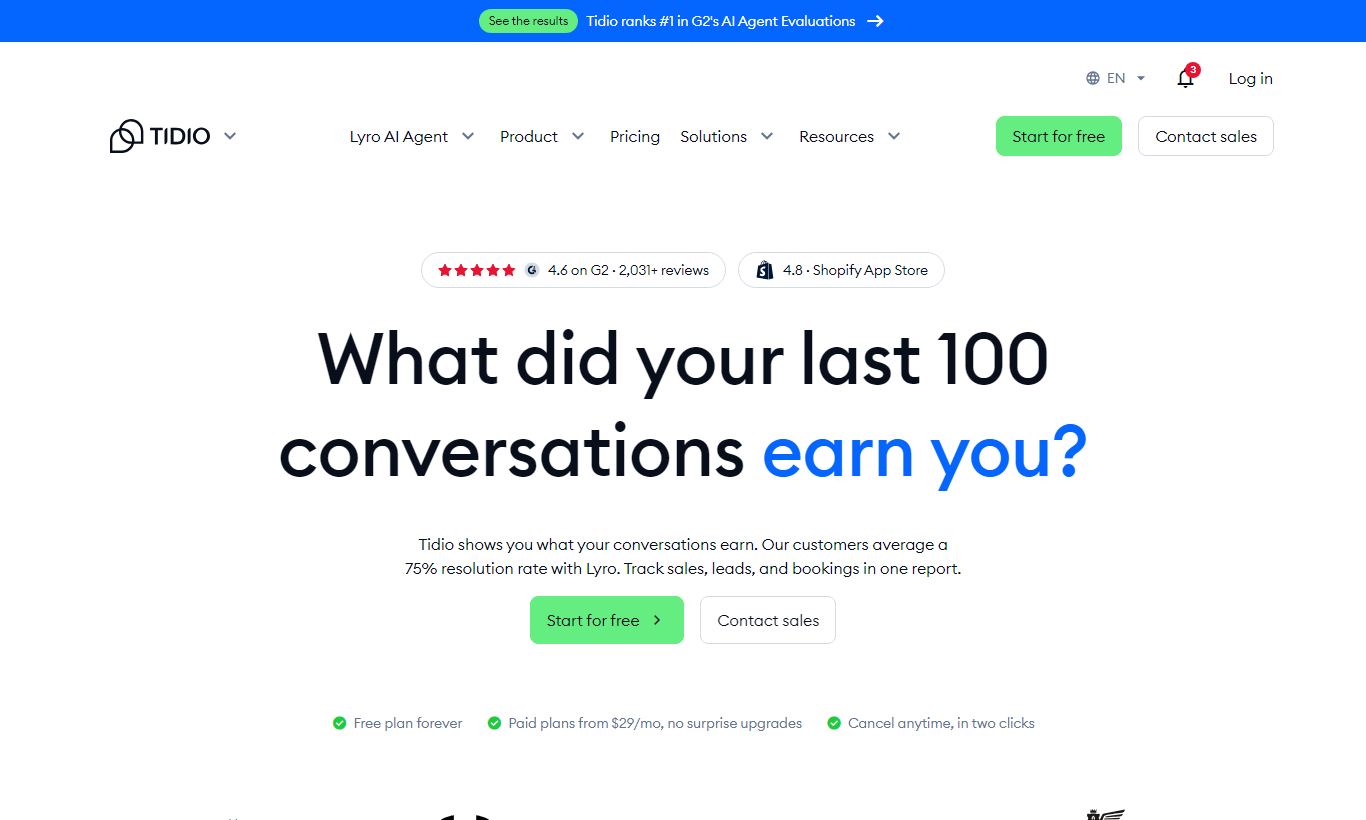
Tidio is a live chat and AI-powered customer support platform built for small and mid-sized e-commerce businesses. It combines a real-time chat widget, a visual chatbot builder, and an AI agent called Lyro in one affordable package. The free plan supports up to 50 AI conversations and 3 operator seats, which makes it genuinely useful for early-stage stores. Paid plans start at $29/month and scale with conversation volume and automation depth. Tidio is a strong pick for Shopify and WooCommerce merchants who want to cut down repetitive support tickets without hiring extra staff. It's not the right fit for large enterprises or teams that need deep CRM integration. Overall rating: 4.3 out of 5.
What we love
Watch out for
Tidio at a glance
What to test in your Tidio trial
7-day free trial
- Feed your FAQ or knowledge base into Lyro and test it answers 10 real customer questions accurately
- Deploy one pre-built Flow template (like abandoned cart recovery) using the visual builder in under 20 minutes
- Connect your Shopify store and confirm you can see order history and cart data in the chat sidebar
- Run live chats with your team using the free 100 conversations and track if Lyro hands off complex questions to humans
Quick Verdict
Tidio hits a sweet spot that very few customer support tools manage. It's genuinely easy to deploy, meaningfully powerful out of the box, and priced so a bootstrapped Shopify store can afford it from day one. The free tier isn't a crippled demo. You get a working live chat widget, a visual chatbot builder, and 50 Lyro AI conversations every month, no credit card required. For small e-commerce teams fielding the same dozen questions about shipping, returns, and order status every day, Tidio can cut that ticket volume in half within a week of setup.
Tidio is not a one-size-fits-all platform, though. Its CRM capabilities are thin, its reporting doesn't go deep enough for enterprise analytics teams, and the Lyro AI conversation limits feel restrictive once you scale past a few hundred support chats per month. If you're a solo founder launching a DTC brand, a small support team on Shopify, or a SaaS startup that needs a low-friction chat layer, Tidio deserves serious consideration. If you're running a 50-seat support operation or need Salesforce-level integration, keep reading the comparison section first.
Start Your Free Trial →What is Tidio?
Tidio was founded in 2013 in Szczecin, Poland, and has grown to serve over 300,000 businesses worldwide. It started as a straightforward live chat widget but has expanded significantly into AI-driven automation, most notably with the launch of Lyro, its conversational AI agent, in 2023. Tidio positions itself squarely in the small-to-mid-market segment, with deep native integrations for Shopify, WooCommerce, WordPress, Wix, and Squarespace. Unlike heavier platforms such as Zendesk or Intercom, Tidio doesn't require a dedicated implementation consultant to get running. Most businesses go live within an hour.
The product today is built around three pillars: a customisable live chat widget for real-time visitor conversations, Flows (a visual no-code chatbot builder for automated responses and lead capture), and Lyro AI (a large-language-model-powered agent that answers questions from your own knowledge base). This three-layer setup lets you handle simple queries automatically, escalate complex ones to human agents, and let AI cover the middle ground, all from a single dashboard.
Key Features
Feature Checklist
Lyro AI Agent
Lyro is Tidio's flagship AI feature and the one most likely to justify the upgrade from free to paid. You feed Lyro your FAQ content, either by pasting text, importing from a URL, or connecting your existing help centre, and it starts answering visitor questions in natural, conversational language without any scripted decision trees. In practice, Lyro handles questions like "Where is my order?" or "Can I return a product after 30 days?" with impressive accuracy because it sticks strictly to your content instead of making things up. Lyro also knows when to step back: if it can't answer with enough confidence, it hands the conversation to a live agent with full context intact. The free plan includes 50 Lyro conversations per month. Paid tiers start at 100 and go up to 500+ depending on the plan.
Visual Flows Builder (Chatbot Automation)
Tidio's Flows editor is a drag-and-drop canvas where you build conditional chatbot sequences without writing a single line of code. Pre-built templates cover the most common e-commerce scenarios: abandoned cart recovery, discount code delivery, lead capture before hours, and post-purchase satisfaction surveys. Each node in a flow can trigger on conditions like page URL, visitor location, time on site, or cart value. Here's a practical example: you can set a flow to appear 45 seconds after a visitor lands on a pricing page, offer a 10% discount code, and fire a follow-up message 30 seconds later if they don't engage. For non-technical teams, this level of conditional logic with zero code is genuinely impressive. The free plan includes three active flows. Paid plans remove that limit.
Live Chat and Multichannel Inbox
The live chat widget is fast, visually clean, and customisable with your brand colours, logo, and operating hours. Operators get a unified inbox that pulls in conversations from the website widget, email, Instagram DMs, Facebook Messenger, and WhatsApp (WhatsApp requires the Tidio+ plan). Canned responses and internal notes keep agents efficient, and the visitor panel shows real-time data on what page each visitor is on, how long they've been on the site, and their geographic location. Typing indicators, read receipts, and file sharing are all included across tiers. One limitation worth flagging: the mobile app for operators works fine but lacks some of the desktop inbox's filtering and tagging depth.
E-Commerce Integrations and Order Management
The Shopify and WooCommerce integrations stand out from the competition. Once connected, agents can see a customer's order history, cart contents, and previous conversations directly in the chat sidebar, with no tab-switching needed. Agents can issue refunds, check order status, and even recommend products from within the chat window on Shopify. For WooCommerce, the order lookup is read-only but still saves real context-switching time. These integrations are what make Tidio feel built for e-commerce rather than a generic chat tool with an online-store skin.
Analytics and Reporting
Tidio's reporting covers conversation volume, response times, operator performance, and chatbot engagement rates. You can see which flows have the highest drop-off, which agents are closing the most conversations, and what peak hours look like across your support operation. The analytics dashboard, though, is adequate rather than advanced. You can't build custom report views, export data in granular CSV formats on lower-tier plans, or set automated report delivery by email. For most SMBs, the built-in reporting is enough. For teams that live in data dashboards, it's a weak point.
Pricing
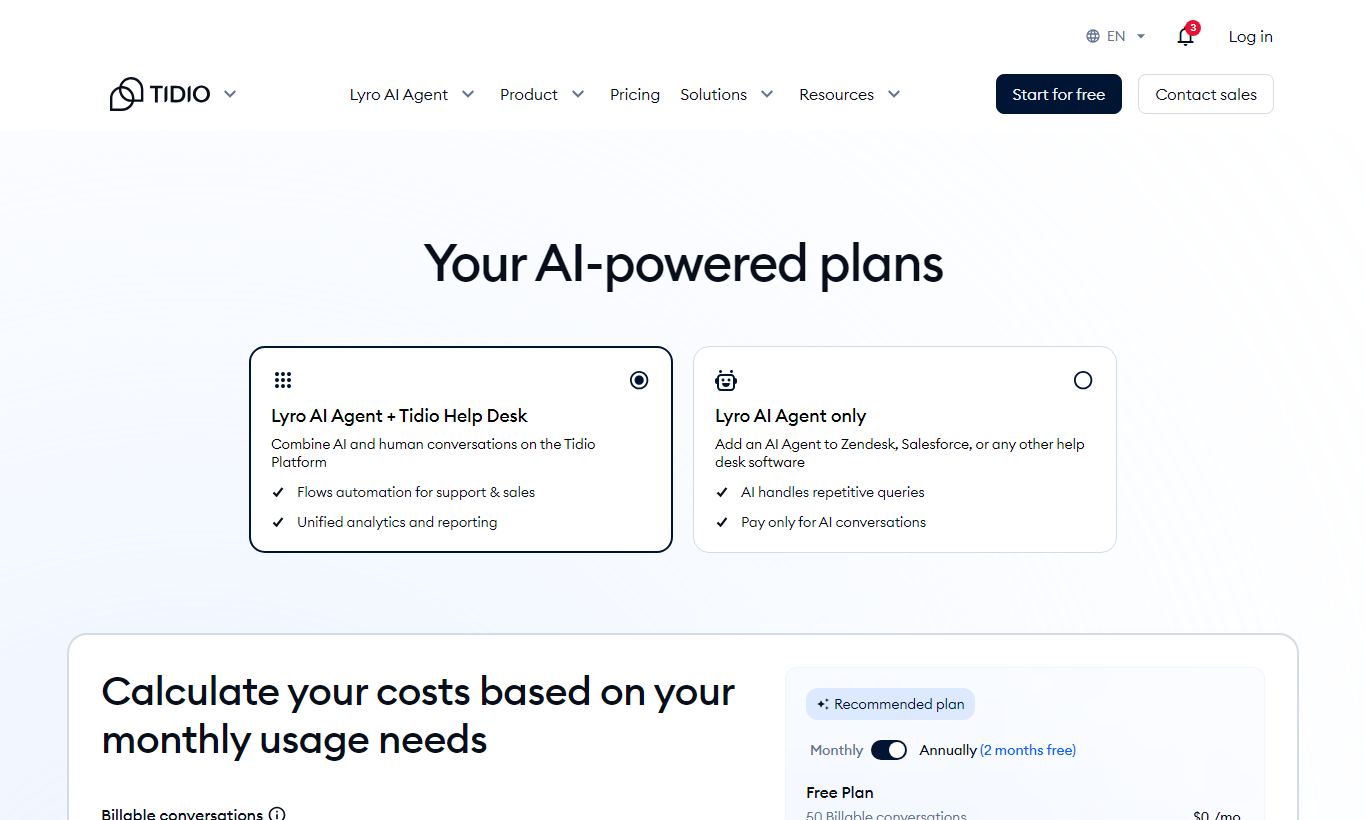
Tidio offers a free plan and four paid tiers. You can bill any paid plan monthly or annually, and annual billing saves about 20%.
- Free: $0/month. 3 operator seats, 50 Lyro AI conversations a month, 3 active Flows, 100 live chat conversations a month, basic widget customisation, email and Messenger integration.
- Starter: $29/month (billed monthly). 3 operator seats, 100 Lyro conversations, unlimited live chat conversations, all Flows templates, basic analytics, email support.
- Growth: $59/month (billed monthly). 10 operator seats, 250 Lyro conversations, advanced analytics, live visitor tracking, priority email and chat support, deep Shopify and WooCommerce integration.
- Tidio+: $749/month. Custom operator seats, 500+ Lyro conversations, WhatsApp integration, a dedicated success manager, custom AI training, advanced CRM integrations, and SLA support. This tier suits fast-scaling e-commerce brands with high support volume.
Every paid plan comes with a 7-day free trial, and you don't need a credit card to start one. If you go over your monthly Lyro limit, you can buy extra conversations à la carte on any plan, priced at roughly $0.50 to $0.80 per conversation depending on volume. None of the lower tiers charge per seat, which is a rare and welcome touch for budget-conscious teams.
What We Love
- Lyro AI stays in its lane: Unlike some AI chat tools that confidently make up answers, Lyro admits when it doesn't know something and hands the conversation off. That kind of honesty matters a lot in customer-facing support.
- Shopify sidebar integration: You can see a customer's order history and cart contents without leaving the chat window. It saves real time and makes agents sound like they actually know the account.
- No-code Flows builder with e-commerce templates: The drag-and-drop automation editor ships with 40+ pre-built templates, including abandoned cart recovery. A first-time user can typically get one live in under 20 minutes.
- Genuinely useful free plan: Three operator seats, 50 Lyro conversations, and 100 live chat conversations per month. That's enough for an early-stage store to deliver real support without spending a cent.
- Fast onboarding with a clean UI: Tidio's widget installs through a single JavaScript snippet or a one-click Shopify app, and the dashboard makes sense without a training session. Users report an average setup time under 45 minutes.
Watch Out For
- Lyro conversation limits escalate costs quickly: At scale, a mid-volume store handling 2,000 support chats per month could burn through its Lyro allocation fast. À la carte top-ups at $0.50 - $0.80 per conversation add up, and this is a genuine, frequently cited frustration in user reviews.
- Reporting lacks depth for data-driven teams: There are no custom report builders, no scheduled email reports, and no cohort or funnel analysis. Teams with serious analytics needs will hit a ceiling here.
- WhatsApp is locked behind the $749/month Tidio+ plan: For markets where WhatsApp is a primary support channel, this pricing jump is a real barrier. It pushes the value proposition out of reach for smaller businesses.
- CRM integration is surface-level below Tidio+: Native Salesforce and HubSpot CRM syncing requires the top tier or a Zapier workaround. Teams that need two-way CRM data sync on a mid-range budget will be disappointed.
Who Is It Best For?
The Shopify store owner with a two-person support team is Tidio's ideal customer. Someone running a DTC brand doing $1 - 5M in annual revenue, fielding repetitive questions about orders and returns, and wanting to automate the easy stuff while keeping humans in the loop for complex issues. Tidio's Shopify integration, Flows templates, and Lyro AI pay off fast in this scenario. Ticket volume often drops 30 - 50% within the first month.
A SaaS startup with a lean customer success function also fits well. A five-person startup that needs a polished chat widget on its marketing site and a simple FAQ bot to handle onboarding questions during off-hours will find the Growth plan more than enough. The widget's clean design and fast load times mean it won't hurt conversion rates on a product-led growth site.
A WooCommerce-powered services business, think a custom furniture retailer or an online tutoring platform, benefits from Tidio's pre-chat forms, operating hours automation, and multi-language support. These businesses often have high-consideration purchase journeys, where a timely, accurate chat response can be the difference between a sale and a bounce.
How Does It Compare?
Tidio vs Intercom: Intercom is more powerful for product-led SaaS companies. Its in-app messaging, customer journey tracking, and CRM depth are in a different league. But it starts at $74/month per seat, which makes it 3-5x more expensive for a small team. For e-commerce businesses that don't need Intercom's product tour or lifecycle email features, Tidio covers most of the day-to-day chat functionality at a fraction of the price. See our full Tidio vs Intercom breakdown for a feature-by-feature comparison.
Tidio vs Freshdesk: Freshdesk is a broader helpdesk platform with a stronger ticketing system, deeper reporting, and better SLA management. If your support operation runs mostly on tickets rather than chat, Freshdesk's free Sprout plan (which includes unlimited agents) may offer more value. Tidio wins on AI automation and e-commerce-specific features. Freshdesk wins on helpdesk depth and reporting. See our full Tidio vs Freshdesk comparison for more detail.
Final Verdict
Tidio earns a strong recommendation for small and mid-sized e-commerce businesses that want to automate repetitive support without the complexity or cost of enterprise platforms. The combination of Lyro AI, Flows automation, and the Shopify sidebar integration creates a support experience that actually holds together, and that's hard to find at this price point. The free plan is honest. It actually works. The Growth plan at $59/month is competitive for what you get.
Where Tidio falls short is scalability. Once you need deep CRM sync, WhatsApp support, or sophisticated analytics, the cost jumps to the $749/month Tidio+ tier, and there's not much in between. If you're growing fast and can see yourself needing those features within 12 months, factor that ceiling into your decision. But for most small business owners reading this review, Tidio is one of the most practical and immediately useful customer support tools you can buy today.
Try Tidio Free →FAQ
Does Tidio have a free plan?
Yes. Tidio's free plan includes 3 operator seats, 50 Lyro AI conversations per month, 100 live chat conversations per month, and 3 active chatbot Flows. No credit card needed to sign up.
How much does Tidio cost per month?
Tidio's paid plans start at $29/month (Starter), $59/month (Growth), and $749/month (Tidio+). Annual billing cuts costs by roughly 20%. A 7-day free trial is available on all paid tiers.
Is Tidio worth it for small businesses?
For most small e-commerce businesses, yes. The free plan delivers real value, and the Growth plan at $59/month gives enough AI conversations, operator seats, and automation to cut support workload in a meaningful way. It works especially well for Shopify and WooCommerce stores.
How does Lyro AI compare to other AI chat tools?
Lyro trains exclusively on your own content, which cuts the risk of hallucination. It's more cautious than some AI agents. It escalates rather than guesses, which makes it safer for customer-facing use. It's not as customisable as enterprise AI tools, but it's far easier to set up.
Does Tidio integrate with Shopify?
Yes. Tidio has a native Shopify app that gives agents access to order history, cart contents, and customer data directly within the chat window. Agents can also process refunds and check order status without leaving Tidio.
What is the difference between Tidio Starter and Growth plans?
The key differences are operator seats (3 vs 10), Lyro AI conversation limits (100 vs 250), analytics depth, and access to deep Shopify/WooCommerce integrations, which only come with the Growth plan. Growth also includes live visitor tracking and priority support.
Does Tidio support WhatsApp?
WhatsApp integration is available only on the Tidio+ plan, which starts at $749/month. This is one of the platform's biggest limitations for businesses in markets where WhatsApp is a primary customer communication channel.
How long does it take to set up Tidio?
Most users report going live within 30 to 45 minutes. The widget installs via a single JavaScript snippet or a one-click Shopify/WordPress app. Lyro AI can be trained on FAQ content in under 15 minutes once your knowledge base is ready.
We may earn a commission when you click affiliate links. This never affects our editorial scores.
| Best for | — |
| Category | Customer Support |
Answer a few quick questions and we'll match you to the best tool for your needs.
→ Suggest a Tool