
Hiver Review 2026: Is It Worth It?
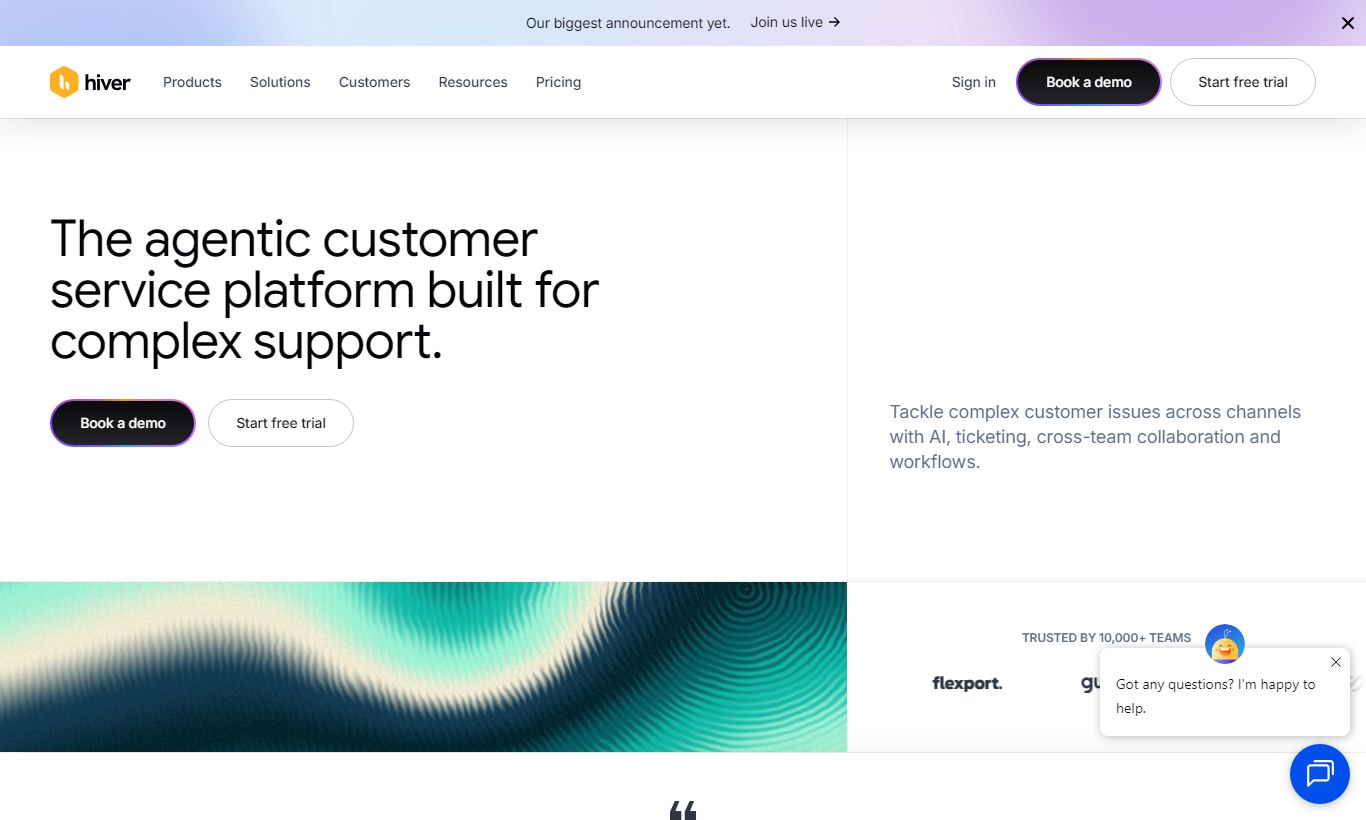
Hiver is a Gmail-native helpdesk platform that turns shared inboxes like support@ or billing@ into collaborative customer support hubs, without forcing your team to leave Google Workspace. It's built for small to mid-sized teams who live in Gmail, offering email assignments, collision detection, shared drafts, SLA tracking, CSAT surveys, and a live chat widget, all from inside the Gmail interface. Pricing starts at $19/user/month (billed annually), with a 7-day free trial. Hiver fits teams already embedded in Google Workspace who want structured support workflows without the complexity of a full-blown helpdesk like Zendesk. It's a weaker choice for large enterprises that need deep omnichannel routing or custom reporting. For its niche, it delivers strong value, and the Gmail-first approach removes the adoption barrier that usually comes with standalone helpdesks.
What we love
Watch out for
Hiver at a glance
What to test in your Hiver trial
7-day free trial
- Connect your support@ inbox and assign 5 real customer emails to team members to test collision detection
- Set up one automation rule to tag and route emails by keyword or sender domain
- Define SLA response times for your main inbox and verify escalation alerts trigger before deadline
- Send CSAT survey on a closed conversation and check if feedback appears in analytics
- Build a simple report filtered by agent and date range to see workload distribution
- Decide if Gmail-only support meets your needs before the 7-day trial ends or first bill hits
Quick Verdict
Hiver earns its place as the go-to helpdesk for teams deeply committed to Google Workspace. Instead of pulling agents into yet another tab, Hiver builds structured customer support (assignments, SLAs, notes, CSAT, analytics) directly inside Gmail. For companies with 5 to 150 support agents already working in Google Workspace, this setup works well. There's zero interface switching, onboarding is fast, and the feature set covers the essentials without overwhelming a lean team.
The caveat is just as clear. If your team spans multiple channels at serious volume, or you need enterprise-grade customization and reporting, Hiver's Gmail dependency turns into a limit rather than a strength. For its intended audience, though, it punches well above its price point. Plans start at $19/user/month, and a 7-day free trial lets you test the full feature set before you commit.
Start Your Free Trial →What is Hiver?
Hiver was founded in 2011 (originally as GrexIt) and rebranded to Hiver in 2015. Headquartered in San Jose, California, the company set out to solve a problem that almost every small business hits: a shared inbox like support@yourcompany.com quickly turns into a free-for-all where emails get missed, duplicated, or left hanging. Hiver's answer was to build a helpdesk layer on top of Gmail rather than alongside it. That makes it the only major customer support platform that runs entirely inside Google Workspace.
The product targets SMBs and mid-market teams in professional services, SaaS, e-commerce, logistics, and education, sectors where staff already live in Gmail and where paying per agent for a heavyweight platform like Zendesk or Freshdesk feels like overkill. Hiver serves over 2,000 companies worldwide, including Harvard University, Flexport, and Vacasa.
Key Features
Feature Checklist
Shared Inboxes & Email Assignment
The foundation of Hiver is the shared inbox. Any Gmail address, support@, billing@, returns@, can be connected and surfaced as a shared inbox visible to your entire team within their individual Gmail accounts. Managers or automation rules can assign specific conversations to agents. Once assigned, that thread shows the assignee's name alongside a status badge (Open, Pending, or Closed). This kills the classic "I thought you were handling it" problem without requiring a separate ticketing tool. You can also assign conversations in bulk, which matters a lot during high-volume periods.
Collision Detection & Internal Notes
One of Hiver's most useful features is collision detection, a real-time alert that appears when two agents are viewing or drafting a reply to the same email at the same time. This single feature can save a team from real embarrassment and customer confusion. Hiver also lets agents leave internal notes (@ mentioning teammates) directly on an email thread. These notes are invisible to the customer but visible to the whole team, which replaces the need for side-channel Slack messages about a customer issue. These two features alone justify the tool for many teams.
Automation Rules
Hiver's automation engine lets teams build if-then rules based on email attributes: sender domain, subject line keywords, attachment presence, or existing tags. A practical example: any email from a VIP customer domain gets auto-tagged "Priority" and assigned to your senior agent. Or any email containing the word "invoice" gets routed to the billing inbox. Rules can also auto-close emails that match certain criteria, keeping the inbox clean without manual triage. The automation builder is visual and needs no coding, though more complex branching logic (multi-step workflows with delays) is limited compared to dedicated workflow tools.
SLA Policies & CSAT Surveys
Hiver's SLA management lets you define first response time and resolution time targets, with automatic escalation alerts when a conversation is approaching or has breached its SLA. SLAs can be applied globally or per inbox, giving you flexibility for different service tiers. CSAT surveys go out automatically after a conversation is closed, a simple one-click rating email that captures customer satisfaction without friction. Both features are available from the Pro plan upward, and the reporting on SLA breach rates and CSAT scores feeds directly into Hiver's analytics dashboard.
Live Chat & WhatsApp Integration
Beyond email, Hiver offers a live chat widget you can embed on your website. Chats arrive in the same Gmail-based interface as emails, so agents handle them without switching tools. WhatsApp Business integration (available on Elite and above) lets two-way WhatsApp conversations flow into the same shared inbox. A basic voice calling feature is also present on higher tiers. This multi-channel reach keeps Hiver relevant as customer contact preferences shift, though its chat features are less mature than dedicated tools like Intercom or Drift.
Reporting & Analytics
Hiver's analytics module tracks the metrics that matter most to support managers: first response time, resolution time, email volume per inbox, agent workload distribution, SLA compliance, and CSAT trends over time. Reports can be filtered by date range, inbox, or individual agent. A "Today" view gives a live pulse check during business hours. Custom report exports to CSV are available, and select plans support scheduled email reports. The reporting holds up well for a team under 100 agents, though it lacks the custom dashboard builder or advanced cohort analysis you'd find in Zendesk Explore or Freshdesk's reporting suite.
Pricing
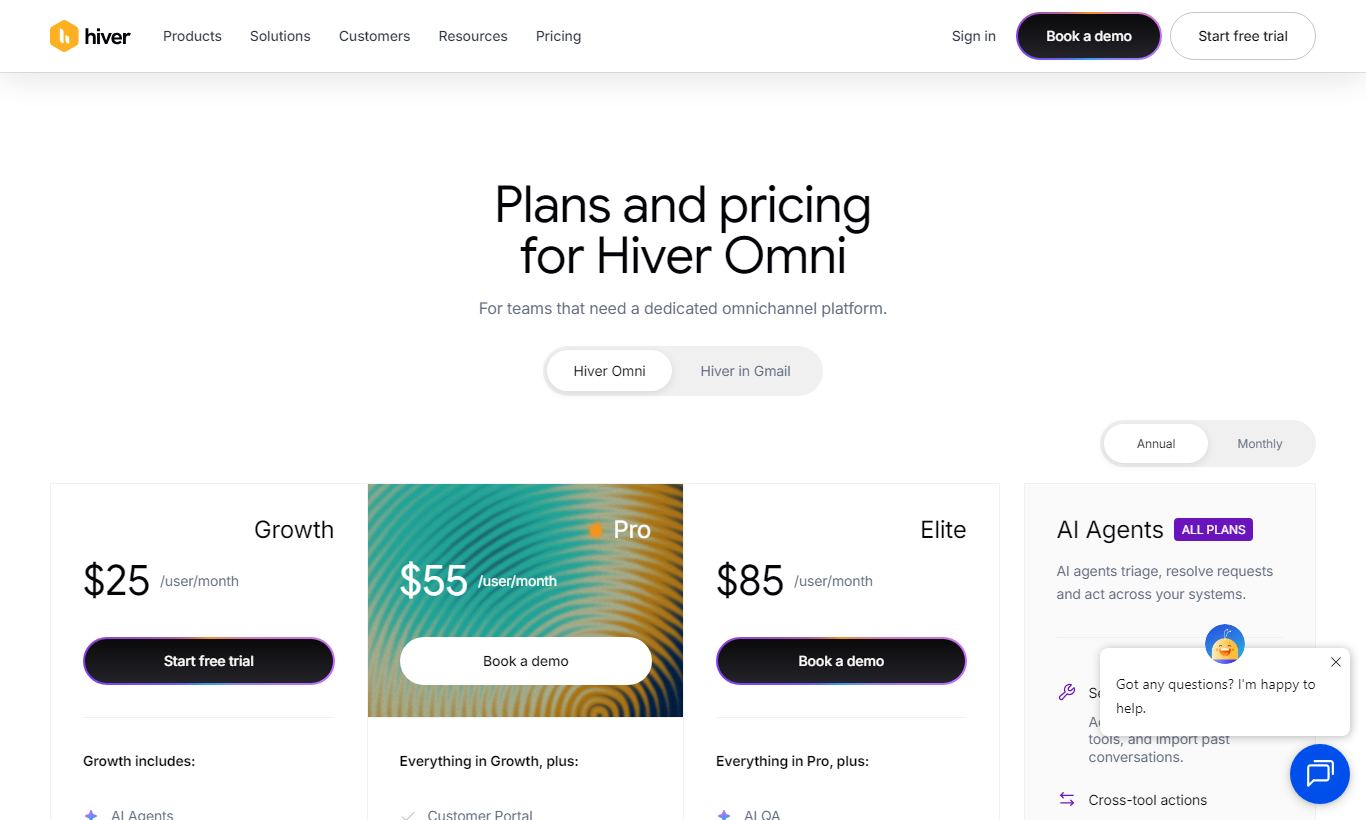
Hiver offers four paid plans, all billed per user per month. Annual billing knocks a solid chunk off the price. There's no permanent free plan, but every tier comes with a 7-day free trial, and you don't need a credit card to start one.
- Lite, $19/user/month (billed annually, around $24 month-to-month): Shared inboxes, email assignment, collision detection, internal notes, basic tags and filters, and up to 10 users. Good for very small teams getting started.
- Pro, $49/user/month (billed annually): Everything in Lite plus SLA policies, CSAT surveys, automation rules, advanced analytics, round-robin assignment, and live chat. This is the most popular tier and the right choice for most growing teams.
- Elite, $79/user/month (billed annually): Adds WhatsApp integration, custom roles and permissions, API access, Salesforce integration, and priority support. Suited for mid-market teams with more complex routing and CRM requirements.
- Custom (Enterprise): Custom pricing for large deployments. Includes dedicated onboarding, custom SLAs, SSO, and an account manager.
Compared to Zendesk Suite (starting at $55/agent/month for Suite Team), Hiver's Pro plan at $49 holds up well, especially once you factor in that Gmail users won't need to learn a new interface. Freshdesk's Growth plan starts at $18/agent/month, but it requires users to work in a separate interface from their inbox.
What We Love
- True Gmail-native experience: Hiver is the only major helpdesk that runs entirely inside Gmail. No new tab, no separate login, no retraining staff on a new interface.
- Collision detection prevents duplicate replies: You get real-time alerts when two agents are drafting on the same thread, so you avoid embarrassing double-responses to customers.
- Fast time-to-value: Most teams are fully set up and handling tickets within a single business day. Onboarding really is that simple for Google Workspace users.
- SLA tracking with automatic escalations: Per-inbox SLA policies with breach alerts keep support teams accountable, without managers having to check in manually.
- Transparent, per-agent pricing with no feature paywalls on core tools: Even the Lite plan includes the most-used features. You won't pay extra just to see who replied last.
Watch Out For
- Hard dependency on Google Workspace: Hiver only works if your entire team uses Gmail/Google Workspace. That's a non-starter for Microsoft 365 shops or mixed environments.
- Automation depth is limited: Multi-step workflows with time delays, conditional branching, or cross-inbox triggers aren't possible. Power users will hit the ceiling faster than with Zendesk or Freshdesk.
- Live chat is functional but not best-in-class: The chat widget lacks bot builder capabilities, proactive messaging, and the deep customization dedicated chat tools offer. It's a common complaint in user reviews.
- Reporting lacks custom dashboard builder: Standard reports are solid, but you can't build custom visualizations or cross-metric dashboards without exporting to a BI tool. That gap matters for data-driven support ops teams.
Who Is It Best For?
The lean SaaS customer success team (5 - 30 agents): A SaaS startup with a CS team handling onboarding questions, renewal conversations, and bug reports through support@company.com will get real value from Hiver. The Gmail-native interface means engineers, CSMs, and support agents can all work on threads together, and nobody needs a Zendesk license or a separate login.
The professional services firm managing client communications: Picture a 20-person accounting firm, a boutique law firm, or a digital agency where client emails land in a shared inbox and several team members need visibility, accountability, and a clear audit trail, but nobody wants to run a traditional helpdesk. Hiver's internal notes and assignment system adds structure without the bureaucracy.
The e-commerce operations team handling order & returns queries: An e-commerce brand with a small support team managing returns@, orders@, and wholesale@ inboxes can use Hiver's routing rules to auto-tag and assign emails by type, apply SLAs during peak sale periods, and track post-resolution satisfaction with CSAT. Agents never have to leave the Gmail workflow they already use every day.
How Does It Compare?
Hiver vs. Freshdesk: Freshdesk packs in more on automation, reporting, and omnichannel support (voice, social) at similar price points, but agents have to work in a separate interface entirely. For teams not tied to Gmail, Freshdesk scales further. For Gmail-first teams, Hiver wins on adoption speed and day-to-day usability. See our full Hiver vs Freshdesk breakdown.
Hiver vs. Zendesk: Zendesk Suite is the industry standard for mid-to-large support teams. It offers stronger custom workflows, a marketplace of 1,000+ integrations, and enterprise-grade reporting. But it starts at $55/agent/month and comes with a steep learning curve. Teams under 50 agents who don't need that complexity often find Hiver faster, cheaper, and easier to sustain. Read the detailed Hiver vs Zendesk comparison.
Final Verdict
Hiver is one of the most elegantly scoped products in the customer support space. It doesn't try to be everything. It tries to be the best helpdesk for Gmail users, and it largely succeeds. The Gmail-native approach removes the biggest barrier to helpdesk adoption, getting agents to actually use a new tool, and the pricing is fair for what you get. Features like collision detection, SLA tracking, and internal notes solve real daily problems for support teams.
Buy it if your team runs on Google Workspace and you're managing shared inboxes that have outgrown what plain Gmail can handle. Skip it if you're on Microsoft 365, need complex multi-step automation, or run a 200+ agent contact center where Zendesk or Salesforce Service Cloud's depth is genuinely required. For everyone else in the Gmail ecosystem, Hiver is a very easy recommendation.
Try Hiver Free →FAQ
How much does Hiver cost?
Hiver's paid plans start at $19/user/month (Lite, billed annually). The most popular Pro plan is $49/user/month. The Elite plan is $79/user/month, and enterprise pricing is available on request. All plans come with a 7-day free trial.
Does Hiver have a free plan?
No, Hiver does not offer a permanent free plan. Every paid tier includes a 7-day free trial with no credit card required, and that trial gives you full access to the features on that plan.
Is Hiver worth it for small teams?
Yes, especially for small teams already using Google Workspace. The Lite plan at $19/user/month covers the core shared inbox and assignment features. Onboarding takes hours, not days. Teams of 3 to 15 agents typically see the most immediate ROI.
Does Hiver work with Microsoft Outlook or Microsoft 365?
No. Hiver is built exclusively for Gmail and Google Workspace. It doesn't support Microsoft Outlook or Microsoft 365 in any form. Teams on Microsoft's productivity suite should look at Freshdesk or Zendesk instead.
How does Hiver compare to Zendesk?
Zendesk offers more powerful automation, a bigger integration marketplace, and better custom reporting. It starts at $55/agent/month and requires agents to work in a separate interface. Hiver is simpler, cheaper for small teams, and faster to deploy, but it doesn't scale to Zendesk's depth for large contact centers.
Can Hiver handle live chat and WhatsApp?
Yes, with caveats. Live chat via an embeddable website widget is available from the Pro plan. WhatsApp Business integration is available on the Elite plan ($79/user/month). Both channels feed into the same Gmail-based interface, but the chat features fall short of dedicated tools like Intercom.
What integrations does Hiver support?
Hiver integrates natively with Salesforce (Elite plan and above), Slack, Zapier, HubSpot, Jira, Asana, and several other tools through its API. The integration library is smaller than Zendesk's 1,000+ marketplace, but it covers the tools most SMB support teams actually use.
Is Hiver secure and GDPR compliant?
Yes. Hiver is SOC 2 Type II certified and GDPR compliant. Because it runs inside Google Workspace, email data sits in Google's infrastructure, and Hiver accesses it through Google's secure OAuth. Enterprise plans include SSO and advanced role-based access controls.
We may earn a commission when you click affiliate links. This never affects our editorial scores.
| Best for | — |
| Category | Customer Support |
Answer a few quick questions and we'll match you to the best tool for your needs.
→ Suggest a Tool