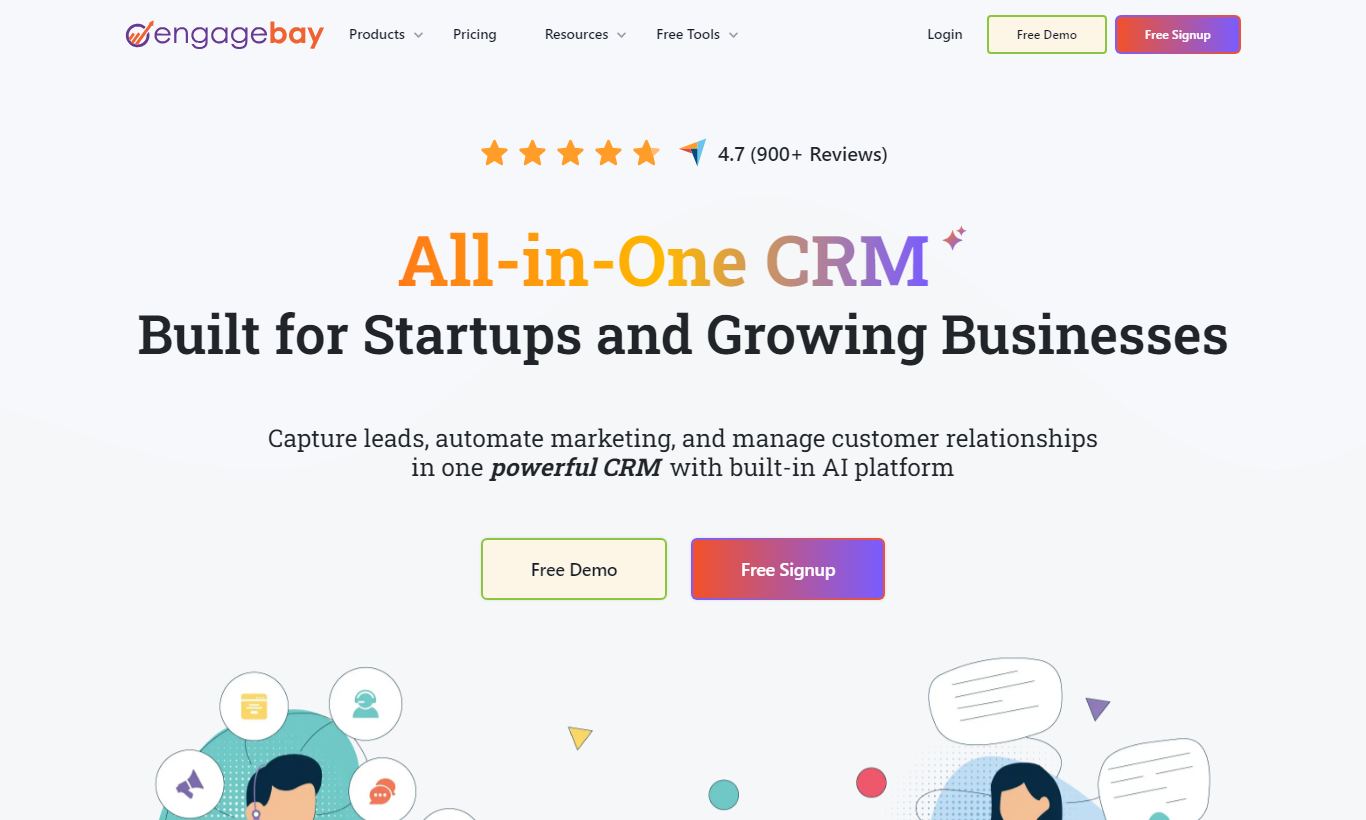
EngageBay is an all-in-one CRM, marketing automation, and helpdesk platform built primarily for small and mid-sized businesses that want HubSpot-level functionality without the enterprise price tag. Its free plan supports up to 15 users, which is unusually generous in this market, while paid plans start at $12.74/user/month. The platform combines email marketing, live chat, landing pages, a deal pipeline, and ticketing in a single dashboard, so you don't have to stitch together multiple tools. It isn't flawless. The UI feels dated compared to newer entrants, and advanced reporting lags behind dedicated CRMs like Salesforce. But for a bootstrapped SaaS startup, a growing e-commerce brand, or a marketing agency managing multiple clients on a lean budget, EngageBay consistently punches above its weight. If you need a capable, affordable all-in-one CRM without a steep learning curve, EngageBay deserves serious consideration.
What we love
Free plan supports up to 15 users with a real deal pipeline, email broadcasting, and live chat, and no credit card is required
Visual automation builder supports multi-condition workflows with webhook triggers and cross-module actions between marketing, CRM, and support
Built-in appointment scheduling with shareable calendar links means you can skip a separate Calendly subscription
360-degree contact timeline consolidates email history, web behaviour, deals, tickets, and calls on a single unified record
All-in-one architecture means marketing, CRM, and helpdesk share the same native database, so you avoid data sync errors from multi-tool stacks
Watch out for
UI feels dated compared to HubSpot and Pipedrive, which can slow onboarding for less technical team members (a common complaint in G2 and Capterra reviews)
Custom reporting and advanced analytics are locked to the Pro plan, leaving Growth-tier teams with limited funnel and attribution visibility
Basic plan's 500-contact ceiling is low for active marketing programmes, pushing most users to the Growth plan faster than expected
Native third-party integration library is narrower than competitors, with fewer than 50 direct integrations compared to HubSpot's 1,000+, so many common tools require Zapier
EngageBay at a glance
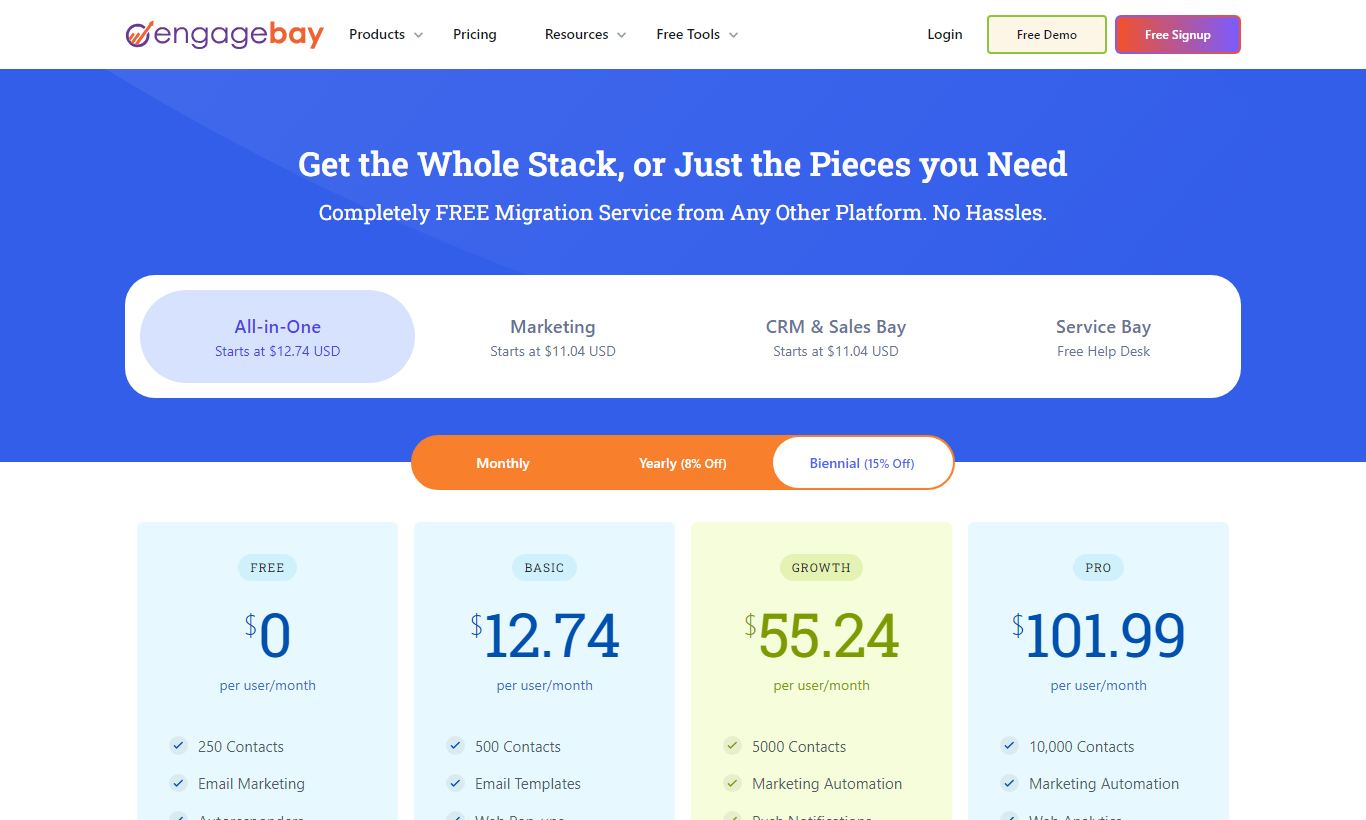
Homepage · Source: engagebay.com · Captured Nov 2026Pricing page · Source: engagebay.com · Captured Nov 2026
What to test in your EngageBay trial
14-day free trial of paid features
Build a multi-step email automation workflow with conditions and webhook triggers using real lead data
Upload your actual contacts and consolidate email history, web behaviour, and deal stage into one contact timeline
Create a visual deal pipeline with custom stages and test drag-and-drop deal management across multiple pipelines
Set up a shareable appointment calendar link and test scheduling without a separate Calendly subscription
Build a landing page with a web form, trigger an automation on submission, and capture leads into segments
I need you to provide the actual HTML content you'd like me to rewrite. You've given me detailed instructions for how to rewrite it, but no article text has been included in the message.
Please paste the HTML content between the `` tags (or just share the full HTML), and I'll rewrite it according to your style guide while preserving every fact, number, name, and price exactly as given.
Quick Verdict
EngageBay pulls off something rare in the CRM world: a genuinely capable all-in-one platform priced low enough that you don't need board approval to sign up. For small businesses and growing startups currently paying for Mailchimp, a basic CRM, and a helpdesk tool separately, EngageBay makes a strong case for consolidating. The free plan alone covers marketing emails, contact management, live chat, and a deal pipeline for up to 15 users. That's more than most competitors offer at any price.
The value shows up in how much you get for the cost. The trade-off shows up in interface polish and the depth of the analytics. If your team needs sleek UI design or enterprise-grade custom reporting, look elsewhere. But if you're a founder, marketing manager, or operations lead who wants one platform to handle the whole customer lifecycle, from lead capture to support ticket, EngageBay is hard to beat at this price.
EngageBay was founded in 2017 by Sreedhar Ambati, who'd previously worked on HubSpot integrations and spotted a gap in the market: small businesses needed the same all-in-one CRM and marketing automation capabilities as enterprises, but at a fraction of the cost. Headquartered in Newark, Delaware, with a development team in India, EngageBay has grown to serve over 46,000 customers across more than 170 countries. It positions itself directly against HubSpot's lower tiers and ActiveCampaign, and often wins on price and the sheer breadth of out-of-the-box features.
The platform is split into three modules: Marketing Bay, CRM & Sales Bay, and Service Bay. You can buy them individually or as an all-in-one bundle. This modular setup means a small e-commerce brand can start with just marketing automation and add CRM functionality later, without switching to a new tool. The target buyer is a business with 5 to 200 employees that has outgrown free tools but isn't ready for Salesforce-level complexity or cost.
Screenshot: EngageBay all-in-one CRM and marketing dashboard
Key Features
Feature Checklist
19/19 included|EngageBay
360-Degree Contact Timeline— Unified contact record with email, calls, web visits, deals, and tickets
Included
Visual Deal Pipeline— Drag-and-drop Kanban board with multiple pipeline support
Included
Contact Segmentation— Dynamic lists based on behaviour, tags, and custom fields
Included
Custom Fields— Add custom data fields to contacts, companies, and deals
Included
CRM & Contact Management
EngageBay's contact management goes well beyond a simple address book. Each contact record pulls together email history, website activity (via the tracking script), deal associations, support tickets, and social media profiles into a single timeline view. You can create custom fields, apply tags, and segment contacts into dynamic lists based on behaviour. For example, you could build a list for contacts who "visited the pricing page twice in 7 days but haven't booked a demo." That kind of context matters a lot to a sales rep before a call. The 360-degree contact view is one of the platform's strongest selling points, and it's available even on the free plan.
The visual automation builder is where EngageBay most clearly earns its "HubSpot alternative" label. You get a drag-and-drop canvas for building multi-step workflows triggered by contact behaviour, form submissions, tag changes, or deal stage transitions. Here's a practical example: a SaaS startup can set up a workflow that sends a welcome email sequence when someone signs up for a trial, assigns a sales task after day 3 if the contact hasn't logged in, and notifies Slack after day 7 if there's still no engagement. The builder supports conditions, wait steps, A/B splits, and webhook calls to external systems. It's not as visually polished as ActiveCampaign's, but it covers most SMB automation needs without requiring a technical hire.
Email Marketing & Sequences
EngageBay includes a drag-and-drop email builder with over 500 pre-built templates, segmented broadcast sending, and personalisation tokens. Sales sequences (multi-step, automated outreach cadences) are built into the CRM layer, so reps can enrol contacts into a 5-touch email and call sequence directly from the contact record. Open tracking, click tracking, and unsubscribe management are all handled natively. On the Growth plan and above, you also get A/B testing for subject lines and send-time optimisation, which noticeably improves deliverability for marketing-heavy teams.
Deals Pipeline & Sales Tools
The visual deal pipeline uses a Kanban-style board where reps drag deals through custom stages. You can run multiple pipelines at once, which is useful for agencies managing different client types or businesses with separate inbound and outbound processes. Each deal card links to associated contacts, companies, email threads, tasks, and documents. Activity logging (calls, notes, meetings) is manual but quick via inline forms. Appointment scheduling via a shareable calendar link (similar to Calendly) is built in at no extra cost, and that's a genuine differentiator at this price point. There's also a telephony integration for teams who want click-to-call functionality without leaving the CRM.
The Service Bay module adds a shared inbox, ticket management, canned responses, and SLA tracking. It's a legitimate Freshdesk-lite for teams that don't want a separate helpdesk subscription. Live chat is included and connects directly to the CRM, so a support agent can see a customer's full purchase and communication history in the same window. For a B2B SaaS company handling both sales inquiries and post-sale support, this integration cuts out a lot of context-switching. The chatbot builder for automating first-response flows is available on the Pro plan and above.
Landing Pages & Forms
EngageBay includes a landing page builder with responsive templates and a web form builder for lead capture. Forms can trigger automations, add tags, or start sequences immediately on submission. Landing pages are hosted on EngageBay's subdomain by default, but you can connect a custom domain on paid plans. The builder works well for standard use cases, though it doesn't approach the design flexibility of dedicated tools like Unbounce. It's a "good enough" solution that saves straightforward campaigns from needing a separate subscription.
Pricing
Pricing is where EngageBay makes its case. Every plan runs per-user per-month (billed annually) and covers the full all-in-one suite. You can also pay monthly, though it costs more.
Free: $0 forever for up to 15 users. Includes 250 contacts, email broadcasts, live chat, helpdesk, deal pipeline, and basic CRM. No credit card required.
Basic: $12.74/user/month (annual) or $14.99/user/month (monthly). Adds 500 contacts, email sequences, landing pages, and lead scoring.
Growth: $45.99/user/month (annual) or $49.99/user/month (monthly). The most popular tier. Adds 5,000 contacts, marketing automation, A/B testing, push notifications, and custom domain support. Best value for growing teams.
Pro: $91.99/user/month (annual) or $99.99/user/month (monthly). Unlimited contacts, advanced reporting, custom reporting, role-based permissions, phone support, and a dedicated account manager.
EngageBay also lets you buy individual modules (Marketing Bay or CRM & Sales Bay only) at reduced rates. That's a good fit for teams that only need one piece to start. A 14-day free trial of paid features is available on request, and the free plan itself works as an indefinite trial for most core features.
Free plan supports 15 users with genuine CRM functionality. It's a usable product, not a crippled trial, covering contacts, pipeline, email, and live chat.
Visual automation builder handles multi-condition workflows, including webhook triggers, A/B splits, and cross-module actions (a marketing action can trigger a sales task, for example).
Built-in appointment scheduling with shareable calendar links means the sales team doesn't need a separate Calendly subscription.
360-degree contact timeline pulls together email history, web behaviour, deals, tickets, and calls on a single record. That cuts pre-call research time significantly.
All-in-one bundle cuts out integration maintenance. Marketing, CRM, and helpdesk share the same database natively, so you avoid the data sync errors common in tool-stack setups.
Watch Out For
The UI feels behind modern competitors. Several reviewers on G2 and Capterra note that the interface, while functional, lacks the visual polish of HubSpot or Pipedrive. That can slow onboarding for less technical team members.
Reporting and analytics are limited below the Pro tier. Teams that rely on custom attribution reporting, multi-touch revenue analysis, or complex funnel visualisations will find the Growth plan's native dashboards insufficient.
Contact limits on lower tiers can catch teams off-guard. The Basic plan's 500-contact ceiling is low for any active marketing programme. It pushes most serious users to the Growth plan sooner than expected.
Third-party integration library is narrower than competitors. Native integrations with tools like Zapier, Salesforce, and common e-commerce platforms exist, but the breadth of direct integrations doesn't match HubSpot's 1,000+ ecosystem. Niche tools often need a Zapier workaround.
Who Is It Best For?
The bootstrapped SaaS founder (1 - 20 employees): A technical founder running a SaaS product needs to handle marketing sequences, a sales pipeline, and customer support tickets without hiring separate people for each job. EngageBay's free plan lets them start at zero cost and move into the Growth plan ($45.99/user/month) once revenue justifies it. No tool migration required.
A marketing agency managing 10 - 30 client accounts: An agency can use EngageBay's sub-account or contact segmentation features to run email campaigns, landing pages, and CRM pipelines for multiple clients inside a single instance. The Growth plan's automation builder handles client-specific nurture flows, and the built-in reporting covers standard monthly client reports without extra work.
A mid-market B2B sales team (10 - 50 reps) currently using three separate tools: A business paying for Mailchimp, Pipedrive, and Freshdesk separately, a combination that easily runs past $150/user/month, can consolidate into EngageBay's Pro plan at $91.99/user/month. That switch also gives sales and support teams a clearer, shared view of customer interactions.
How Does It Compare?
EngageBay vs HubSpot: HubSpot's free CRM packs in plenty of features, but its paid tiers jump fast. Marketing Hub Professional starts at $890/month no matter how many users you have. EngageBay covers 80% of HubSpot's SMB use cases at roughly 20% of the cost. What you give up is ecosystem breadth and UI polish. See our full EngageBay vs HubSpot breakdown.
EngageBay vs ActiveCampaign: ActiveCampaign has a sharper automation builder and better email deliverability tools, but it doesn't offer a native CRM pipeline with helpdesk integration at a comparable price. If email automation is your main need, ActiveCampaign is the better pick. If you need the full CRM-to-support lifecycle, EngageBay's all-in-one setup has a clear edge. See our EngageBay vs ActiveCampaign comparison.
Final Verdict
EngageBay is a strong pick for any small-to-mid-sized business that needs a full CRM, marketing automation, and helpdesk stack without paying enterprise prices. Its free plan is the most generous in its class, the Growth plan delivers outsized value at $45.99/user/month, and the all-in-one setup genuinely cuts out the integration headaches you get with multi-tool stacks. The platform has real weaknesses. UI polish, limited native integrations, and shallow analytics on lower tiers are all fair criticisms. But most SMB teams can work around them without much trouble.
Who should look elsewhere: enterprise teams that need advanced custom reporting and a huge app ecosystem are better served by Salesforce or HubSpot Enterprise. Pure email marketing teams with no CRM need might find ActiveCampaign a cleaner fit. For the large majority of growing businesses that want one login, one database, and one vendor for the entire customer lifecycle, though, EngageBay is a genuinely compelling choice in 2026.
EngageBay has four plans. Free costs $0 and covers up to 15 users. Basic runs $12.74/user/month billed annually. Growth costs $45.99/user/month billed annually and is the most popular tier. Pro comes in at $91.99/user/month billed annually. Monthly billing is available too, at slightly higher rates. Every plan includes the full suite of CRM, marketing, and helpdesk tools.
Does EngageBay have a free plan?
Yes, and it's permanent, not a trial. It supports up to 15 users with 250 contacts, and includes a deal pipeline, email broadcasts, live chat, helpdesk ticketing, and basic CRM contact management. No credit card required.
Is EngageBay a good HubSpot alternative?
For small and mid-sized businesses, yes. EngageBay covers the core CRM, marketing automation, and helpdesk functions that HubSpot handles, at roughly 20% of the cost for comparable functionality. HubSpot has a wider integration ecosystem and a more polished interface, but its paid plans start much higher. If budget is tight and you don't need HubSpot's enterprise-grade ecosystem, EngageBay holds up well.
What is the contact limit on EngageBay's plans?
The Free plan includes 250 contacts, Basic includes 500, Growth includes 5,000, and Pro offers unlimited contacts. Teams running active marketing programmes will likely find Basic's limit too tight and should plan on budgeting for Growth instead.
Does EngageBay include email marketing automation?
Yes. From Growth upward, EngageBay includes a visual drag-and-drop automation builder that supports multi-step workflows triggered by contact behaviour, form submissions, deal stage changes, and more. Basic email sequences (multi-touch outreach cadences) are available starting on the Basic plan.
Is EngageBay worth it for a small business?
For most small businesses juggling marketing, sales, and support across several tools, yes. The savings from consolidating separate subscriptions for email marketing, CRM, and helpdesk into one platform often beat EngageBay's own cost. The Growth plan at $45.99/user/month is a particularly good deal for teams of 5 to 20 people that need automation and pipeline management.
Does EngageBay integrate with third-party tools?
EngageBay offers native integrations with Zapier, Mailgun, SendGrid, Twilio, Stripe, Shopify, and several others. For anything not directly supported, Zapier connections fill most of the gaps. The integration library is smaller than HubSpot's 1,000+ ecosystem, so teams running complex tool stacks should check compatibility before committing.
How does EngageBay handle customer support?
Email and live chat support come with every plan. Phone support and a dedicated account manager are included on Pro. The knowledge base and community forum cover a lot of ground, and most users report decent first-response times on chat, though complex issues can take a while to resolve on the lower-tier plans.