Xero Review 2026: Is It Worth It?
Xero is a cloud-based accounting platform built for small to mid-sized businesses, sole traders, and their accountants. It handles invoicing, bank reconciliation, payroll, expense tracking, and financial reporting in one interface. Pricing starts at $20/month for the Starter plan and climbs to $80/month for Ultimate, and there's a 30-day free trial. Xero's biggest strengths are unlimited users on every plan, strong tools for accountant collaboration, and an ecosystem of over 1,000 app integrations. It falls short for businesses that need advanced inventory management or industry-specific reporting without add-ons. Most small business owners who want a reliable accounting tool their bookkeeper can access at no extra cost will get strong value from Xero. Larger companies with complex payroll or manufacturing needs will likely find it limiting.
What we love
Watch out for
Xero at a glance
What to test in your Xero trial
30-day free trial
- Connect your main business bank account and verify daily automatic transaction imports and smart matching suggestions
- Create and send 3-5 invoices with payment links to real or test clients to check the workflow and branding options
- Test the mobile app by photographing and submitting a few receipt photos to see the expense capture flow
- Reconcile a full month of bank transactions using auto-coding rules to measure time saved versus your current method
- Check if your accountant or bookkeeper can log in simultaneously and access your live data without extra costs
Quick Verdict
Xero is one of the most well-rounded cloud accounting platforms available for small and medium-sized businesses, and for most companies it earns its monthly cost. Its unlimited-user policy alone sets it apart from rivals like QuickBooks Online, which charges per seat. That's a meaningful saving for any business where an owner, bookkeeper, and accountant all need access at the same time. Add genuinely smart bank reconciliation, a clean mobile app, and an integration ecosystem that stretches across e-commerce, payroll, CRM, and inventory, and you get a platform that grows with your business instead of boxing it in.
Xero isn't flawless, though. The Starter plan's 20-invoice monthly cap is almost comically restrictive, phone support doesn't exist, and US-based businesses will need to budget for a Gusto payroll add-on if they want to run payroll inside the platform. For the right business profile, an established small business or growing SME with a working accountant relationship, Xero is a confident recommendation. For solo freelancers sending a handful of invoices a month or larger enterprises that need deep inventory or manufacturing workflows, the math changes.
Start Your Free Trial →What is Xero?
Rod Drury and Hamish Edwards founded Xero in 2006 in Wellington, New Zealand. Their goal was simple: build accounting software that small business owners could actually use without a finance degree. Today the company is publicly listed on the NZX, serves over 3.95 million subscribers worldwide, and has built particularly strong roots in Australia, New Zealand, the United Kingdom, and increasingly the United States. It sits squarely in the SME accounting market, competing directly with QuickBooks Online and FreshBooks. It's also the preferred platform for thousands of accounting firms who manage multiple client ledgers through Xero's partner program.
Unlike legacy desktop accounting software, Xero was built cloud-first from day one. That means automatic software updates, real-time bank feeds, access from anywhere, and easy collaboration between business owners and their advisors. No file exports, no version mismatches. Its target user is the business owner who wants visibility and control without manually entering every transaction, backed by an accountant who needs a clean audit trail and proper double-entry bookkeeping under the hood.
Key Features
Feature Checklist
Bank Reconciliation and Feeds
Xero's bank reconciliation engine is genuinely one of its strongest features. Connect your bank account (Xero supports over 21,000 financial institutions globally) and it imports transactions daily, then uses machine learning to suggest matches against your existing invoices, bills, and manual entries. Over time the system learns your recurring payees and auto-codes them, cutting down the manual work of categorisation. For a business processing 200+ transactions a month, this alone can save several hours of bookkeeping every week. You can set rules to auto-reconcile specific merchant names or transaction patterns, so coffee runs to the same café get tagged as "Meals & Entertainment" without you lifting a finger.
Invoicing and Accounts Receivable
Xero's invoicing module covers the whole receivables cycle. You build invoices from customisable branded templates, attach payment links tied to Stripe, GoCardless, or Xero's own payment gateway, and set up automated payment reminders that go out at configurable intervals before and after the due date. The invoice tracking view shows you in real time whether a client has opened the invoice email, a small detail but a useful one when you're chasing late payers. Repeating invoices can be fully automated, which matters a lot for subscription-based service businesses. On the Growing plan and above there's no cap on invoice volume, so a recruitment agency sending 300 placement invoices a month runs into no artificial limits.
Expense Management
Expenses in Xero run through the mobile app, which lets employees photograph receipts, tag categories, add notes, and submit claims for approval. Mileage gets logged with a built-in tracker. On the Ultimate plan, expense capture and categorisation come as a dedicated module. On lower plans, some expense features need the Hubdoc integration (included free on all plans) or a third-party add-on. For teams with frequent travel and entertainment spend, Xero's expense workflow builds a clean, auditable paper trail that feeds straight into the general ledger without any manual journal entries.
Financial Reporting
The reporting suite covers all the basics: profit and loss (with period comparisons), balance sheet, cash flow statement, aged receivables, aged payables, and tax reports including GST, VAT, and sales tax depending on your region. Reports are customisable. You can add budget columns, filter by tracking categories (Xero's version of departments or cost centres), and export to PDF or Excel in one click. The Analytics Plus feature, exclusive to the Ultimate plan, adds scenario modelling. You can run "what if" projections and ask questions like "what happens to my cash position if my top three clients pay 30 days late?" That level of forecasting has traditionally belonged to standalone FP&A tools, and while Xero's version isn't as powerful as Spotlight Reporting or Futrli, it's a solid addition for growing businesses.
Integrations and App Ecosystem
Xero's 1,000+ app marketplace is a genuine competitive advantage. Deep integrations exist across every functional area a growing business touches. Shopify and WooCommerce handle e-commerce order syncing. Stripe and PayPal cover payment reconciliation. Gusto and Deputy manage payroll and workforce scheduling. HubSpot and Salesforce run CRM-to-invoice workflows. Cin7, DEAR Inventory, and Unleashed step in for businesses that need proper inventory and order management beyond what Xero handles natively. The quality of these integrations varies. Some are near-effortless two-way syncs, others are little more than one-way data exports. Still, the breadth means Xero can realistically sit at the centre of a small business's software stack without forcing it to compromise on any adjacent tool.
Pricing
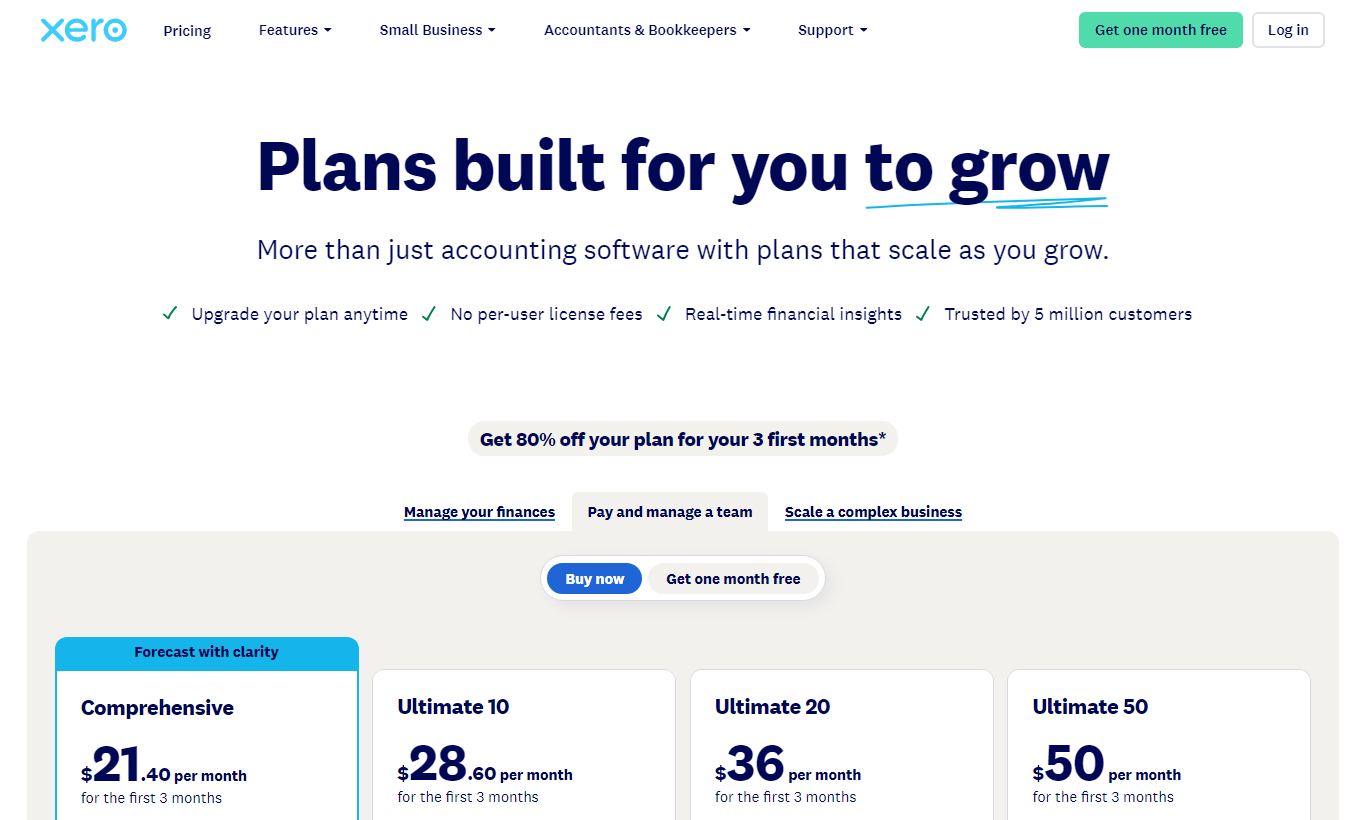
Xero offers four plans in the US market, all billed monthly with no mandatory annual commitment (though annual billing discounts show up sometimes during promotional periods). A 30-day free trial is available on all plans, and you don't need a credit card to sign up.
- Starter ($20/month): Capped at 20 invoices/quotes and 5 bills per month. Bank reconciliation and Hubdoc included. This fits only very early-stage businesses or those just getting set up. The invoice cap makes it impractical for most active trading businesses.
- Standard ($47/month): Unlimited invoices and bills, bulk reconciliation, full reporting suite. This is the plan most active small businesses should start with, and it's the best value entry point for a real operating business.
- Premium ($70/month): Everything in Standard plus multi-currency support across 160+ currencies with automatic exchange rate updates. Any business billing international clients in their local currency needs this tier.
- Ultimate ($80/month): Everything in Premium plus Analytics Plus forecasting, enhanced expense management, and payroll seats (in regions where Xero Payroll is native). In the US, payroll still runs through Gusto at an additional cost of roughly $40/month base plus $6 per employee.
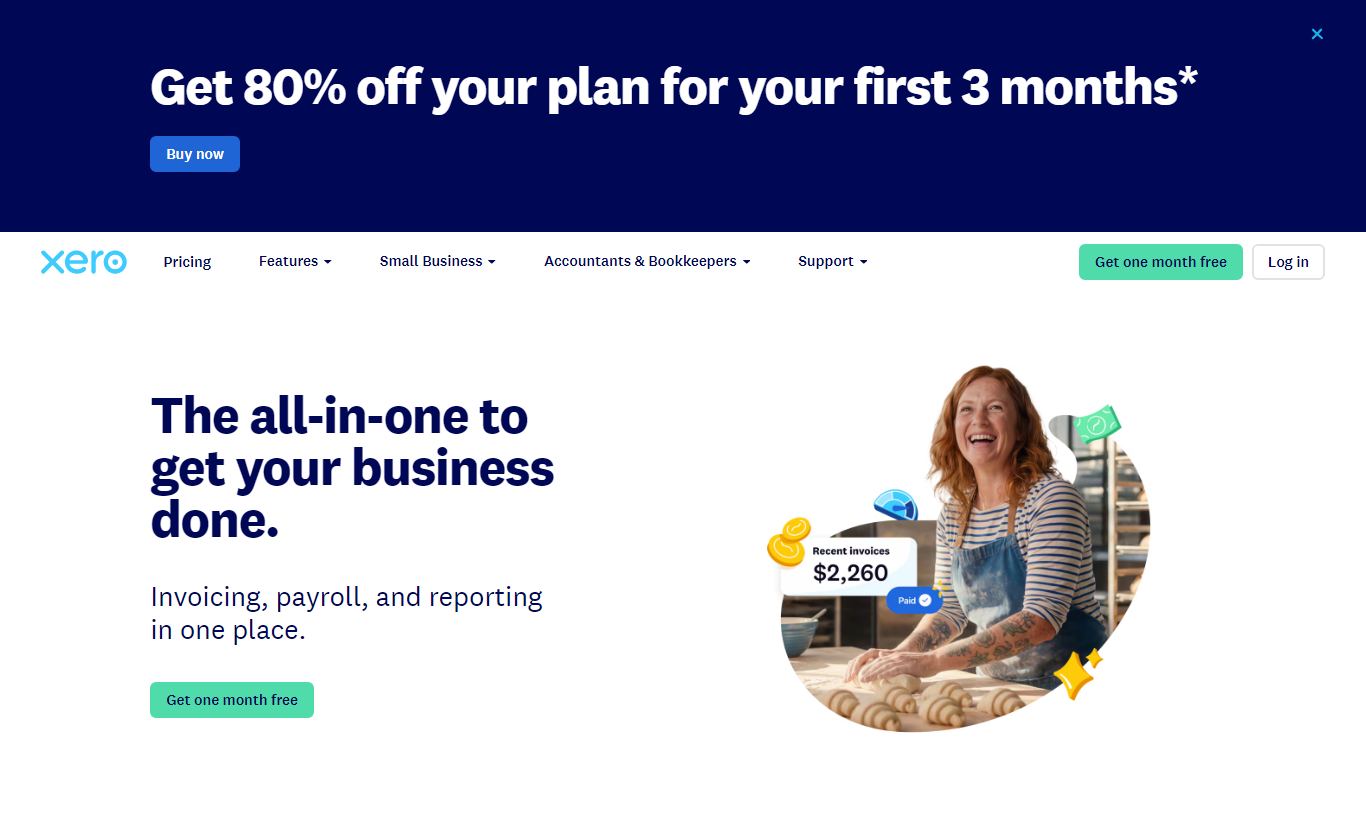
Xero runs promotional introductory discounts, commonly 50-90% off for the first 3-6 months, so the real cost of getting started often lands well below the sticker prices above. All plans include unlimited user seats, a real differentiator against QuickBooks Online's per-seat model.
What We Love
- Unlimited users at every tier: Your accountant, bookkeeper, operations manager and CFO can all have live access at the same time. There are no seat licence headaches and no extra monthly charges per additional user.
- Bank feed reliability and smart matching: Xero connects to 21,000+ institutions and uses machine learning to suggest transaction matches and auto-apply recurring coding rules. This cuts manual reconciliation time by a wide margin.
- Hubdoc included on all plans: Automated document capture pulls data from supplier bills and receipts and feeds it straight into the ledger, so you skip the manual entry.
- Breadth of the integration ecosystem: With 1,000+ certified app integrations, Xero can sit at the centre of a full small-business software stack covering payments, payroll, inventory, e-commerce and CRM.
- Multi-currency on a mid-tier plan: 160+ currencies with live exchange rates come with the Premium plan at $70/month. That puts international trading within reach for businesses of any size, not just enterprise accounts.
Watch Out For
- No phone support, at all: Every support interaction goes through email tickets or the community forum. Response times can stretch to 24 - 48 hours, which is a real problem when you're facing a payroll deadline or a year-end filing issue on a Friday afternoon. It's the most consistent complaint from actual Xero users across review platforms.
- Starter plan is almost unusable for active businesses: The 20-invoice, 5-bill monthly cap means most businesses will outgrow the Starter plan within their first active month of trading. The jump to Standard at $47/month is unavoidable, and the $20 entry price is somewhat misleading.
- US payroll requires a paid Gusto add-on: Unlike in Australia, New Zealand, and the UK, where Xero has built-in payroll, US businesses must integrate Gusto at roughly $40/month base plus $6 per employee. That's a real additional cost for payroll functionality competitors sometimes bundle in.
- Inventory management hits a ceiling quickly: The built-in inventory module handles basic stock-on-hand tracking but lacks serial number tracking, batch expiry management, multi-location stock, and manufacturing bills of materials. Growing product businesses will need to budget for a third-party inventory app like Cin7 or Unleashed.
Who Is It Best For?
Service-based SMEs with an accountant relationship: A marketing agency, consultancy, or professional services firm turning over $500K - $5M per year sits right in Xero's sweet spot. The unlimited-user model means the business owner, their bookkeeper, and their external accountant all work from the same live ledger. Automated bank reconciliation, clean reporting, and integration with tools like HubSpot for quote-to-invoice workflows keep the day-to-day financial admin manageable, even without a dedicated finance hire.
E-commerce businesses using Shopify or WooCommerce: A direct-to-consumer brand processing 50 - 500 orders per day can connect its Shopify store to Xero via A2X or the native Shopify integration, reconciling sales, refunds, fees, and payouts against the bank feed automatically. Add Stripe payment reconciliation and the month-end close that used to eat three days shrinks to an afternoon.
Accountants and bookkeepers managing multiple clients: Xero's Accountant and Bookkeeper Partner Program gives practices a centralised dashboard (Xero HQ) to manage all client ledgers, with tiered pricing and volume discounts. For an accounting practice with 20 - 200 small business clients, standardising on Xero cuts out much of the friction of switching between client files that came with desktop-era software.
How Does It Compare?
Xero vs QuickBooks Online: QuickBooks Online is still the biggest name in the US market and it has a slight edge in US-specific tax reporting and native payroll integration. But QuickBooks charges per user seat. The Simple Start plan covers just 1 user, and the top-tier Advanced plan supports 25. For any business needing more than 3 users, Xero's unlimited-user model gives you better value. Xero vs QuickBooks Online
Xero vs FreshBooks: FreshBooks works well for freelancers and solo service providers who care more about clean invoicing and client management than full double-entry accounting. It doesn't match Xero's depth of reporting, bank rule automation, or accountant tools. Growing businesses that outgrow FreshBooks tend to name Xero as the natural next step. Xero vs FreshBooks
Final Verdict
Xero earns its reputation as one of the best cloud accounting platforms for small and medium businesses. The unlimited-user model, strong bank feed automation, Hubdoc document capture, and a mature app ecosystem give it a feature-to-price ratio that's hard to match in its tier. The platform has clearly been built with both the business owner and their accountant in mind, and that dual-user focus shows in every part of the interface.
The caveats are real. No phone support is a genuine weakness that Xero needs to address, the Starter plan pricing is misleading given its invoice caps, and US businesses should factor in Gusto costs when budgeting. For a growing service business, an e-commerce operation, or any company whose accountant already works in Xero, these are manageable trade-offs against a platform that will scale reliably from $500K to $10M in revenue without requiring a re-platform. Try it on the 30-day free trial, no credit card required, and run a month of real transactions through it before committing.
Try Xero Free →FAQ
How much does Xero cost per month?
Xero's plans run from $20/month (Starter) to $80/month (Ultimate) in the US market. Most active businesses should start with the Standard plan at $47/month. You can try any plan free for 30 days, no credit card required.
Does Xero have a free plan?
No. Xero doesn't offer a permanent free plan, only a 30-day free trial on all paid plans. Once the trial ends, you need to subscribe to a paid tier starting at $20/month.
Is Xero better than QuickBooks Online?
For businesses with multiple users, Xero often wins on value since it includes unlimited users on every plan, while QuickBooks Online charges per seat. QuickBooks has the edge for US-specific payroll and tax features. Your choice comes down to team size, your accountant's preference, and whether you operate mainly in the US.
Does Xero include payroll in the US?
No. Xero doesn't include native payroll in the US. US businesses need to integrate with Gusto, which costs about $40/month base plus $6 per employee per month, on top of the Xero subscription fee. Native Xero Payroll is only available in Australia, New Zealand, and the UK.
Is Xero suitable for very small businesses or freelancers?
Xero can work for freelancers, but the Starter plan's cap of 20 invoices a month is a real limit. If you send fewer than 20 invoices monthly, the $20/month plan should cover you. Need unlimited invoicing? You'll have to upgrade to Standard at $47/month, which can feel steep for a one-person business. FreshBooks or Wave tend to be cheaper options for solo freelancers.
How secure is Xero?
Xero uses 256-bit TLS encryption in transit and AES-256 encryption at rest. It supports two-step authentication, runs a dedicated security team, and goes through regular third-party security audits. Data sits in redundant data centres with 99.97% uptime historically, and Xero complies with GDPR for European customers.
Can my accountant access Xero without paying extra?
Yes. You can invite your accountant or bookkeeper into your Xero organisation at no extra cost. Since Xero includes unlimited users on every plan, there's no per-seat charge for additional collaborators, including external advisors. Your accountant gets their own login and can be assigned role-based permission levels.
Is Xero worth it for a business already using spreadsheets?
If your business brings in more than $150K in annual revenue or handles more than 30 to 40 transactions a month, switching from spreadsheets to Xero is worth it. Automated bank reconciliation, real double-entry bookkeeping, real-time reporting, and audit-ready records cut down accountant fees at year-end and give you financial visibility spreadsheets can't match.
We may earn a commission when you click affiliate links. This never affects our editorial scores.
| Best for | Accounting for SMBs |
| Category | Accounting Software |
Answer a few quick questions and we'll match you to the best tool for your needs.
→ Suggest a Tool